How to delete a contact permanently
Last updated: June 24, 2026
Kula now provides the ability to permanently delete candidates upon request. When candidates requested removal from an organization's system. With this feature you can ensure compliance with data privacy regulations while maintaining control over their candidate database.
What Happens When a Candidate is Deleted?
All information related to the candidate will be permanently removed from the system, except for minimal details required to prevent re-entry.
If a recruiter attempts to add the same candidate back via the browser extension or manually through email, they will receive a warning notification.
If the deleted candidate returns and applies for a new job, a prominent banner will alert recruiters about their previous deletion.
Permissions and Access Control
Deleting candidates is regulated by a new permission called 'Delete contacts'.
By default, this permission is granted to Super Admins and Admins.
Organizations can customize access to this feature based on internal policies.
How to Delete a Candidate
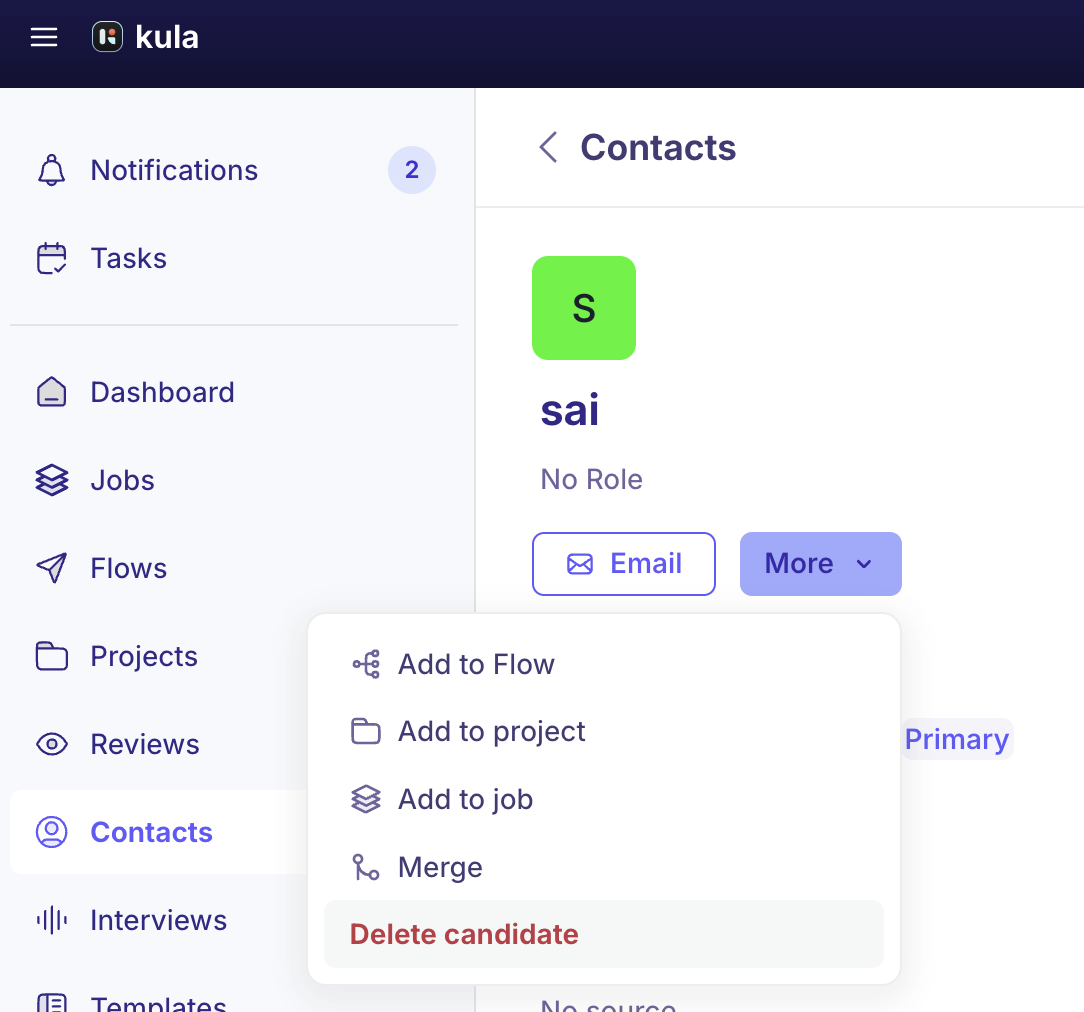
Navigate to the candidate’s profile in Kula.
Select the Delete Candidate option from the More button
Confirm the deletion when prompted.
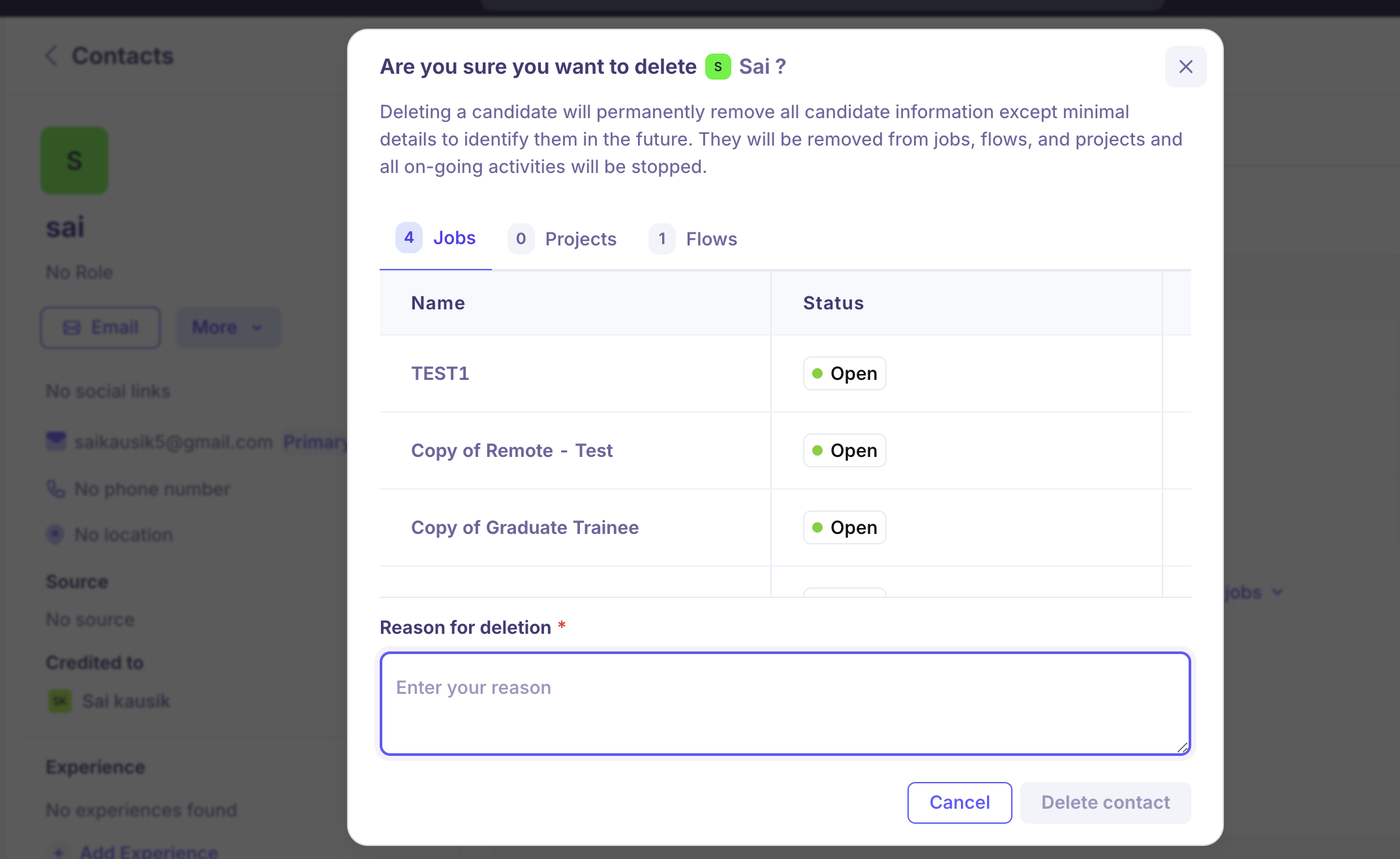
The system will remove all relevant candidate data, leaving only essential information for identification purposes.
Important Considerations
Candidate deletion is permanent and cannot be undone.
If a recruiter attempts to re-add a deleted candidate, they will be notified of the prior removal.
This feature helps maintain compliance with privacy policies and ensures candidates’ requests for removal are honored.
For any further assistance, please reach out to Kula Support.