How to Fill Out a Scorecard
Last updated: April 17, 2025
The scorecard is a crucial tool in the recruitment process, allowing you to evaluate candidates based on specific criteria and competencies relevant to the role. Filling out a scorecard accurately helps ensure that all assessments are consistent and objective, providing valuable insights for decision-making.
How to Fill Out a Scorecard
When a candidate is moved to a stage where a Scorecard is required, you will be prompted to complete the scorecard. This usually happens when a Stage is an Interview or an Assessment.
When a Scorecard is assigned to you to be filled, you will receive an email notification
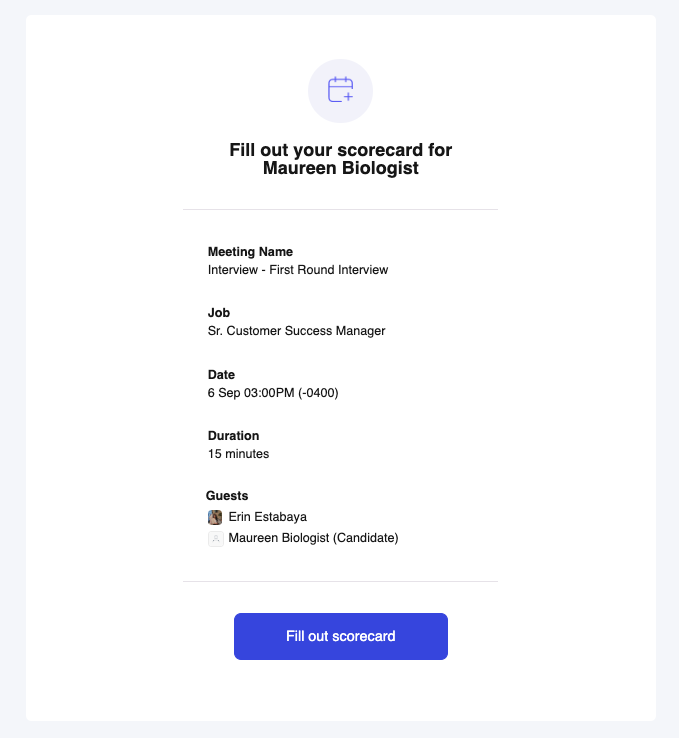
Click on the Fill out scorecard and you will be redirected to the Scorecard page in Kula.
Proceed in filling out the required information. You will also be able to click on the Fill scorecard with AI button. Please note that this option is only available for interviews where there is a Transcript available.
Note: Your progress is saved automatically as you fill out the scorecard, so even if your tab closes or you lose internet connection, your inputs will still be there when you return.Once done, click on the Submit scorecard button.
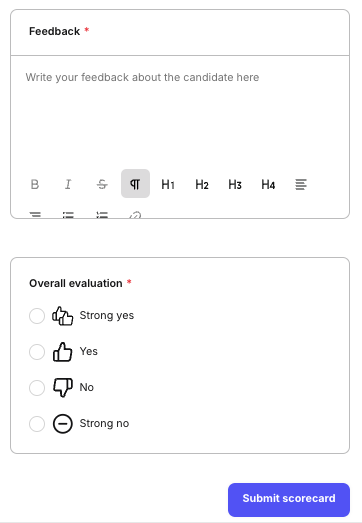
Note: Draft scorecards are private and only visible to you. If someone else tries to edit a scorecard you’ve started, they’ll be warned that it’s already been filled out, and that continuing will overwrite your input.