Managing Offer Fields
Last updated: April 8, 2025
Offer fields help standardize the information collected when generating offer letters for candidates. As an Admin, you can fully customize these fields to align with your hiring process, ensuring your team collects the right details every time.
What Are Offer Fields?
Offer fields are the individual data points that appear on the offer form, such as salary, start date, job title, equity, etc. These fields are used to populate offer letters and send accurate, complete offers to candidates.
How to Access Offer Fields
Go to Admin Settings
Click on Offer Fields under the Custom Fields section
You will see a table of all available fields used in your offer forms
Customizing Offer Fields
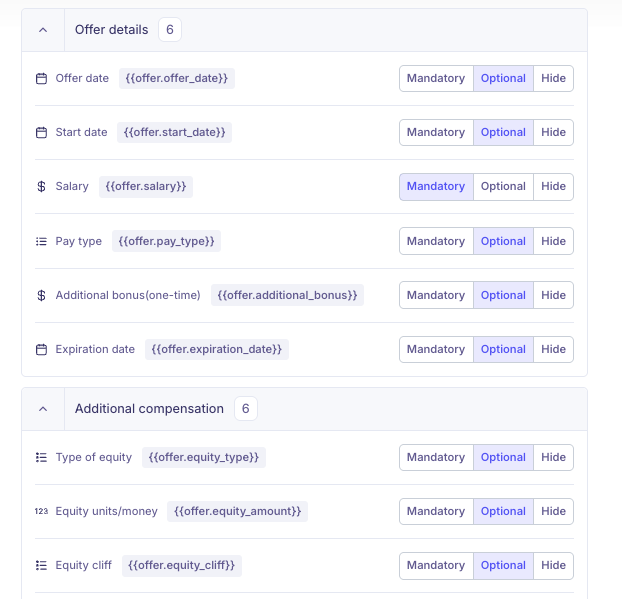
You can customize each field to control the following:
1. Visibility and Requirement
Each offer field can be set to one of the following:
Mandatory – Required to be filled before the offer can be sent
Optional – Can be left blank if not needed
Hidden – Not visible on the offer form at all
2. Custom Fields
You may also add custom offer fields. This is helpful if you need to capture additional information that has not already been included. Here's our Help Article on how to create a custom Offer Field.