Internal Job Board
Last updated: July 1, 2026
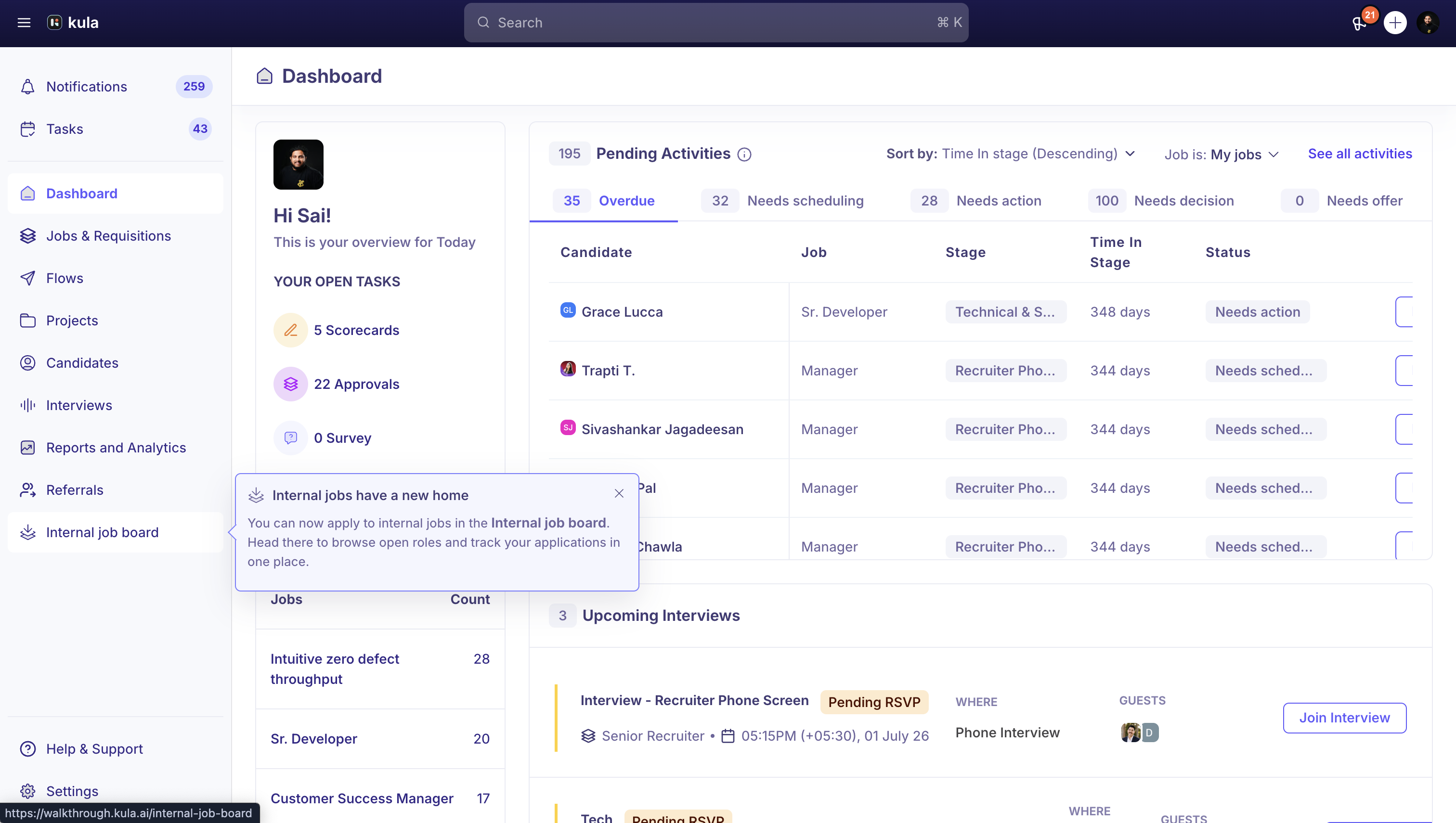
Employees can now browse and apply to internal job openings through a dedicated Internal Job Board. This feature is built specifically for internal hiring,
What's new
A dedicated Internal Job Board where employees can browse available internal roles, view job details, and apply directly.
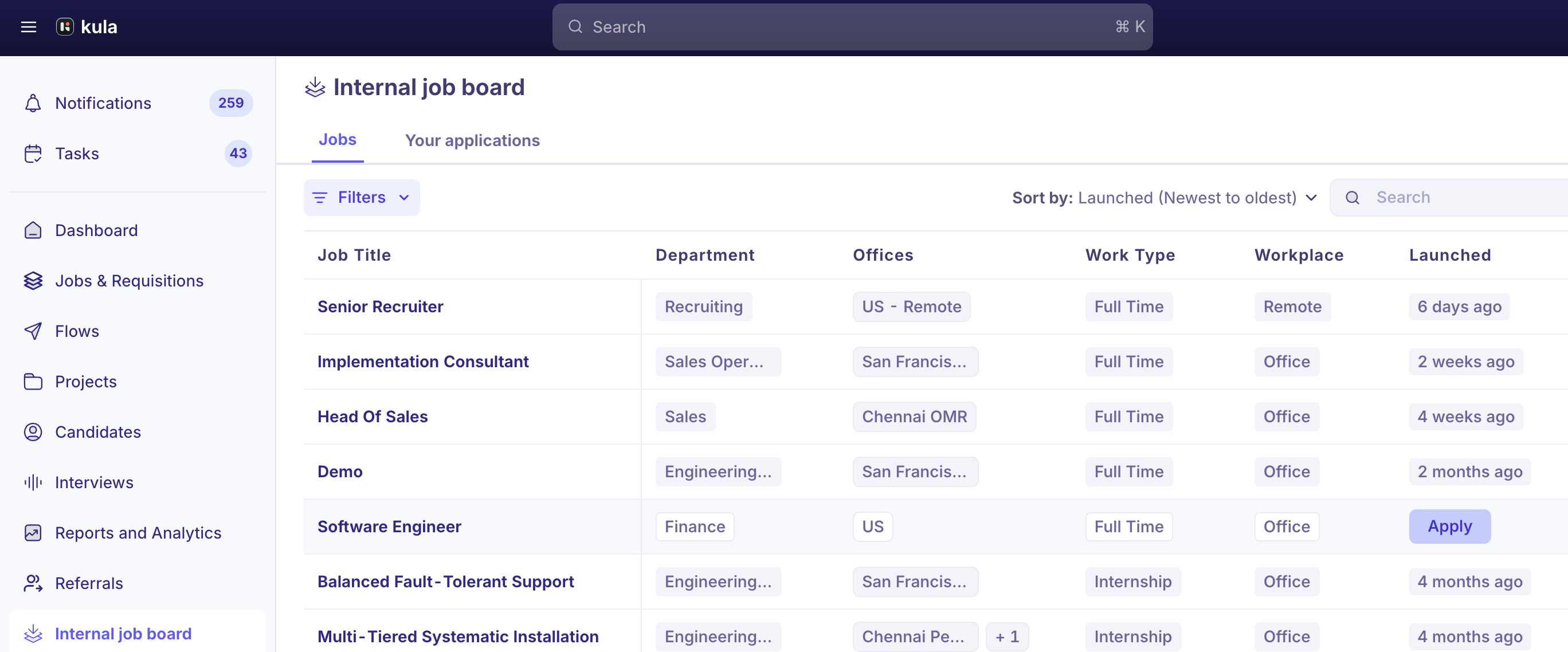
A Your Applications page that lets employees track the status of their applications, including:
Under Review
Interviewing
Offer
Hired
Not Selected
Applications submitted through the Internal Job Board are automatically tagged with the source Internal Job Board. Recruiters also see an Internal Applicant indicator in the candidate pipeline.
Jobs that an employee has already applied to remain visible on the board with an Applied tag instead of disappearing.
Employees can search, filter, sort, and browse jobs with pagination support.
Duplicate applications are prevented by blocking employees from applying to the same job more than once.
Configuration
Per-job settings
Navigate to Job > Settings > Job Post > Internal Job Board to:
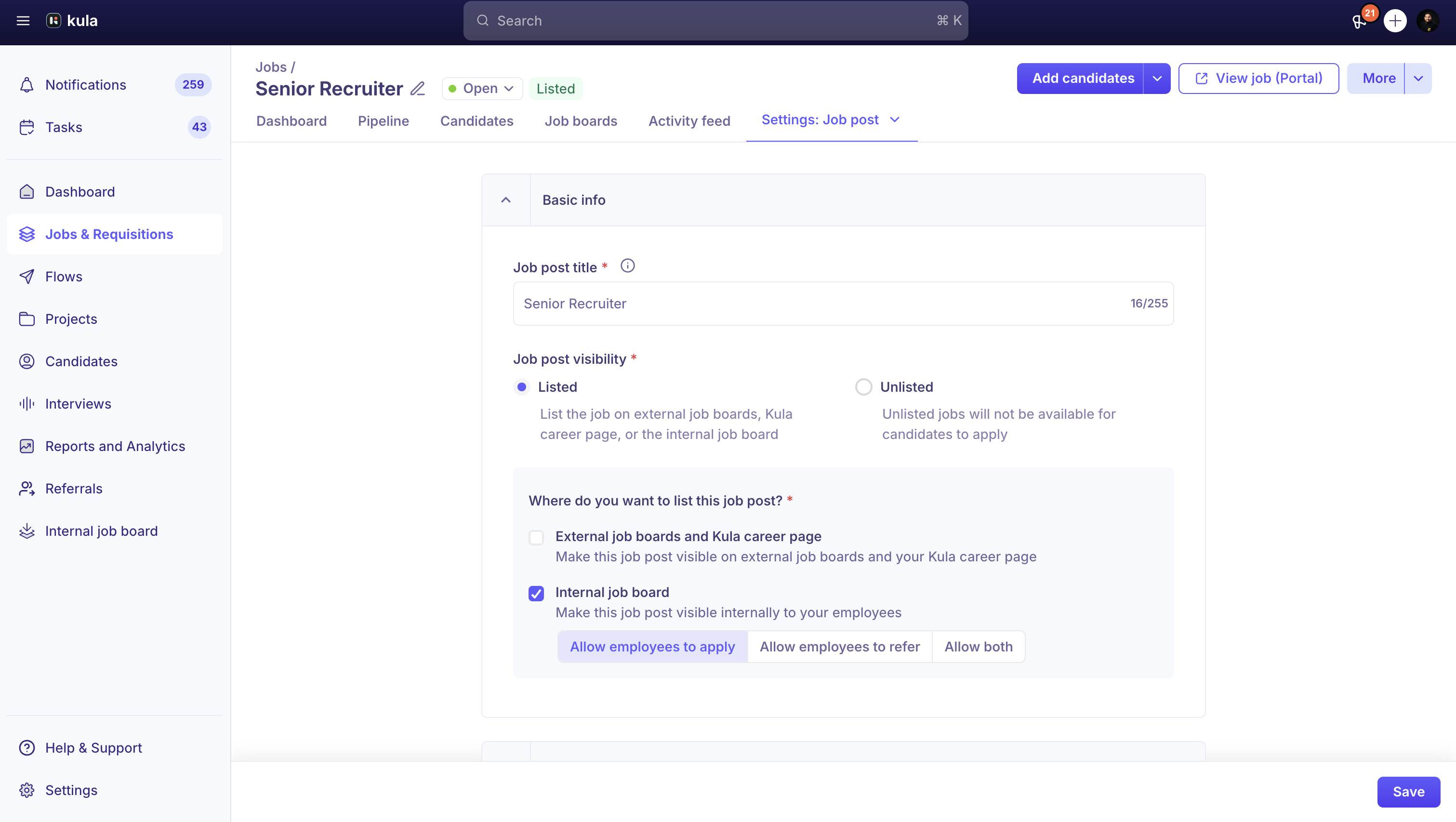
Enable or disable the Internal Job Board for the job.
Choose whether employees can:
Apply
Refer
Apply & Refer
Key behaviors
Jobs configured as Refer Only do not appear on the Internal Job Board. Employees can submit referrals but cannot apply themselves.
If the Internal Job Board is disabled for a job, that job is removed from the board and is no longer visible to employees.
Why it matters
The Internal Job Board provides a dedicated experience for internal mobility programs by separating employee applications from referrals. Recruiters can also identify internal applicants immediately, making it easier to manage hiring workflows and report on internal hiring.