Conversational Analytics
Last updated: September 26, 2026
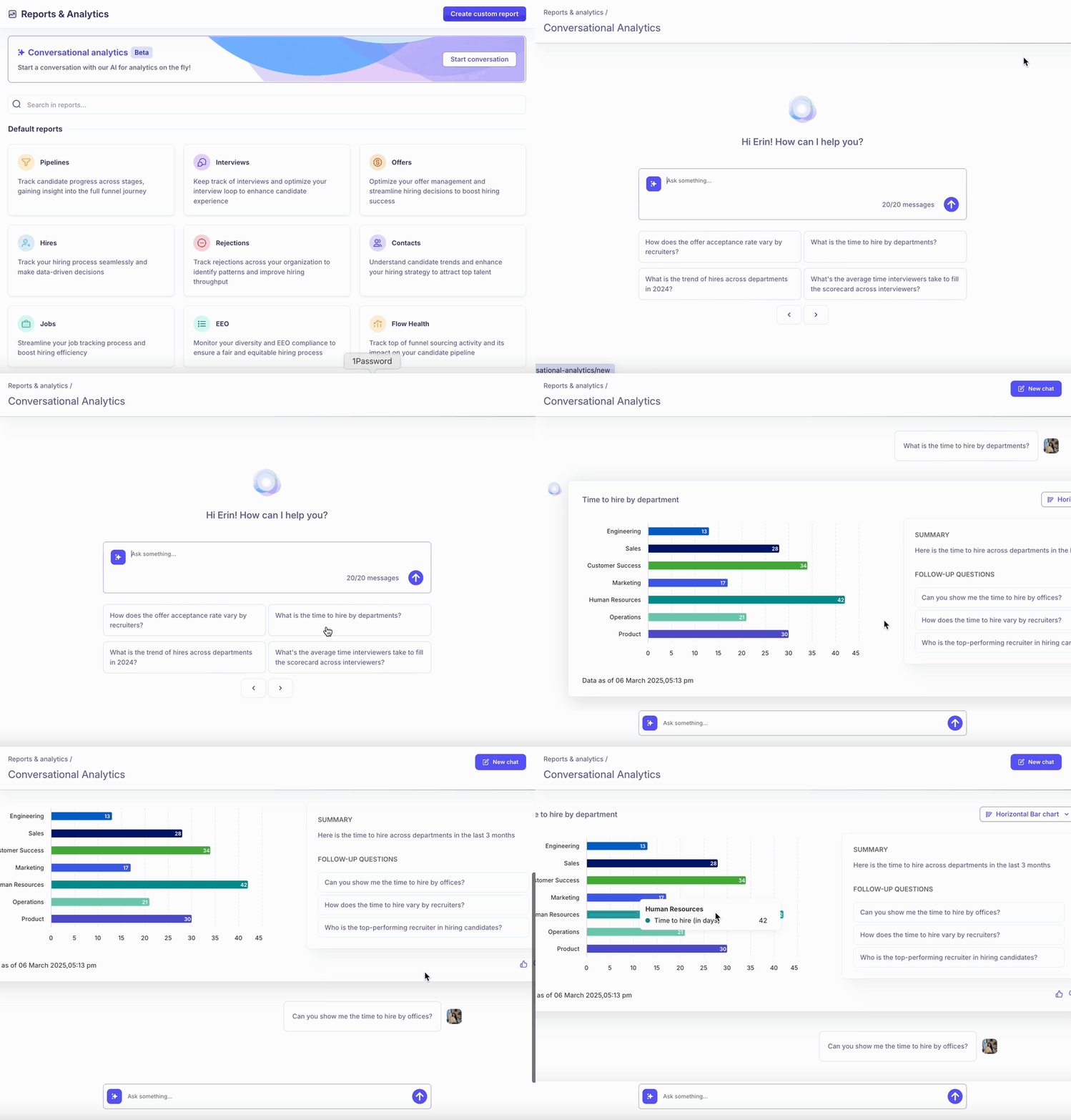
Conversational Analytics lets you type a hiring question in plain English — like you would to a colleague — and get a chart and summary back, instead of building a report by hand. It's currently in Beta, and its answers can be wrong, so this article also covers what to trust it for today and what to double-check.
Who can do this: Recruiter, Hiring Manager, Admin, Super Admin — whoever has Reports access, once Conversational Analytics is turned on for your account.
Where to find it: Reports & Analytics → Conversational Analytics.
How it works
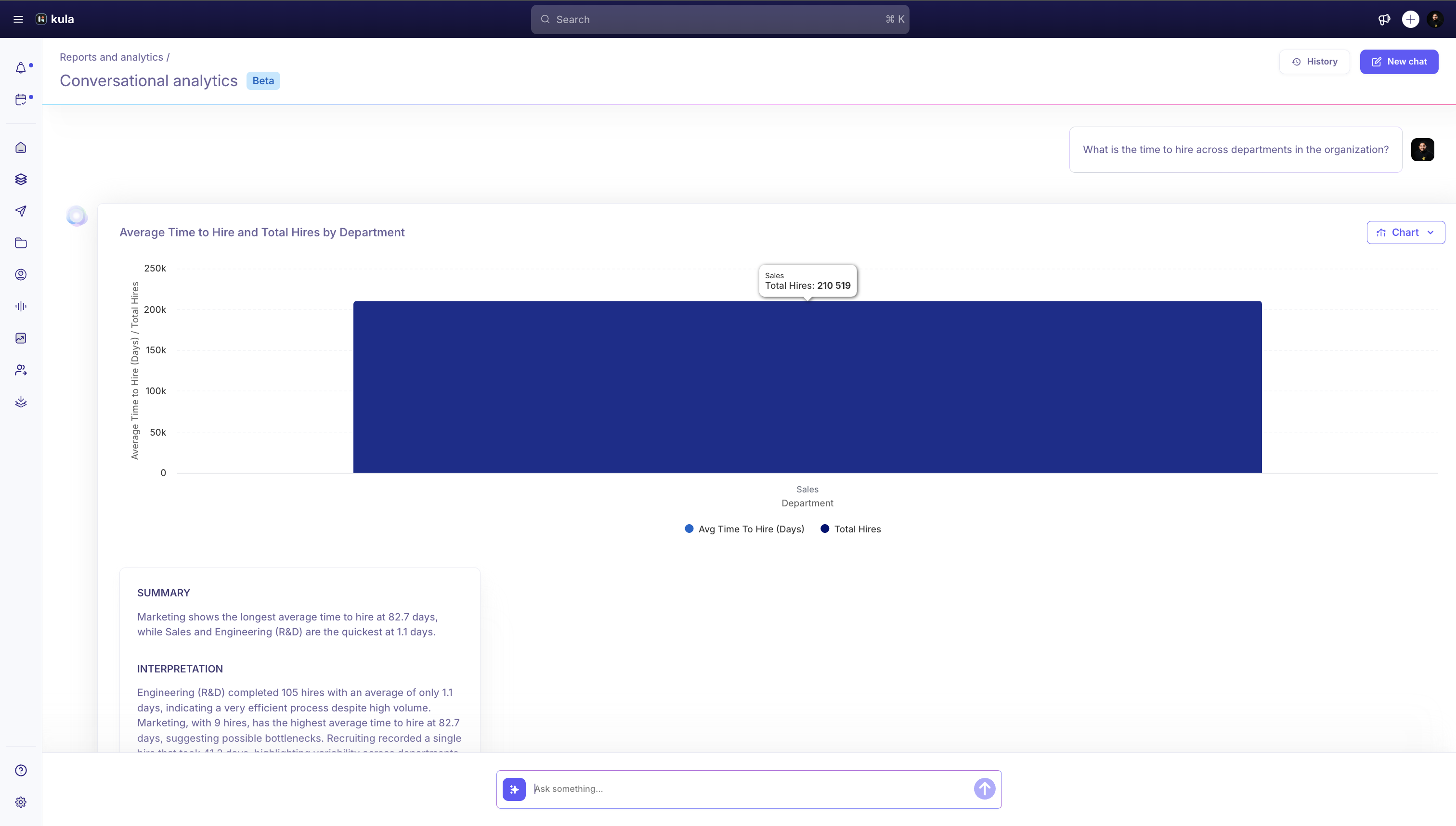
Type a question in the chat box. Conversational Analytics returns a chart, a short summary, and usually a couple of follow-up questions you can click instead of typing.
Questions that tend to work well
Aggregate, scoped questions — counts and breakdowns, not lookups about one person — get the most reliable results. Real examples that have worked well for customers:
"How many applicants are sitting in Application Review across every open role today?"
"What's the breakdown of scheduled interviews by interview type?"
"How many recruiter screens were scheduled today across all roles?"
"How many applicants do we have in every stage except Application Review, Hold Queue, and Reference Check across all open roles?"
Notice the pattern: a specific metric (a count or a breakdown), scoped to something concrete — a time window, a stage, a set of roles.
What to avoid asking
Questions about one specific candidate or application ("why is X's application paused," "what's X's current status," "when was X last updated") consistently return "I don't know this answer, I'm still learning." Conversational Analytics is built for aggregate analytics, not individual-record lookups — for that, open the candidate directly.
Asking for a list of names doesn't return names, even if you explicitly ask for them. A question like "give me the names of everyone hired this quarter" will come back with a count, not a name list.
Referral-source questions are the least reliable category right now and often come back with no answer at all.
Good to know
Conversational Analytics is Beta, built on an earlier version of the underlying engine — Kula's team is actively working on an upgraded version.
Check important numbers against the standard Reports before you share them. Always verify anything you plan to rely on or share against the actual report before using it — don't take a Conversational Analytics number as final on its own.
Chart values can occasionally render as obviously-wrong, extremely large numbers — a display issue separate from whether the underlying number is right.
Breaking a question down by quarter or date can show a placeholder date instead of the real one. If a date-grouped answer looks off, verify it in the corresponding report.
It may not be turned on for your account yet — it's rolled out account by account rather than to everyone automatically.
FAQ
This isn't giving me an accurate answer — what's going on?
You're not imagining it — Conversational Analytics is in Beta and its answers can currently be wrong, a known and actively-worked-on limitation, not something specific to your question. For anything you need to rely on or share, cross-check the number against the matching standard report.
How do I best make use of Conversational Analytics?
It's designed to help you pull quick insights and generate charts through a chat interface, best used for aggregate questions (counts and breakdowns) rather than as a general-purpose command tool or a lookup for one specific record. It's still Beta, so treat its numbers as a starting point to verify, not a final answer.
Need help?
If you have questions or need assistance, reach out to us at support@kula.ai or use the in-app chat.