How to set up Minimum Notice period for Self-Scheduling
Last updated: August 17, 2025
The Minimum Notice feature ensures candidates book self-scheduled interviews with adequate advance notice, giving interviewers sufficient time for preparation and plan their schedules. This article walks you through setting up and configuring this feature for your organization.
What is Minimum Notice?
Minimum Notice is a scheduling buffer that requires candidates to book their interview slots at least a specified amount of time in advance. For example, if you set a 12-hour minimum notice period, candidates cannot book slots that start within the next 12 hours.
Configure minimum notice in Kula
Access scheduling preferences:
Go to Settings → Interviews and scheduling
Find "Scheduling preferences" section
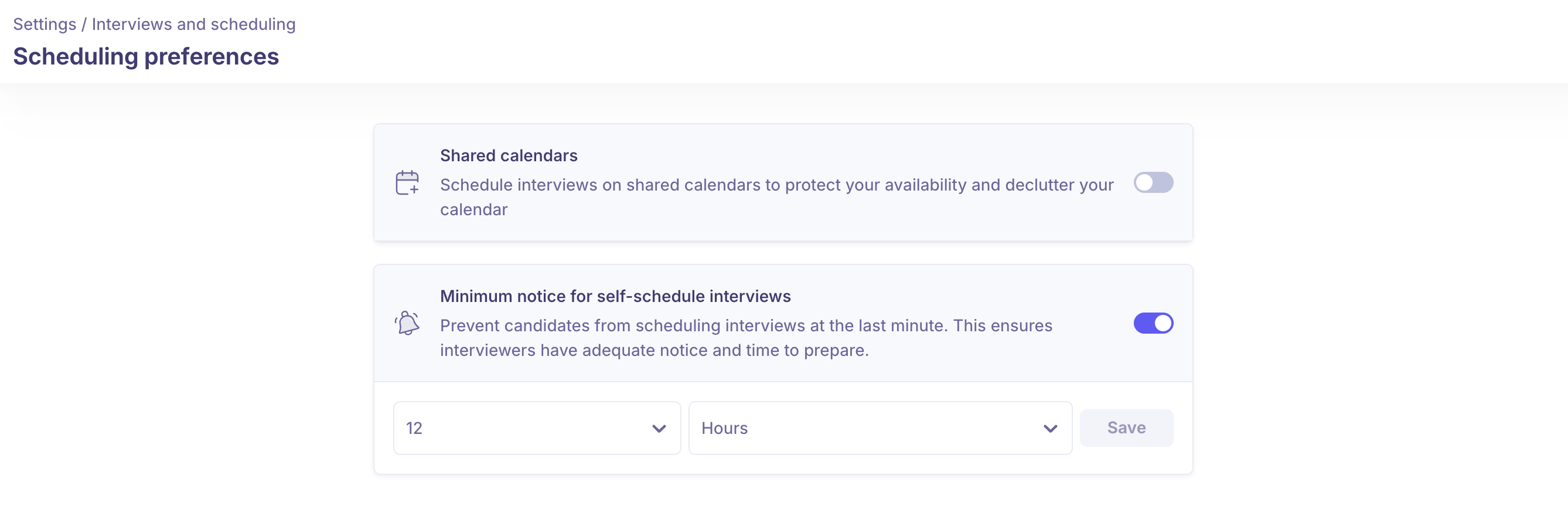
Enable the "Minimum notice" feature
Configure notice duration
Enter the desired number (e.g., 1, 2, 24)
Select the time unit:
Hours: For same-day scheduling control (1-24 hours)
Days: For longer preparation periods (1-7 days)
How Minimum Notice Works in Self-Scheduling
When recruiters send self-schedule slots to candidates, the minimum notice period automatically filters available slots based on your configured settings.
For recruiters setting up self-schedule
When creating self-scheduling slots for candidates:
The calendar view automatically disables slots within the minimum notice period
You cannot select time slots that fall within the configured notice buffer
When selecting a date/time range, the system automatically excludes the minimum notice period from your selection
Example: If minimum notice is set to 12 hours and the current time is Monday 2:00 PM:
Calendar slots before Tuesday 2:00 AM will appear disabled
You can only select slots from Tuesday 2:00 AM onwards
This ensures all selectable slots respect the minimum notice requirementDynamic slot availability for candidates
Dynamic slot availability for candidates
Based on the minimum notice setup, available slots show up dynamically when candidates open the booking link. Every time a candidate clicks on the provided booking links, they will be able to see slots post the minimum notice period only.
How it works
Real-time filtering: When candidates open their booking link, the system calculates the current time and applies the minimum notice buffer
Dynamic updates: If a candidate returns to the booking page later, they may see different available slots based on the updated time calculation
Automatic exclusion: Slots within the minimum notice period are automatically hidden from candidate view
Example: If minimum notice is set to 24 hours
Candidate first visits link: Monday 9:00 AM (sees slots from Tuesday 9:00 AM)
Same candidate returns: Monday 2:00 PM (now sees slots from Tuesday 2:00 PM)
Note: The slots being generated automatically will always honor the working hours setup on the interviewer's profile settings.