Task Management
Last updated: April 30, 2025
Task management in Kula helps you stay on top of essential workflows and approvals, ensuring a smooth and efficient hiring process.
📌 Jobs Tab
The Jobs tab shows tasks related to various stages of job and candidate management, such as:
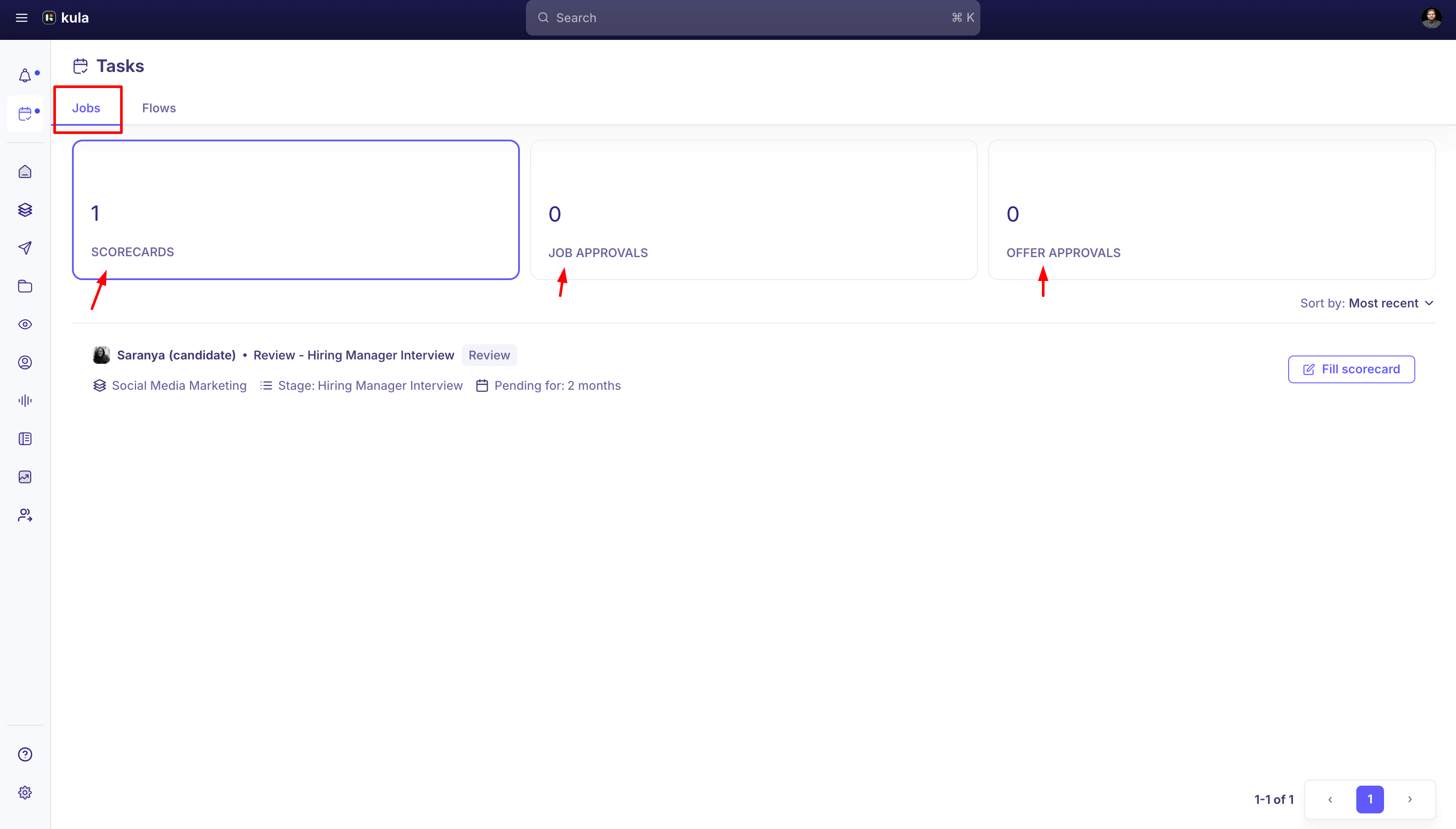
Scorecards – Tasks to complete candidate scorecards. You can review the candidate’s profile and view associated interviews or assessments.
Job Approvals – Tasks for reviewing and approving job postings before they go live.
Offer Approvals – Tasks related to approving candidate offers before they're sent out.
You can sort tasks by Most Recent or Oldest First to prioritize effectively.
🔄 Flows Tab
The Flows tab organizes tasks by their status, helping you manage workflow steps more efficiently:
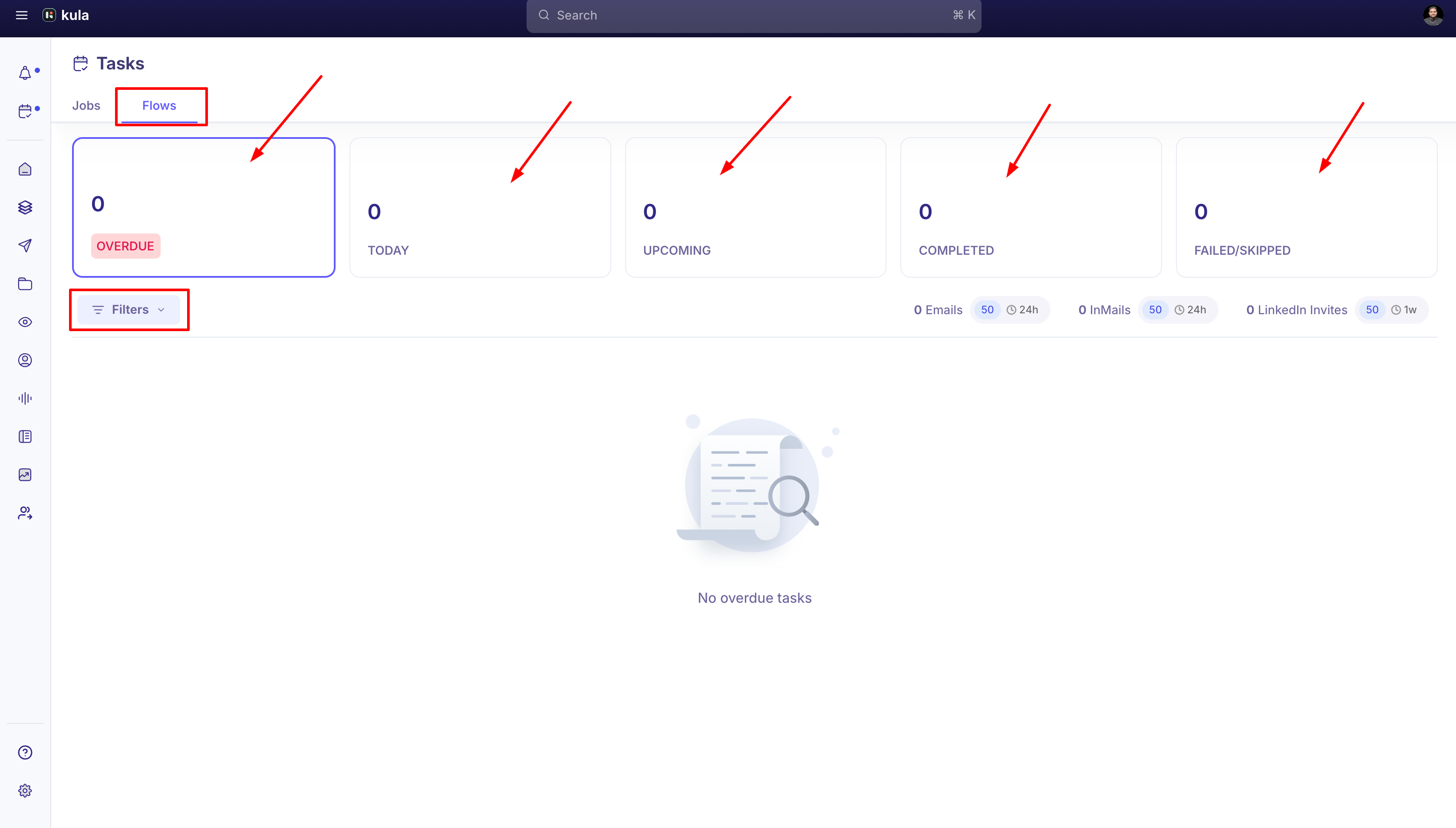
Overdue – Tasks past their due date that need immediate attention.
Today – Tasks scheduled for completion today.
Upcoming – Tasks planned for future dates.
Completed – Tasks that have been finished.
Failed/Skipped – Tasks that were either missed or skipped.
🔍 Filters available:
Flow – Filter by specific workflow.
Schedule – View tasks that are In Schedule or Out of Schedule.
Mode – Filter tasks by All, Auto, or Manual execution mode.
📋 Managing Your Tasks
Access the Tasks Page
Click the Task icon from the left-side menu.Select the Tab
Choose between Jobs or Flows depending on the type of task you want to manage.Organize and Filter
In Jobs, sort by date to prioritize.
In Flows, apply filters like Flow, Schedule, or Mode for a focused view.
Review Task Details
Click on any task to view related workflows, due dates, and linked activities.
For Scorecards, review the candidate’s details and associated interviews.
For Approvals, click through to the relevant job or offer for context.
Take Action
Complete any pending or overdue tasks to keep your hiring pipeline moving.