How notes are generated during interviews
Last updated: September 3, 2026
Kula interviews can end up with two different kinds of notes: the notes an interviewer writes themselves, and an AI-generated summary Kula compiles automatically. This article explains how each actually gets created — including the timing quirks of AI generation, who can see what, and where notes can and can't end up later — rather than repeating the full Interviews-page tour already covered in "Managing Interviews in Kula."
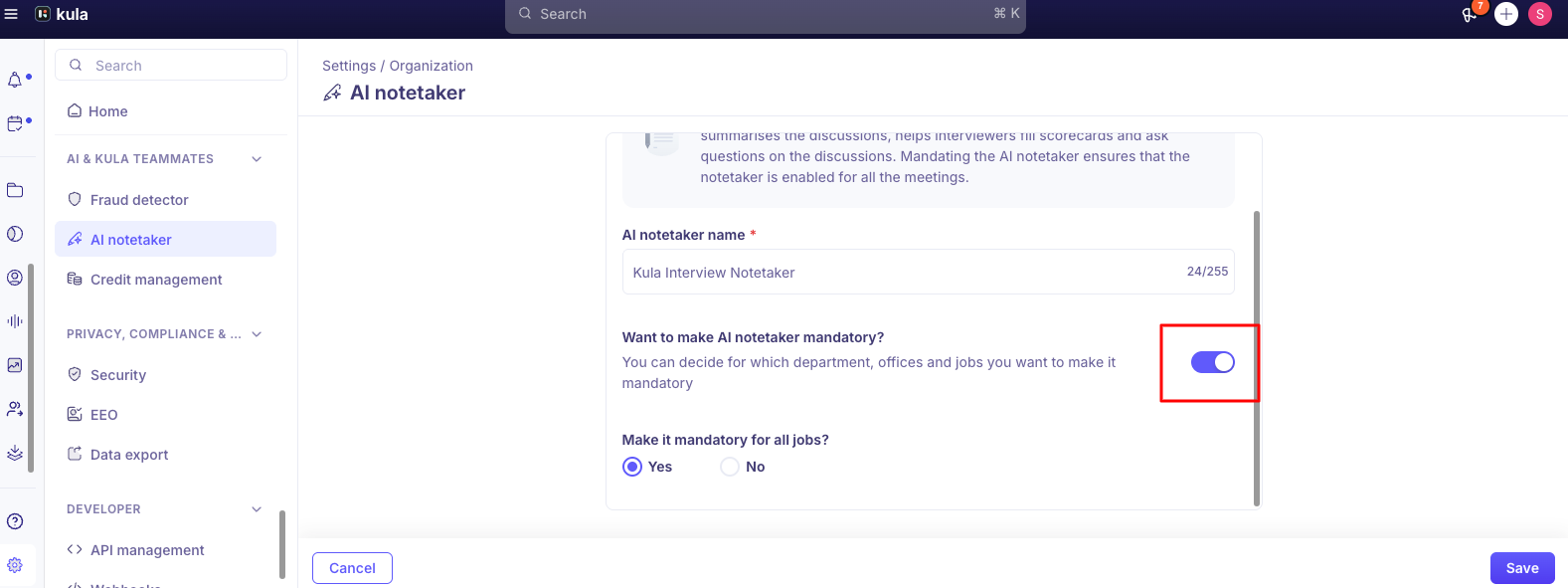
Who can do this: Anyone assigned to an interview can write manual notes on it. AI-generated notes require AI Notetaker to be enabled for that interview (an Admin/Super Admin-controlled setting — see "AI in interviews — the notetaker"). Viewing another interviewer's private notes requires the "View all private notes" permission, which is available to Super Admins by default and not granted to any other role automatically.
Where to find it: Interviews → open a specific interview → Interview Details page. Manual notes live in the Notes tab (always present). If AI Notetaker was enabled, two more tabs appear: Summary and Recording.
Two different kinds of notes
It's worth being precise about this, since "notes" gets used loosely. Kula actually produces two distinct things:
Manual notes — written by an interviewer in the Notes tab, at any point before or after the interview. These are always available, whether or not AI Notetaker is on.
The AI-generated summary — produced automatically from the interview recording and transcript, only if AI Notetaker was enabled for that interview. This shows up in the Summary tab, not the Notes tab.
They don't merge into one document. An interviewer's manual notes and the AI summary sit in separate tabs and have to be reviewed separately.
How manual notes work
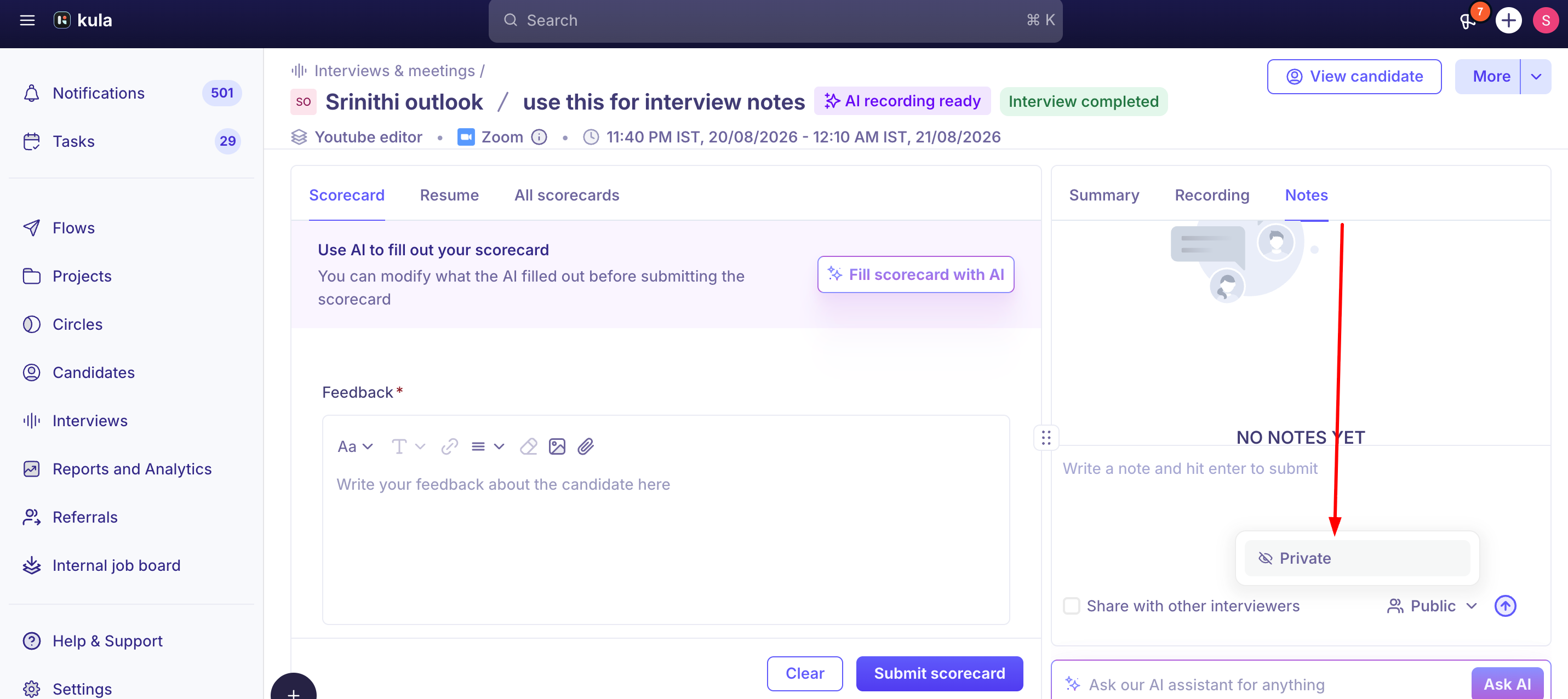
Open the Notes tab on an interview and write your observations directly. Two settings control who else sees them:
Share with other interviewers — a checkbox that makes the note visible to other interviewers on that panel.
Visibility: Public or Private — Private notes are yours by default. Seeing someone else's private notes requires the "View all private notes" permission, which only Super Admins have out of the box; nobody else can see another person's private notes unless a Super Admin grants that permission explicitly.
How the AI-generated summary actually gets created
This is the part that trips people up: generation is tied to the interview's scheduled duration, not when the interview actually ends.
The pipeline is: Notetaker records the interview → produces a transcript → generates the summary from that transcript, once the interview is considered complete. "Complete" has historically meant the scheduled time slot elapsing — not the moment everyone actually leaves the call. This has caused real problems in both directions:
Ending early: if an interviewer wraps up well before the scheduled time, the summary doesn't generate right away — it waits until the originally scheduled duration has fully elapsed, even though the conversation is already over. This has been reported as a real customer frustration and is still being worked on.
Running long: in the other direction, the Notetaker has, in the past, exited a call and cut off transcription right at the scheduled end time even when the actual interview kept going — meaning content spoken after the scheduled end time went uncaptured. This specific bug has been fixed, but it illustrates the same underlying dependency: generation timing follows the calendar slot, not the live conversation.
Once generation runs, the summary doesn't automatically refresh if a new or corrected version of the transcript becomes available later — regenerating notes from an updated transcript isn't built yet, so if a transcript gets corrected after the fact, the original summary can be working from stale source material. This is a real, unbuilt gap, not something you're doing wrong.
What the AI summary contains
Once generated, the Summary tab offers multiple views you can switch between:
Candidate Summary — a high-level overview of the candidate's responses and the overall discussion
Question & Answer — key questions asked and the candidate's responses
Topic Highlights — important topics covered during the interview
Candidate Fit — AI-generated insights on how well the candidate aligns with the role (see Needs Verification — one live article names this differently)
Highlights & Lowlights — notable strengths and potential concerns identified
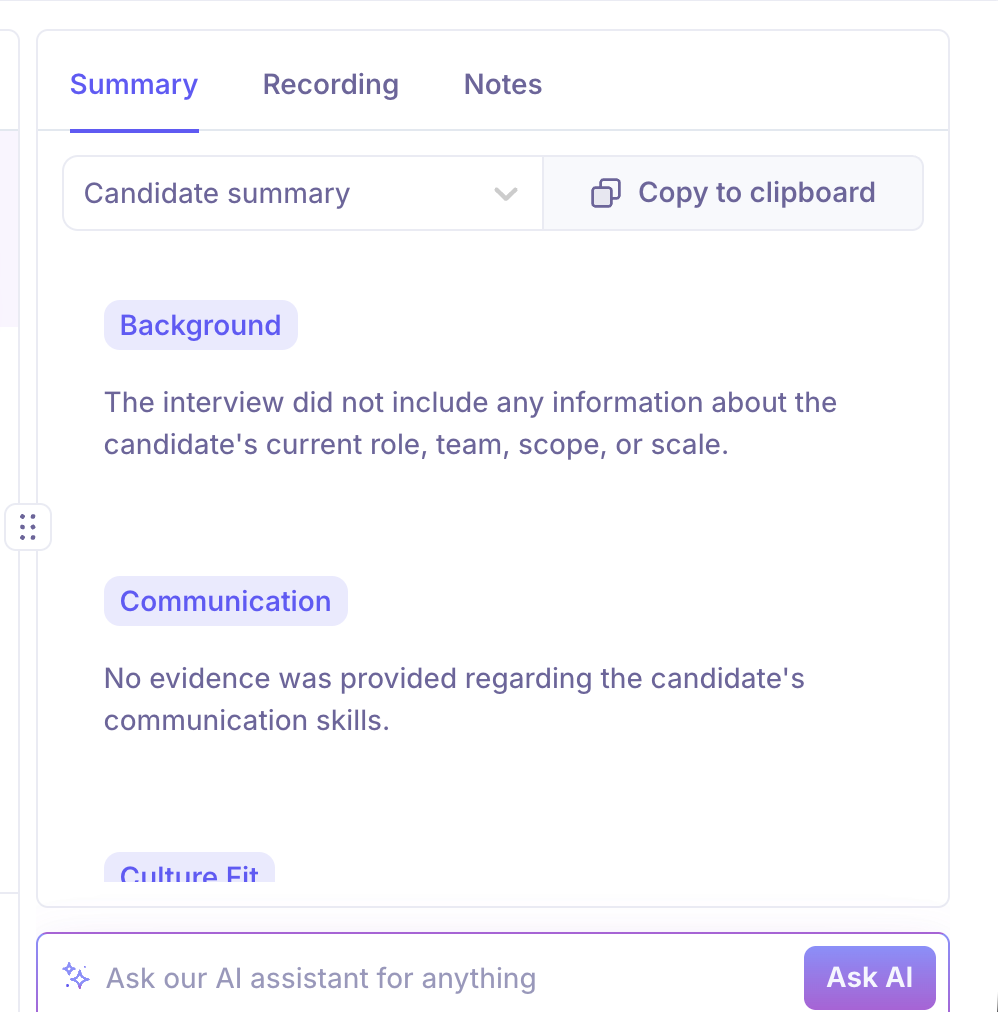
You can copy any of these views to your clipboard to share with others. Separately, the Recording tab (also gated on AI Notetaker being enabled) offers the full transcript, a Chapters view that breaks the interview into summarized, timestamped segments, and a Participants view showing speaking-time breakdown.
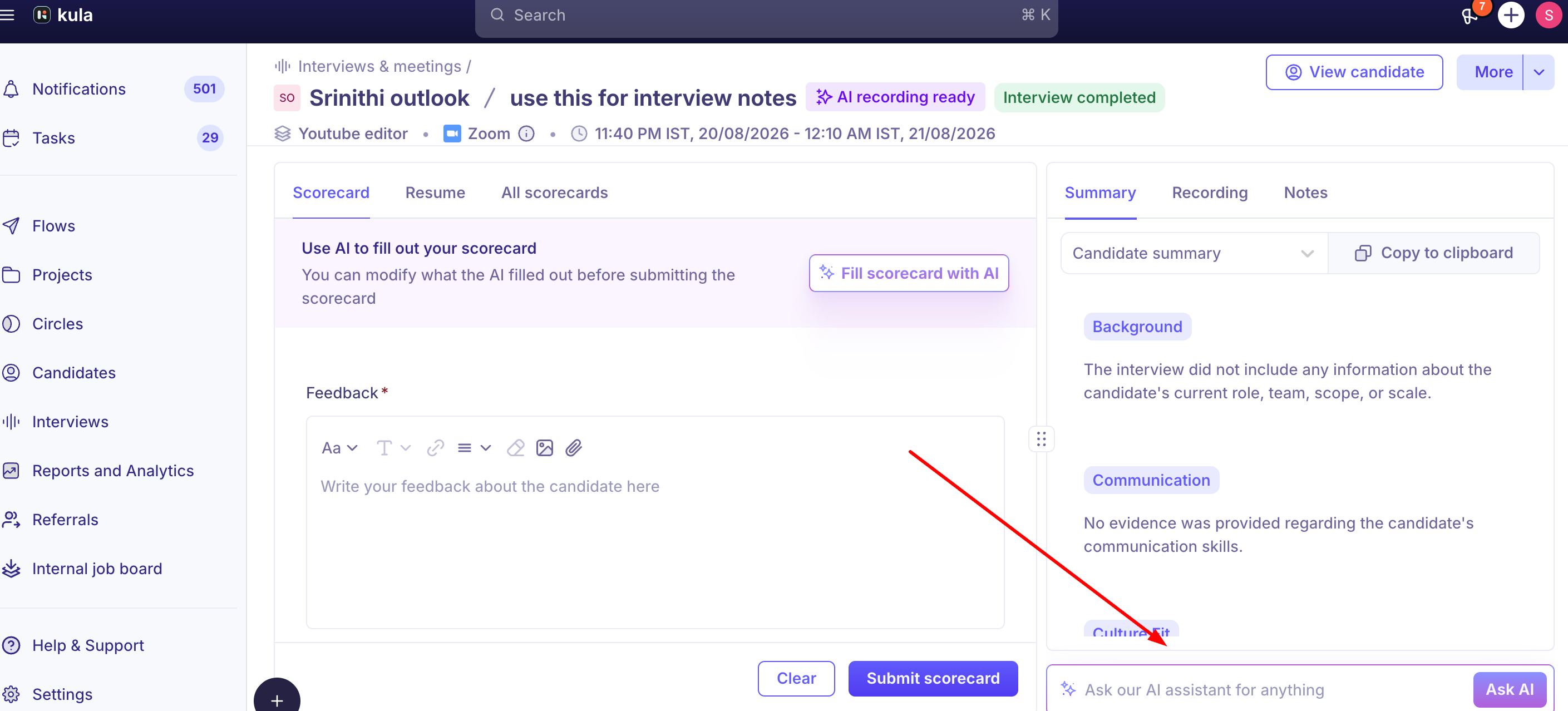
An "Ask AI" input at the bottom of the Interview Details page lets you ask a specific question about the interview and get an answer pulled directly from the transcript, without watching the recording — this is the same underlying capability referred to as the "Interview Assistant" in some other articles.
Good to know
AI-generated notes inherit the Notetaker's known accuracy limitations — including a tendency for summaries to read more positively than the actual interview warranted, and occasional statements not actually said. See "AI in interviews — the notetaker" for the full list; that article isn't repeated here.
Recording downloads are more restricted than recording playback. As of a recent release, hiring managers, coordinators, external recruiters on the job, and interviewers can still watch an interview recording, but can no longer download it — download access is limited to Super Admins, Admins, and Recruiters on the job. This was rolled out specifically as a compliance measure around candidate interview recordings, and affects the Recording tab that AI-generated notes live alongside.
The AI summary and manual notes are not interchangeable for compliance or audit purposes — manual notes aren't captured in exports at all, and the AI summary's generation timing (tied to the scheduled slot) means it may not reflect the true start/end of the actual conversation.
FAQ
Why hasn't the AI summary shown up yet, even though the interview clearly ended? If the interview ended earlier than its scheduled time, the summary generation has historically waited for the full scheduled duration to elapse before running — it's not stuck, just gated to the calendar slot rather than the actual end of the call.
Can I see another interviewer's private notes? Only if you have the "View all private notes" permission, which Super Admins have by default and nobody else does automatically. Ask a Super Admin to grant it if you need broader visibility.
If a transcript gets corrected after the interview, does the AI summary update automatically? No — regenerating the summary from an updated transcript isn't currently built. The original summary can be based on the transcript as it existed at generation time.
Will my manual interview notes come with an interview data export? Not currently — exports omit manual notes. This is a known, unresolved limitation, not a setting you need to enable.
What's the difference between "Ask AI" and the "Interview Assistant"? As far as this research could confirm, they're the same underlying feature — a chat input that answers questions about a specific interview using its transcript — described under two different names in different articles. Not fully confirmed; see Needs Verification.
Can I download an interview recording? Only if you're a Super Admin, Admin, or a Recruiter on that job. Hiring managers, coordinators, external recruiters, and interviewers can still watch the recording, but can't download it.
Need help?
Reach out to us at support@kula.ai or use the in-app chat.