Slack notifications for pipeline updates
Last updated: September 26, 2026
Kula can notify you in Slack whenever a candidate moves through your hiring pipeline — so you don't have to keep the app open to stay on top of stage changes.
Who can do this: Super Admin or Admin connects Slack once for the whole organization. After that, any user turns on Slack notifications for their own account.
Where to find it: Settings → Organization → Organization integrations (to connect Slack) and Settings → Notification Centre (to turn on the notification).
What triggers a Slack notification for pipeline updates
The main one is Stage moved — sent whenever a candidate is moved to a new pipeline stage on a job you're involved with. This is one of dozens of notification types Kula tracks; for the full reference list of every notification type and how each is delivered, see Every notification Kula sends. This article focuses specifically on getting the Slack side of pipeline-update notifications working and troubleshooting it when it isn't.
Two things need to be true for this to work
Your organization's Slack workspace needs to be connected to Kula
An admin goes to Settings → Organization → Organization integrations and connects Slack. If this isn't connected, Kula has no way to reach you there — you'll still get in-app notifications, but nothing in Slack, regardless of your Notification Centre settings.
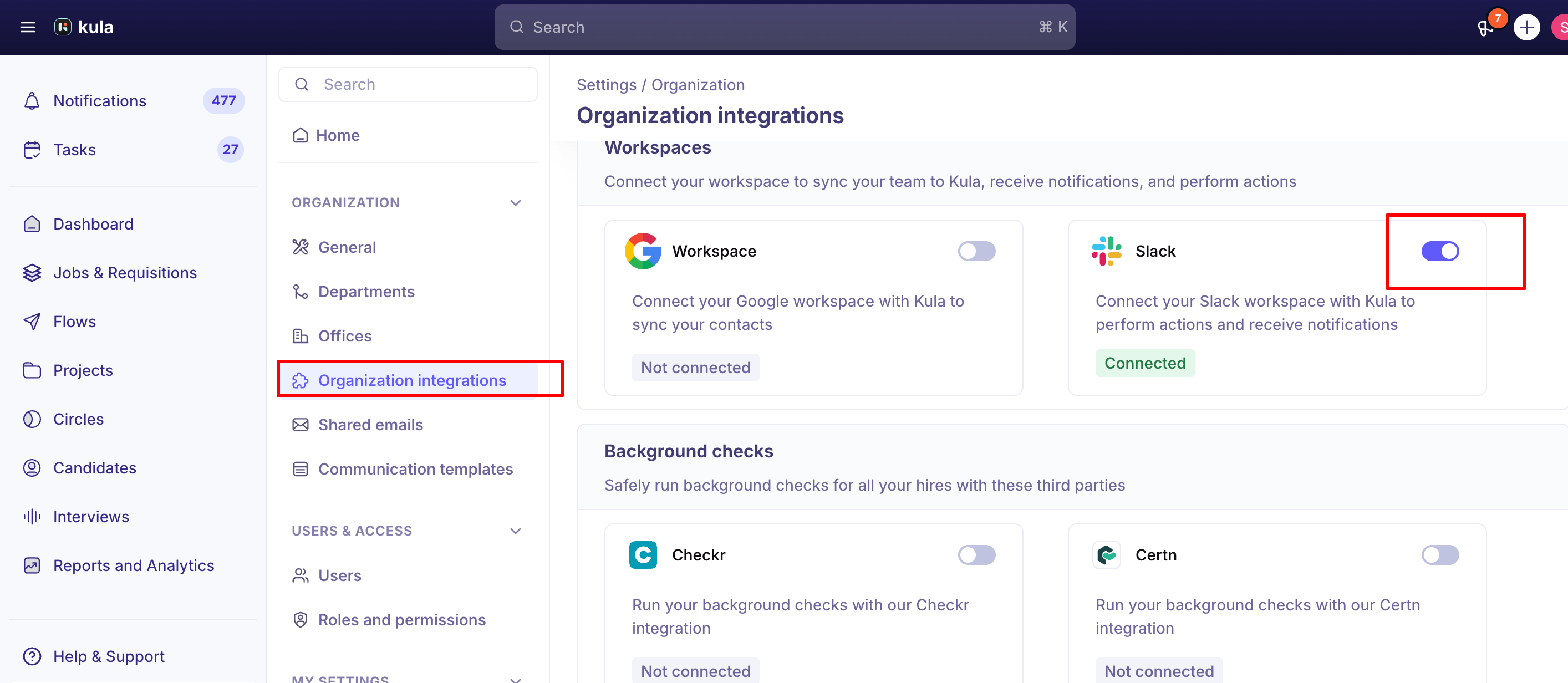
The Slack channel needs to be turned on for this notification type in the Notification Centre.
Go to Settings → Notification Centre, find the Candidate & Pipeline category, and make sure Slack is selected as a delivery channel for Stage moved (or whichever specific pipeline notification types you care about).
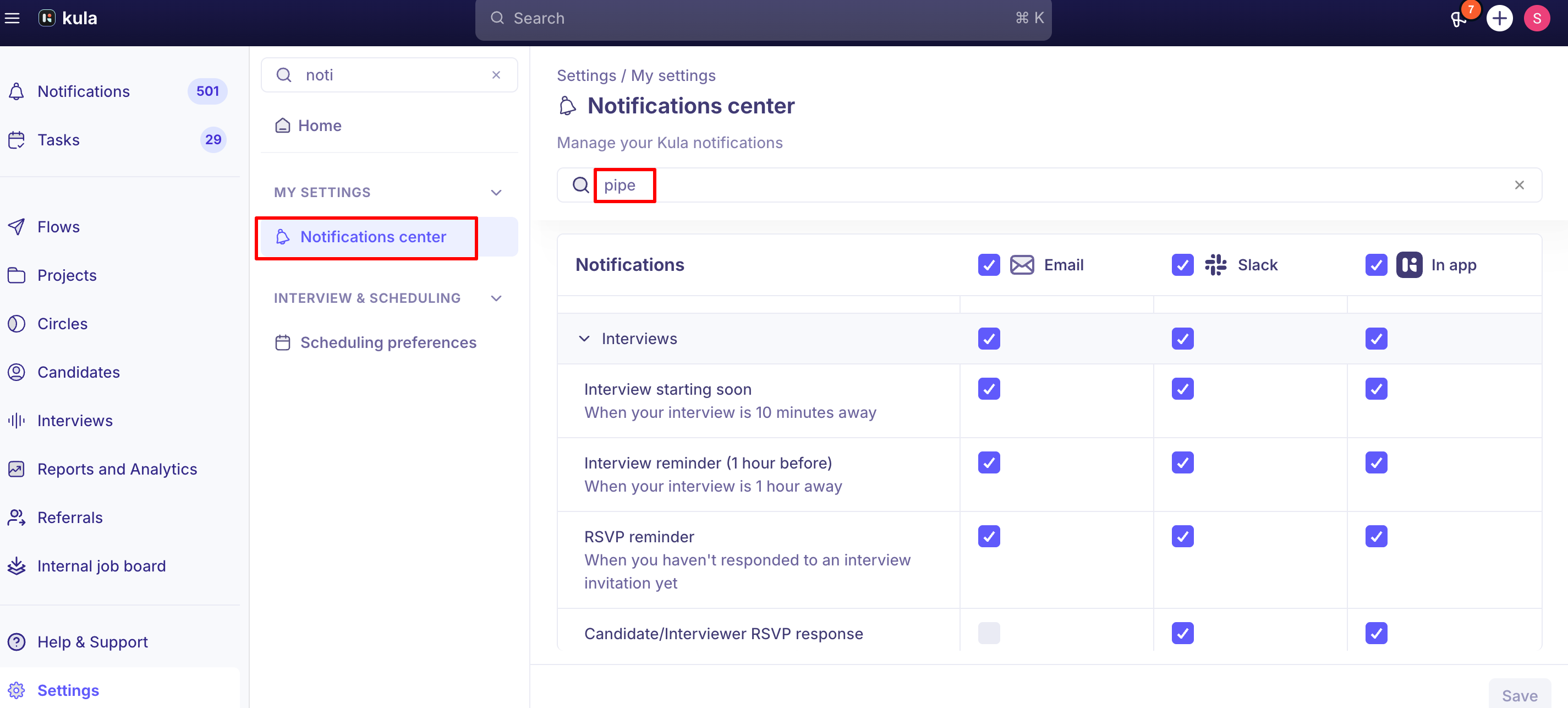
Both conditions have to be met — a connected Slack account with the notification type's Slack channel turned off won't deliver anything, and enabling the channel without a connected Slack account won't either.
Stage notifications for referrals
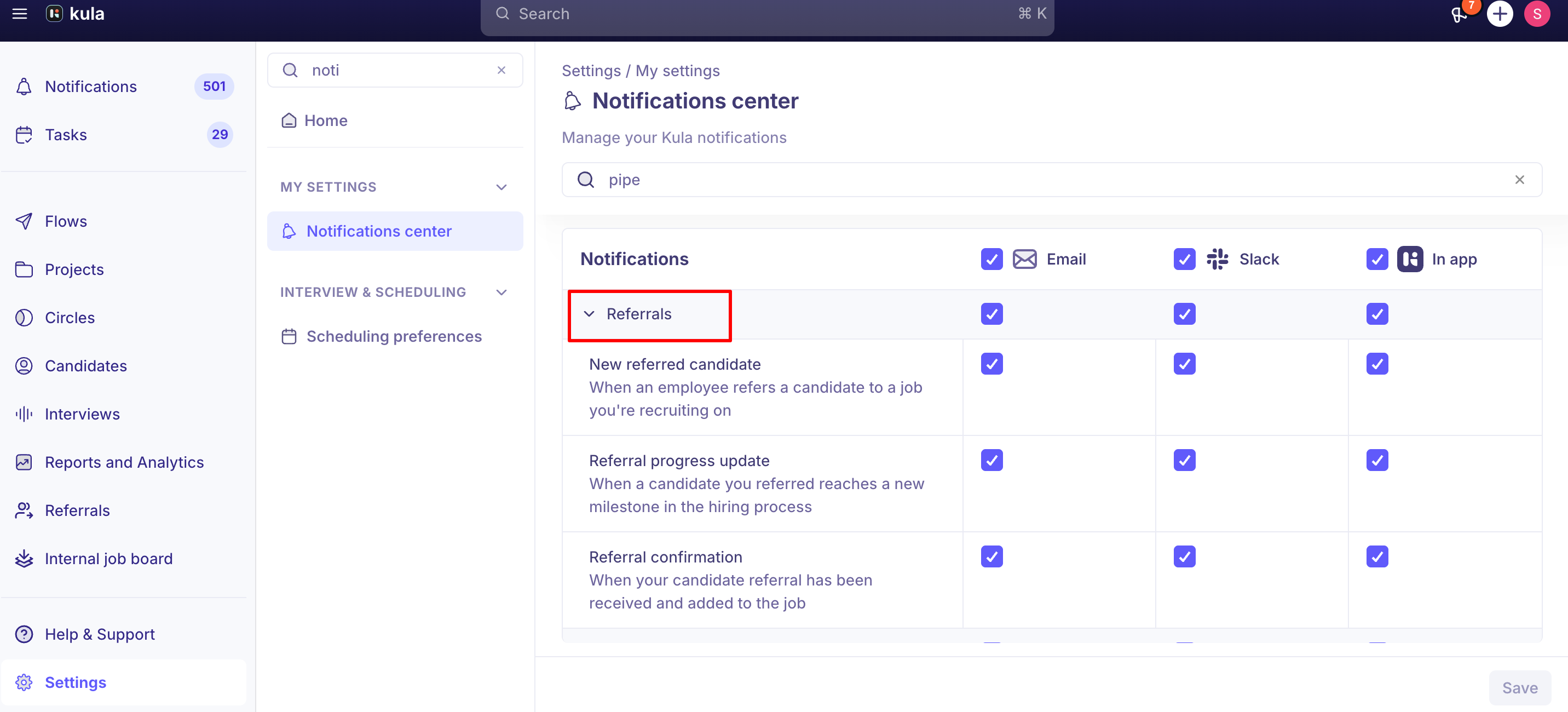
If you're specifically trying to track a candidate you referred, Kula has a dedicated notification for that: the referrer (not the recruiting team) gets notified in Slack, Email, and in-app whenever their referred candidate crosses a key stage milestone — for example, Application Review → Interview, Interview → Offer, or Interview → Hired/Rejected.
Good to know
A connected Slack integration is required — but it's not the only requirement. Even with Slack connected, if the specific notification type's Slack channel is switched off in the Notification Centre, you won't get pipeline-update pings there.
If Slack looks connected but notifications still aren't arriving, contact support. If you've checked both prerequisites above and still aren't getting notifications, the cause may be on our side rather than in your settings
Slack itself can silently block messages from the Kula app, separate from anything in your Kula settings. If Slack shows "messages to this app is turned off", that's the cause. If you've confirmed both Kula-side settings are correct and still see nothing, check whether messages from the Kula Slack app are muted or blocked within Slack's own app settings.
An expired or revoked Slack token will silently break delivery until reconnected. Kula now shows an invalid/disconnected status for Slack when this happens, but if you're troubleshooting an older report of missing notifications, a lapsed token is a common root cause — Kula shows an invalid status for Slack when this happens - an admin reconnecting Slack under Settings → Organization → Organization integrations resolves it.
FAQ
I connected Slack, but I'm still not getting pipeline update notifications — why? Check the Notification Centre (Settings → Notification Centre → Candidate & Pipeline) and confirm Slack is turned on specifically for Stage moved (or the notification type you're expecting). Connecting Slack and enabling the channel for a notification type are two separate steps, and both are required.
Do I need to do anything special to get notified about a candidate I referred? No extra setup — referral stage notifications (Application Review → Interview, Interview → Offer, Interview → Hired/Rejected) are sent automatically to the referrer via Slack, Email, and in-app once a referral is submitted.
My Slack shows as connected, but nothing's coming through — what should I check? First confirm the notification type's Slack channel is enabled in the Notification Centre. If it is, check whether Kula's Slack app is muted or blocked within Slack itself. If neither explains it, contact support and we'll check the connection.
Where do I go to see every notification type and how each one is delivered, not just pipeline updates? See Every notification Kula sends for the complete reference table across all notification categories
Need help?
If you have questions or need assistance, reach out to us at support@kula.ai or use the in-app chat.