Marking Interviews as Done
Last updated: March 12, 2025
Kula allows recruiters to manually mark interviews as completed, even if they occurred outside of the Kula scheduling system. This ensures all interviews are tracked, and scorecards are triggered appropriately.
How to Mark an Interview as Done
Navigate to the Candidate's Profile.
Under the Current job tab, you can view all the Candidate related activities.
Find the Interview you want to mark as Done.
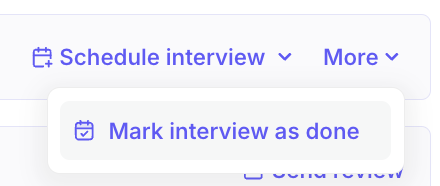
Click on the More dropdown and select the Mark interview as done option
Once selected, the system will prompt you to enter the interview details.
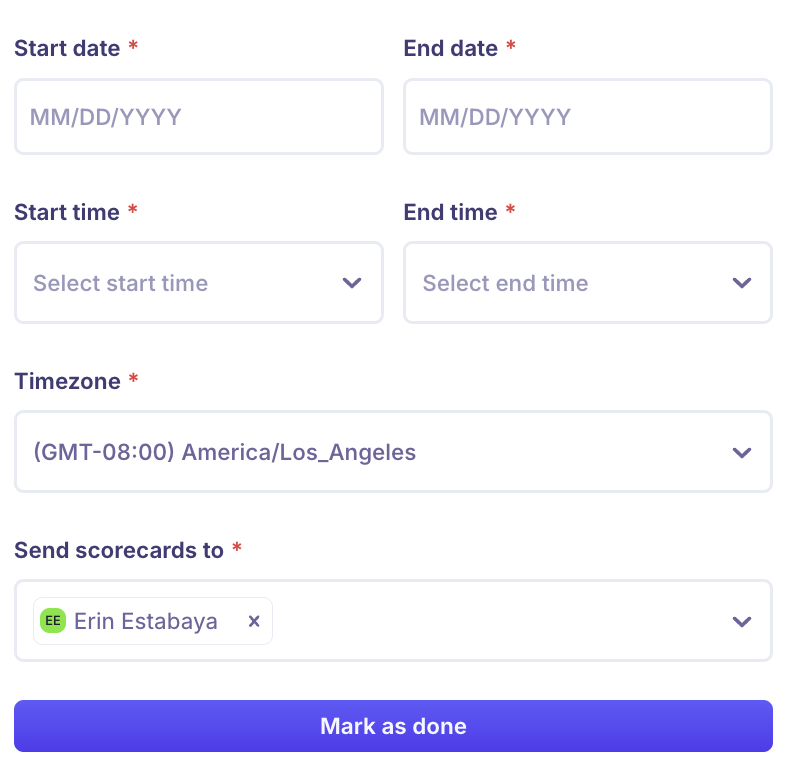
Click on the Mark as done button to complete.