Fraud Detector
Last updated: June 30, 2026
Fraud Detector is an AI teammate that screens candidates for fake credentials, fraudulent patterns, and synthetic identities before you spend time reviewing or interviewing them. It analyses resumes, email addresses, phone numbers, social profiles, and network signals to identify potential fraud.
Fraud detector supports two modes:
• Automatic: Runs on every eligible inbound candidate.
• Manual: Runs only when you trigger it.
Each fraud check costs 3 credits and typically completes in 30–50 seconds.
Prerequisites
Fraud detector requires a resume, email address, and phone number. If any required information is missing, the fraud check cannot run.
Enable Fraud detector
Go to Settings > Kula Teammates > Fraud detector > Toggle on Enable fraud detector.
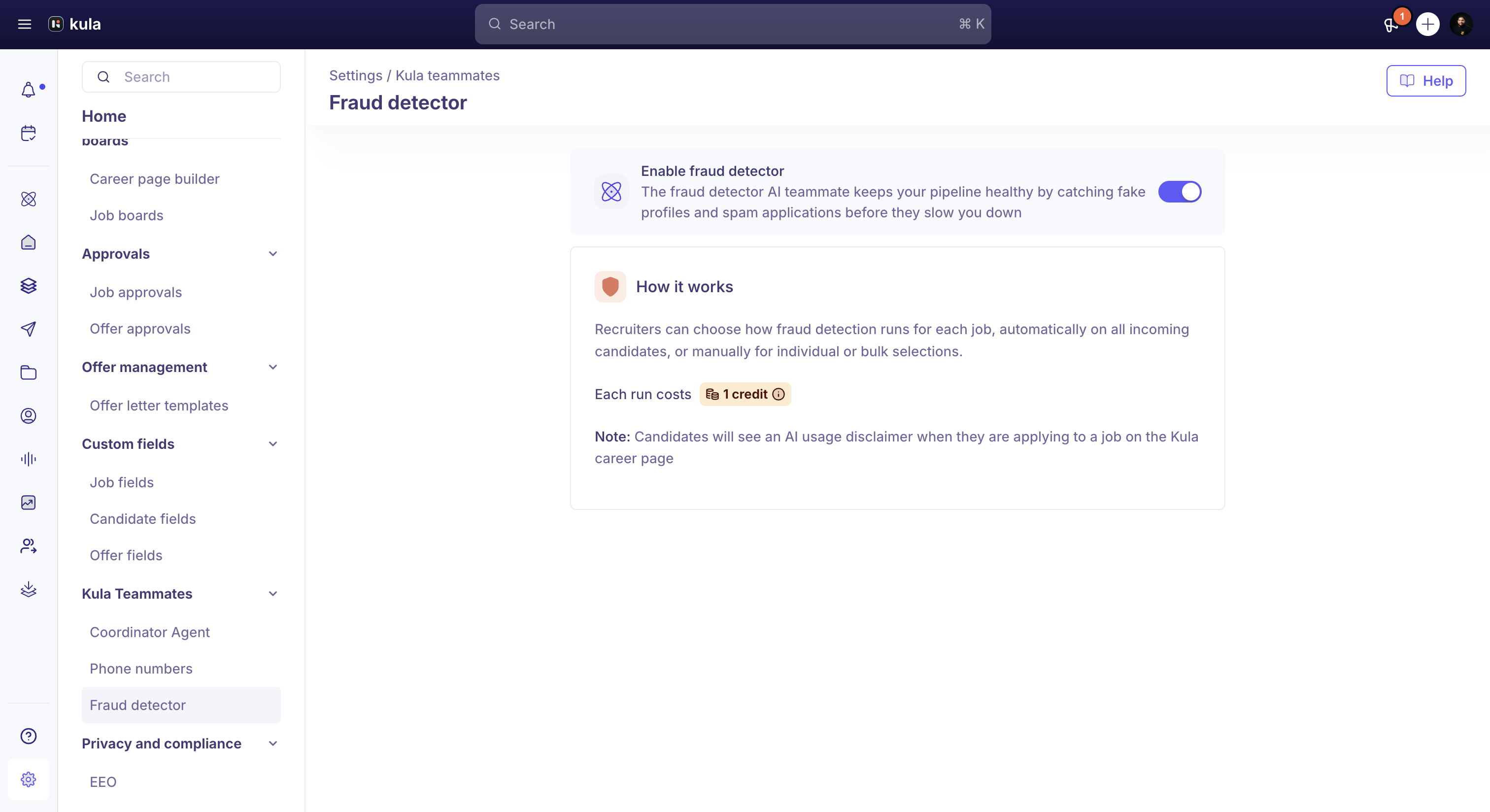
Note: Applicants see an AI usage disclaimer on the Kula career page when this feature is enabled.
Add Fraud detector to a job

Open a job, navigate to the AI Teammates tab by clicking on Settings, click Add teammate on the Fraud detector card, choose Manual or Automatic mode, optionally enable Auto-reject for suspicious inbound candidates, and click Save.
Remove Fraud detector from a job
Click the delete icon on the Fraud detector card and confirm by clicking Disable. Existing fraud statuses remain unchanged.
Run a manual fraud check
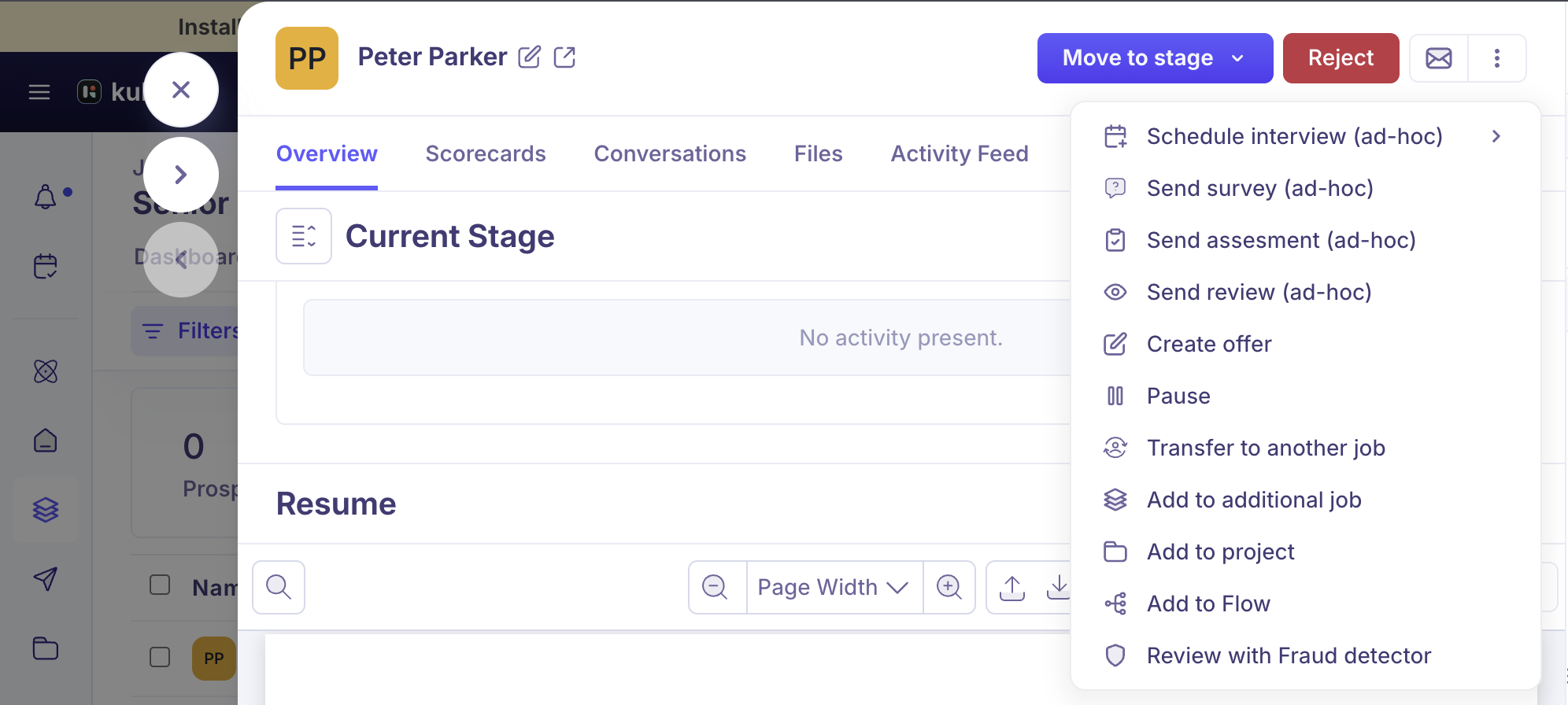
Open a candidate profile, click the three-dot menu, select Review with Fraud detector, wait for the evaluation, and click the fraud status badge to view the results.
Run fraud detection in bulk
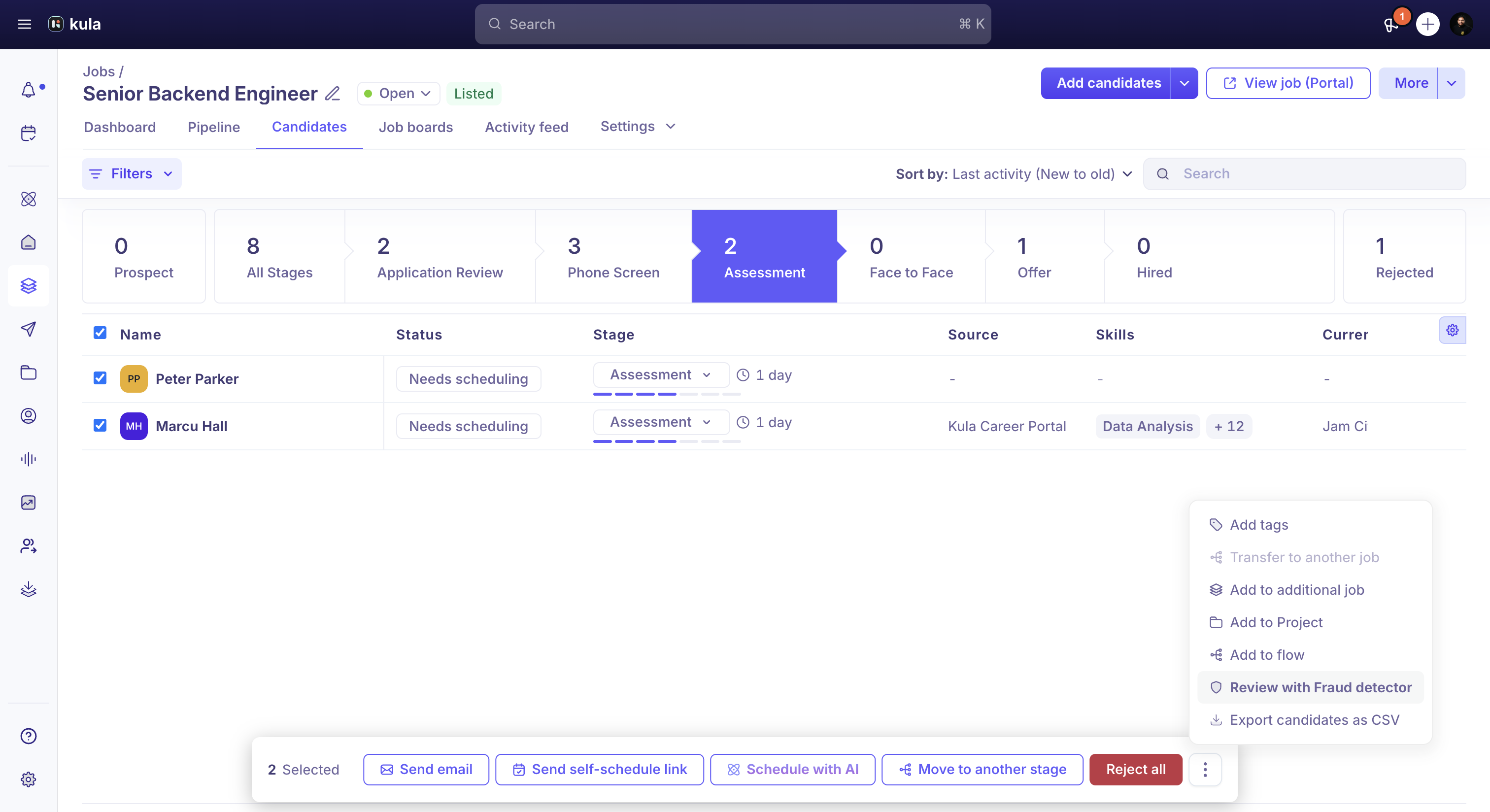
Select candidates in the Candidates tab, open the bulk action menu, select Review with Fraud detector, and monitor the progress widget until processing completes.
Re-run a fraud check
You can rerun a check if the previous evaluation failed or if the candidate's resume, email, phone number, education, or work experience changed.
Understand fraud statuses
Suspicious – High-confidence fraud indicators.
Inconclusive – Manual review recommended.
No issues – No significant fraud signals.
In progress – Evaluation running.
Failed – Evaluation did not complete; no credits consumed.
View fraud detection results
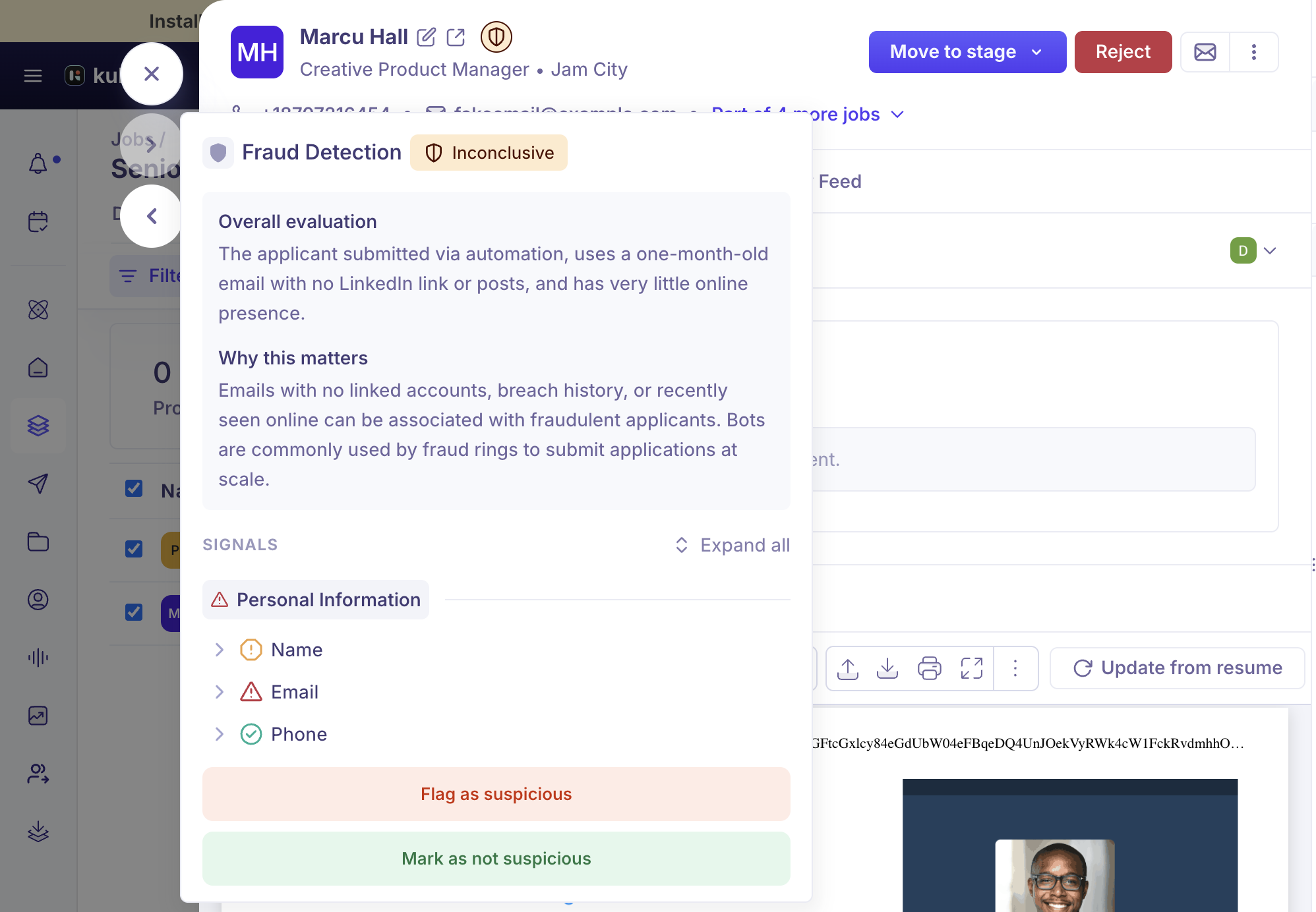
The Fraud Detection panel displays the overall evaluation, signal categories, risk levels, explanations, audit trail, and previous evaluation.
Manually change a fraud status
Open the Fraud Detection panel, click Change fraud status (or the contextual action), enter a required reason, and save.
Automatically rejected candidates
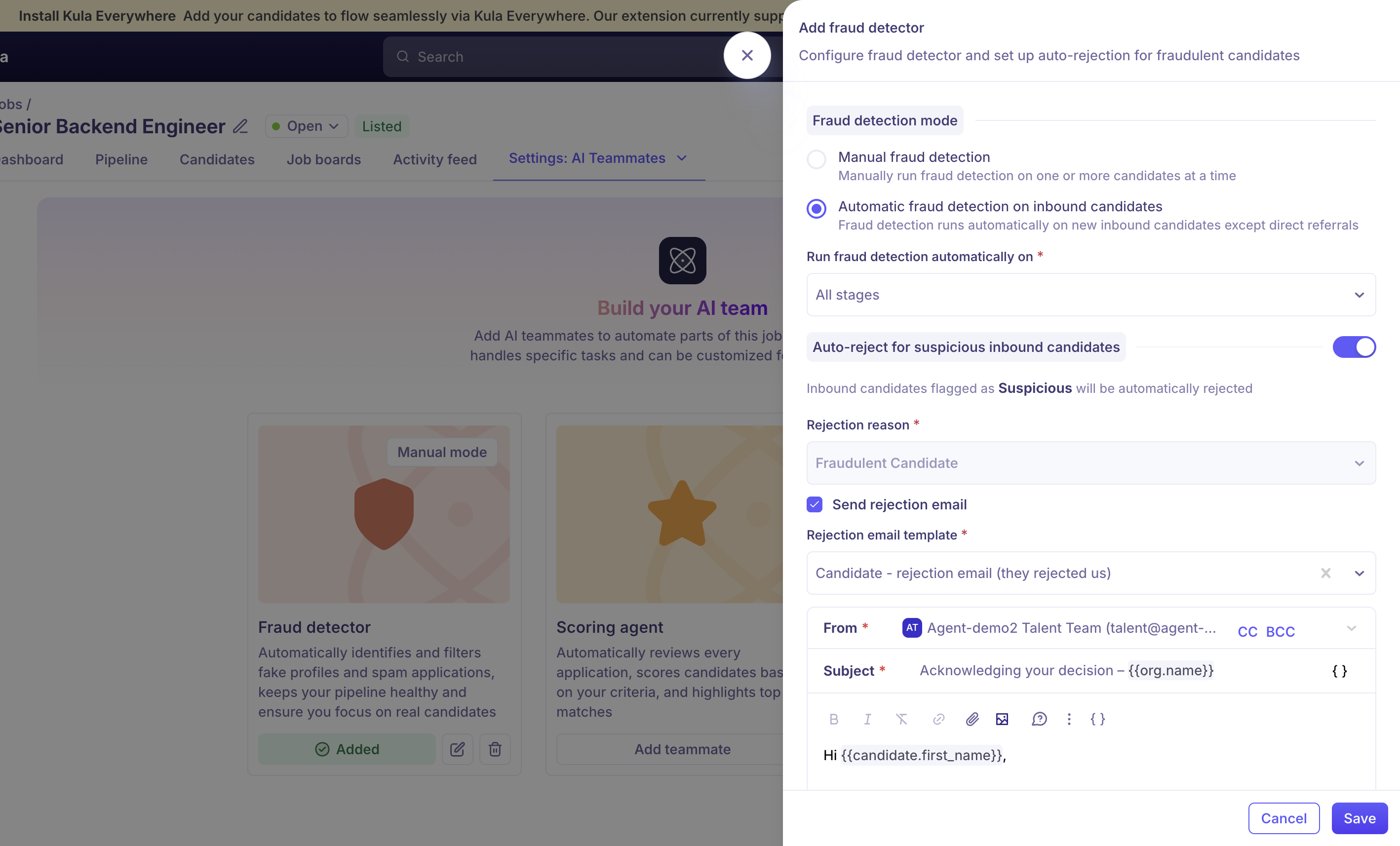
When Auto-reject is enabled, candidates marked Suspicious are rejected with the reason 'Fraudulent candidate.' Recruiters can reactivate or edit the rejection.
Credits
Each fraud check costs 3 credits. Failed checks do not consume credits. Admins can request more credits, while non-admins can notify an administrator.
Fraud detection in analytics
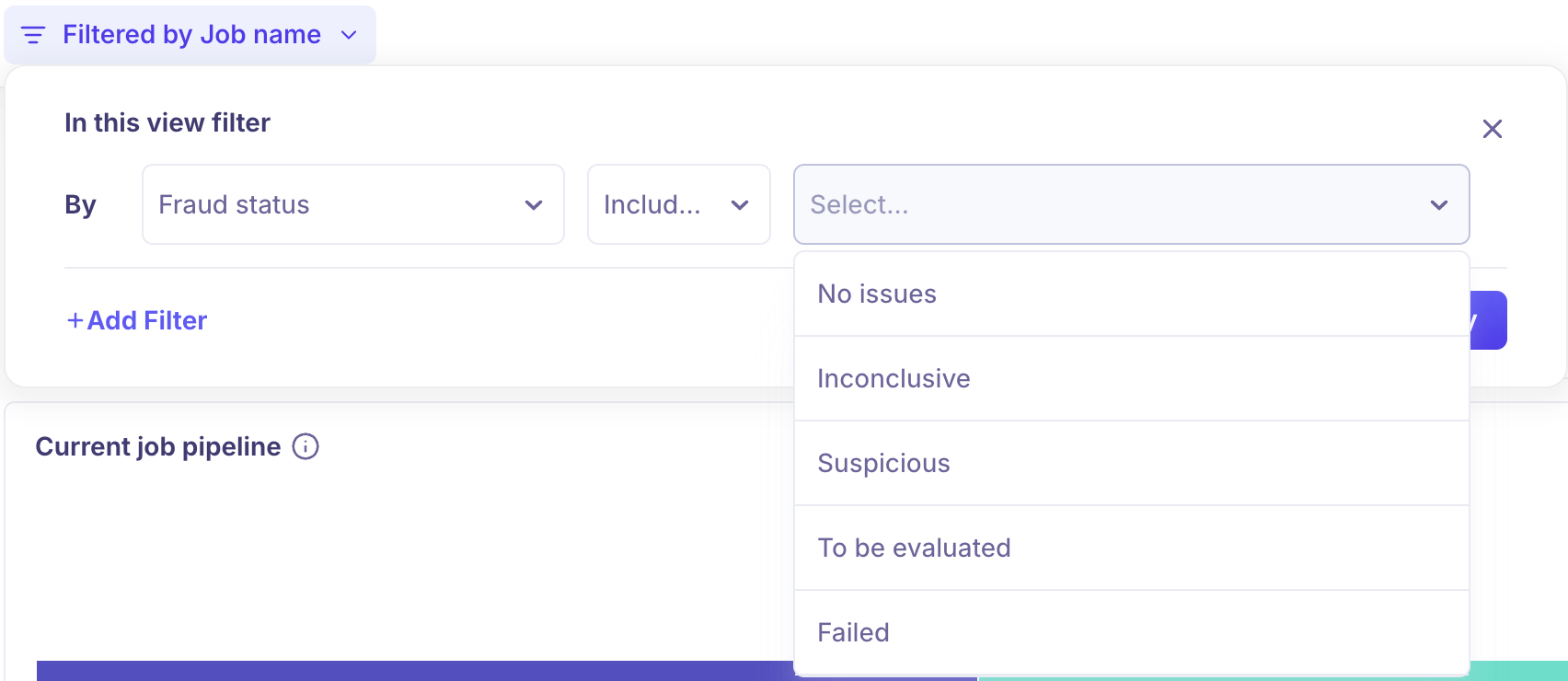
Fraud status is available as a filter, group-by, and breakdown option in Current job pipeline, Pipeline history, and Contacts reports.