How to Let a Candidate Self-Schedule an Interview
Last updated: April 11, 2025
Self-scheduling gives candidates the flexibility to book time directly based on the availability you share, saving time for everyone and streamlining coordination.
Prepare the Interview Plan
Before scheduling, ensure you have a structured interview plan in place:
Define the number of interview rounds, their duration, and format (e.g., virtual, in-person, or hybrid).
Identify the interviewers and their roles for each stage.
Ensure all necessary resources (e.g., scorecards, templates, or interview questions) are ready.
Here's our guide on how to set up your Interview Plan.

Here's an example of a Stage with an Interview activity.
Once the Interview Plan has been created and you have started receiving applicants, you can begin to move Candidates to the Interview Stage.
Here's our step-by-step guide on how to Let a Candidate Self-Schedule:
Follow these steps to send candidates the interviewer's availability and let them pick a time that works best:
Move the Candidate to the Interview Stage.
Click on the Candidate profile and the Schedule interview dropdown.
Click on the Send self-schedule link option.
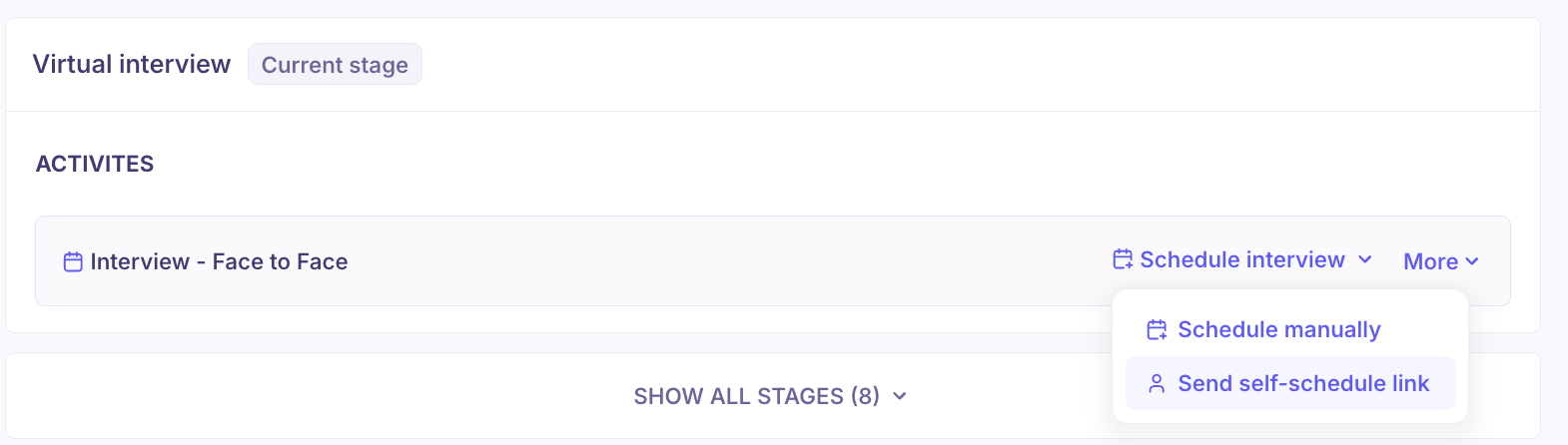
Select the interview details:
Duration
Interview type
Add interview
Location
Select Available Time Slots to Share
You have two ways to select slots:Manually select time slots from the calendar
Use the Find time this week button or select entire days/weeks using checkboxes
Select what day would you like for the interview to take place by checking the box/es.

Click on the Find time button to find multiple slots. You can choose from dropdown if you would like to find available slots on a specific range.
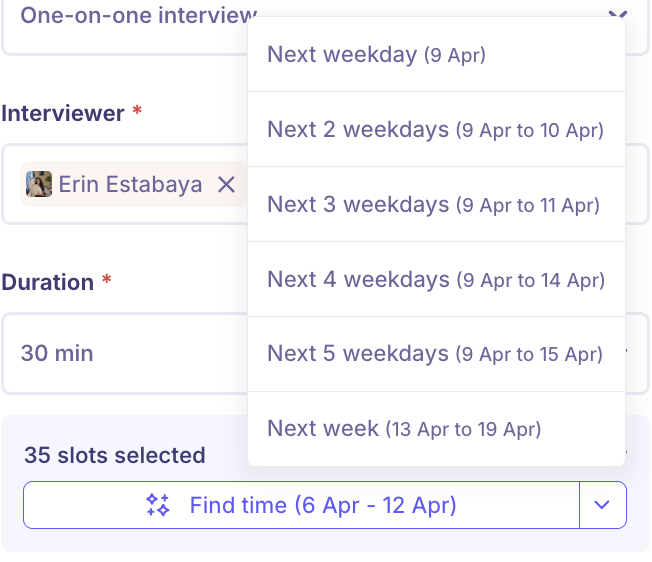
The system will show you all the options that the candidate can select.
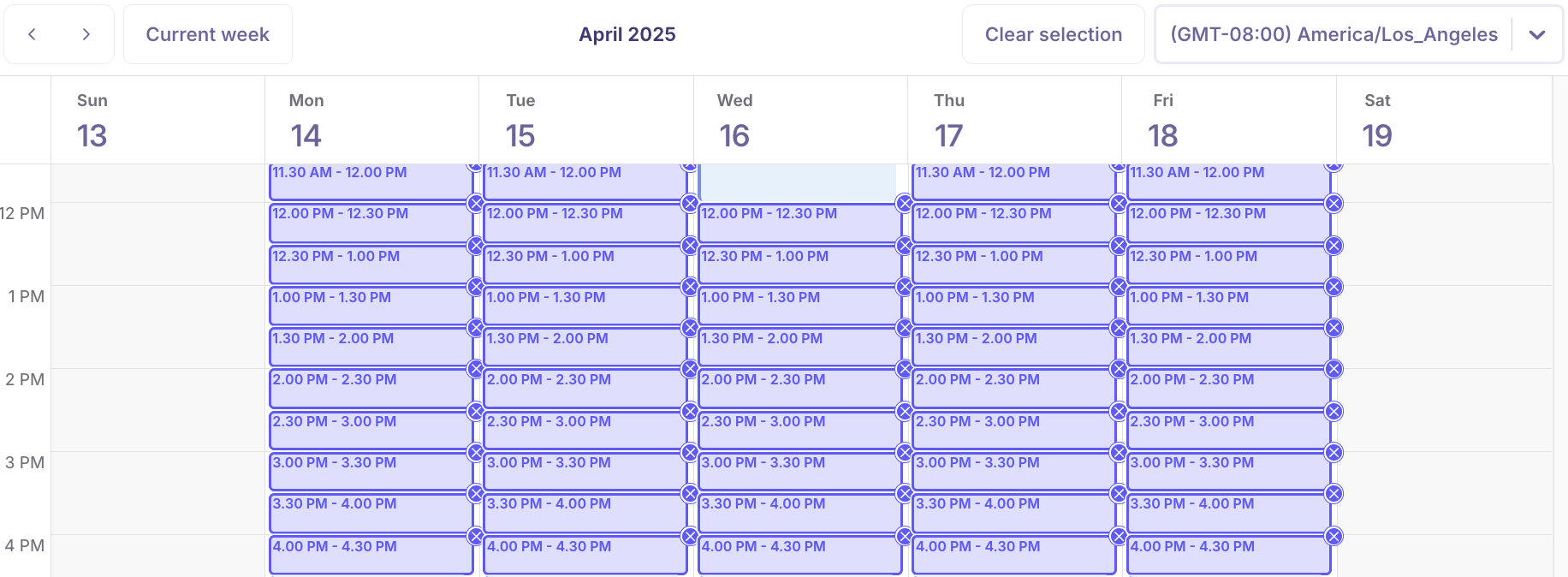
You can add multiple time slots to give the candidate flexibility.
Customize the Invitation Email
Click Next: Email to write the message that will be sent to the candidate. This email will include a link to select a time.
This will also allow you to set the email that the interviewer will receive once the candidate selects a date and time.Send the Email
Once everything is set click Schedule. The candidate will receive the invite and be able to pick from the available slots you’ve shared.