Kula's Integration with Slack
Last updated: July 10, 2025
Kula integrates seamlessly with Slack, a leading team collaboration platform. This integration enables recruiting teams to stay aligned, receive real-time candidate updates, and collaborate efficiently. By connecting Kula with Slack, hiring teams can streamline communication, reduce response times, and ensure a smooth, coordinated recruitment process.
How to Integrate Slack with Kula
Go to Settings in your Kula dashboard.
Navigate to the Organisation Integrations tab.
Select Slack from the list of available integrations and click on enable.
Click on Allow to Connect Slack and authorize Kula to access your workspace.
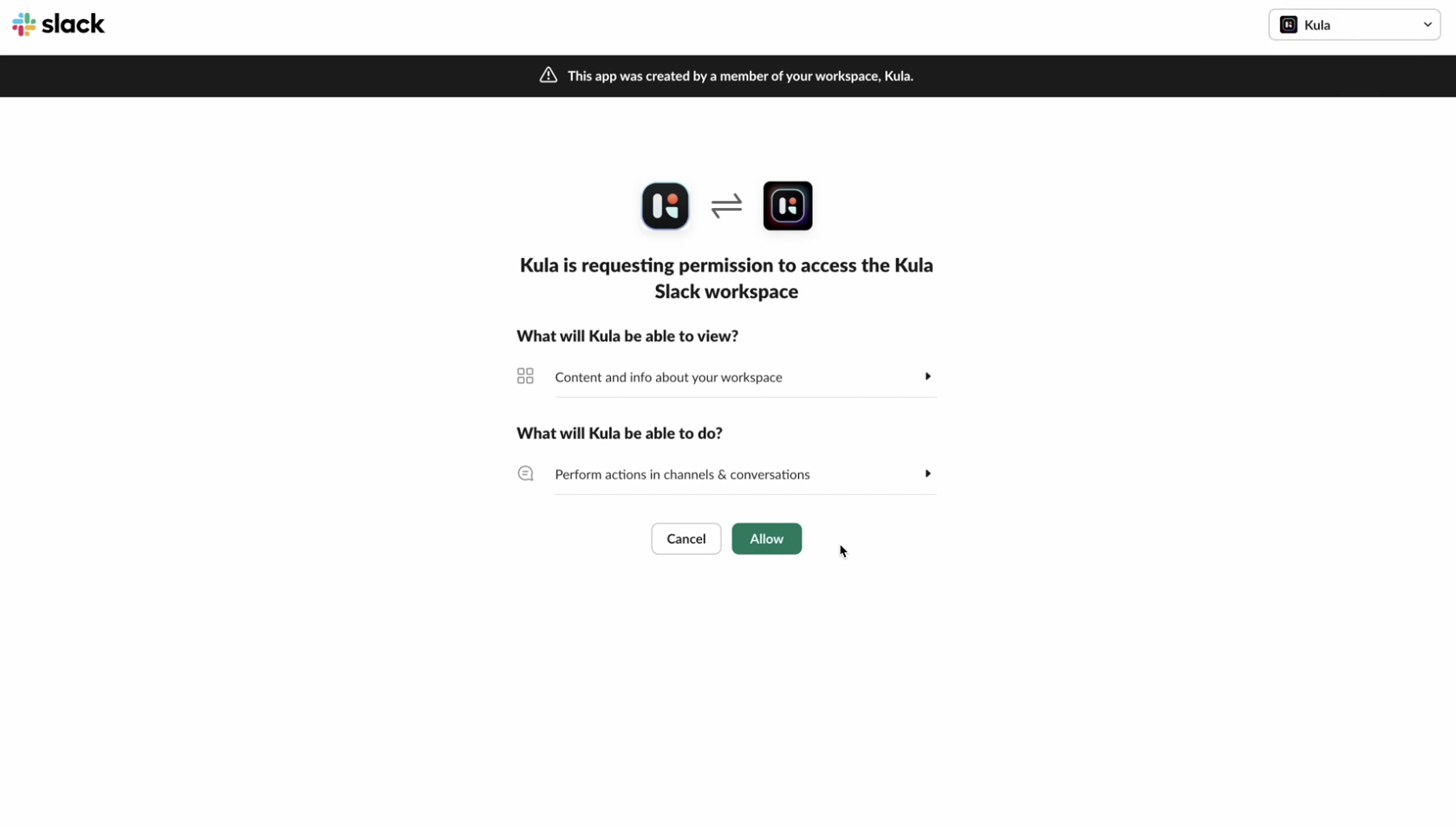
Once configured, your team will start receiving real-time updates in the designated Slack app.
🔒 Kula adheres to strict security standards. The integration is fully secure and permissions-based, ensuring only authorized users receive candidate data.
What You Can Do with the Integration
Once connected, here’s what the Slack-Kula integration enables:
Receive notifications for candidate stage changes
Get reminders about upcoming interviews
View and respond to candidate feedback requests
Share candidate details directly in Slack
Keep the entire hiring team in the loop in real-time
Key Benefits of the Kula-Slack Integration:
Instant Notifications
Get real-time alerts on candidate updates, interview feedback, and stage movements—delivered straight to your Slack channels or DMs.Faster Collaboration
Notify relevant stakeholders, share candidate profiles, and collect feedback—all within Slack.Seamless Workflow
No more context-switching. Recruiters, hiring managers, and interviewers stay aligned without leaving Slack.
The Kula-Slack integration bridges the gap between your recruitment platform and daily communication tools, allowing your team to stay focused, aligned, and productive throughout the hiring process.
Start using the integration today and bring your recruitment collaboration to the next level.
FAQ
What is Kula’s Slack integration?
It connects Kula with Slack to deliver real-time hiring updates directly to your Slack workspace.How do I set up the Slack integration?
Go to Kula Settings → Organisation Integrations → Slack → Enable and Authorize.What notifications will I receive in Slack?
You’ll get updates on candidate stage changes, interviews, and feedback requests.Who can receive notifications in Slack?
Only authorized users or channels selected during the integration setup.Is the integration secure?
Yes, it’s fully secure and permissions-based, ensuring only authorized access.Can I choose which Slack channels get updates?
Yes, you will get a application named "Kula" in SlackCan I disable the integration later?
Yes, it can be turned off anytime from the Org integrations settings.Who can enable the Slack integration in Kula?
Only Admins and Super admins have access to enable and manage integrations.Does the integration support two-way communication?
Currently, it supports notifications from Kula to Slack only.Where can I get help if something goes wrong?
Contact Kula Support or visit the Help Center for assistance.