Send a skills assessment to a candidate
Last updated: July 22, 2026
An assessment sends a candidate a task, question set, or third-party test — either built into Kula or run through a connected tool like HackerRank — and brings their submission and score back onto their profile.
This article covers both ways to send one: as part of a job's interview plan, or ad hoc, without setting one up first.
Who can do this: Recruiter or Hiring Manager on the job's hiring team, or any Admin or Super Admin.
Where to find it: Candidate's profile (ad hoc), or the job's Interview Plan tab (as part of a stage)
Send it as part of an interview stage
Set this up once on the job's interview plan, and Kula prompts you every time a candidate reaches that stage.
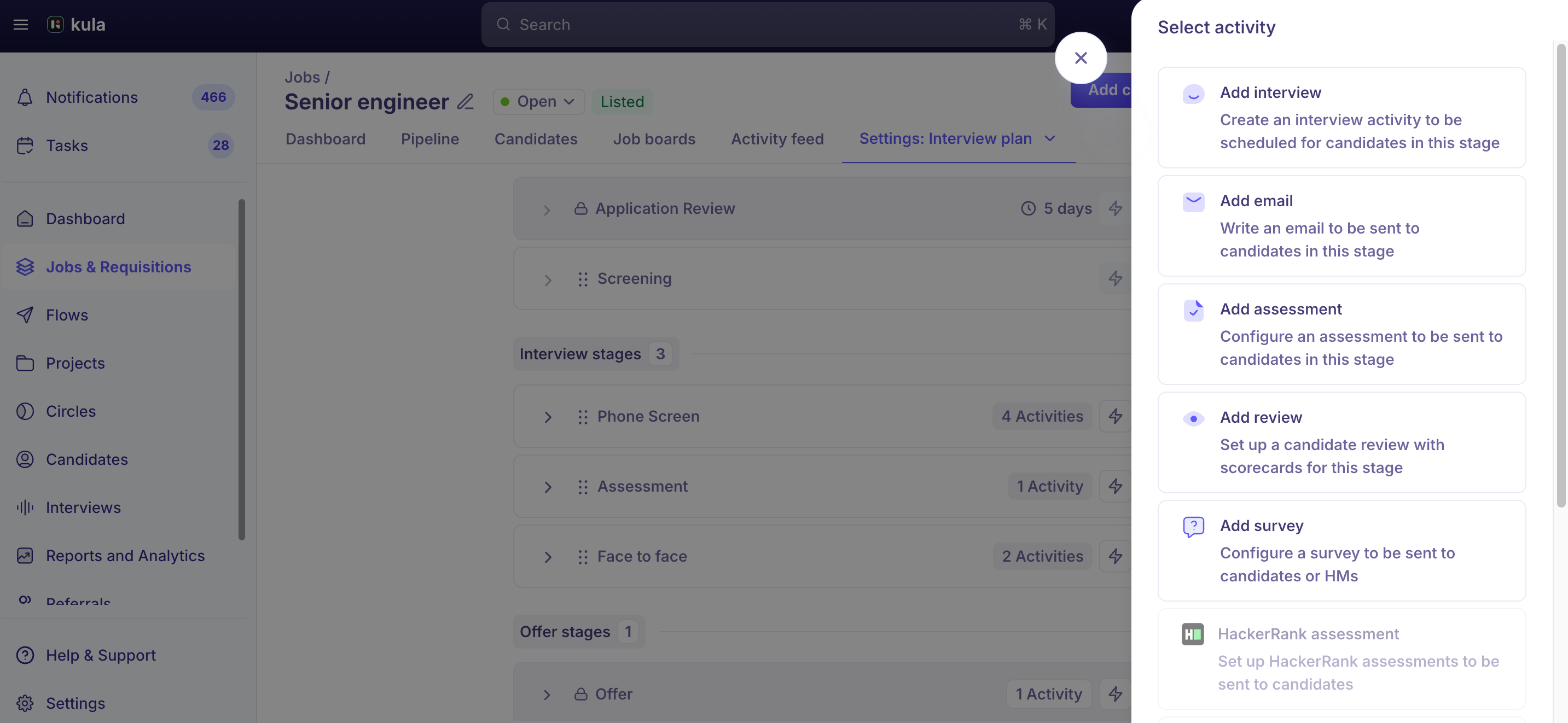
Open the job and go to the Interview Plan tab.
Under the stage you want, click Add Activity and choose Assessment.
Name the assessment and select the team members who'll review and score it.
Add your questions — up to 10,000 characters, with HTML formatting.
If candidates need reference material, attach it — up to 10 files, 10 MB each, in PDF, DOC, DOCX, XLSX, or ZIP.
Once a candidate reaches that stage, their pipeline card shows Needs action. Open their profile and click Send Assessment — they get an email prompting them to complete it.
Send it ad hoc, right now or on a schedule
You don't have to set up an interview plan activity first. From the candidate's application page, you can send an assessment directly — immediately, or scheduled for a later time. The activity is mapped to the candidate's current stage and shows up under an Ad hoc section on the job, the same way an ad-hoc email or interview invite does.
Sending through a third-party tool
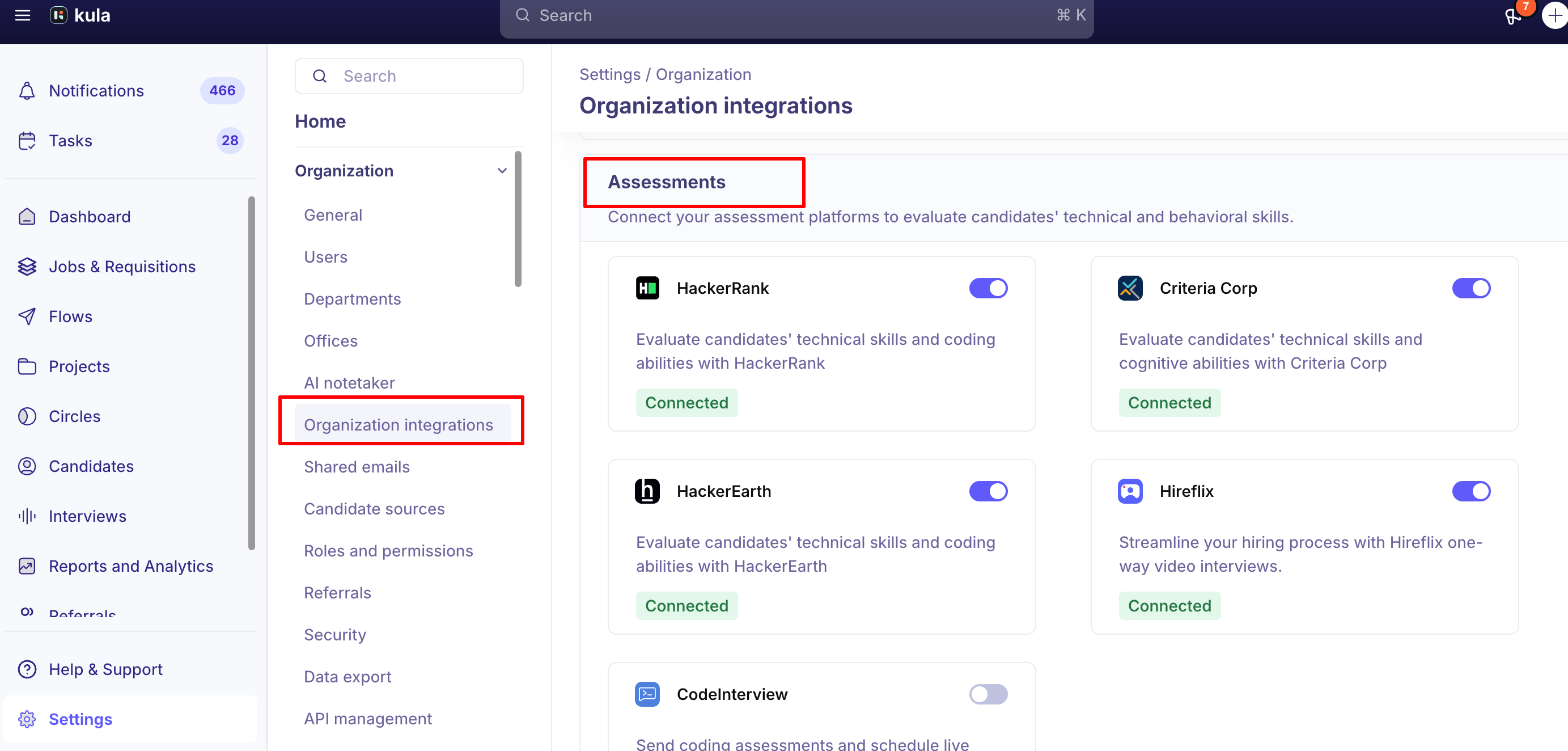
If your account has HackerRank, HackerEarth, CriteriaCorp, or CodeInterview connected, sending works the same way — the trigger lives on the candidate — but the candidate completes the test in that tool, and the score or report syncs back to their Kula profile automatically once they submit.
Setting up any of these integrations is an Admin/Super Admin task, done separately from sending; see the tool's own integration article for that setup.
One tool-specific limit: a HackerRank test can only be sent once per candidate. If it's already sent or still pending, you can't resend it — cancel or wait for it to resolve first.
A video on how to add the assessment to the Interview plan:
Good to know
Only HireFlix video assessments support bulk sending today. Every other assessment type — Kula's built-in assessments, HackerRank, HackerEarth, CriteriaCorp, CodeInterview — is sent one candidate at a time.
Kula doesn't enforce a deadline on assessments. There's no setting to make an assessment auto-expire after a certain number of days — track and follow up manually if a candidate is taking too long.
A candidate needs an email on file to receive an assessment. Without one, Kula blocks the send the same way it blocks other candidate communications.
A completed assessment stays visible even after the candidate moves to a later stage — it doesn't disappear from their profile once they're past the stage it was attached to.
The scorecard on an assessment is optional, not mandatory by default — you can toggle whether a scorecard is required for a given assessment activity as you set it up.
FAQ
Do I need to set up an interview plan before I can send an assessment? No. You can send one ad hoc, directly from the candidate's application page, either right away or scheduled for later — no interview plan activity required. For more, see Creating and Editing an Interview Plan (link to be added).
Can I send the same assessment to a group of candidates at once, instead of one at a time? Only for HireFlix video assessments — those support sending in bulk to candidates in a stage. Every other assessment type sends to one candidate at a time. For more, see How to Integrate Hireflix with Kula (link to be added).
A candidate says they never got the assessment email — what do I check? Have them check spam first, then resend it from their profile — delivery issues are usually caught and cleared this way. For more, see Receiving and Completing an Assessment as a Candidate (link to be added).
Can I set a deadline so an assessment automatically expires? Not currently — Kula doesn't auto-expire assessments or enforce a completion window. You'll need to track and follow up on outstanding ones yourself. For more, see Assessment FAQs (link to be added).
The candidate moved past the assessment stage — can I still find their submission? Yes. A completed assessment stays on the candidate's profile regardless of what stage they're in now. For more, see What's on a Candidate Profile? (link to be added).
Need help?
If you have questions or need assistance, reach out to us at support@kula.ai or use the in-app chat.