Connect Zoom to Kula
Last updated: September 18, 2026
Connecting Zoom lets you schedule interviews with a Zoom meeting link created automatically. One Zoom connection covers the whole organisation.
Who can do this: Super Admin, Admin
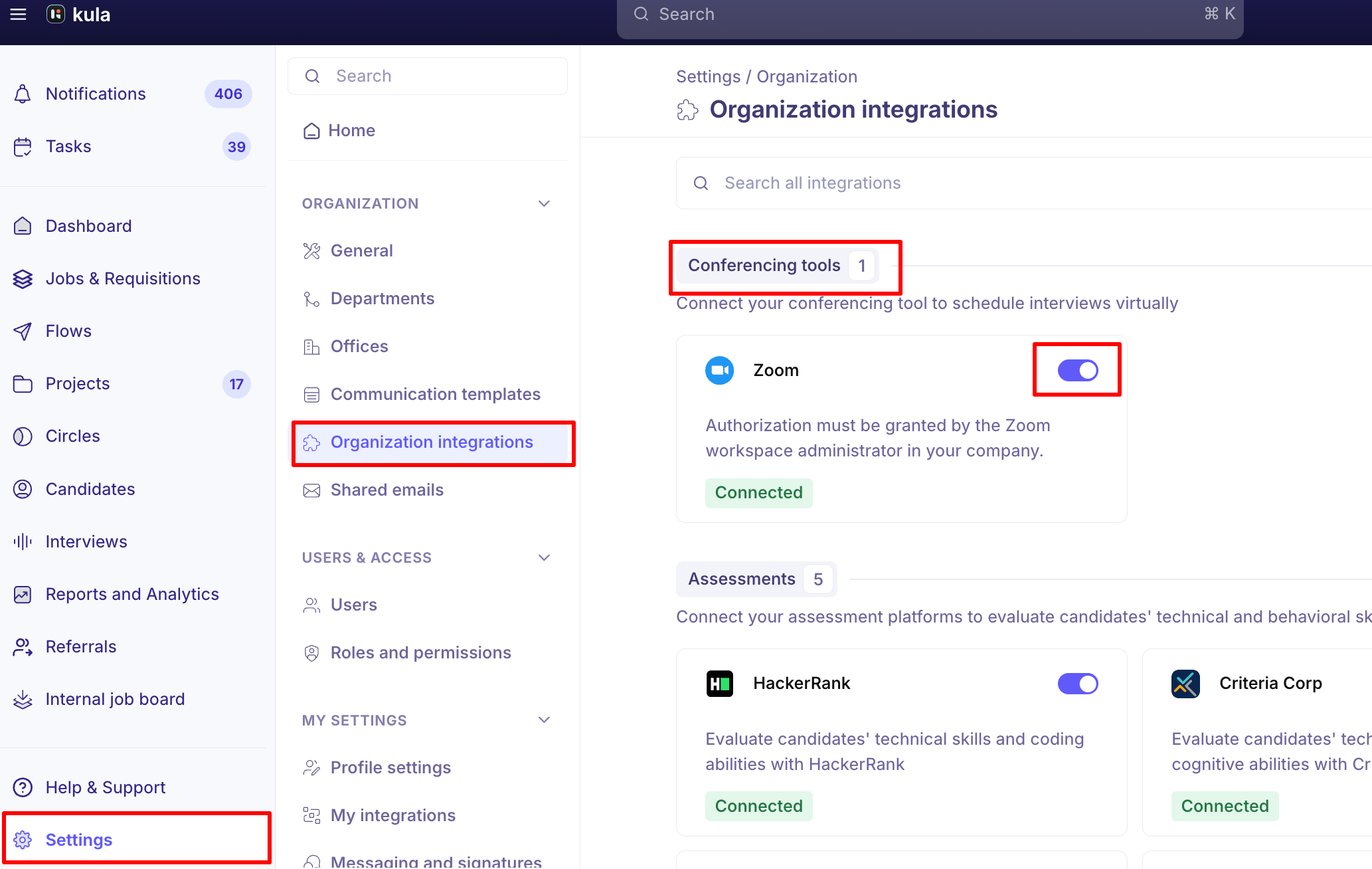
Where to find it: Settings → Organization → Organization integrations → Conferencing tools
How to Connect Zoom
Go to Settings → Organization → Organization integrations.
Find the Zoom card under Conferencing tools.
Turn the toggle on.
Sign in to Zoom in the window that opens and approve the requested access.
The card shows Connected once the authorization completes.
The Zoom connection is authorized once for the whole organization, not per recruiter. Your Zoom workspace administrator has to grant it — if you are not a Zoom admin, the authorization screen will not let you complete the connection.
Zoom Connection Status
What you see | What it means |
|---|---|
Not connected | Zoom has never been authorized, or it was disconnected. Interviews cannot use Zoom links. |
Connected | Zoom is authorized and working. |
Invalid | The Zoom token expired or was revoked in Zoom. Reconnect it. |
Fix an invalid Zoom connection
Kula emails and Slack-messages admins with organisation-level Zoom permissions the moment a Zoom token expires or is revoked. To fix it:
Hover over the Zoom card.
Click Re-authenticate.
Sign in to Zoom and approve access again.
Your Zoom user list refreshes immediately after you reconnect — you do not have to wait for the next daily sync.
Good to know
The invalid state is shown on the integrations page and admins are notified by email and Slack.
Disconnecting Zoom removes access to your Zoom contacts in Kula and stops new ones being added.
FAQ
Can I choose who hosts the Zoom meeting for an interview? Yes — the meeting host is picked during scheduling, from the Zoom users Kula has synced. If someone is missing from that list, reconnect Zoom so the user list refreshes. For more, see Schedule an interview with a Zoom, Teams or Meet link.
Why did my Zoom stop working without any warning? Zoom tokens expire or get revoked in Zoom itself. Kula now shows this as Invalid on the integrations page and notifies admins, so re-authenticate the card to fix it.
Need help? If you have questions or need assistance, reach out to us at support@kula.ai or use the in-app chat.