What are interviewer pools?
Last updated: September 24, 2026
An interviewer pool is a named group of interviewers you set up once and reuse across interview plans, instead of naming specific people every time you build a stage. When several people on your team can run the same kind of interview interchangeably, a pool lets you point a stage at the group and let Kula work out who actually gets scheduled.
Use a pool wherever a role, not a specific person, decides who interviews: any of your engineers for a technical screen, any recruiter on the team for an intro call, and so on. Add everyone who's qualified to the pool once, then reuse that pool across every job that needs the same kind of interview.
Who can do this: Admin, Super Admin can create, edit, and archive interviewer pools. Recruiter, Hiring Manager, Admin, Super Admin can select an existing pool when building a job's interview plan.
Where to find it: Settings → Interviews and scheduling → Interviewer pools. You use a pool from a job's interview plan, when you set up a Schedule Interview activity.
Creating and managing interviewer pools
Manage pools from a single place, so you can update who's in a pool without editing every job that uses it.
Step 1: Create a pool
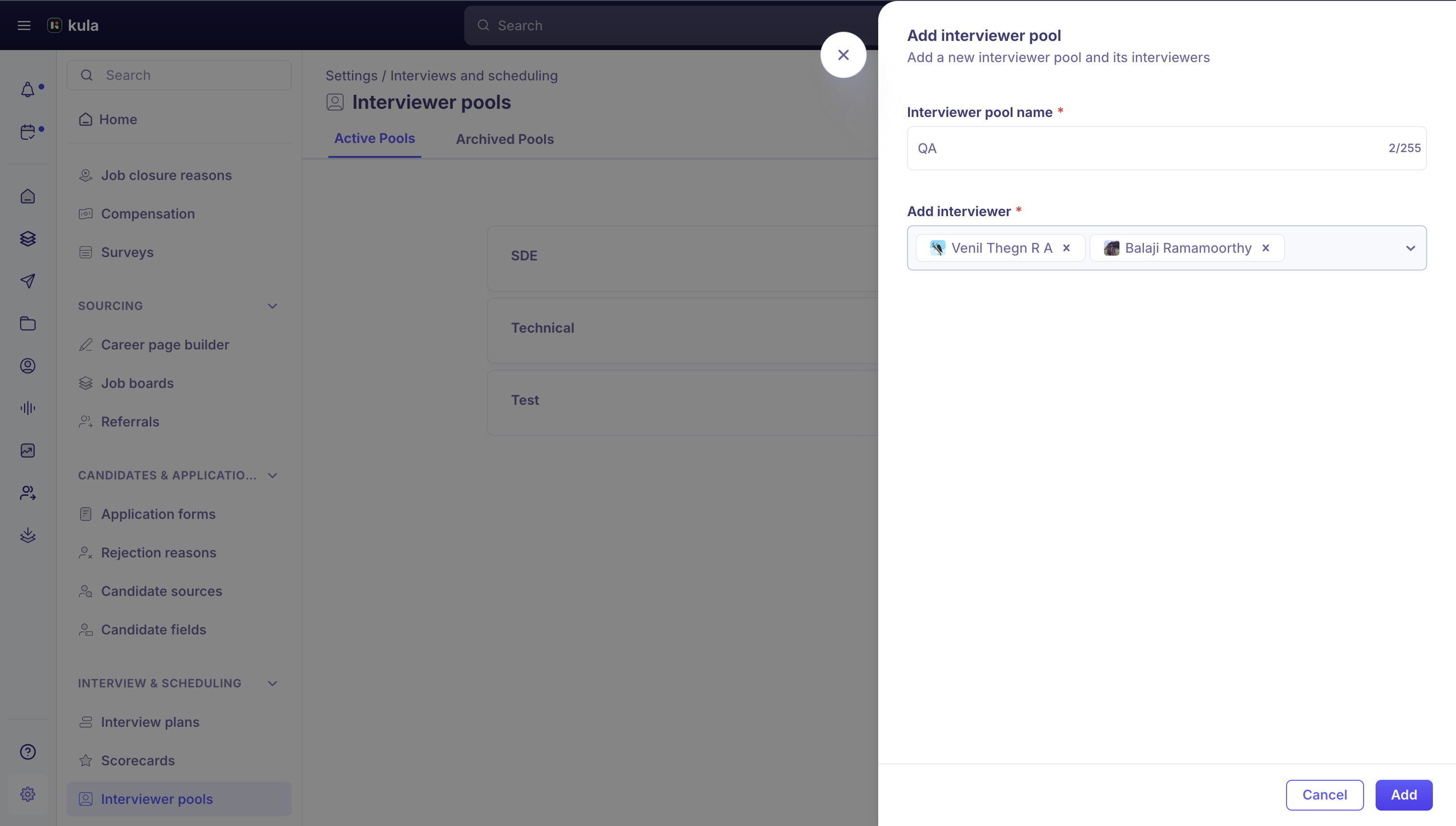
Go to Settings → Interviews and scheduling → Interviewer pools.
Click Add interviewer pool.
In Interviewer pool name, enter a name for the pool.
In Add interviewer, search for and select everyone who belongs in the pool.
Click Add.Managing existing pools
Interviewer pools
has two tabs, Active Pools and Archived Pools, and a search box to find a pool by name. Hover over a pool in the Active Pools tab to see its actions:
Edit this pool: change its name or update its members.
Clone this pool: create a copy with the same members under a new name, useful as a starting point for a similar pool.
Archive this pool: remove it from active use without deleting it. Archiving asks you to type ARCHIVE to confirm.
Each pool card also shows how many interviewers are in it.
Restoring an archived pool
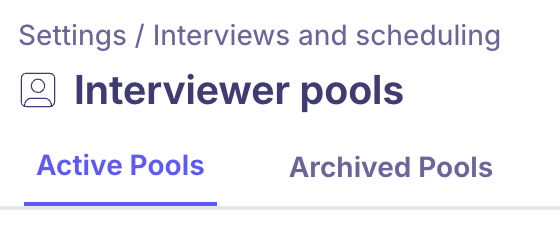
Archived pools move to the Archived Pools tab. Hover over one and click Unarchive this pool to bring it back to Active Pools.
How pools fit into an interview plan
When you configure a Schedule Interview activity in a job's interview plan, you choose who can take the interview in one of two ways: add specific interviewers yourself, or select an interviewer pool. Choosing a pool tells Kula to pick the interviewer from everyone in the pool instead of one fixed person.
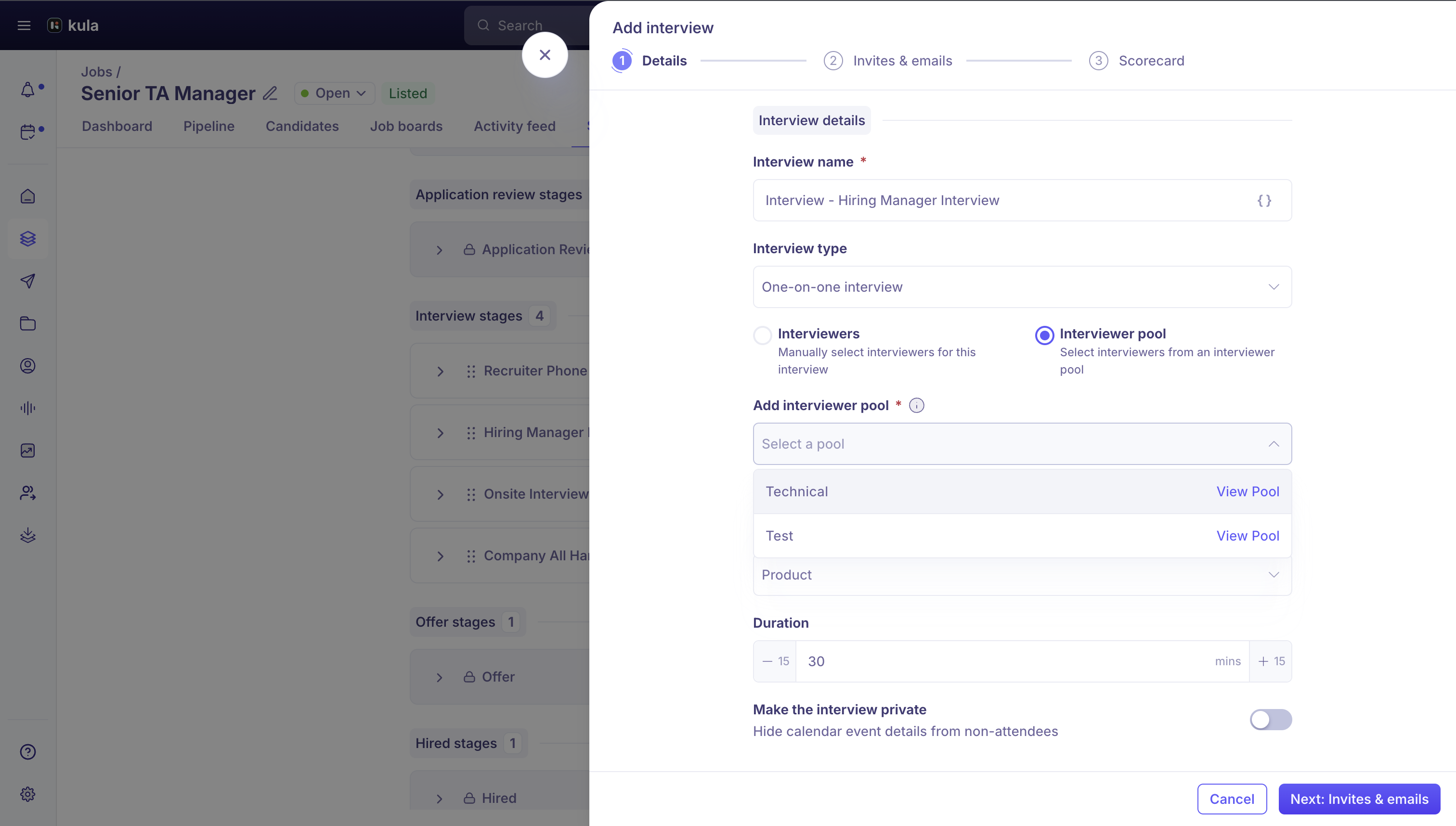
If the pool you need doesn't exist yet, the field tells you where to go: create or add to a pool from Settings > Interviewer pools.
What happens when a stage uses a pool
When a candidate reaches a stage backed by a pool, Kula recommends who to schedule from among the pool's members, based on their calendar availability and, if your account has it turned on, how much interviewing they've already done that week. That keeps the load from concentrating on the same few people in a large pool.
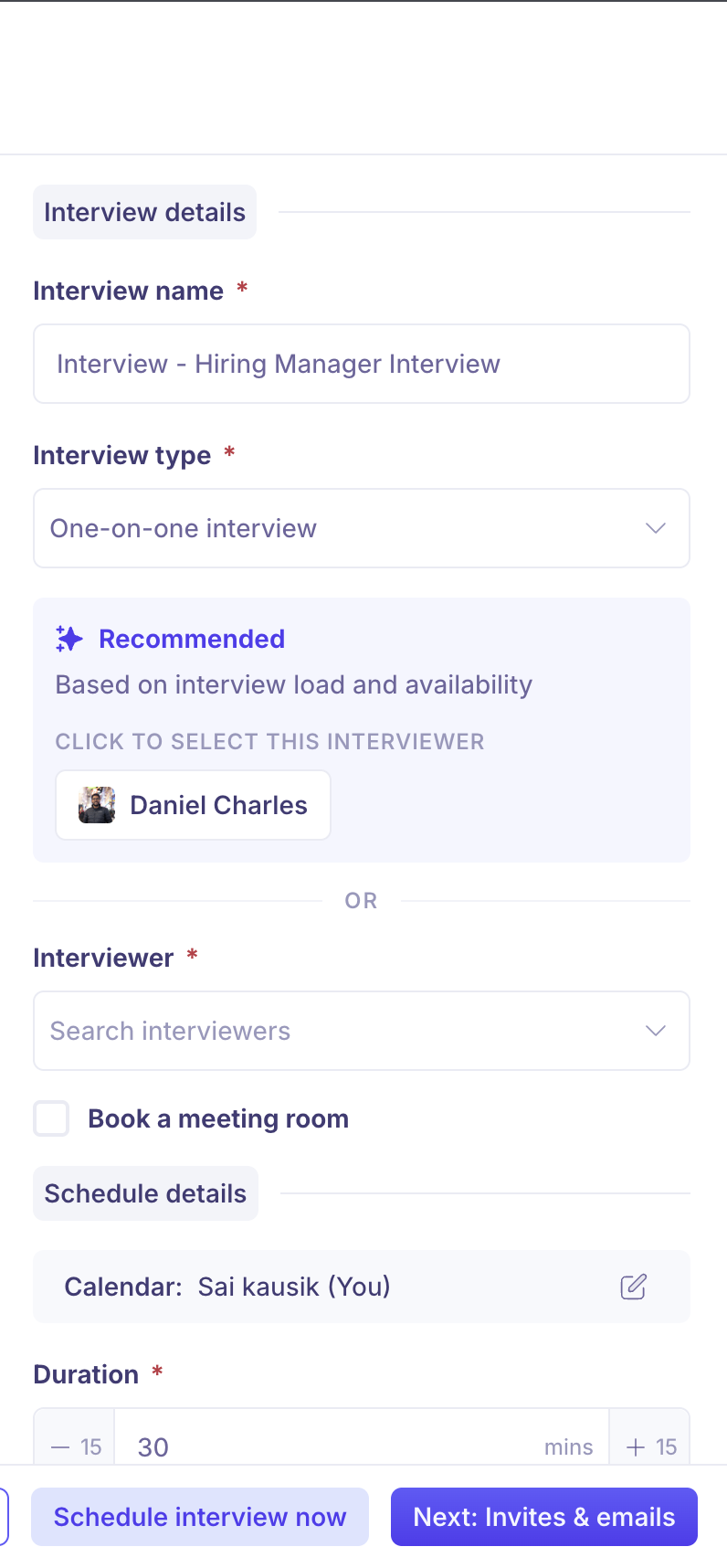
You aren't locked into Kula's recommendation. You can see everyone in the pool and pick a different member yourself.
Good to know
A change to a pool applies everywhere it's used. Update who's in a pool once, without editing every job that uses it.
Archiving doesn't delete a pool. It moves to Archived Pools, and you can unarchive it at any time.
Kula's pick is a recommendation. You can see everyone in the pool and choose a different member yourself.
FAQ
Who can create interviewer pools?
Super Admin and Admin by default, or anyone whose role has the Manage interviewers pool permission.
Can I bring back an archived pool?
Yes. Open Archived Pools, hover over the pool and click Unarchive this pool.Do I have to schedule the interviewer Kula recommends?
No. You can pick any member of the pool.
Need help?
If you have questions or need assistance, reach out to us at support@kula.ai or use the in-app chat.