Scorecard visibility and permissions
Last updated: September 17, 2026
Who can read a scorecard depends on two separate things: whether you're on the job's hiring team, and — if you're only interviewing — an organisation-wide visibility setting. This article explains both, and how the overall evaluation is treated differently from the rest of the scorecard.
Who can do this: Super Admin, Admin — and anyone on a custom role with the Manage scorecards permission
Where to find it: Settings → Scorecards
Two different kinds of access
The hiring team sees scorecards regardless of the visibility setting. If you're a recruiter, hiring manager or coordinator on a job, you can read the feedback on that job's candidates. The visibility setting doesn't restrict you.
The visibility setting governs interviewers — people who are assessing a candidate but aren't on the hiring team. It controls whether they can see each other's feedback.
Getting these the wrong way round is the usual source of confusion. Changing the visibility mode never hides anything from your recruiters; it only changes what interviewers see of one another.
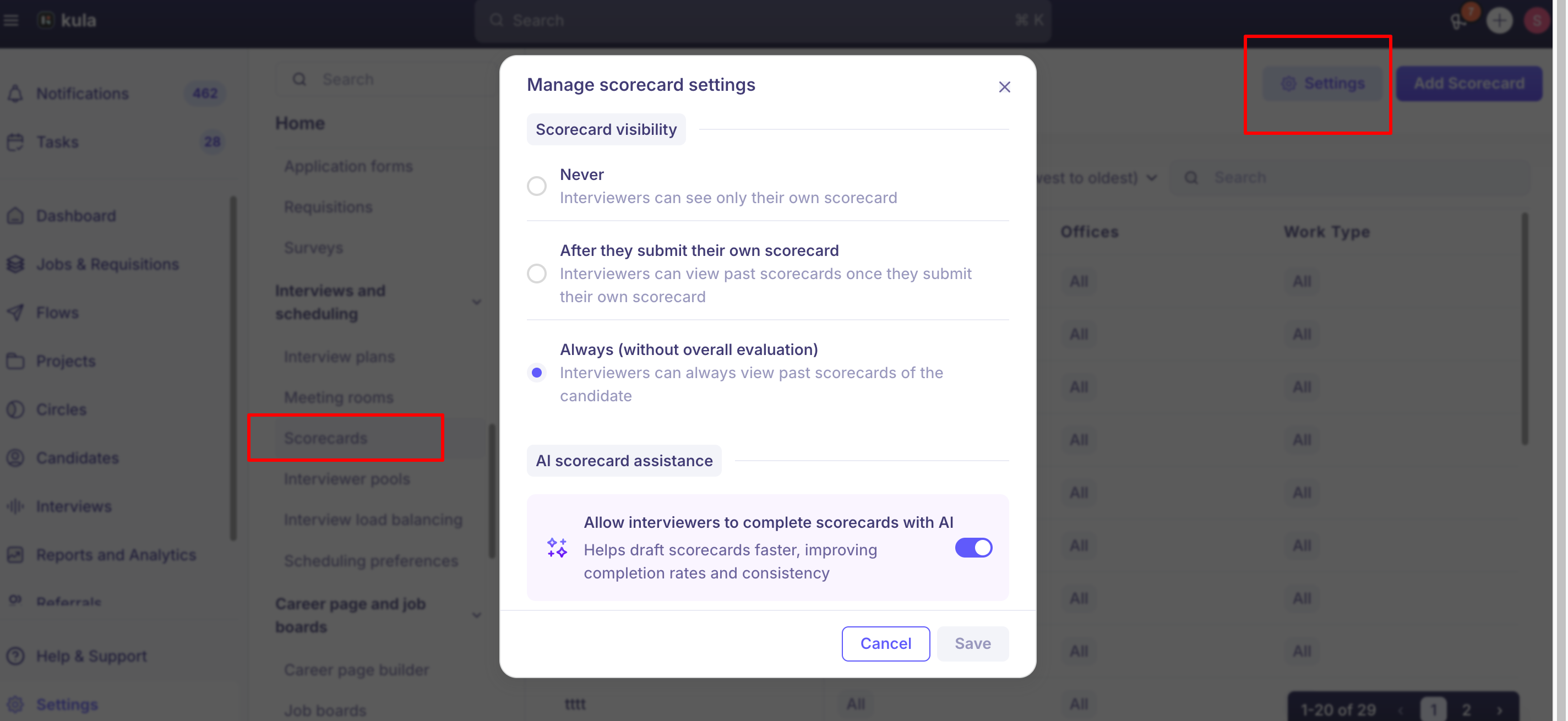
The three visibility modes
Mode | What an interviewer can see |
|---|---|
Never | Only their own scorecard. |
After they submit their own scorecard | Other people's scorecards, once they've submitted theirs for the interview they're viewing from. |
Always (without overall evaluation) | Other people's scorecards at any time — but the Strong yes / Yes / No / Strong no rating stays hidden until they've submitted their own. |
Choosing between them
Never keeps every opinion clean — nobody is anchored by a colleague. Best where you want genuinely independent signals.
After they submit their own scorecard is the usual middle ground. Interviewers commit first, then get the panel's view for a debrief.
Always (without overall evaluation) gives the most context with the least anchoring: later rounds can see what was asked and answered before, without seeing the verdict.
Change the setting
Go to Settings → Scorecards.
Open the scorecard visibility settings.
Choose a mode.
Save.
The change applies immediately across every job.

Allow AI to fill scorecards
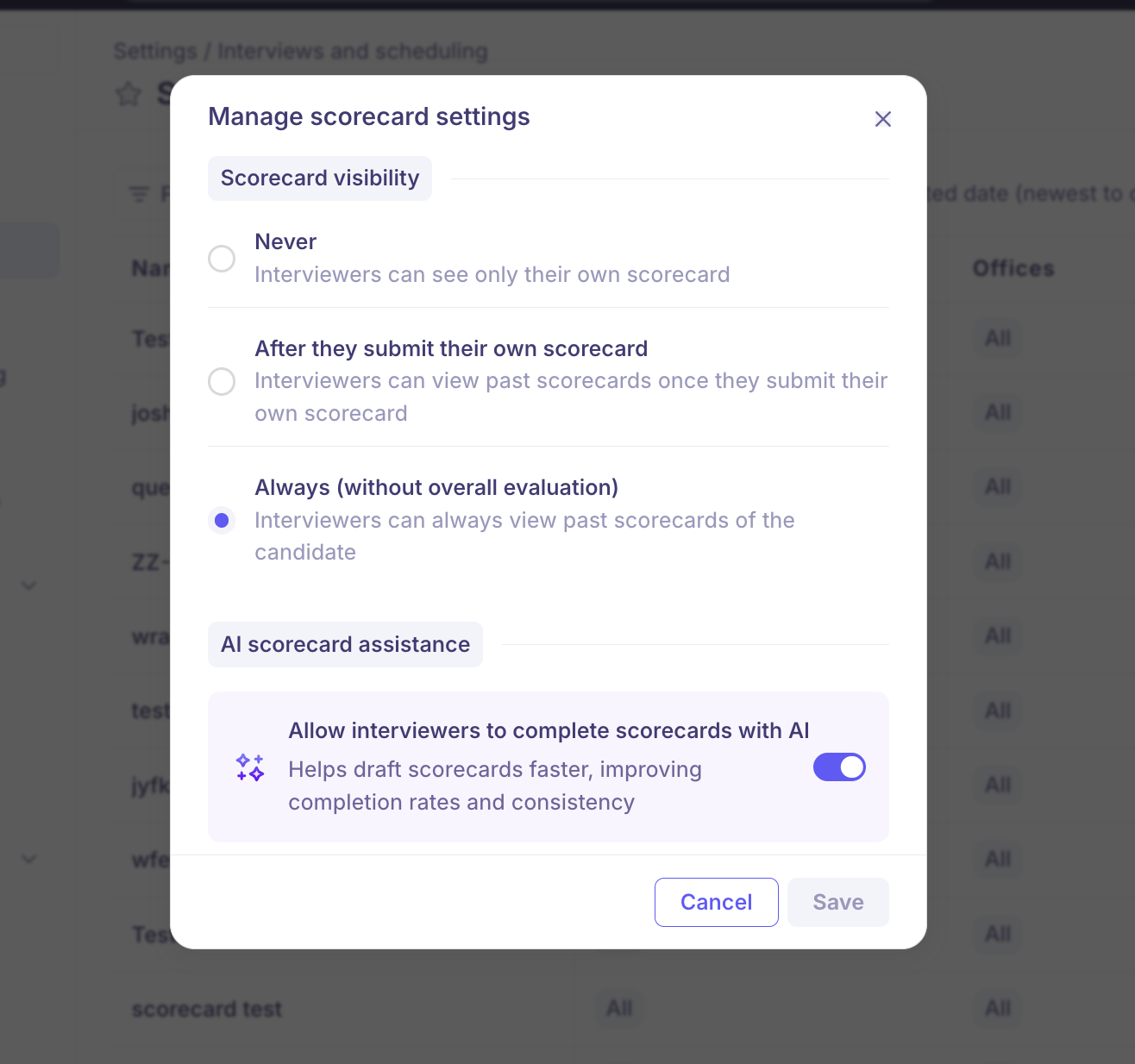
The same settings carry a toggle for whether interviewers can use Fill scorecard with AI, which drafts answers from the recording and transcript. Turn it off and the option disappears for everyone.
Who sees what
Access comes from your role on the job, not only your organization role. When someone is added to a job's hiring team they're given one of these positions, and it decides what they can reach.
Position on the job | Candidates they can see | Scorecards |
|---|---|---|
Recruiter | All candidates on the job. | All feedback. Can also edit the job and its scorecards. |
Hiring manager | All candidates on the job. | All feedback. |
Coordinator | All candidates on the job. | All feedback. |
External recruiter | Only candidates credited to them. | Feedback on those candidates only. |
Assigned as an interviewer, not on the hiring team | The candidates they're interviewing. | Their own scorecard, plus others' according to the visibility mode. |
Nobody of the above | Nothing on that job. | None. |
Separately, someone whose organisation role lets them manage or view all jobs can see scorecards across those jobs without being on any hiring team. Confidential jobs are the exception — those need the confidential-jobs permission, whatever else you hold.
Two permissions control the settings rather than the reading:
Manage scorecards — change these settings and build templates. Super Admin and Admin.
Submit scorecards on behalf — fill in someone else's scorecard. Super Admin, Admin and Recruiter.
Good to know
This setting is organization-wide. You can't vary it per job or per stage today. If you need that, tell us through the in-app chat.
You can't hide individual questions or answers from particular interviewers — visibility is all-or-nothing per scorecard.
Feedback from later stages is never visible, in any mode.
Drafts are never visible to anyone else, whatever the mode.
Changing the mode is retrospective, because access is worked out when someone opens a scorecard rather than stored on it. Setting it to Never hides feedback interviewers could previously see.
The hiring team always gets the full history, whatever the mode — including feedback carried over from a job a candidate was transferred from.
"Coordinator" here is a position on a job's hiring team, not the Coordinator AI teammate that phones candidates.
FAQ
Can we set scorecard visibility differently for different jobs? Not today — it's one setting for the whole organisation. It's a request we've had before, so let us know through the in-app chat if you need it.
Our interviewers can't see each other's feedback and we want them to. Change the mode to After they submit their own scorecard or Always (without overall evaluation). Note that in both cases an interviewer still won't see anyone's overall rating until they've submitted their own scorecard.
A hiring manager says the scorecards aren't showing for them. Check they're actually on the job's hiring team — being invited to the interview isn't the same thing. If they are on the team and it still doesn't appear, contact support@kula.ai with the interview link.
Why can an external recruiter only see some candidates? External recruiters are limited to candidates credited to them, unlike recruiters, hiring managers and coordinators who see everyone on the job. That's deliberate, so agencies see only their own submissions.
Can I hide just one question's answers from some interviewers? No. An interviewer either sees a scorecard or doesn't — there's no per-question control.
Need help?
If you have questions or need assistance, reach out to us at support@kula.ai or use the in-app chat.