Setting buffer times between interviews
Last updated: September 25, 2026
A buffer time adds a gap between interview slots so interviewers get a break instead of being booked back-to-back — especially useful when candidates are self-scheduling from a bulk link and naturally pick slots right next to each other.
Who can do this: Super Admin and Admin, or anyone on a custom role with the Manage scheduling preferences permission.
Where to find it: Settings → Interview & Scheduling → Scheduling preferences → Buffer time
Why this exists
Without a buffer, a bulk self-scheduling link can let multiple candidates book slots immediately next to each other, leaving the interviewer no break between calls. Buffer time forces a gap between available slots so that can't happen.
Setting buffer time
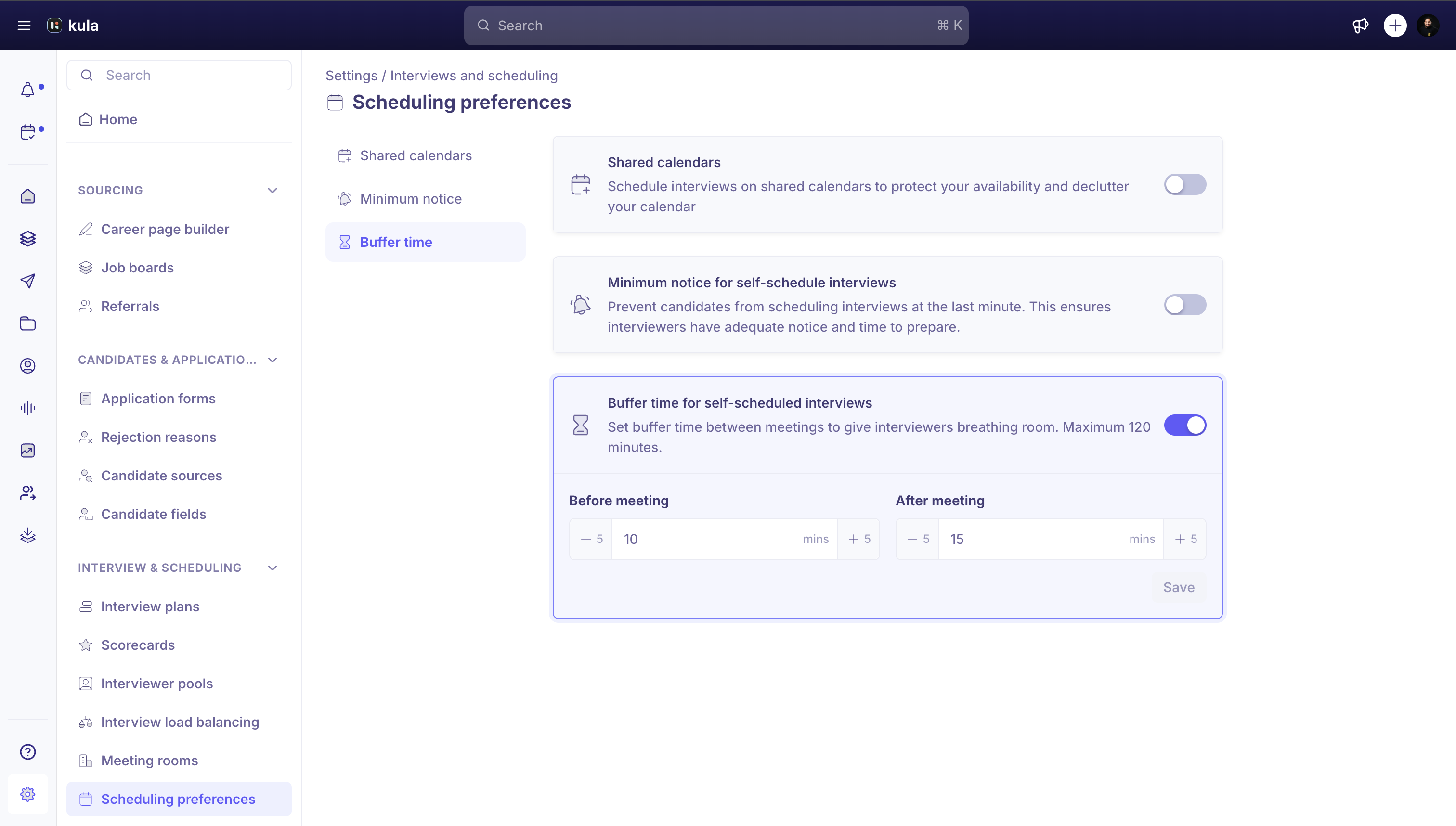
Go to Settings → Interviews and Scheduling → Scheduling preferences.
Find Buffer time for self-scheduled interviews and turn on its toggle. Turning it on saves immediately — if you haven't set a value before, it defaults to 15 minutes before and 15 minutes after.
Set Before meeting and After meeting to however many minutes you want, from 0 to 120, in 5-minute steps.
Click Save. (The toggle itself saves as soon as you flip it — Save only applies to the Before/After minute values.
Good to know
Buffer time applies to self-scheduling slots — it was built specifically to stop candidates from booking back-to-back through a self-schedule link.
You can change the buffer for a single link. When you send a self-schedule link, the Buffer line shows the default (for example, "15m before + 15m after"). Click the edit icon to change Before meeting buffer and After meeting buffer for that link, or use its switch to turn the buffer off.
FAQ
How do I stop candidates booking back-to-back slots?
Yes — buffer time adds a gap between self-scheduling slots so candidates can't book immediately next to each other. Set it in Settings → Interview & Scheduling → Scheduling preferences → Buffer time.
Need help?
If you have questions or need assistance, reach out to us at support@kula.ai or use the in-app chat.