How to Manage Jobs
Last updated: March 26, 2026
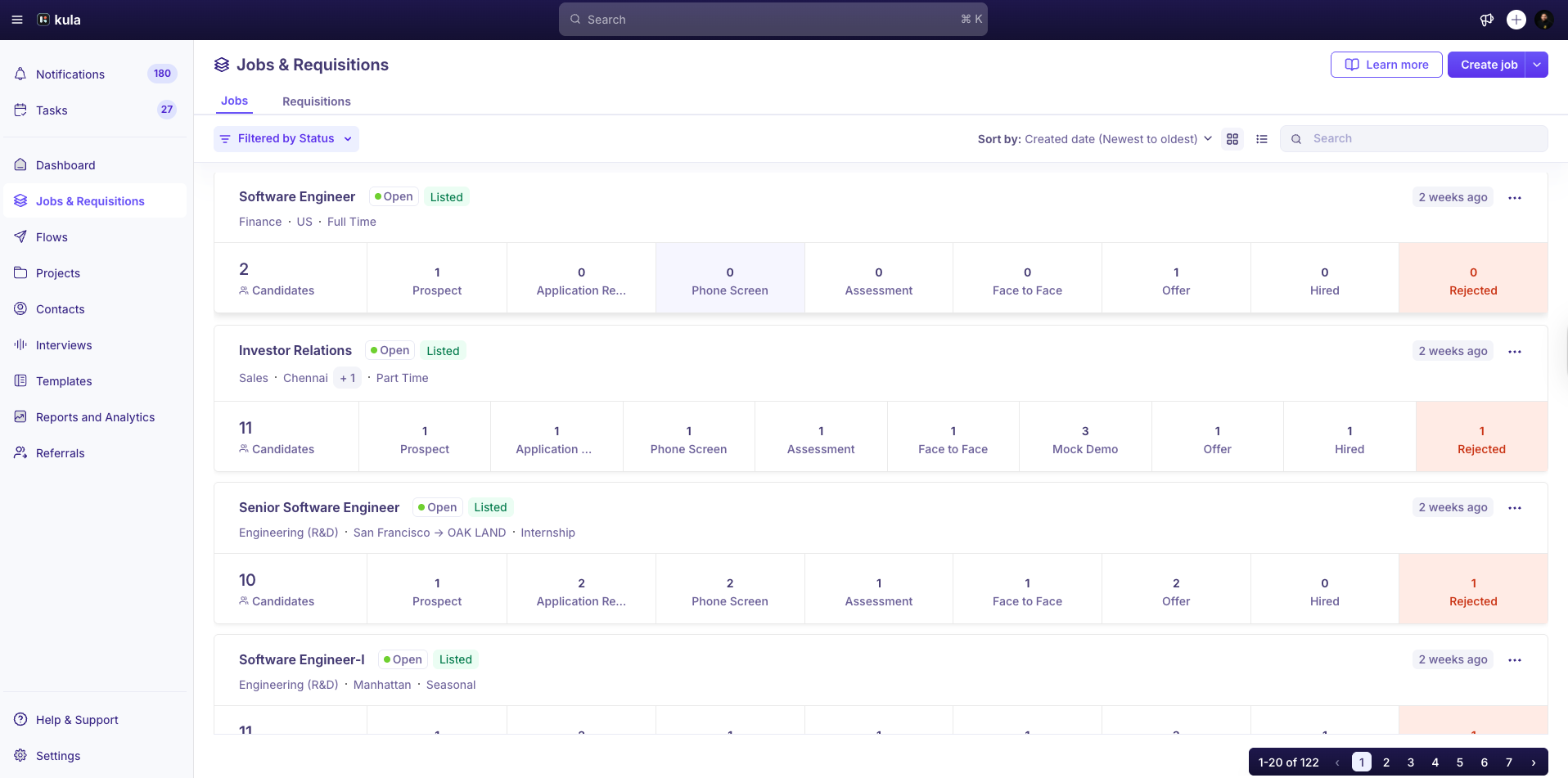
The Jobs page lets you manage all open, closed, pending approval, draft, and archived roles in one place. You can create jobs, add candidates, schedule interviews, track progress, move candidates between stages, and manage the full hiring lifecycle.
This article explains how to manage jobs in Kula.
Prerequisites
You must have one of the following permissions:
Super Admin
Admin
Recruiter
Filter Jobs
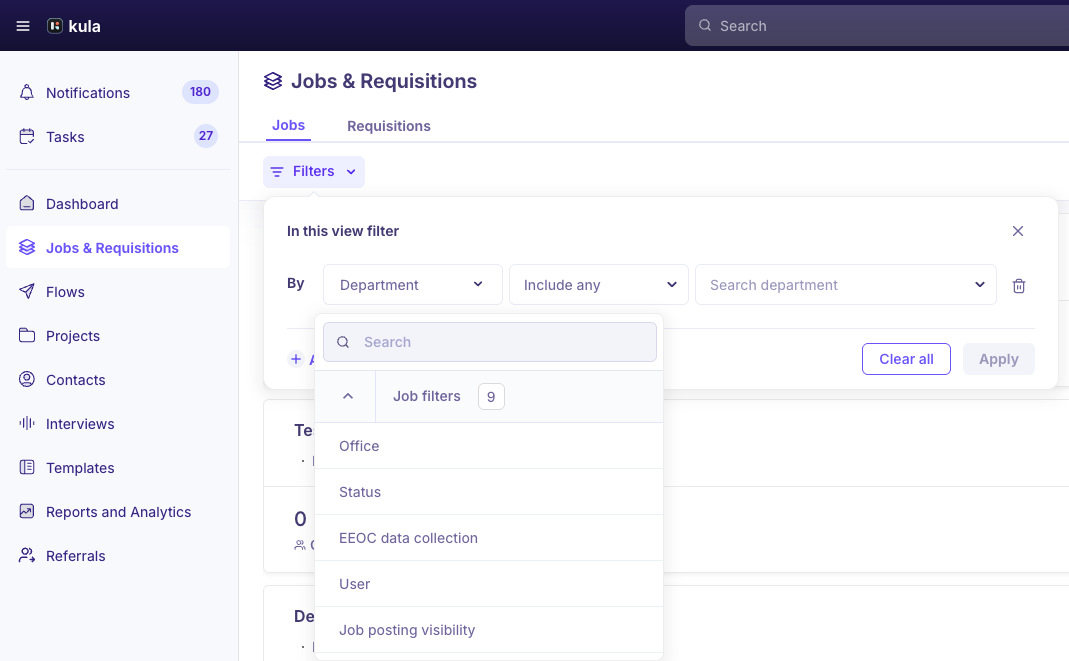
Use filters to quickly find the jobs you want to manage.
Recruiters can filter jobs by:
Job Status
Office
Status
EEOC Data Collection
User
Job Posting Visibility
Work Type
Workplace
Job Post
Confidential
Primary Recruiter
Primary Hiring Manager
These filters help you narrow down jobs based on specific criteria.
Sort Jobs
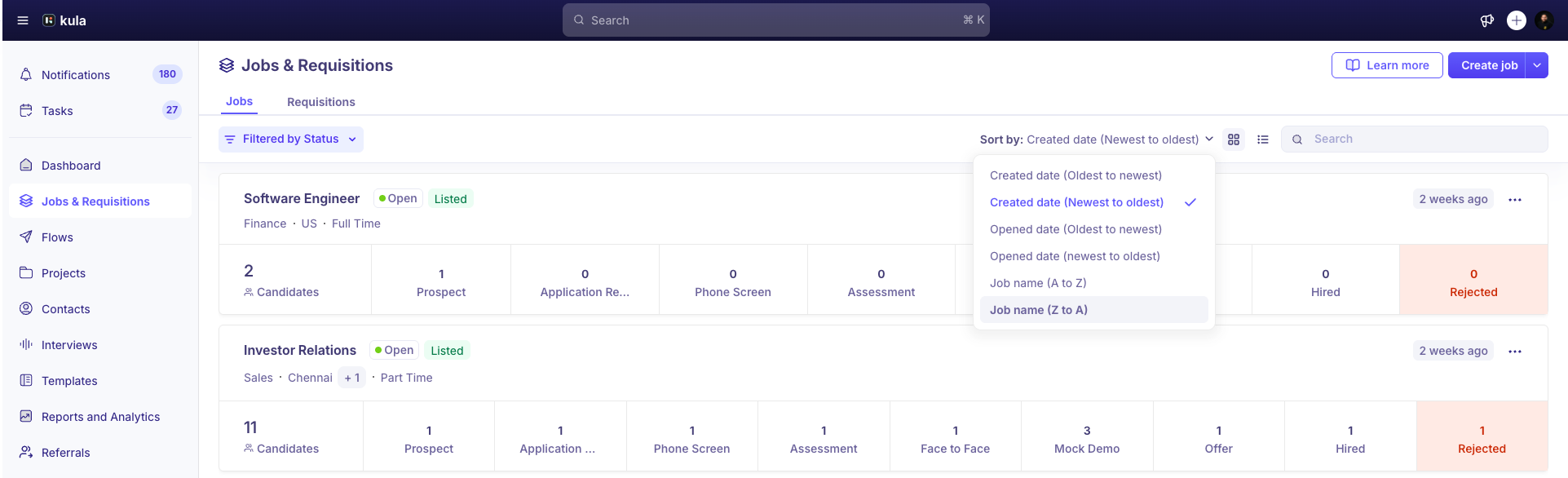
You can sort jobs to view them in a specific order.
Available sorting options include:
Created Date – Oldest to newest
Created Date – Newest to oldest
Opened Date – Oldest to newest
Opened Date – Newest to oldest
Job Name – A to Z
Job Name – Z to A
Sorting helps you quickly organize jobs based on creation date, opening date, or name.
Change the Job View
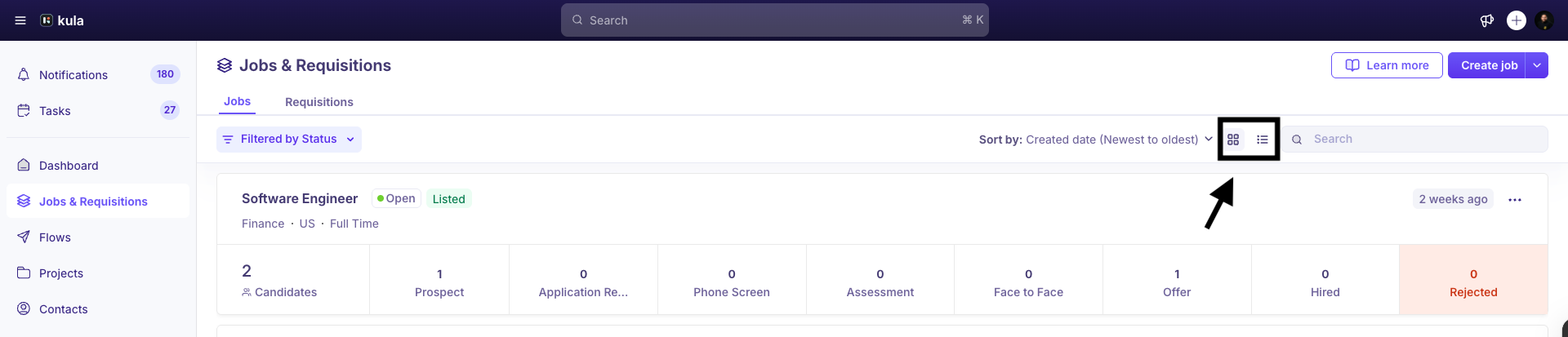
You can switch between different viewing styles.
Go to the Jobs page.
Select either List View or Card View.
Choose the view that works best for how you prefer to browse jobs.
Search for a Job
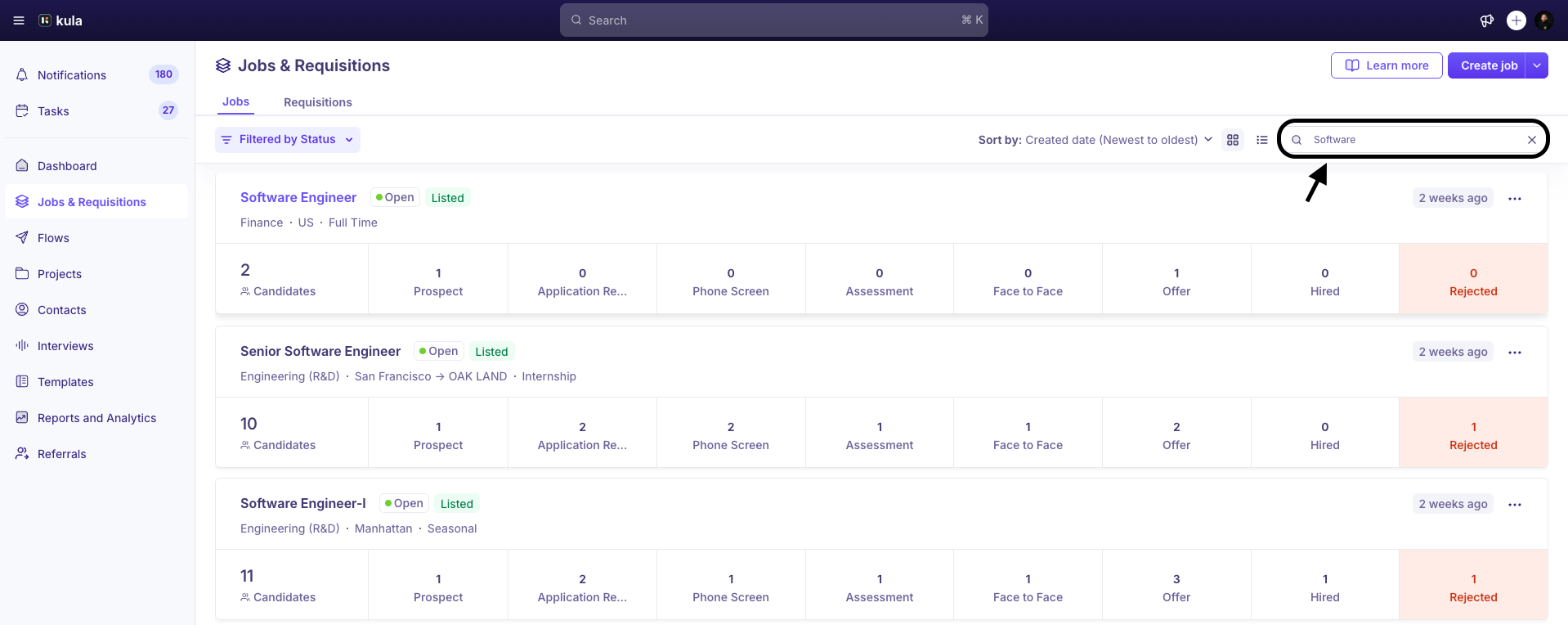
Use the search bar to quickly locate a job.
Go to the Jobs page.
Enter the job name in the Search bar.
The system filters results instantly, helping you find the job faster.