Setting Up Job Wrapping in LinkedIn
Last updated: March 12, 2025
To set up automated job postings in LinkedIn Recruiter, you'll need to enable Job Wrapping and integrate your Kula account.
Prerequisites
You must have a LinkedIn Recruiter account with job posting capabilities.
Steps to Set Up Job Wrapping
Add Kula as a New Source
Navigate to the LinkedIn Recruiter help article: Set Up Automated Job Postings.
Select the option to add a new source.
For the ATS (Applicant Tracking System), choose LinkedIn Jobs XML.
Use your career portal URL in the following format:
careers.kula.ai/<account_name>
Enable Applicant Source Tracking
In LinkedIn Recruiter, go to your job source settings.
Select the option "Use applicant source tracking code".
Input the following tracking code:
source=LinkedIn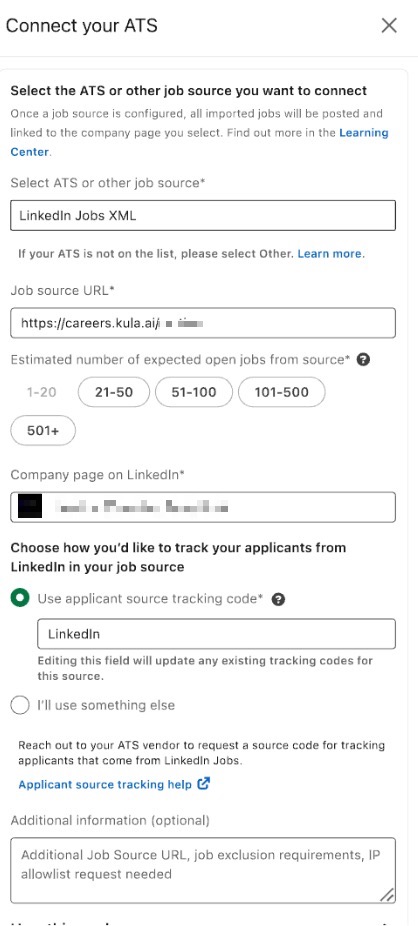
If you encounter any issues, you can initiate a chat with the LinkedIn Support team:
Additional Resources
By following these steps, you can simplify your job posting process and ensure that your positions are automatically posted to LinkedIn from your Kula account.