Connect Zinc to Kula
Last updated: September 25, 2026
Connecting Zinc lets you start background verification checks on candidates from inside Kula, see the status of each check, and open the report on the candidate's profile.
Who can do this: Super Admin, Admin
Where to find it: Settings → Organization → Organization integrations → Background checks
How to Connect Zinc with Kula
Go to Settings → Organization → Organization integrations.
Find the Zinc card under Background checks.
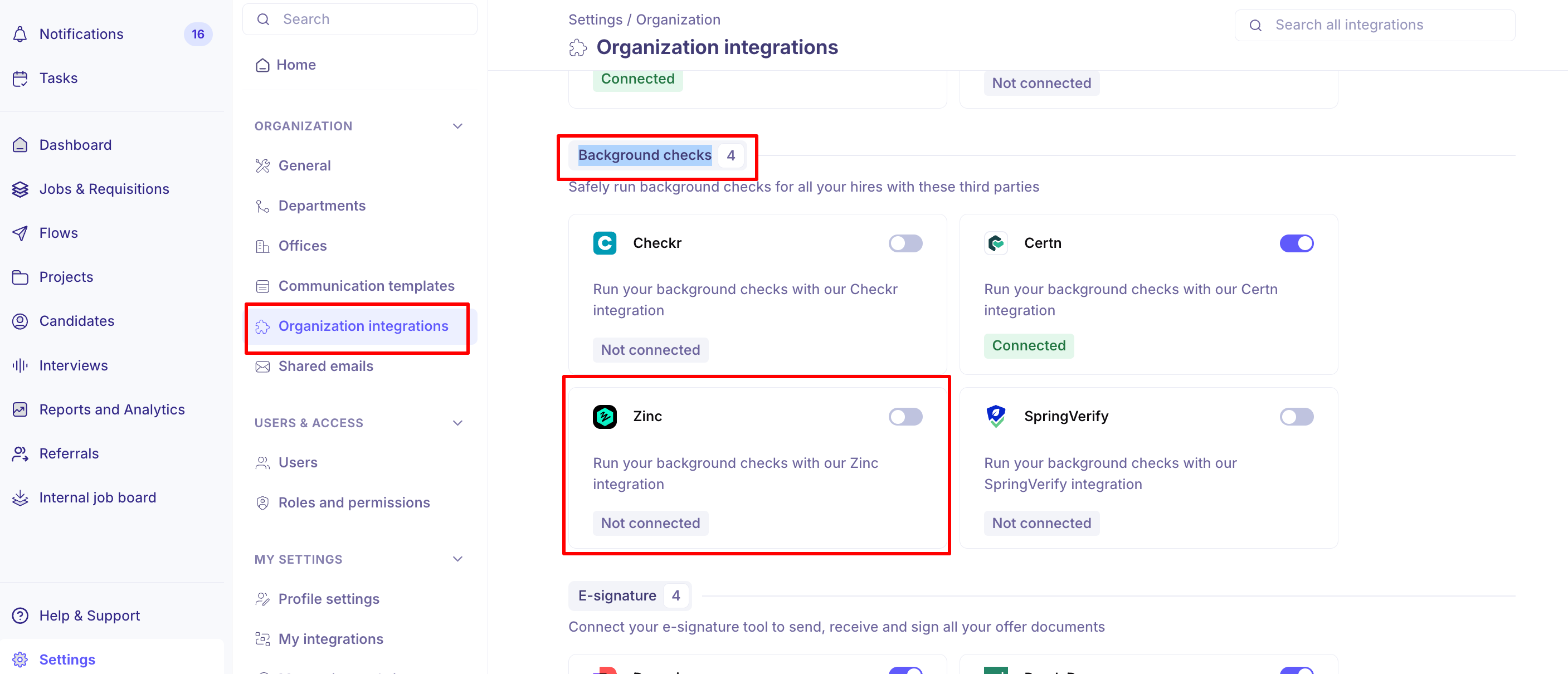
Turn the toggle on. The Zinc Settings panel opens.
Paste your key into API Key.
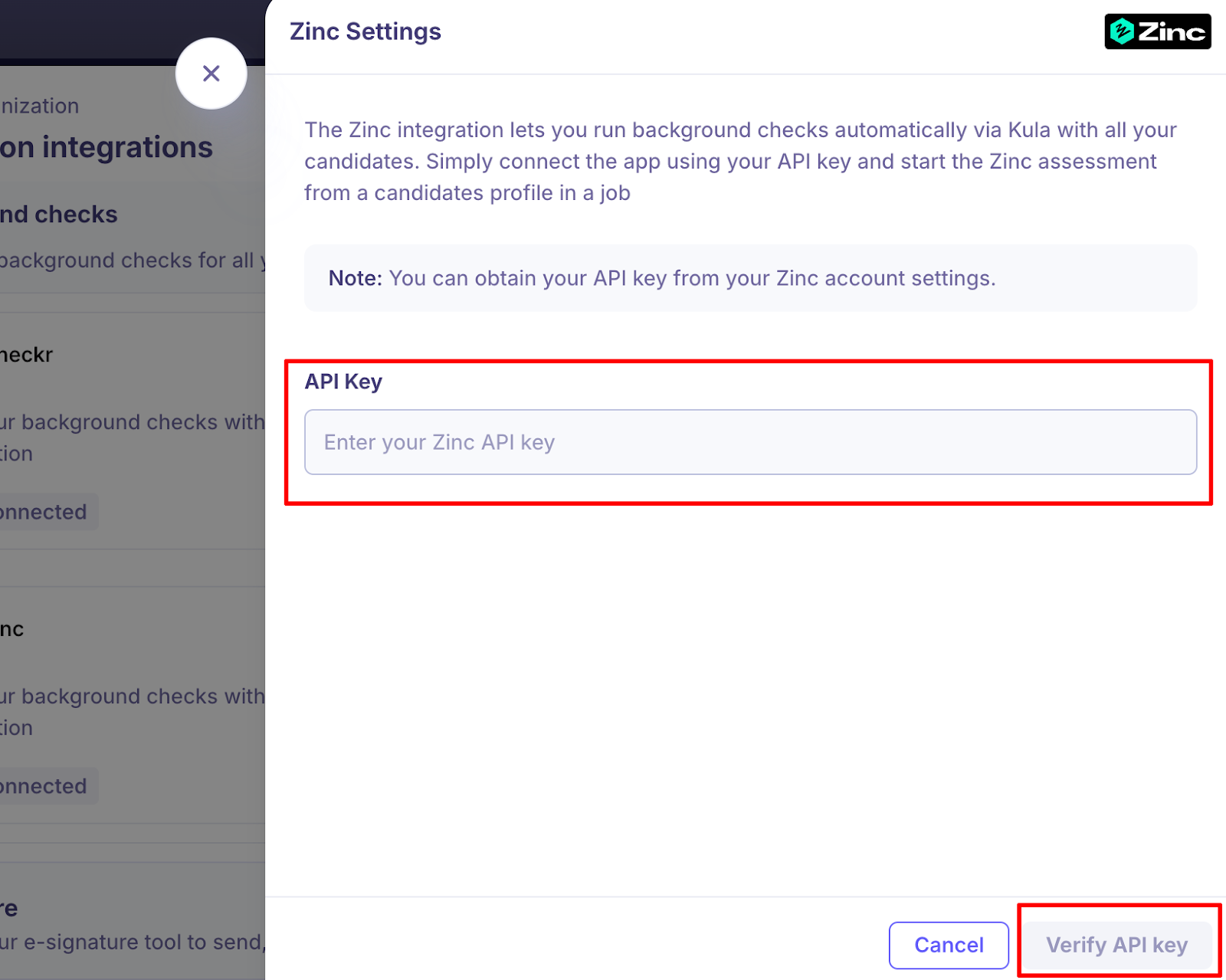
Click "Verify API key".
If the key is wrong you will see "Incorrect API key. Double-check the key and try again." and nothing is saved.
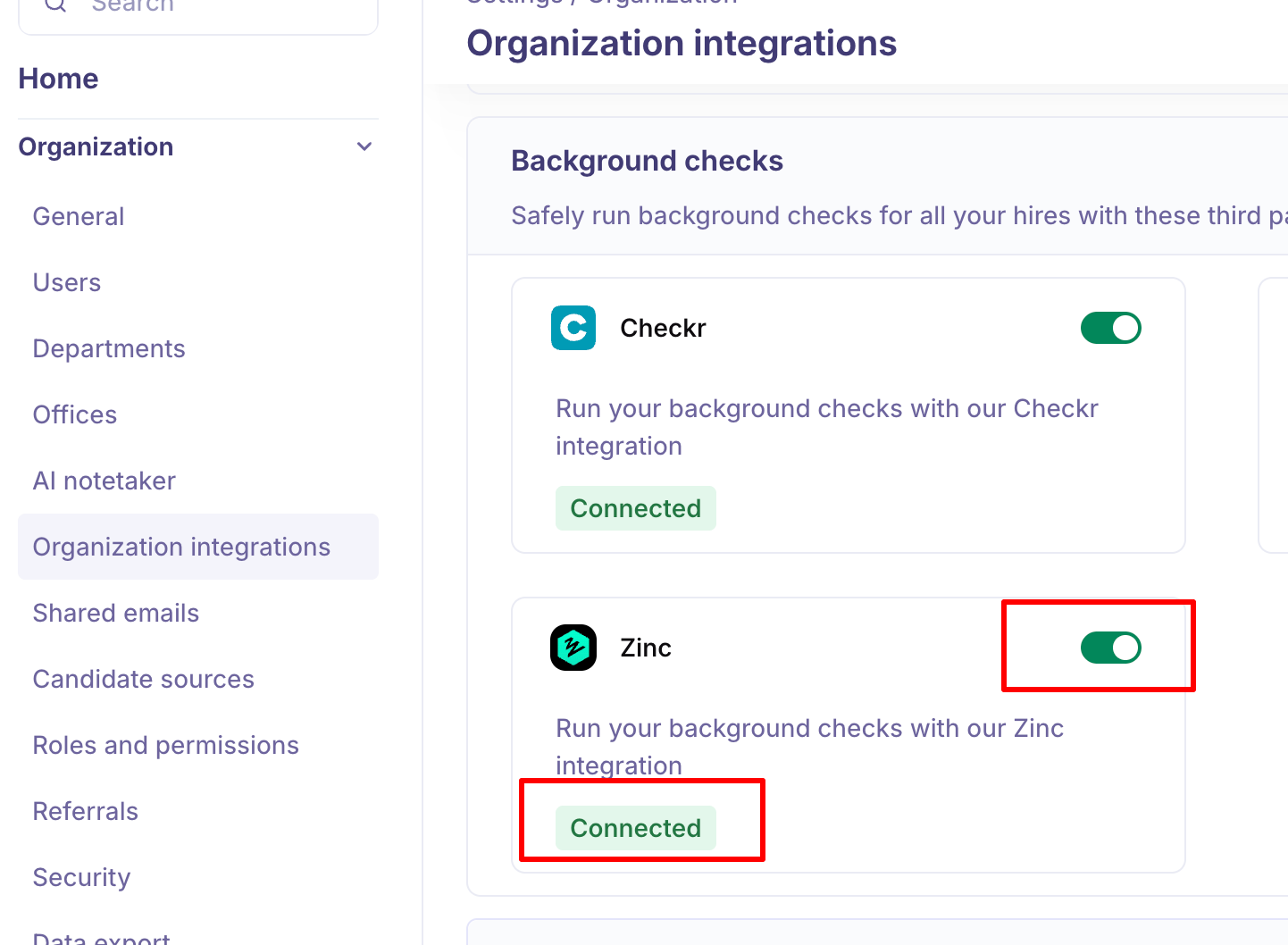
Once validated, the status will show as Active/Connected. If it fails, simply click Reauthorize to retry.
Generate an API key from your Zinc account settings. Kula does not issue this key.
What you can do once it is connected - Using Zinc in Kula
Start a Zinc background verification for a candidate from their profile on a job.
See the status of the background assessment report as it progresses.
Open the completed report in Kula.
Kula notifies you when the integration is enabled and when it is disabled. For the full flow, see Reading a background check report.
Good to know
Zinc checks are started from a candidate's profile on a job, not from the settings page.
Kula sends Zinc the candidate's name and email, but not the name of the person who started the check. In Zinc, the check shows against the Zinc account your API key belongs to.
Disconnecting Zinc while checks are in progress affects those candidates. Kula warns you before you confirm.
FAQ
Does a Zinc check we start in Kula also show up in our Zinc account? Yes — Kula creates the check in Zinc, so it appears in both places and the status syncs back to the candidate's profile in Kula.
Where do I get the API key Kula is asking for? From Zinc, not Kula. Generate it in your Zinc account settings and paste it into the Zinc Settings panel in Kula.
Need help? If you have questions or need assistance, reach out to us at support@kula.ai or use the in-app chat.