Connect SpringVerify to Kula
Last updated: September 25, 2026
Connecting SpringVerify lets you run background checks on candidates from inside Kula. SpringVerify sends the verification and consent form to the candidate itself, and the finished report is attached to their profile automatically. It is the option most Kula customers hiring in India use.
Who can do this: Super Admin, Admin
Where to find it: Settings → Organization → Organization integrations → Background checks
Connect SpringVerify
Go to Settings → Organization → Organization integrations.
Find the SpringVerify card under Background checks.
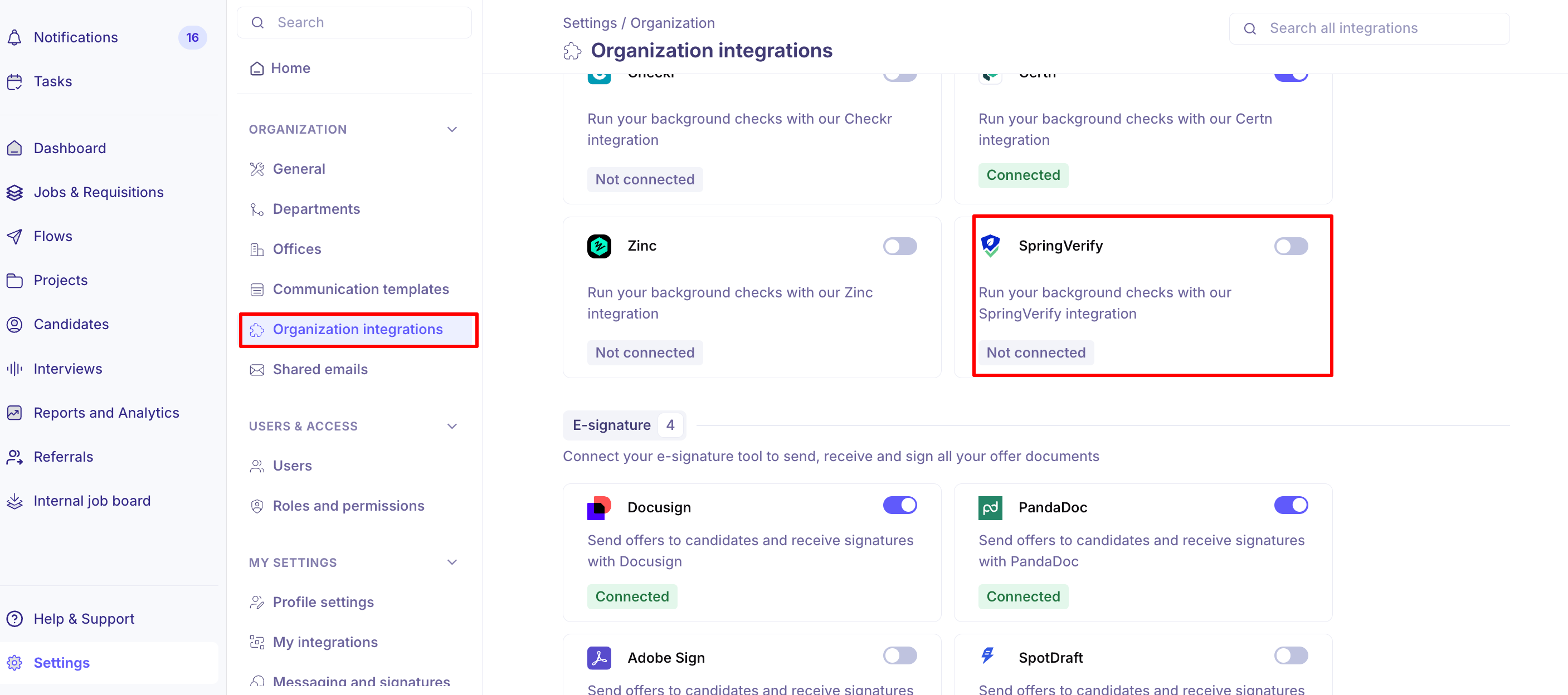
Turn the toggle on. The SpringVerify Settings panel opens.
Paste in your SpringVerify API token.
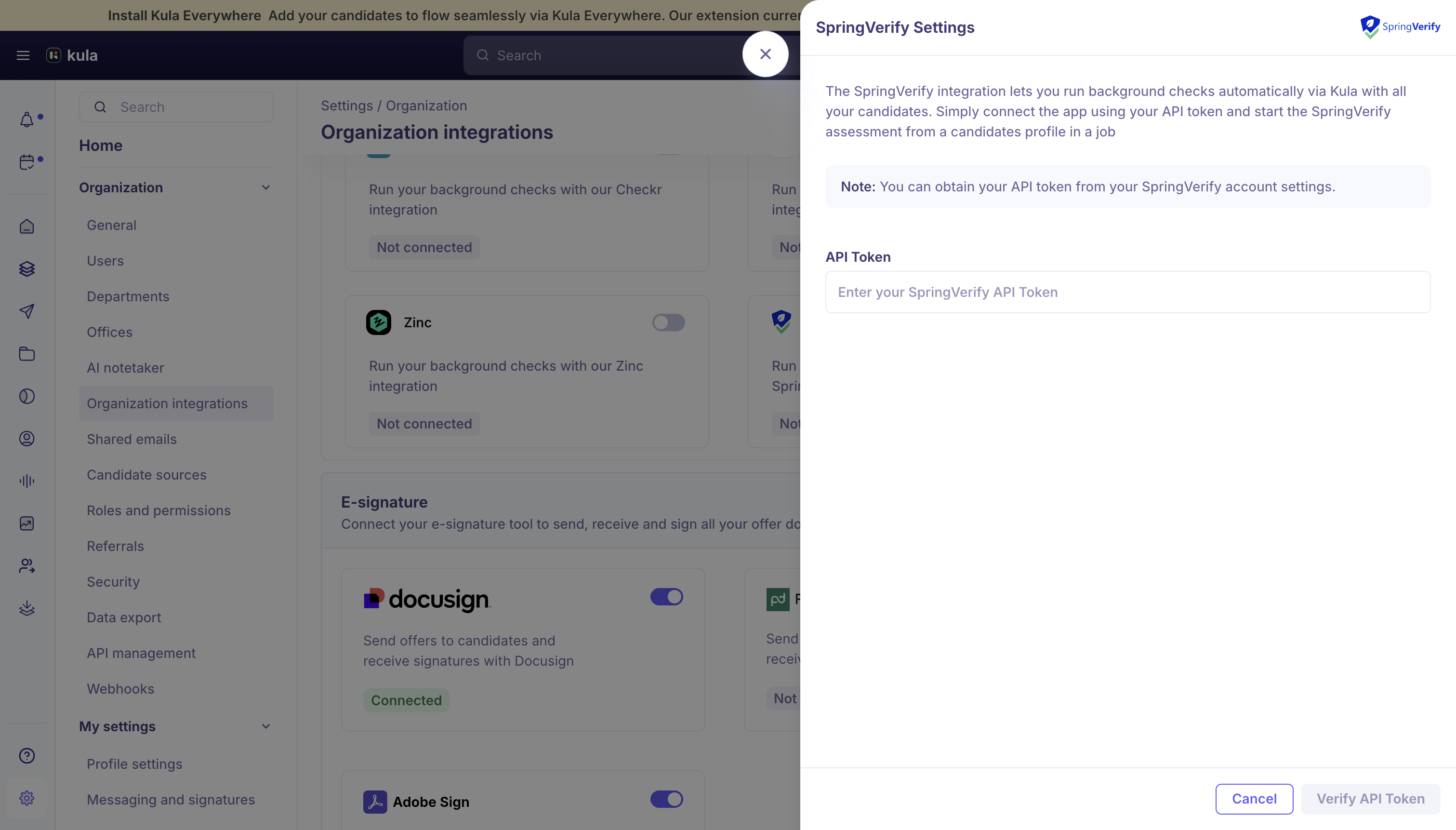
Click "Verify API Token".
You need to generate a SpringVerify API token and share it with Kula to enable the integration. Kula does not issue this token.
How a SpringVerify check runs
You start a check for one candidate from their profile on a job.
Kula shows the available SpringVerify packages with the cost per candidate and your remaining credit balance before you submit.
SpringVerify emails the candidate the background verification and consent form directly.
Kula polls SpringVerify hourly and updates the status on the candidate's profile. Every status change is logged in the activity feed.
When the case completes, Kula downloads the report PDF and attaches it to the candidate's profile.
For the full flow, see Reading a background check report.
What the final status means
Status | What it means |
|---|---|
Eligible | Every verification in the package came back clear. |
Review | At least one verification was flagged and a recruiter needs to look at it. |
A completed check is only marked Eligible when all results are clear. Anything flagged is routed to Review automatically rather than being passed.
Good to know
Each candidate is submitted individually. SpringVerify has no bulk-invite support, so a recruiter starts one check at a time.
SpringVerify does not support webhooks. Statuses come from hourly polling, so an update can lag behind SpringVerify's own dashboard by up to an hour. Reconnecting the integration triggers an immediate resync to catch anything missed.
Checks are credit-metered. The package cost and your remaining balance are shown before you submit, so you can see what a check will consume.
If report retrieval fails, Kula retries on its own — you do not need to re-run the check.
FAQ
Do we have to email the candidate the consent form ourselves? No. SpringVerify sends the background verification and consent form directly to the applicant as soon as the order is created.
SpringVerify's dashboard shows the check as done but Kula hasn't updated — is it broken? Probably not. SpringVerify does not offer webhooks, so Kula polls hourly and can be up to an hour behind. If it still has not caught up, reconnecting the integration forces an immediate resync.
Need help? If you have questions or need assistance, reach out to us at support@kula.ai or use the in-app chat.