Connect Checkr to Kula
Last updated: September 25, 2026
Connecting Checkr lets you order background checks on candidates from inside Kula and track their status on the candidate's profile. Checkr is the only background-check integration that signs you up and authorises you in one embedded flow rather than an API key.
Who can do this: Super Admin, Admin
Where to find it: Settings → Organization → Organization integrations → Background checks
How to Integrate Checkr with kula
Go to Settings → Organization → Organization integrations.
Find the Checkr card under Background checks.
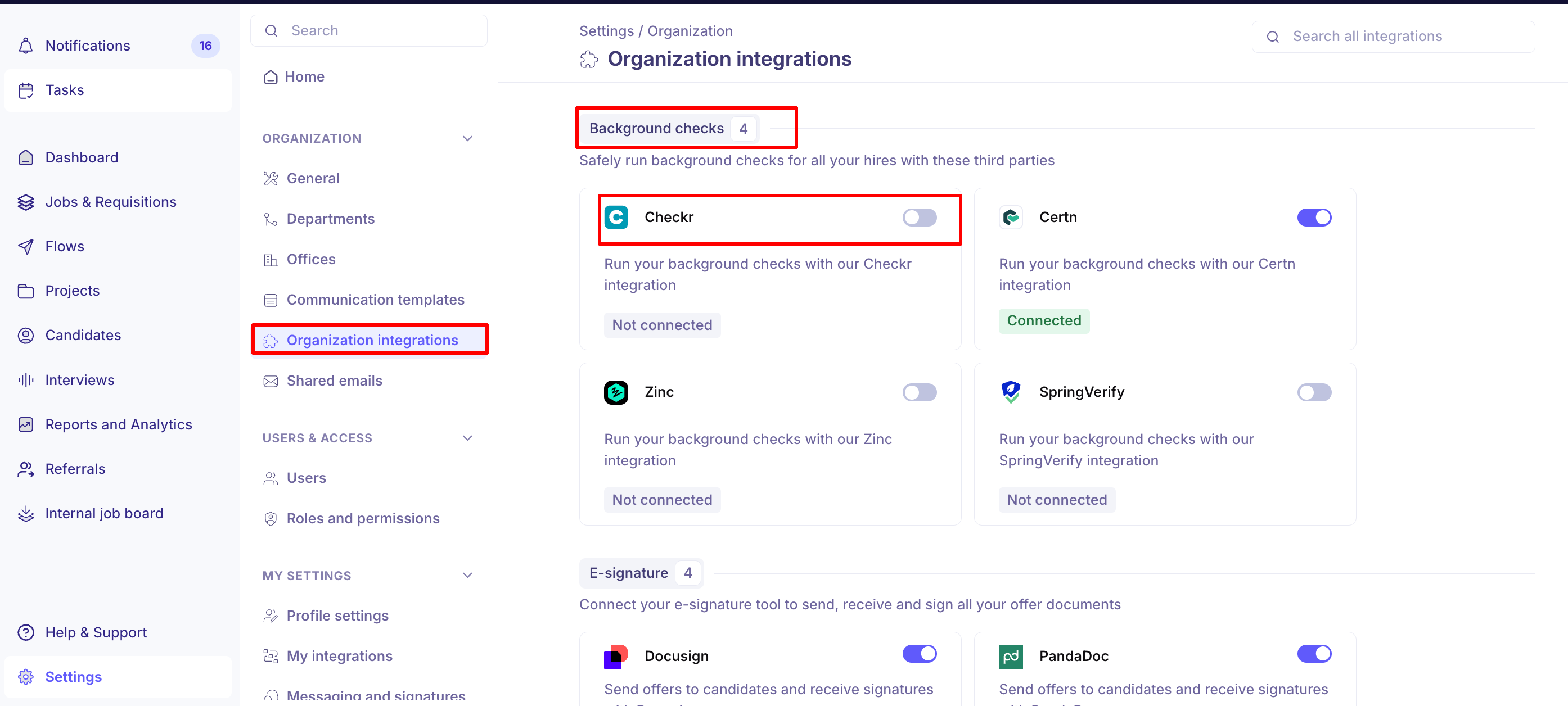
Turn the toggle on. Checkr's own sign-up flow opens inside Kula.
Complete the Checkr sign-up or sign in to an existing Checkr account.
Approve access for Kula.
Understand the "Waiting for auth" state
Checkr has an extra step the other providers do not. After you approve access, Checkr still has to credential your account on their side before you can order checks. While that is happening, the card shows a Waiting for auth tag.
Tag on the card | What it means | What to do |
|---|---|---|
Not connected | Checkr has never been authorised, or it was disconnected. | Turn the toggle on. |
Waiting for auth | Connected, but Kula is waiting for Checkr to confirm your account is credentialed. | Nothing — wait for Checkr. Chase Checkr if it does not clear. |
Connected | Fully authorized. You can order background checks. | — |
Kula notifies the person who started the connection once Checkr confirms authorization, and again if it is later removed.
Run a background check on a candidate
Once the card shows Connected, you can start a Checkr check from a candidate's profile on a job. For the full flow, see Reading a background check report.
Good to know
Disconnecting Checkr calls Checkr to revoke Kula's authorisation, not just switch the card off locally. Reconnecting means going through the authorisation flow again.
Background checks are only available on ATS accounts. The Checkr card is hidden on non-ATS accounts.
Checkr's sign-up flow is loaded from Checkr. If your browser or network blocks third-party scripts, the panel will not load.
FAQ
Checkr says we're connected but Kula won't let us order a check — what are we waiting for? The card is in Waiting for auth: Kula has your authorisation but Checkr has not yet confirmed your account is credentialed. Ordering unlocks the moment Checkr sends that confirmation — if it is stuck, chase Checkr rather than Kula.
Do the Background check and Hired stages need to be unlocked before we can use this? Those stages are part of the job's stage setup rather than the integration. Connecting Checkr does not change your interview stages.
Need help? If you have questions or need assistance, reach out to us at support@kula.ai or use the in-app chat.