Setting up referrals
Last updated: September 25, 2026
Before employees can refer candidates, an admin sets up the referral program once, and each job has to allow referrals. This article covers both: the organization-wide referral settings (the form employees fill in, the email the candidate receives, and your referral policy) and opening a job to referrals. For how employees refer someone, see Referring a candidate.
Who can do this: the organization settings need the Manage referrals permission (Super Admin and Admin by default). Opening a job to referrals needs permission to edit the job's posting.
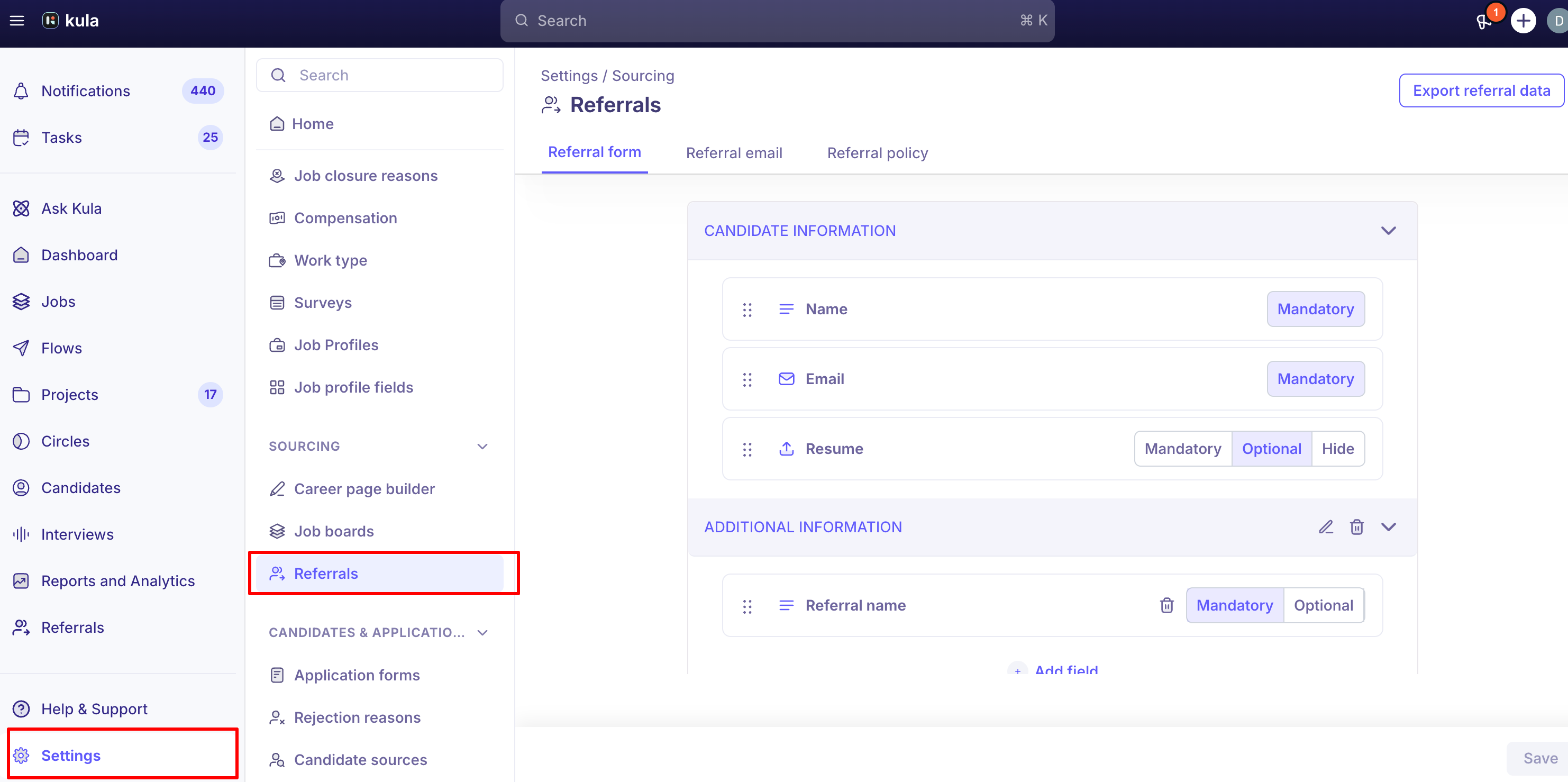
Where to find it: organization settings: Settings → Sourcing → Referrals. Per job: the job → Settings → Job posting.
Step 1: Set up the referral program
Go to Settings → Sourcing → Referrals. There are three tabs. Referral form
The questions employees answer when they refer someone. The standard fields (such as the candidate's name, email and resume) are always there. Add your own questions, for example "How do you know this person?", in the same way as on an application form. Click Save. Each question needs a different name. Referral email
The email the referred candidate receives. Edit the Subject and body, use variables such as the candidate's and referrer's names, and attach files if you want to, such as a company brochure. Click Save. Referral policy
Your referral program's rules and bonus, shown to employees on the Referrals page.
Turn on Want to enable referral policy?
Choose how to publish it: Enter in text field, Use a link (for example to your HR handbook) or Upload a document (PDF only).
Add the text, link or file and click Save.
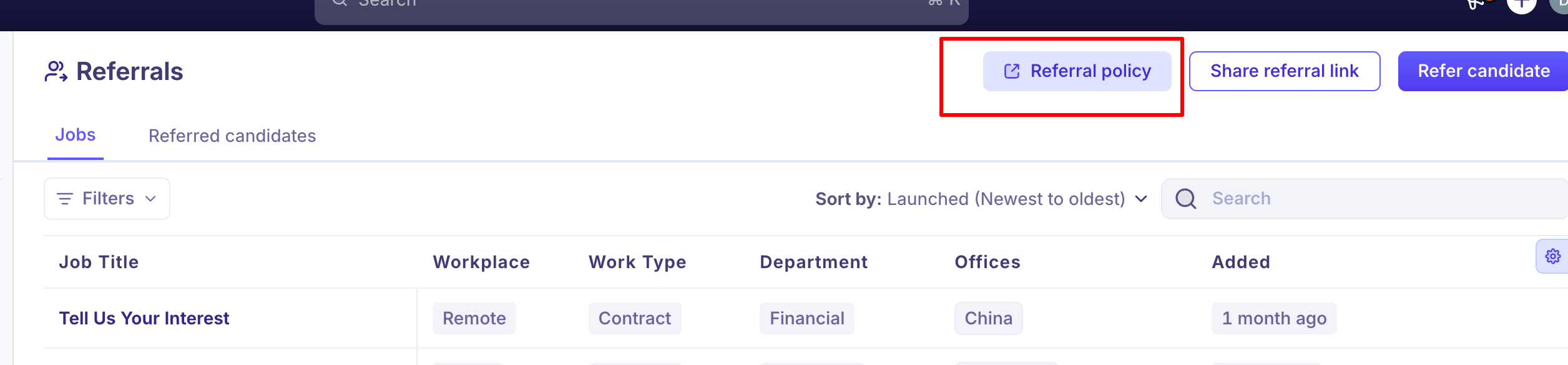
Employees see it by opening Referrals and clicking Referral policy at the top of the page. To check what they see, open it there; the settings tab doesn't show an uploaded PDF again after you save. Turning the policy off removes it from all jobs.
Step 2: Open each job to referrals
A job only accepts referrals if its posting allows it.
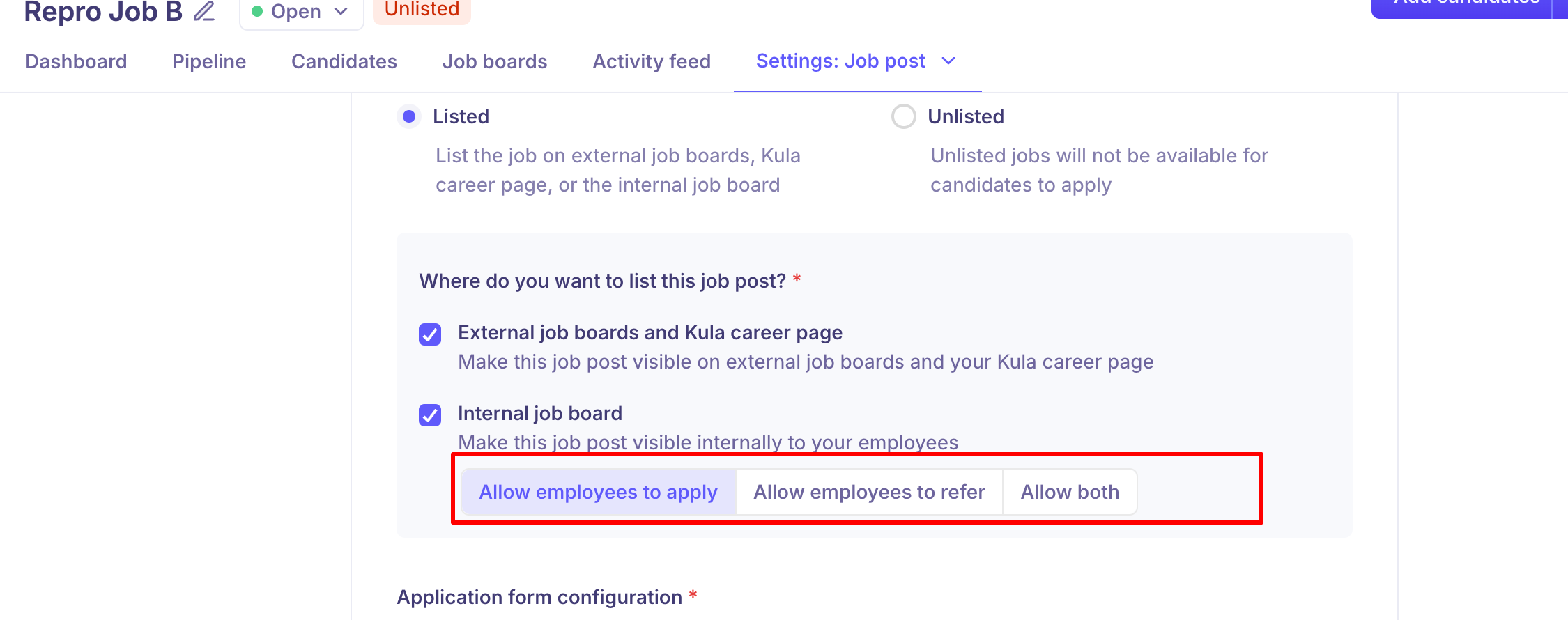
Open the job → Settings → Job posting.
Under job post visibility, tick Internal job board.
Select Allow employees to refer or Allow both (employees can refer and apply themselves).
Save.
If a job only has Allow employees to apply selected, employees who try to refer someone for it see a "no job found" error.
Step 3: Tell employees
Everyone with a Kula account can refer from the Referrals page: directly, or by sharing a personal referral link. Point them to Referring a candidate. Referrals can only be credited to people with a Kula account, so check that everyone you want to be able to refer has one.
Track and export referrals
Referrals → Referred candidates lists every referral and its status. See Tracking referrals.
Export referral data (top of Settings → Sourcing → Referrals) emails you a file of all referral data, for example to pay bonuses.
Good to know
One policy for the whole organization. You can't set a different policy or bonus per job, department or level. If a role has a different bonus, say so in its job description, which employees see when they refer.
Who is notified. The referring employee and every recruiter on the job are notified of a new referral (New referred candidate). Admins and HR aren't notified of every referral; use Referred candidates to follow them all.
Referrers get progress updates as their candidate moves through stages, including Offer. Each employee can turn these off in their own notification settings.
Internal job board: to let employees apply for roles themselves as well, see Setting up and applying to the internal job.
FAQ
An employee sees "no job found" when they try to refer.
The job doesn't allow referrals. Select Allow employees to refer or Allow both in its Job posting settings. Can we set different bonuses for different roles?
Not in the policy. State the bonus in each job's description.
Employees say the Referral policy page is empty.
Check Want to enable referral policy? is on in Settings → Sourcing → Referrals → Referral policy, and that you clicked Save after adding it. Can we add our own questions to the referral form?
Yes, on the Referral form tab. Can we change the email the referred candidate gets?
Yes, on the Referral email tab. How do we get a list of all referrals, for bonuses?
Use Export referral data. The file is emailed to you.
Need help?
If you have questions or need assistance, reach out to us at support@kula.ai or use the in-app chat.