Referring a candidate
Last updated: November 4, 2026
A candidate is logged as an employee referral in one of two ways: an employee refers them directly, or a recruiter logs the referral for an employee after receiving a resume some other way (an email, a forwarded message, a conversation). This article covers both, how the referrer gets credit, and the notifications that follow.
Who can do this: any employee with access to the Referrals page can refer a candidate. Logging a referral on someone else's behalf is available to Recruiters, Admins and Super Admins. Turning referrals on for a job needs permission to edit the job's posting.
Where to find it: employees: left navigation → Referrals. Recruiters: the Candidates page, a job's candidate list, or quick create. The job's referral setting: the job → Settings → Job posting.
Before you start: the job has to allow referrals
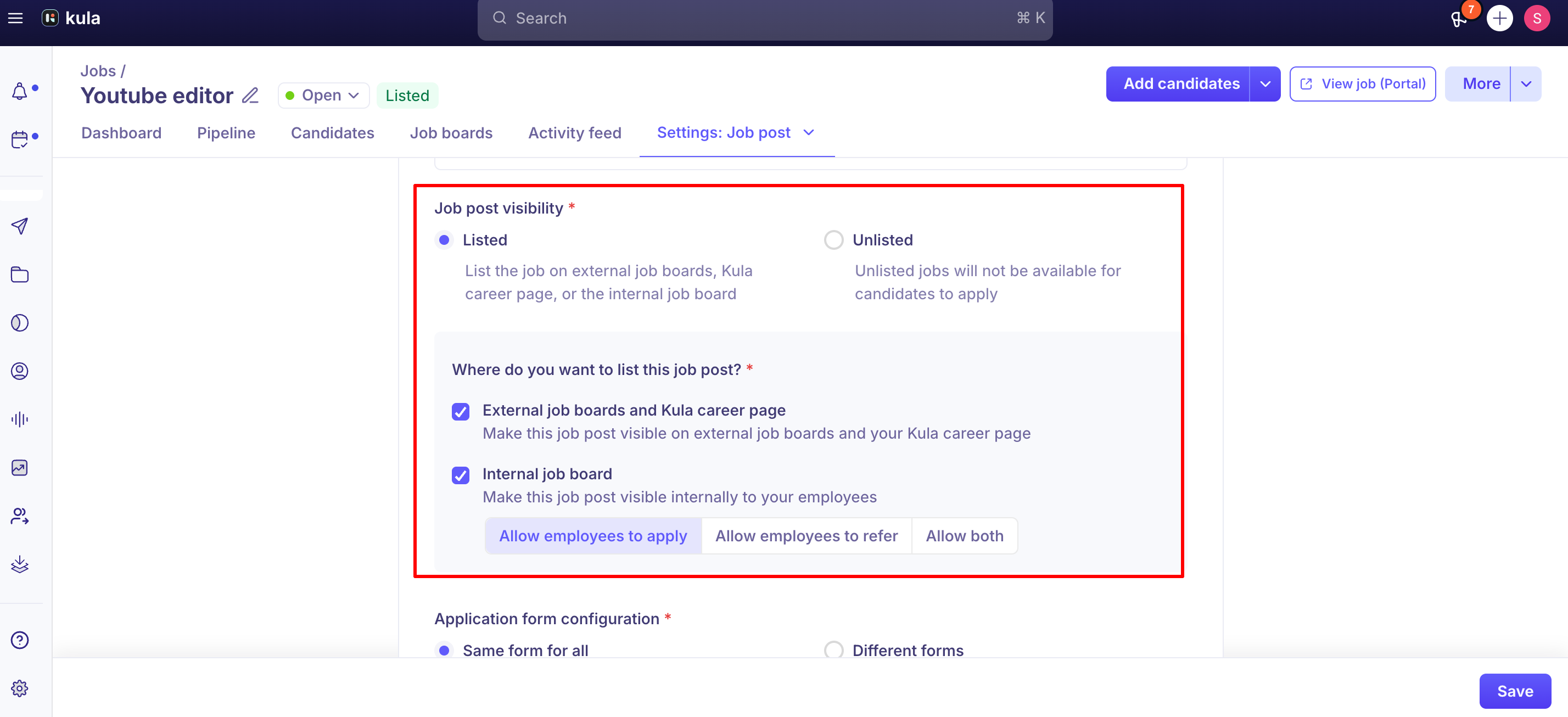
A job only accepts referrals if its posting allows it. If a job is on the Internal job board with only Allow employees to apply selected, anyone trying to refer someone for it sees a "no job found" error.
To fix it:
Open the job → Settings → Job posting.
Under job post visibility, tick Internal job board.
Select Allow both (employees can apply and refer) or Allow employees to refer.
Refer someone yourself
There are three ways, and all of them tag the candidate as your referral.
Refer them directly
On the Referrals page, click Refer on a job, or use Global Search (⌘K) to find the job or candidate.
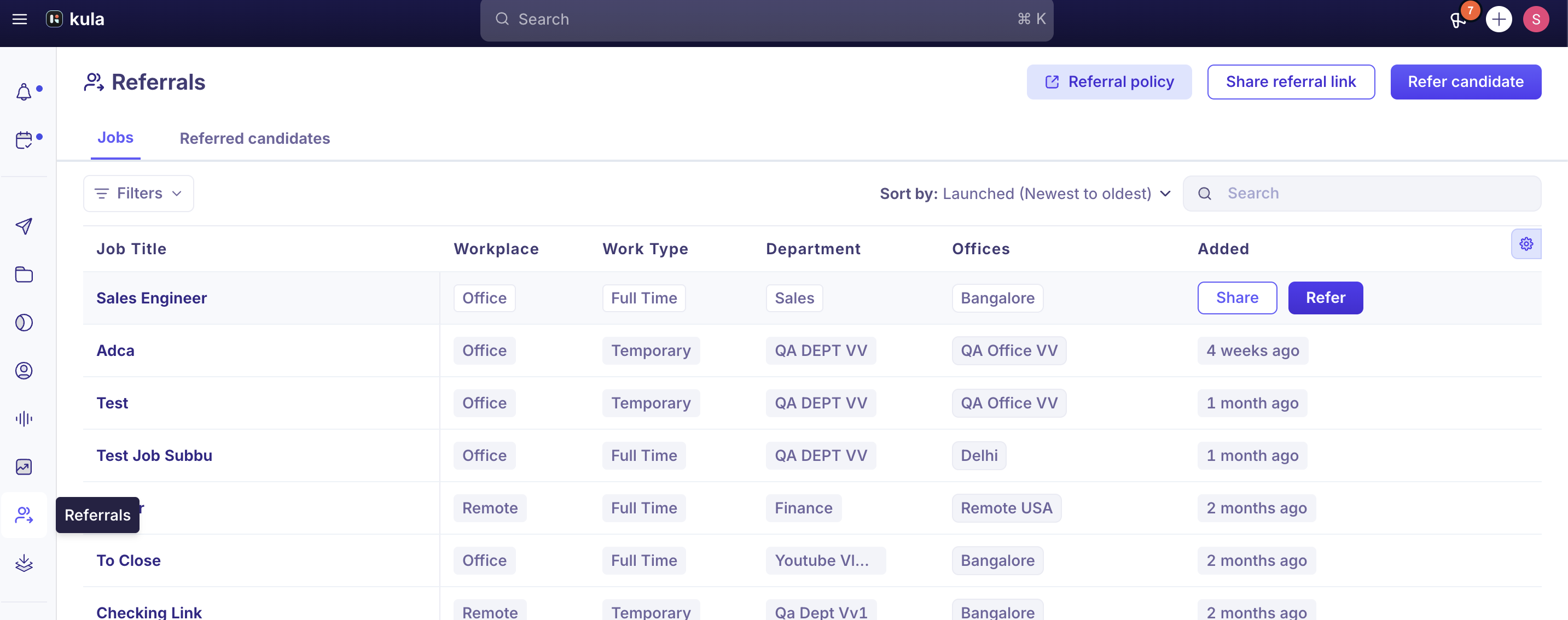
Enter the candidate's details and submit.
Send them a referral link
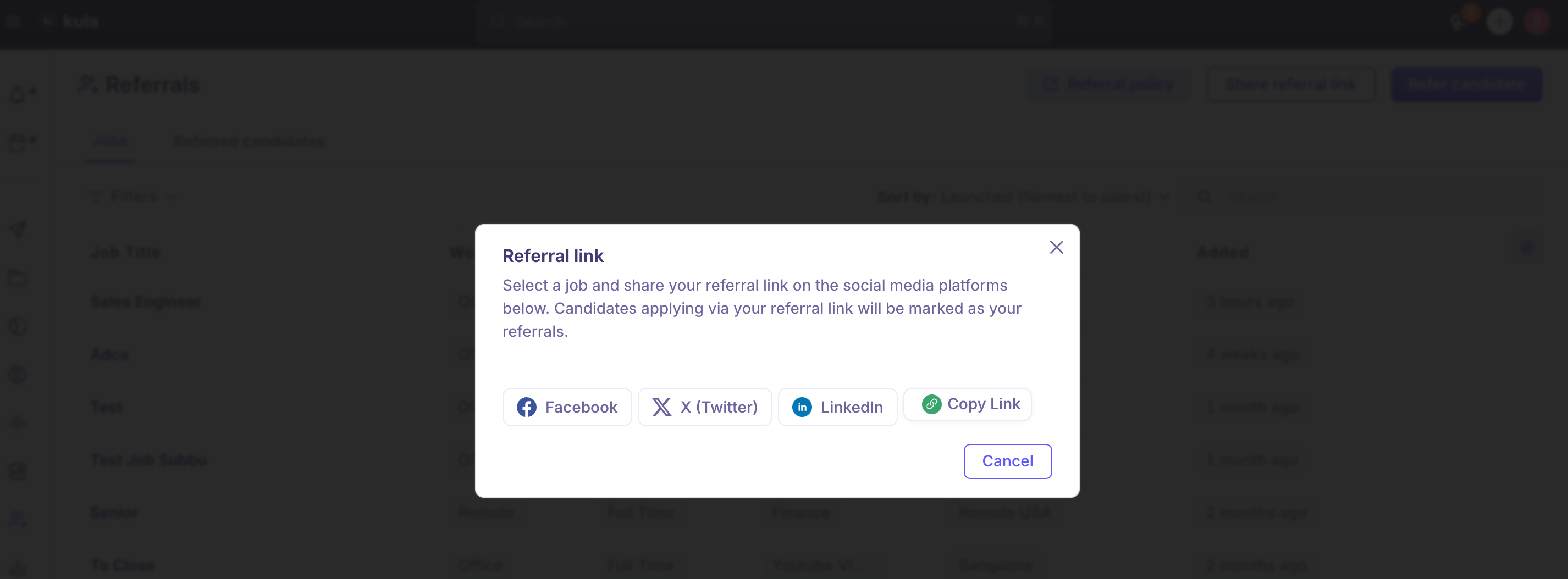
On the Referrals page, click Share referral link.
Pick a job, or All Jobs, and copy the link.
Send it to the candidate. When they apply, the application is tagged as your referral.
Post it on social media
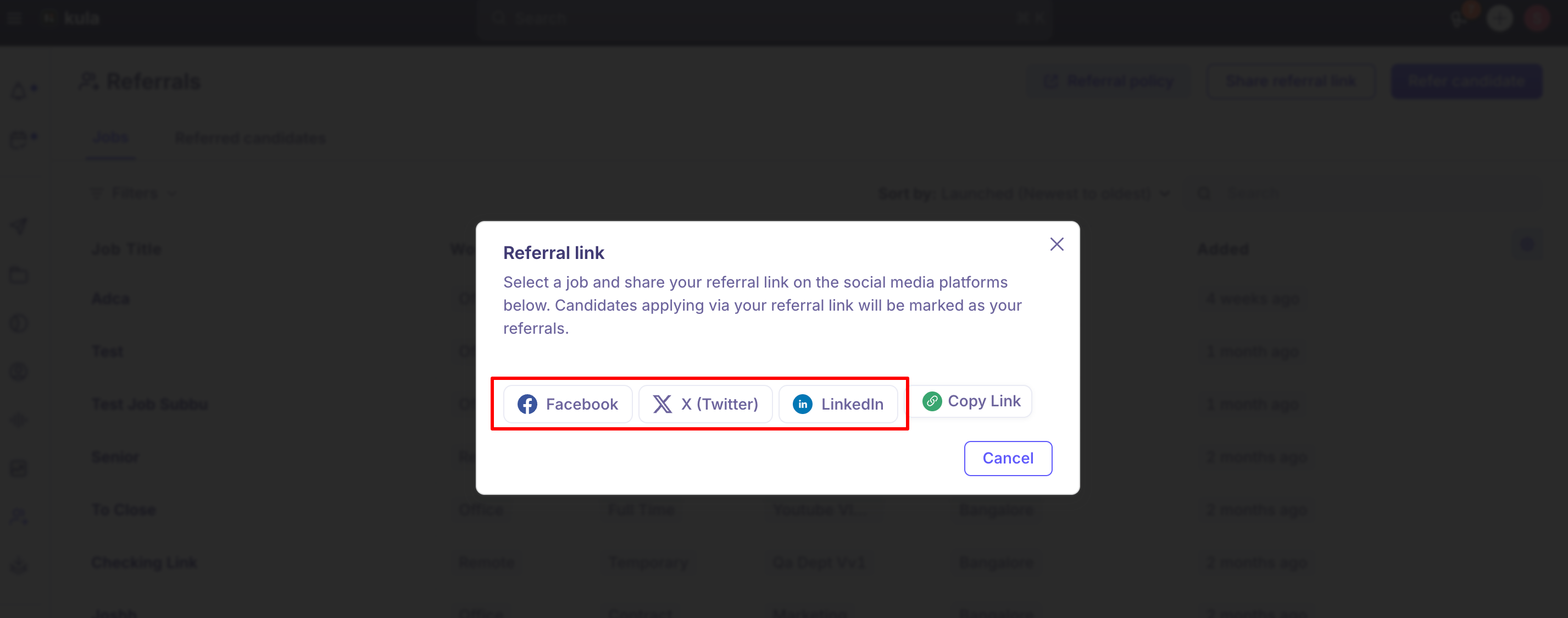
Use the Share button to post the same link to LinkedIn, X or Facebook.
Log a referral for an employee (recruiters)
Open the Candidates page, a job's candidate list, or quick create, and add the candidate.
Set Source to Referral.
Choose the employee in Credited to.
Save.
How credit works
Referral links carry a code. The end of the link includes a code, for example
?code=hyCRkmczbjmh, that ties the application to you. If the code is cut off when the link is shortened, reformatted or retyped, the application isn't credited to anyone. Always copy the full link.Only people with a Kula account can be credited. When a recruiter logs a referral, the Credited to list only shows Kula users. If the referrer doesn't have an account, the field defaults to the person adding the candidate. Add a note saying who really referred them.
What happens after you refer someone
You and the candidate are notified. You get a confirmation, and the candidate gets an email saying they've been referred.
You get progress updates. As the candidate moves through stages, including Offer, you get Referral Progress Update notifications by email, Slack or in-app. Each employee can turn these off under Settings → My Settings → Notifications Center → Applications & Pipeline → Referrals → Referral Progress Update.
The job's recruiters are notified. Every recruiter on the job gets a New referred candidate notification by email, Slack and in-app. They can change the channels in their Notifications Center.
To follow your referrals, see Tracking referrals.
Good to know
Referral links are per job, unless you choose All Jobs. A candidate with a link can still apply to more than one role.
Take care with confidential roles. Referrers are told when their candidate reaches each stage, including Offer. These updates can only be turned off by each employee, not for a job or the whole account.
Progress updates are all or nothing. An employee can't turn off only the Offer update and keep the rest.
A referral doesn't require a full application. A referral can be logged with just the essentials, without the application questions or compliance fields a direct applicant fills in.
FAQ
Why do I see "no job found" when I try to refer someone? The job doesn't allow referrals. Ask the recruiter to select Allow both or Allow employees to refer in the job's posting settings.
What's the difference between referring someone myself and a recruiter adding my referral? Both end with the candidate tagged as your referral. A recruiter uses the second when a referral arrives another way, such as a forwarded resume.
Can I share one link for every open role? Yes. Choose All Jobs when you create the link.
My referral wasn't credited to me. Why? The code at the end of the link was probably cut off. Share the full link, or ask the recruiter to update Credited to.
Will I be told if my referral gets an offer? Yes, unless you've turned off Referral Progress Update in your Notifications Center.
Does a referred candidate fill in the same application as everyone else? Not necessarily. Check with your recruiting team if every hire needs a full application.
Need help?
If you have questions or need assistance, reach out to us at support@kula.ai or use the in-app chat.