Share a social link for job referral
Last updated: March 26, 2026
Your article is already strong—clear structure, correct UI references, and good coverage. Below is a refined version that improves consistency, reduces redundancy, tightens phrasing, and aligns fully with your documentation standards.
Social referrals
Kula’s referrals feature lets your team share open jobs and refer candidates directly from the app. It tracks every referral and automatically tags candidates who apply through referral links.
You can browse jobs, share them on social platforms, copy referral links, and submit referrals. The Referred candidates tab shows all referrals and their current status.
The Referrals page is available in the left sidebar under Referrals.
Browse open jobs
The Jobs tab lists all open roles available for referral. Each row shows the job title, workplace, work type, department, office, and the date added.
To find a job:
Click the Search field.
Enter a job title or keyword.
To refine results:
Click Filters to narrow the list.
Use Sort by to change the order.
The default sort is Launched (Newest to oldest).
View job details
Click a job title to open the job detail panel on the right.
The panel shows job details such as title, location, work type, recruiter, hiring manager, and referral count. It also includes the job description, skills, and responsibilities.
Use the actions at the bottom:
Apply: Apply for the role.
Share: Share the job or copy a referral link.
Refer: Submit a referral.
Share a referral link
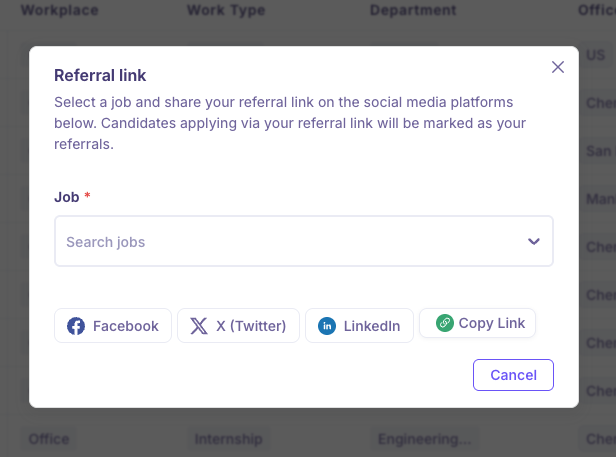
You can share jobs on social platforms or copy a referral link. Kula tracks candidates who apply through your link as referrals.
To share a job:
Click Share referral link.
Select a job from the Job dropdown.
Choose a sharing option:
Facebook
X (Twitter)
LinkedIn
Copy Link