Referrals
Last updated: March 25, 2026
The Referrals feature in Kula lets you recommend candidates for open roles at your company. When you submit a referral, the recruiting team receives your recommendation and tracks it through the hiring process.
You can refer a candidate directly by submitting their details, or share a personal referral link that candidates use to apply on their own. You can also browse open roles, check the status of anyone you have referred, and read your company's referral policy.
What you'll find in Referrals
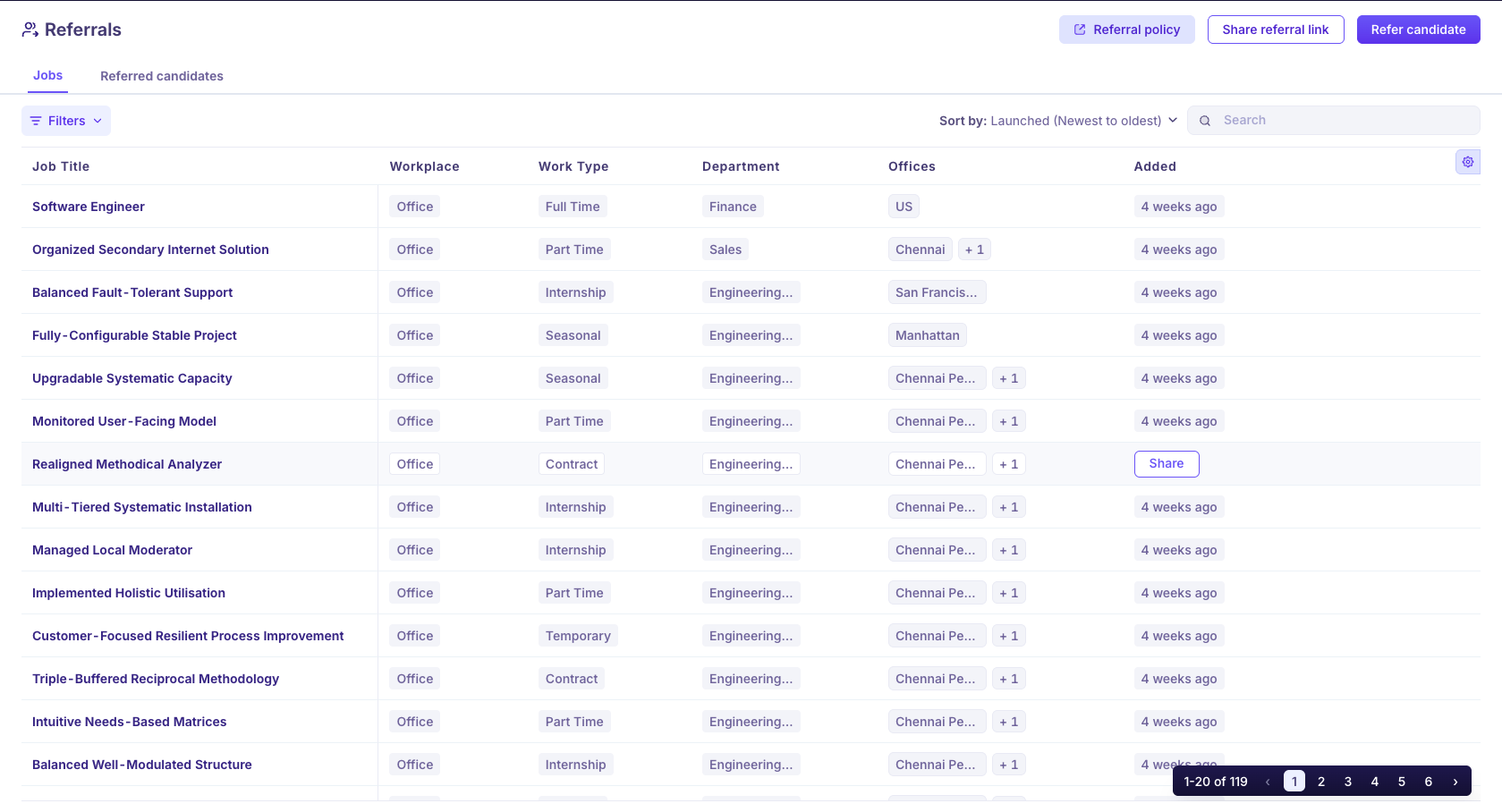
The Referrals page has the following sections:
Jobs tab: all open roles your company has made available for referral
Referred candidates tab: everyone you have referred and their current hiring status
Referral policy button: your company's referral guidelines
Share referral link button: generate and share a unique link tied to your account
Refer candidate button: submit a direct referral by entering the candidate's details
Related articles
Referral policy
Refer a candidate
Share a referral link
Referred candidates
Jobs
Apply through a referral link