Connect HackerEarth to Kula
Last updated: September 25, 2026
Connecting HackerEarth lets you send coding tests and exercises to candidates from inside Kula. HackerEarth is the one assessment integration that uses a client ID and client secret rather than a single API key.
Who can do this: Super Admin and Admin connect the integration. Anyone on the job's hiring team as a recruiter, hiring manager or coordinator can send tests.
Where to find it: connect: Settings → Organization → Organization integrations → Assessments. Send: the job → the candidate → the assessment activity on a stage, or the candidate's actions menu.
Connect HackerEarth
Go to Settings → Organization → Organization integrations.
Find the HackerEarth card under Assessments.
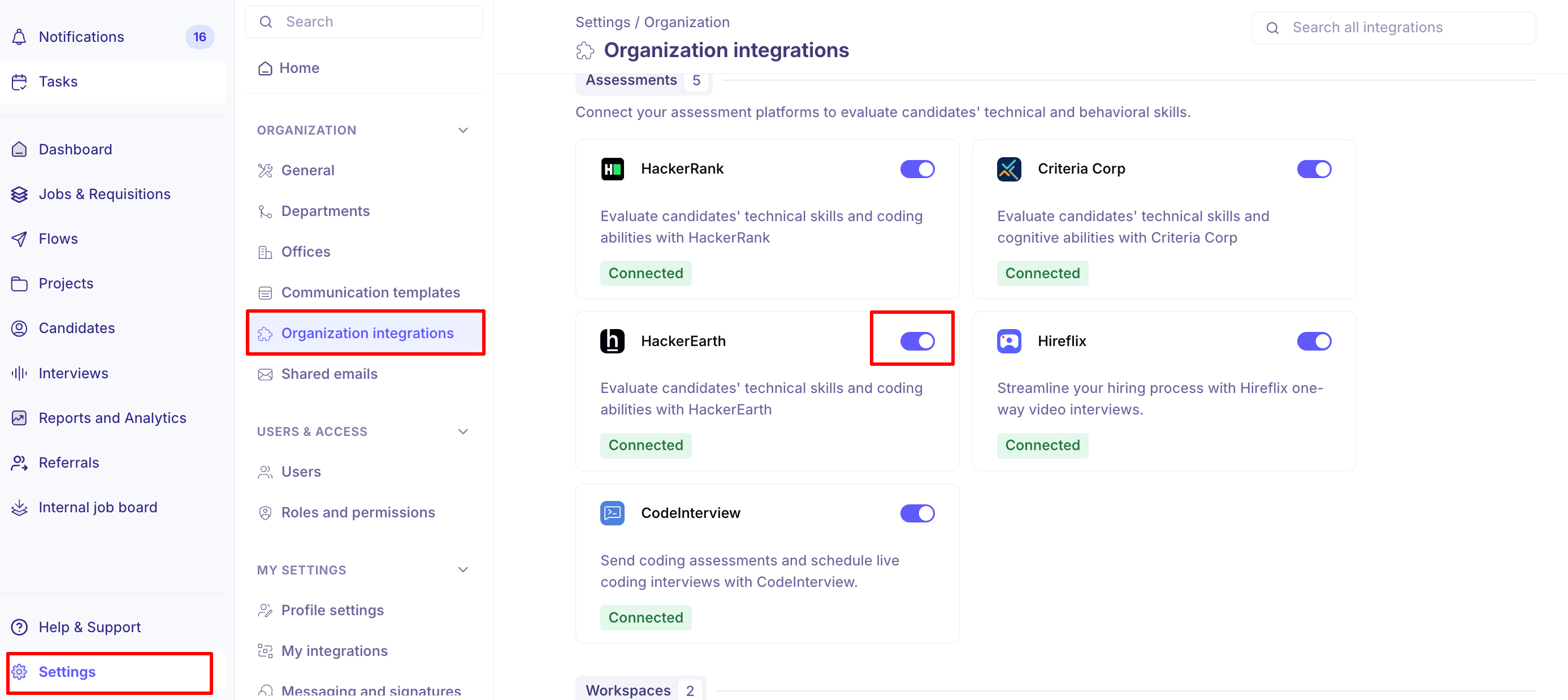
Turn the toggle on. The HackerEarth Settings panel opens.
Enter your Client ID.
Enter your Client Secret.
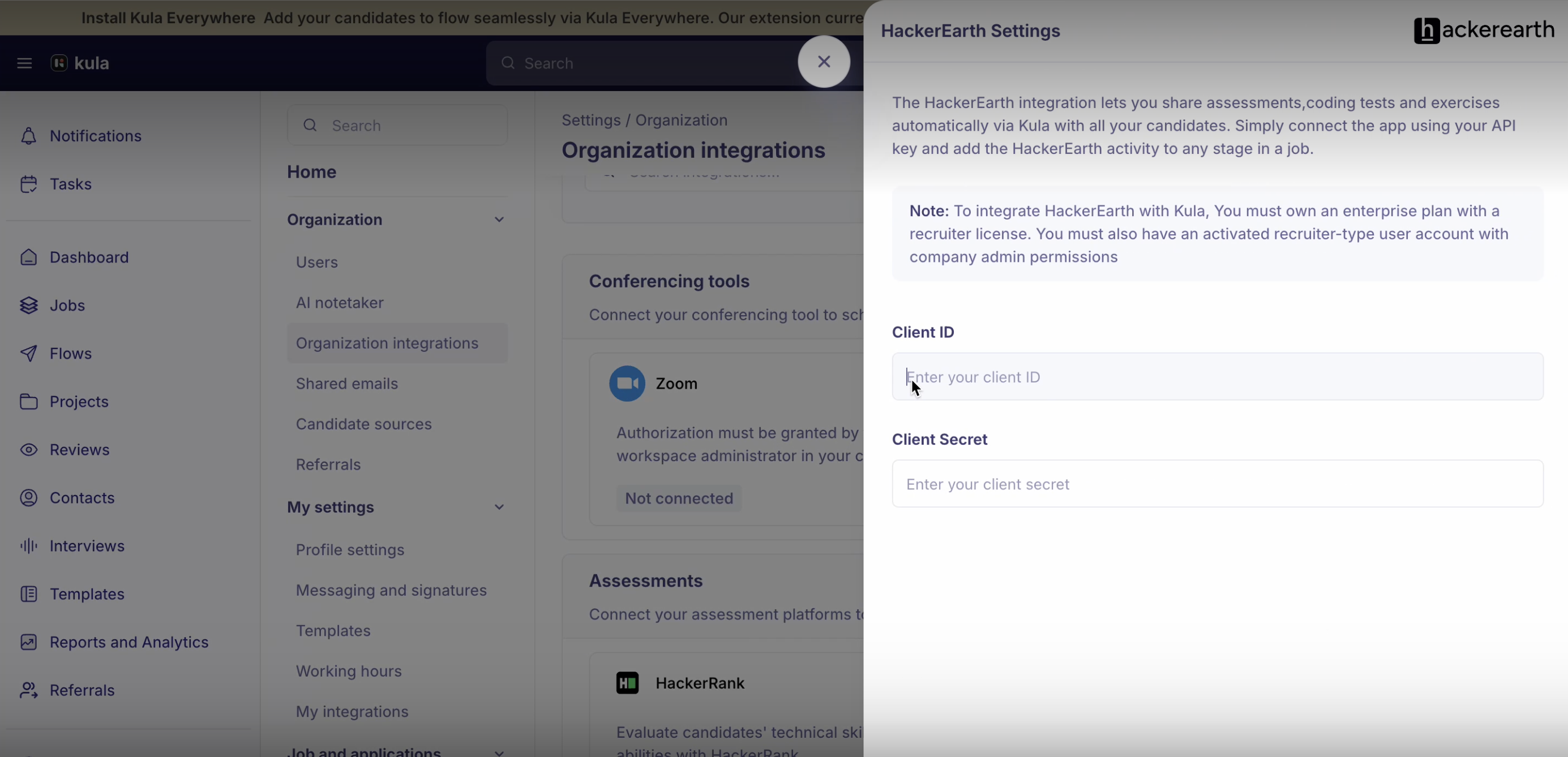
Click Verify Credentials.
Both fields are required — the Verify button stays disabled until you fill in each one. If the credentials are wrong you will see "Incorrect credentials. Double-check the values and try again." and nothing is saved.
You need a HackerEarth plan with a recruiter licence, and an activated recruiter-type HackerEarth user account with company admin permissions. Both the client ID and the client secret come from HackerEarth.
Send it to a candidate
Adding the activity doesn't invite anyone. The invitation goes out when you send it for a candidate.
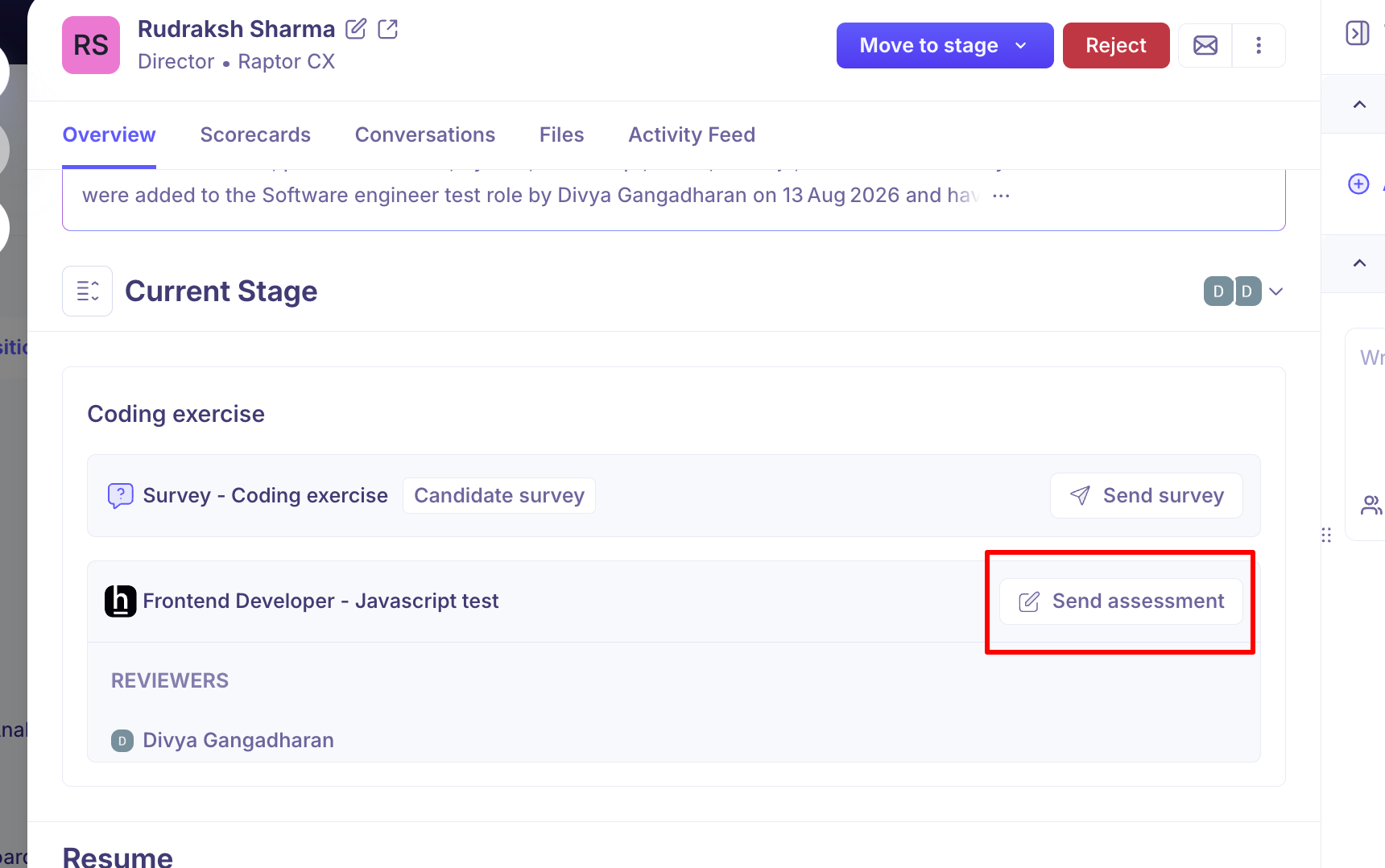
Open the candidate and find the assessment activity on their stage.
Click Send assessment.
On Details, choose the reviewer(s) who'll score the result and confirm the test. View assessment opens the test in HackerEarth if you want to check it.
On Scorecard, set the scorecard the reviewers will fill in.
Send.
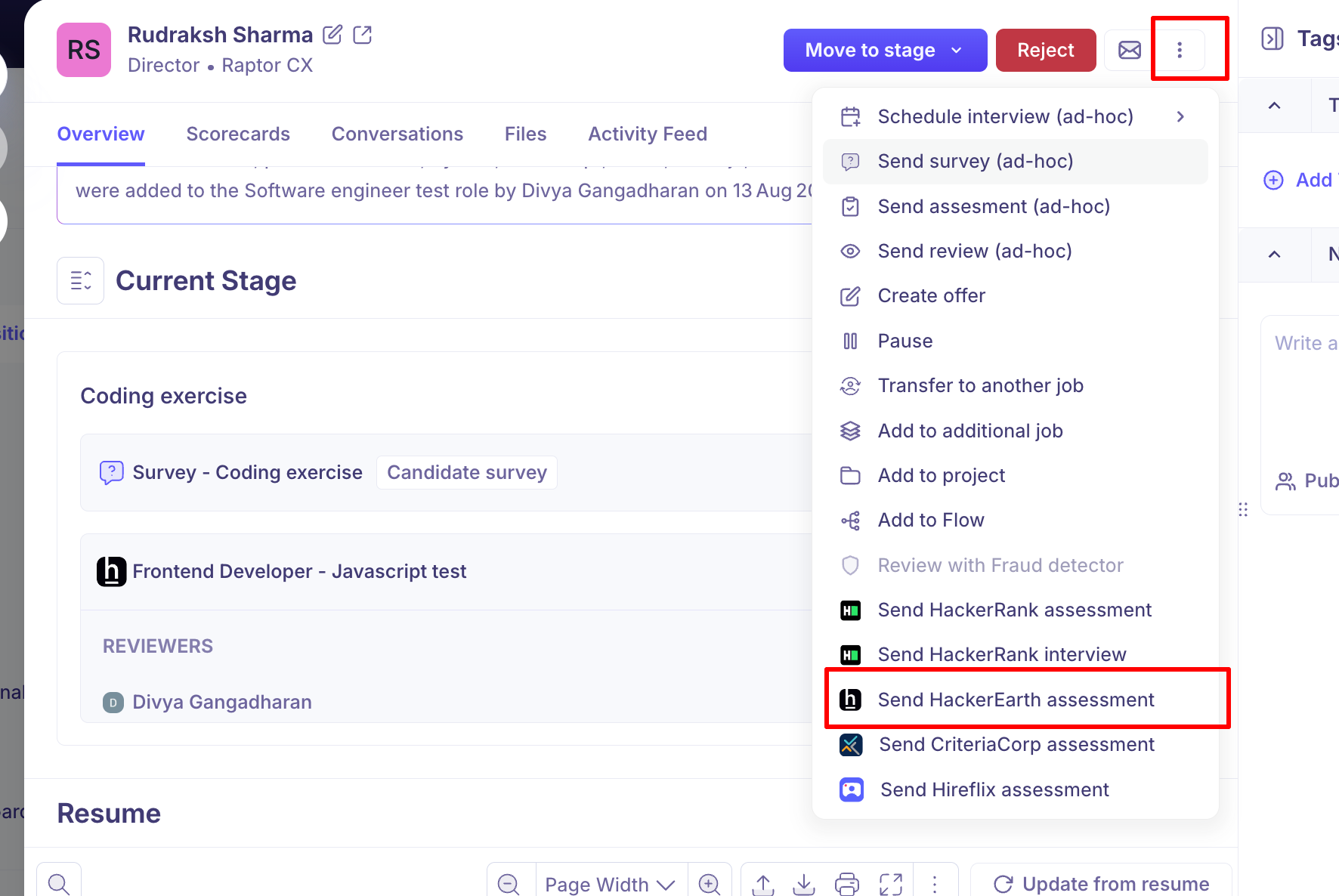
To send a test to one candidate without the interview plan, choose Send HackerEarth assessment from the candidate's actions menu.
After it's sent, the activity has Edit assessment to change it and Cancel to withdraw it. Cancelling deletes the assessment permanently.
View the results
HackerEarth emails the test to the candidate. When they finish, the result syncs back to Kula and your reviewers are asked to score it.
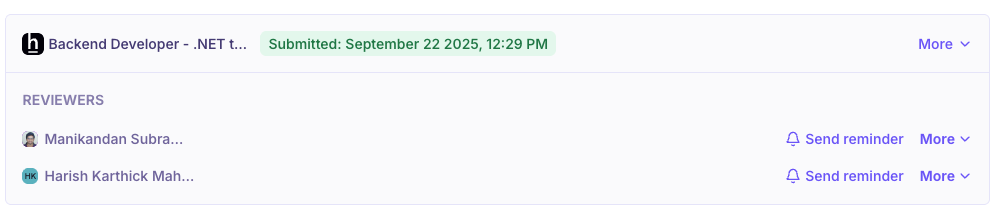
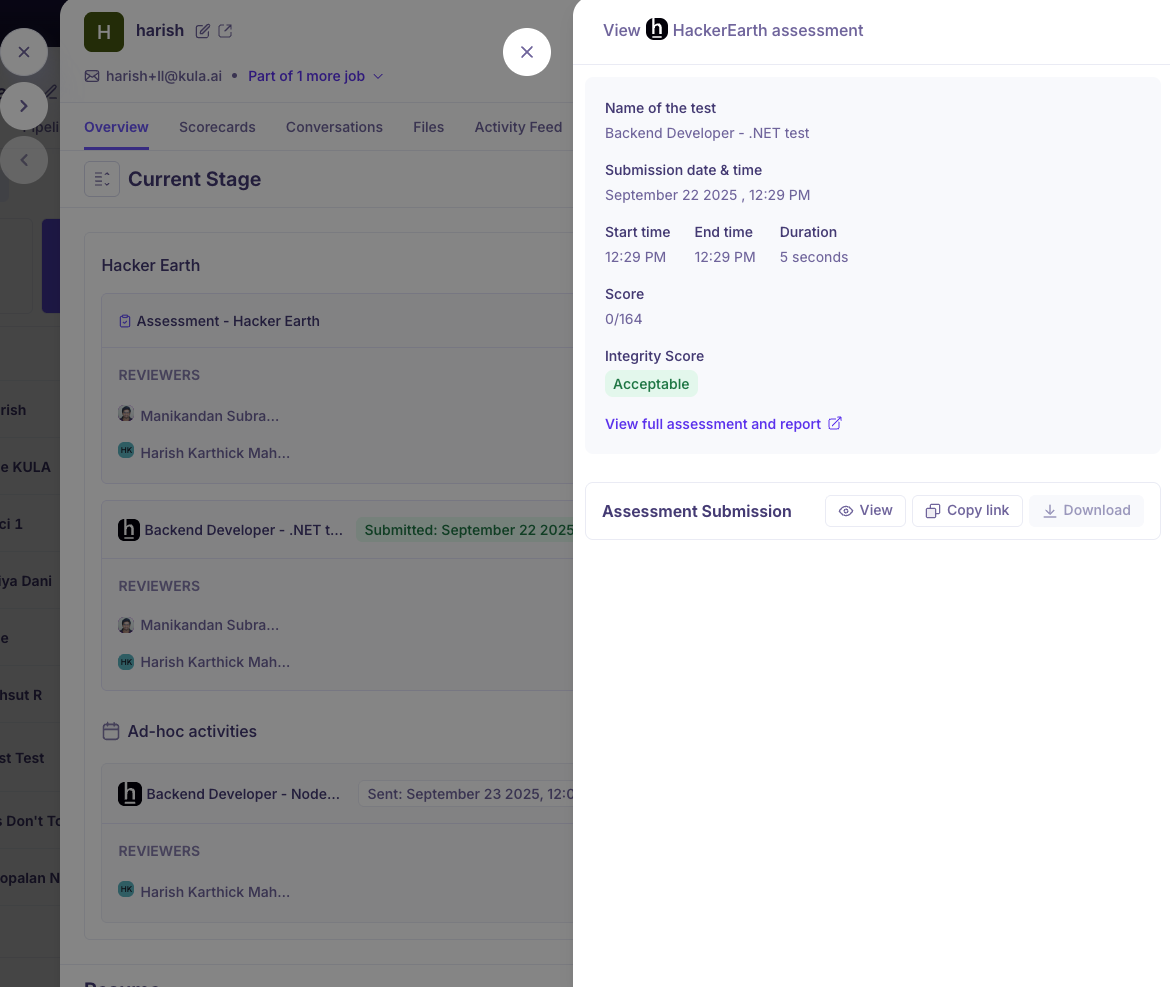
On the candidate's Overview tab, on the stage the assessment belongs to, you'll see:
the candidate's score and completion status
Pass/Fail, if you set that up in HackerEarth
a link to the detailed report in HackerEarth
Re-authenticate HackerEarth
If your HackerEarth credentials are changed or revoked, the card shows Invalid and assessments stop sending.
Hover over the HackerEarth card.
Click Re-authenticate.
Enter the current Client ID and Client Secret and verify again.
Good to know
Two values, not one. A single API key won't work.
One candidate at a time. HackerEarth tests can't be sent in bulk.
The candidate needs an email address. Without one, the send action is greyed out.
Tests are built in HackerEarth. Kula lists your active tests; inactive ones aren't offered.
The report opens in HackerEarth. Kula links to it rather than keeping a copy.
Turning the toggle off disconnects HackerEarth. Tests already sent aren't withdrawn.
Only Super Admins and Admins can connect or disconnect the integration.
FAQ
Our HackerEarth assessments stopped sending. Do we need to set it up again? Usually not. If the card shows Invalid, re-authenticate with the current Client ID and Client Secret.
My credentials were rejected. Check both values and that the account meets the requirements above. A valid ID with the wrong secret fails the same way.
I can't see my test in the list. Kula lists active tests in the connected account. Check the test exists there and is active.
Can I send a HackerEarth test to a whole stage at once? No, one candidate at a time. Hireflix is the only assessment tool that supports bulk sending.
Need help?
If you have questions or need assistance, reach out to us at support@kula.ai or use the in-app chat.