Connect Hireflix to Kula
Last updated: September 25, 2026
Connecting Hireflix lets you invite candidates to one-way video interviews from inside Kula and see their responses without switching tools. Hireflix is the only assessment integration that can be sent to a whole stage of candidates at once.
Who can do this: Super Admin and Admin connect the integration. Anyone on the job's hiring team as a recruiter, hiring manager or coordinator can send invitations.
Where to find it: connect: Settings → Organization → Organization integrations → Assessments. Send: the candidate → actions menu → Send Hireflix assessment, or select several candidates in the pipeline.
Before you connect
You need two values from Hireflix,
Value | Where it comes from |
|---|---|
Hireflix API key | The Hireflix dashboard, under Integrations. Keys are issued per workspace. |
Webhook secret key | Issued alongside the API key. Kula uses it to verify that incoming results really came from Hireflix. |
Connect Hireflix to Kula
Go to Settings → Organization → Organization integrations.
Find the Hireflix card under Assessments.
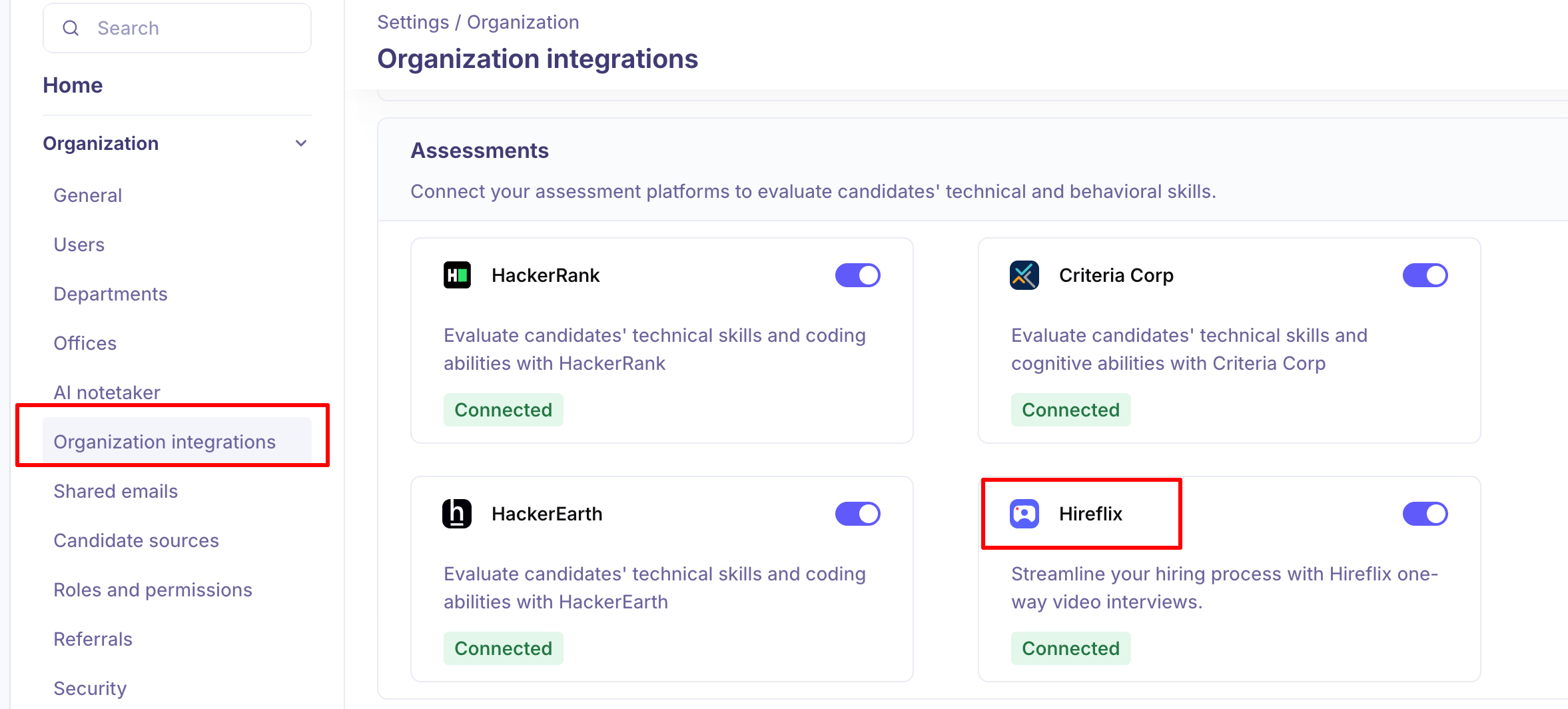
Turn the toggle on. The Hireflix Settings panel opens.
Enter your Hireflix API key.
Enter your Webhook secret key.
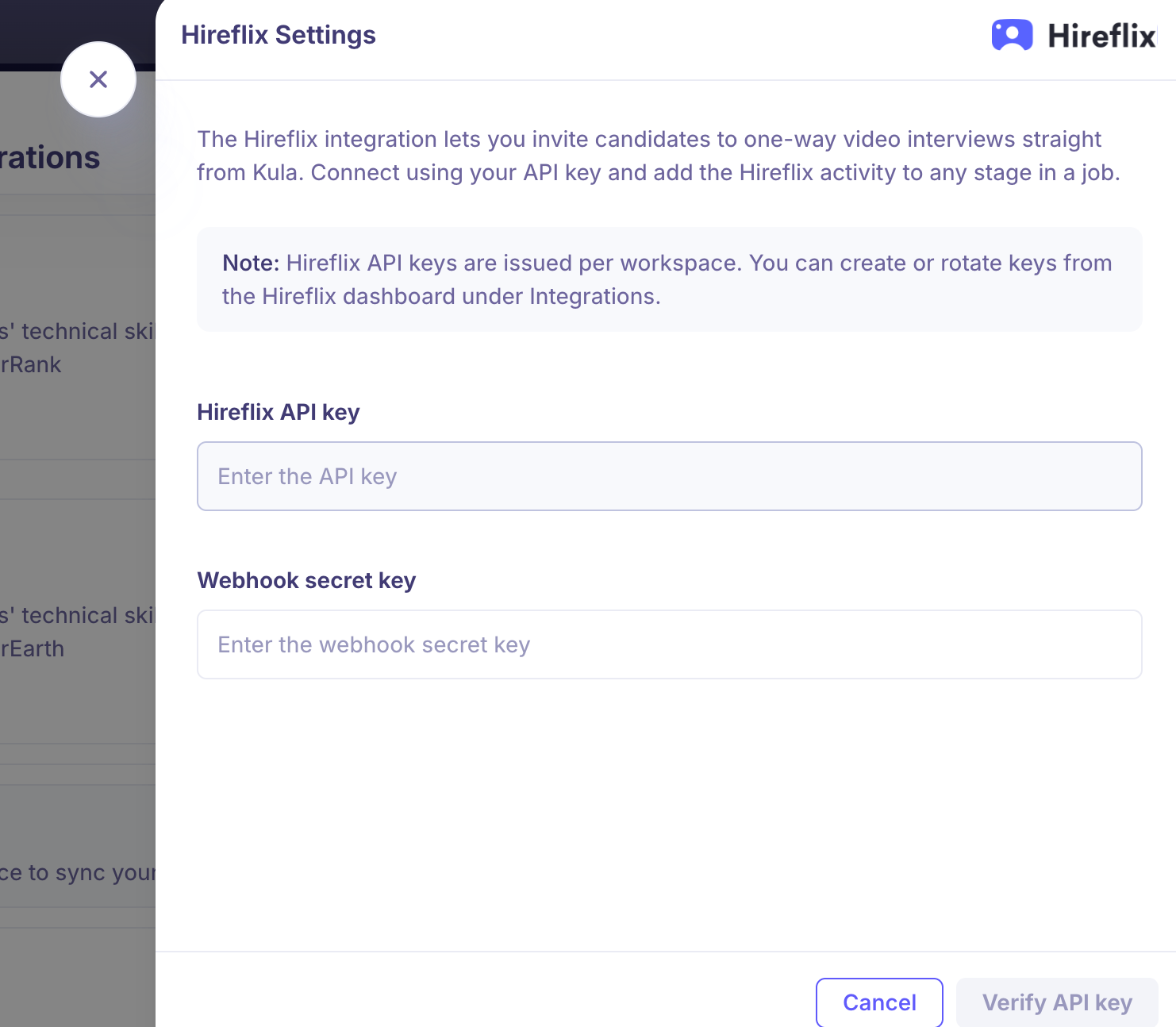
Click Verify API key.
Both fields are required — the Verify button stays disabled until both are filled. Kula validates the key with Hireflix and sets up the results webhook in the same step. If the webhook cannot be created, the connection is not saved.
What you can do once it is connected
Send a Hireflix interview to an individual candidate.
Send interviews in bulk to everyone in a given stage.
Update or revoke an interview you have already sent.
See a live update the moment a candidate submits their video.
See the verdict in Kula as soon as an admin publishes it in Hireflix.
Open a direct link to each interview for review.
Send a video interview to a candidate
Hireflix is sent from the candidate, not from the interview plan. You can't add it to a stage.
Open the candidate.
From their actions menu, choose Send Hireflix assessment.
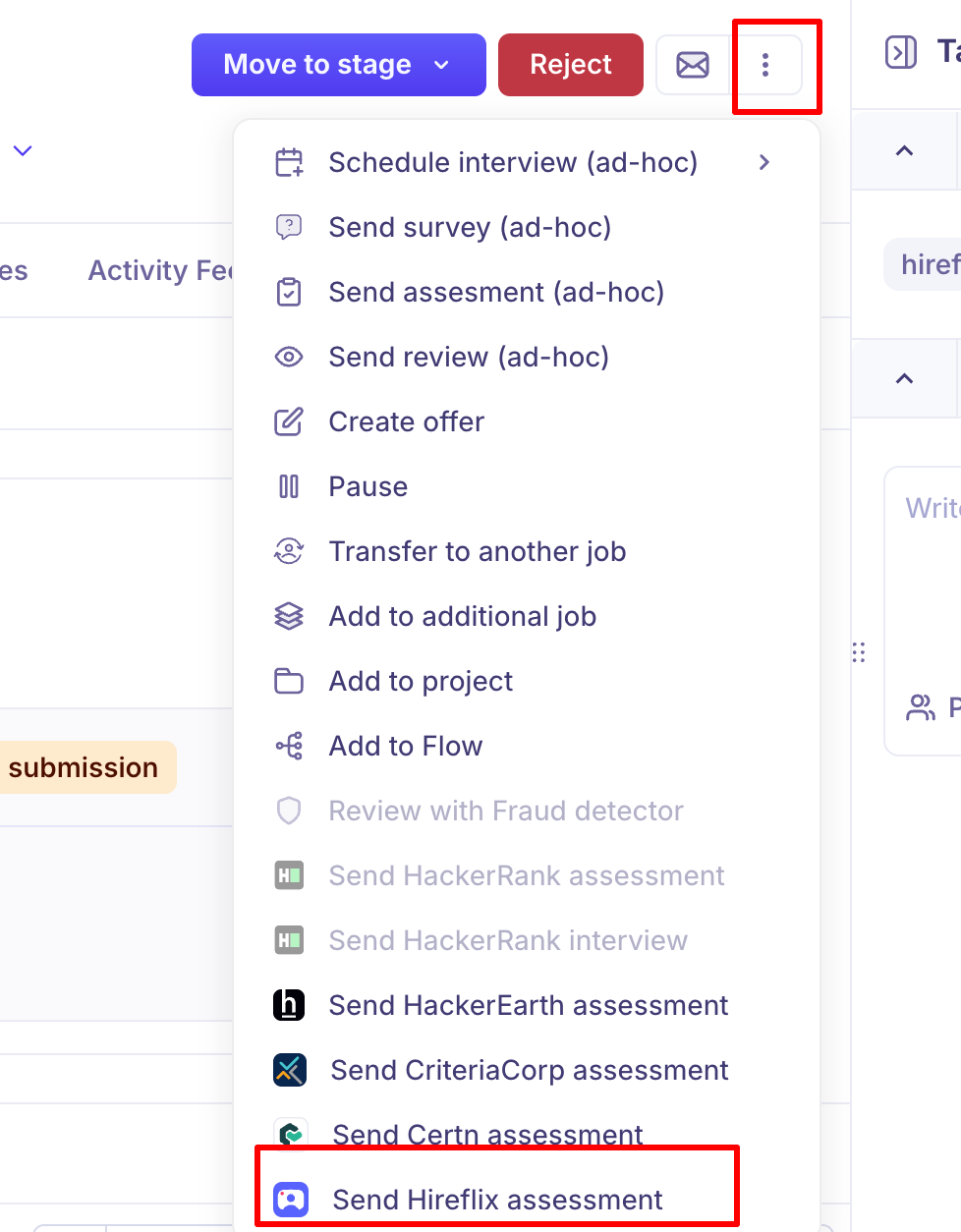
On Details, choose the reviewer(s) who'll score the result and the position whose questions the candidate should answer.
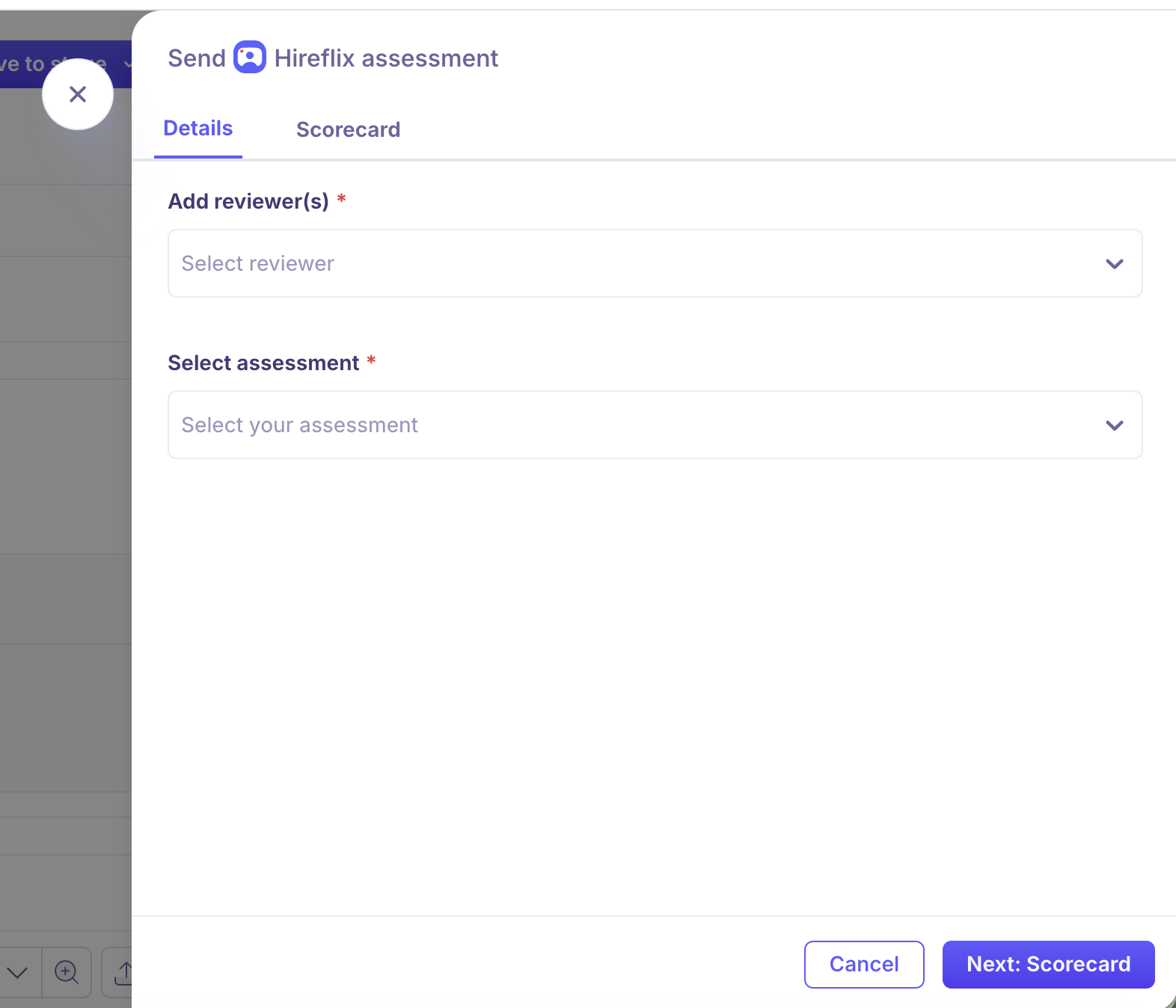
On Scorecard, set the scorecard the reviewers will fill in.
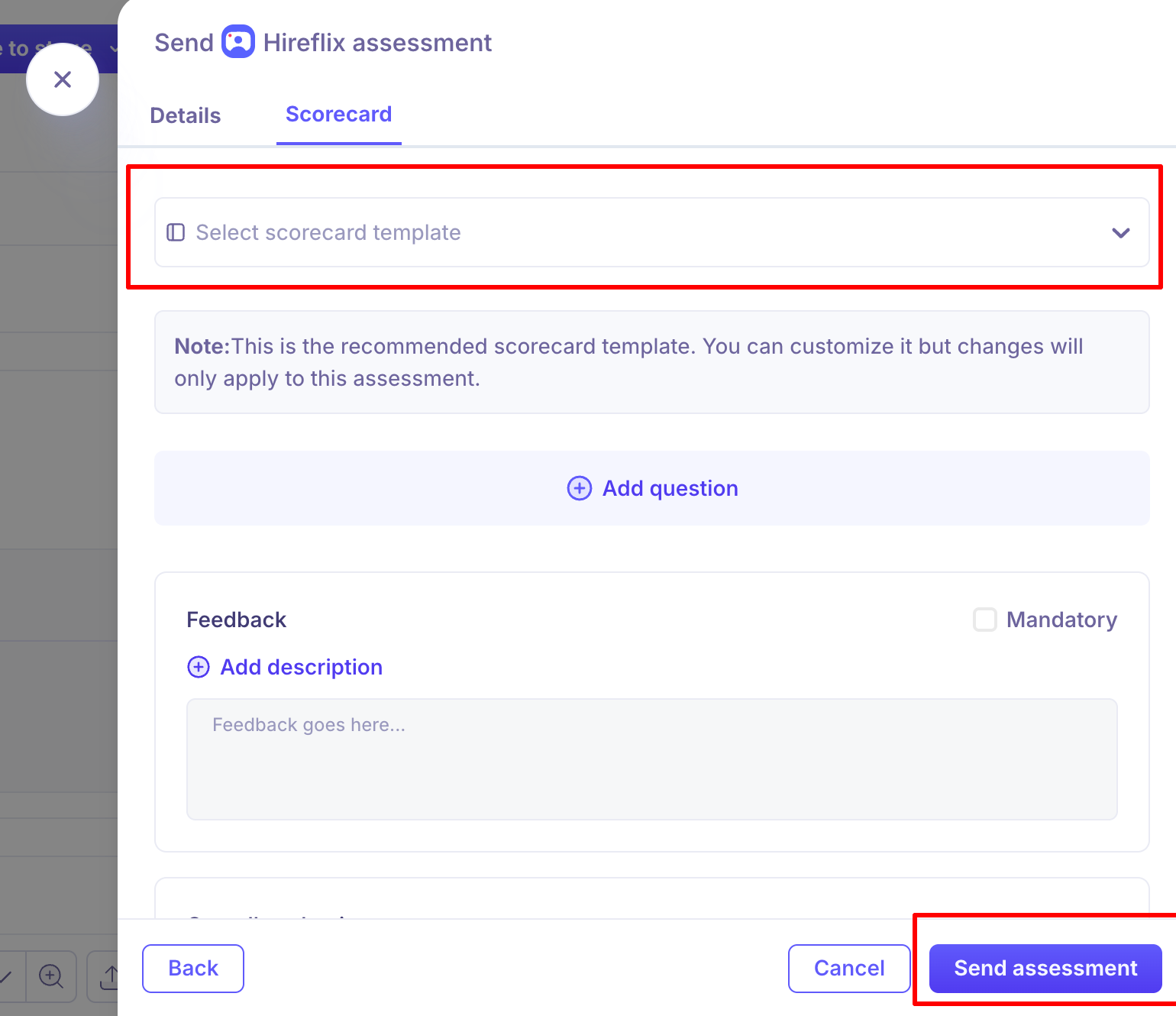
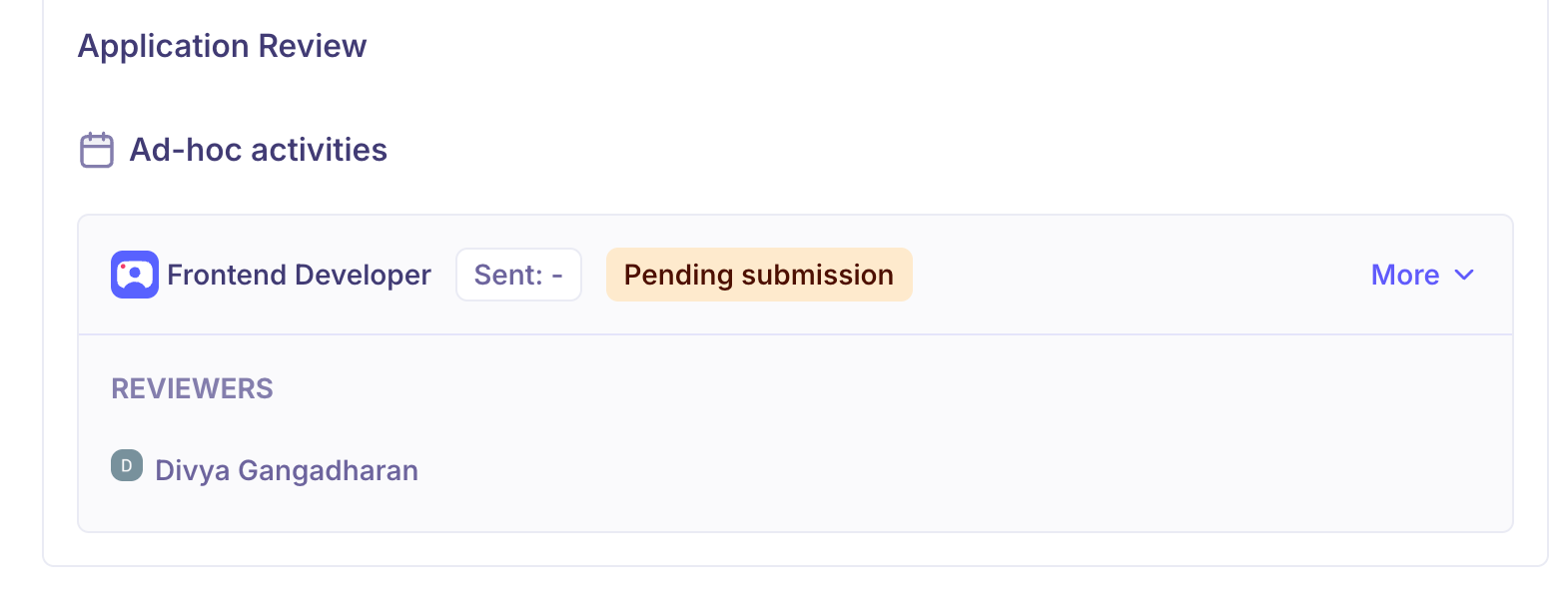
Click Send assessment. You'll see "Hireflix assessment sent successfully", and the assessment appears under Ad-hoc activities on the candidate's overview with the status Pending submission.
Invite several candidates at once
Select the candidates in the pipeline and send a Hireflix invitation in bulk. Kula checks the selection first and tells you if any candidate can't be included. Hireflix is the only assessment tool that supports this.

Track and manage it
Status: the assessment card updates as things happen, for example Pending submission, Submitted and Verdict published.
Edit or cancel: click More on the card. Edit assessment changes the reviewer or scorecard before the candidate submits. Cancel withdraws the invitation.
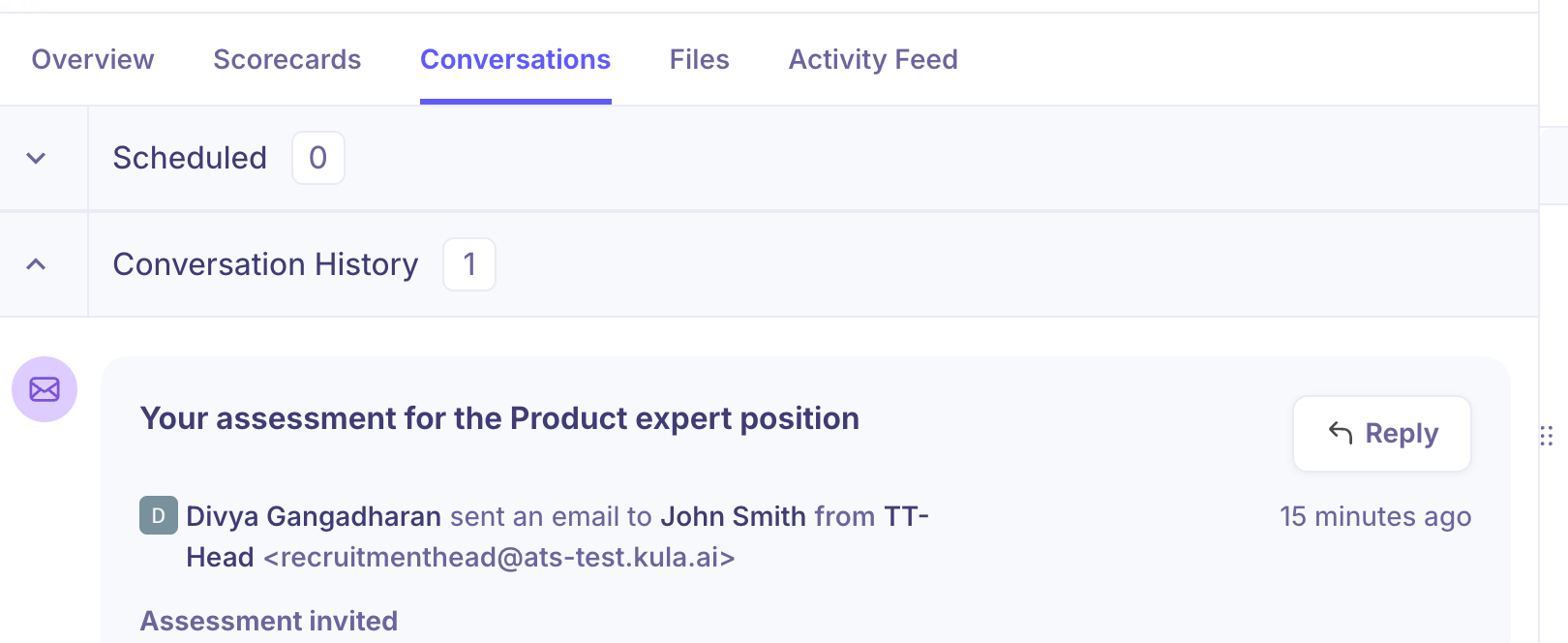
Email record: the invitation email is logged on the candidate's Conversations tab.
Shortlisting: shortlisting or discarding a candidate in Hireflix shows on the activity in Kula.
Good to know
Hireflix can't be added to an interview plan. It won't be sent automatically when a candidate reaches a stage.
Results arrive through the webhook. If the webhook secret is wrong, or the webhook is deleted in Hireflix, candidates can finish their interviews but Kula won't update.
The candidate needs an email address. Without one, the send action is greyed out.
Questions live in Hireflix. Kula reads your positions; build and edit the questions in Hireflix.
Only Super Admins and Admins can connect or disconnect the integration.
FAQ
A candidate submitted their video but Kula still shows Pending. Where did it go? The webhook probably isn't delivering. Re-authenticate the Hireflix card with the current API key and webhook secret, which recreates the webhook.
Can I send a video interview to everyone in a stage? Yes. Select them in the pipeline and send in bulk.
Can I add Hireflix to a stage in the interview plan? No. Send it from the candidate, or in bulk.
I shortlisted a candidate in Hireflix. Does Kula know? Yes. Shortlisted and discarded both show on the activity in Kula.
Need help?
If you have questions or need assistance, reach out to us at support@kula.ai or use the in-app chat.