Connect Criteria Corp to Kula
Last updated: September 25, 2026
Connecting Criteria Corp lets you send cognitive and behavioural assessments to candidates from inside Kula, and get the report back on the candidate's profile.
Who can do this: Super Admin and Admin connect the integration. Anyone on the job's hiring team as a recruiter, hiring manager or coordinator can send tests.
Where to find it: connect: Settings → Organization → Organization integrations → Assessments. Send: the job → the candidate → the assessment activity on a stage, or the candidate's actions menu.
How to Connect Criteria Corp
Go to Settings → Organization → Organization integrations.
Find the Criteria Corp card under Assessments.
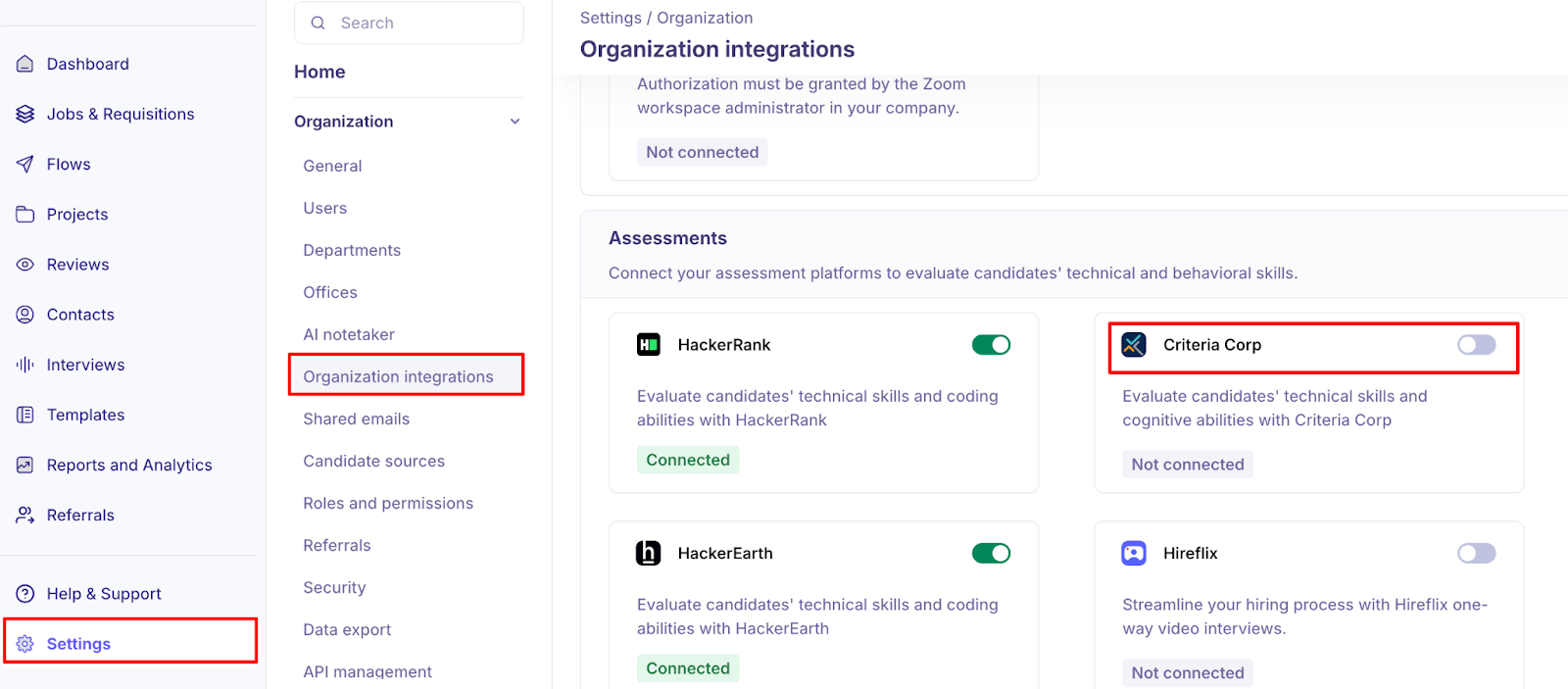
Turn the toggle on. The Criteria Corp Settings panel opens.
Paste the key your account manager sent you into the API key field.
Click Verify API key.
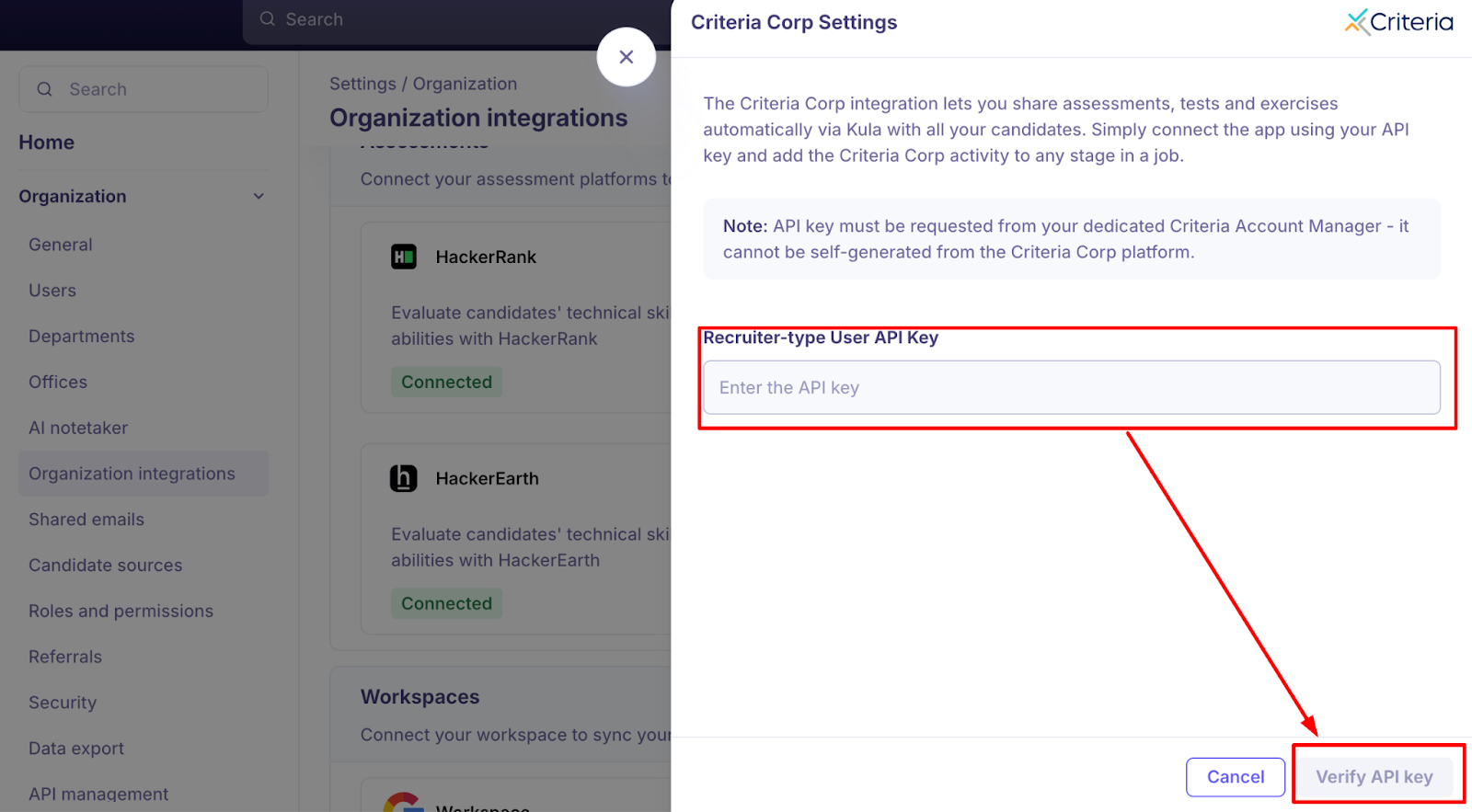
If the key is wrong you will see "Incorrect API key. Double-check the key and try again." and nothing is saved.
Once the status shows as Active/Connected, you are ready to go! If it fails, simply click Reauthorize to retry.
The Criteria Corp API key has to be requested from your dedicated Criteria account manager. You cannot generate it yourself from the Criteria Corp platform, so allow time for this before you start.
What you can do once it is connected - Using Criteria Corp in Kula
Add Criteria Corp as an activity in a job's interview plan, so candidates reaching that stage get the assessment automatically.
Send an assessment ad hoc from a candidate's profile.
Choose a specific Criteria Corp template when sending.
Edit or cancel an assessment after sending it.
Watch the status update in real time, and open the report once it completes.
Fill in a scorecard against the completed assessment.
Send it to a candidate
Adding the activity doesn't invite anyone. The invitation goes out when you send it for a candidate.
Open the candidate and find the assessment activity on their stage.
Click Send assessment.
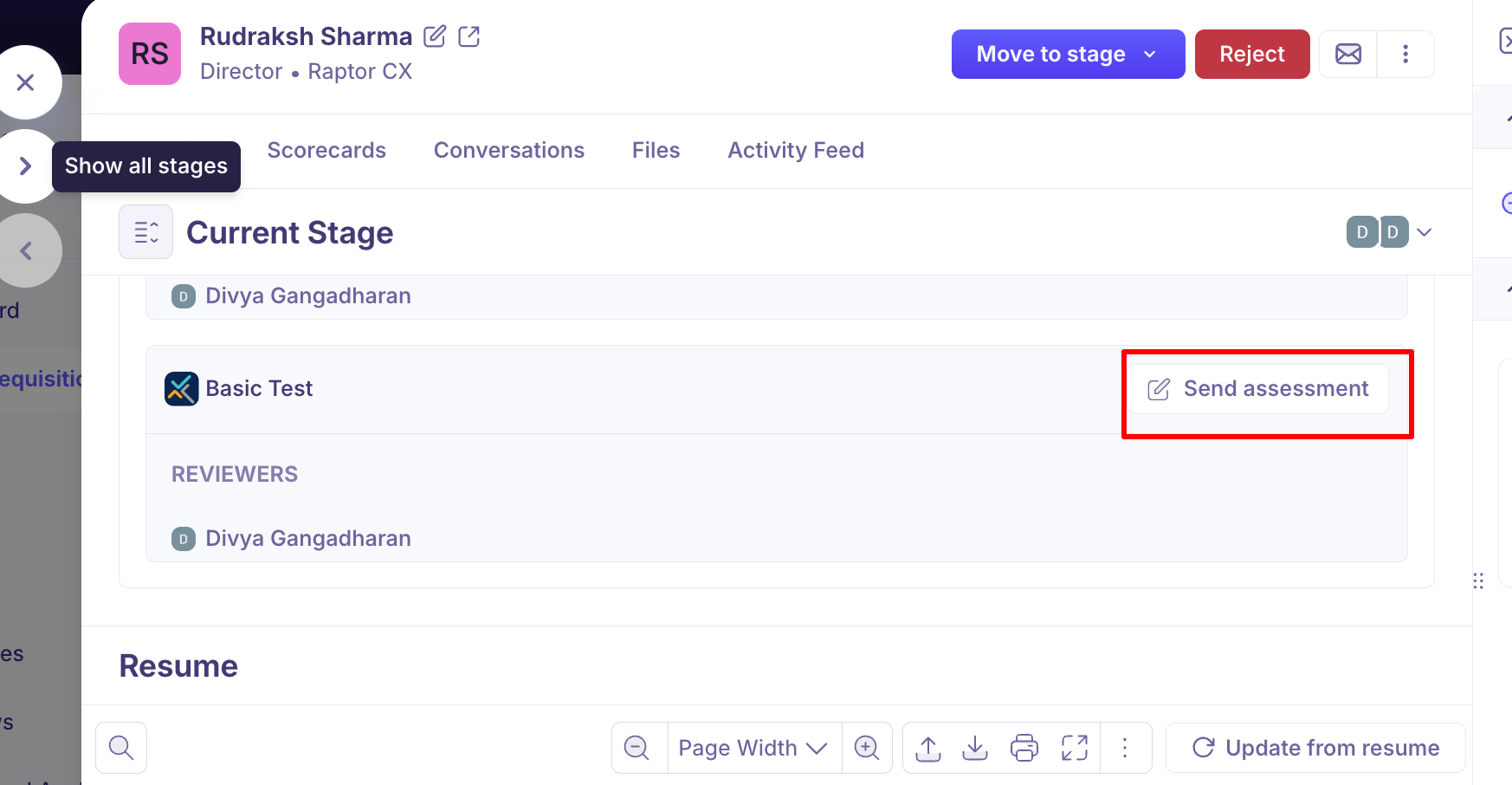
On Details, choose the reviewer(s) who'll score the result and confirm the package.
On Scorecard, set the scorecard the reviewers will fill in.
Send.
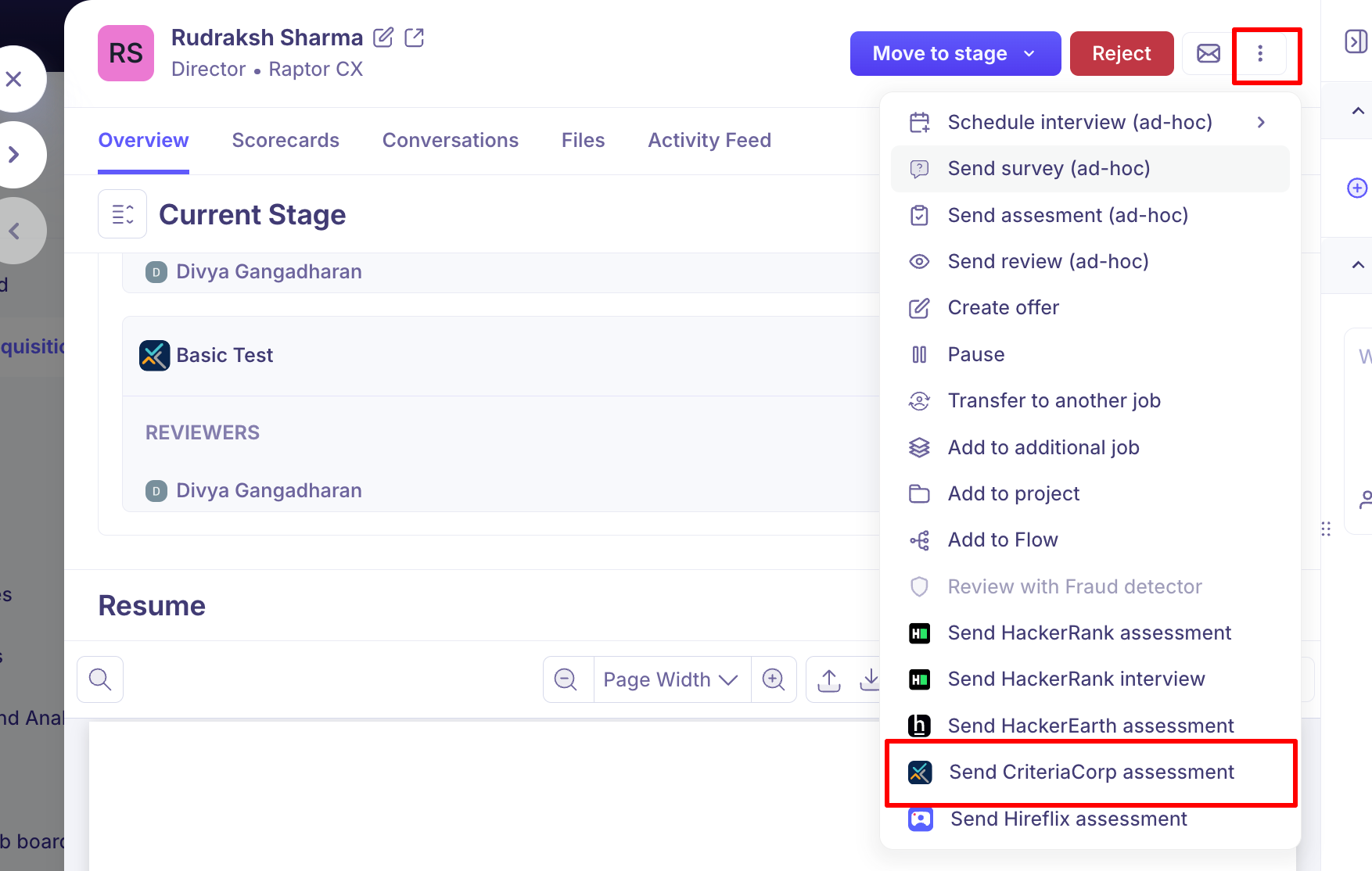
To send a test to one candidate without the interview plan, choose Send CriteriaCorp assessment from the candidate's actions menu.
After it's sent, the activity has Edit assessment and Cancel. Cancelling deletes the assessment permanently. To send a different package, cancel this one and send a new one.
Track results and view the report
Status | What it means |
|---|---|
Pending submission | The invitation was sent |
Submitted | The candidate has finished the test |
Evaluation in progress | The candidate has finished, but part of the package (such as a video interview) is still being evaluated. Scores appear when it's done |
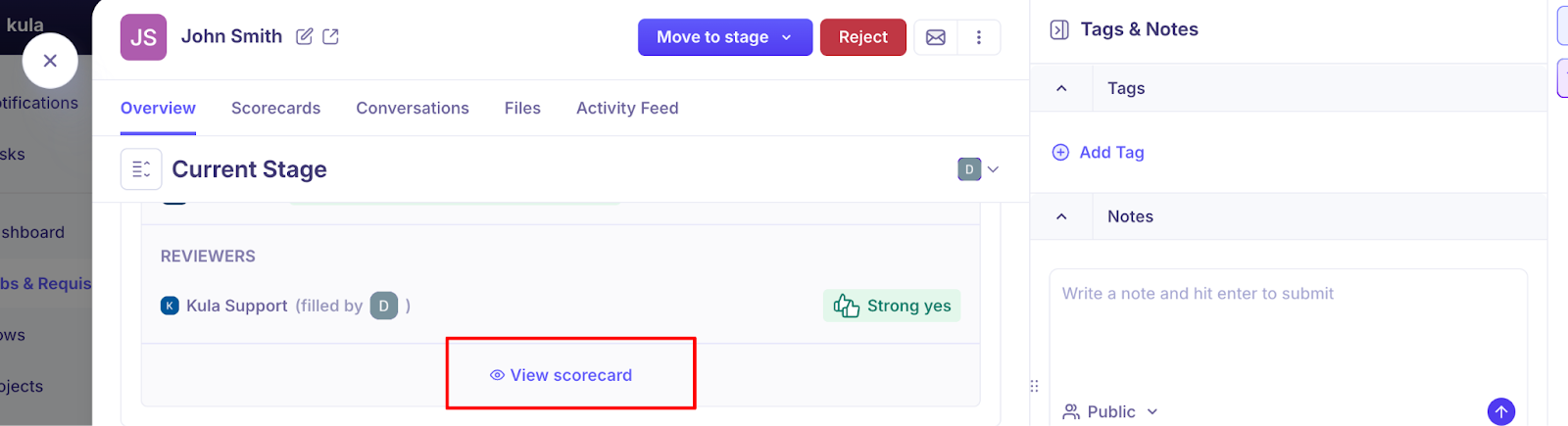
To see the full report, click View Scorecard → View full assessment and report.
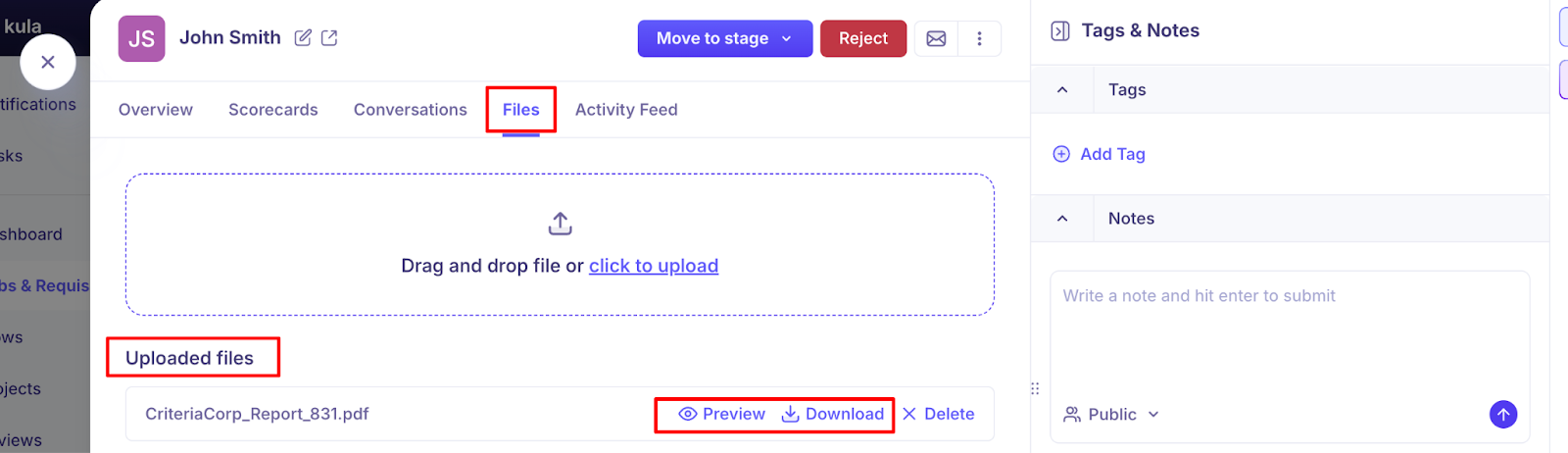
A PDF of the report is also saved in the Files section of the candidate's application.
Good to know
The API key comes from your Criteria account manager. It can't be self-generated.
The candidate needs an email address. Without one, the send action is greyed out.
Packages are set up in Criteria Corp. Kula lists what's available on your account.
Scores can come after the candidate finishes if the package includes something that needs evaluating.
Turning the toggle off disconnects Criteria Corp. Tests already sent aren't withdrawn.
Only Super Admins and Admins can connect or disconnect the integration.
FAQ
I can't find where to generate the API key in Criteria Corp. You're not missing anything. Your Criteria account manager has to issue it.
My API key was rejected. Check it was issued for this account and copied in full. If it still fails, ask your account manager.
The candidate finished but there are no scores yet. If the package includes a video or live interview, the status shows Evaluation in progress until it's evaluated.
I can't see the package I want. Kula lists the packages on the connected Criteria Corp account. Check it's enabled there.
Can I cancel a Criteria Corp assessment after it's sent? Yes. Use Cancel on the activity.
Need help?
If you have questions or need assistance, reach out to us at support@kula.ai or use the in-app chat.