How to Set Up and Use the HackerEarth Integration with Kula
Last updated: September 24, 2025
The HackerEarth integration in Kula enables you to send coding assessments to candidates directly from Kula, track their progress, and review results seamlessly—all without leaving your Kula account.
🔧 Prerequisites
Before enabling the integration, ensure you have:
An active HackerEarth account (with admin access).
Access to Kula Admin Settings.
Candidate records already created in Kula.
🔗 Enabling HackerEarth Integration in Kula
Log in to Kula with an Admin account.
Navigate to:
Settings > Integrations > Assessments.Select HackerEarth from the list of available integrations.
Click Connect and log in with your HackerEarth Admin credentials.
Authorize Kula to access your HackerEarth account.
Once connected, HackerEarth will appear as Active under Integrations.
👤 Sending an Assessment to a Candidate
Go to the candidate’s profile in Kula.
Click on the Actions menu (⋮) and select Send Assessment.
Choose HackerEarth as the provider.
Select the assessment/test you want to assign from the list synced from HackerEarth.
Confirm and send.
✅ The candidate will receive an email invitation from HackerEarth with instructions to complete the test.
📊 Viewing Results
Once the candidate completes the test, results are automatically synced back to Kula.
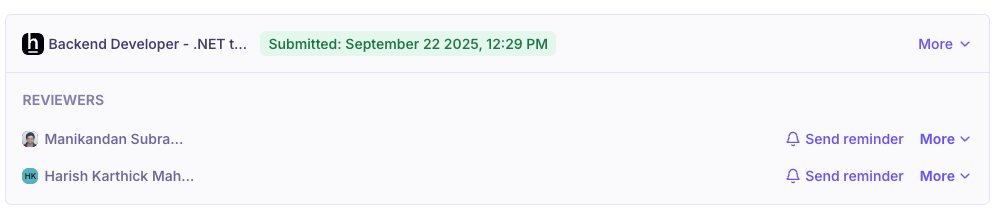
You can view the assessment details and scores under the candidate’s Assessments tab.
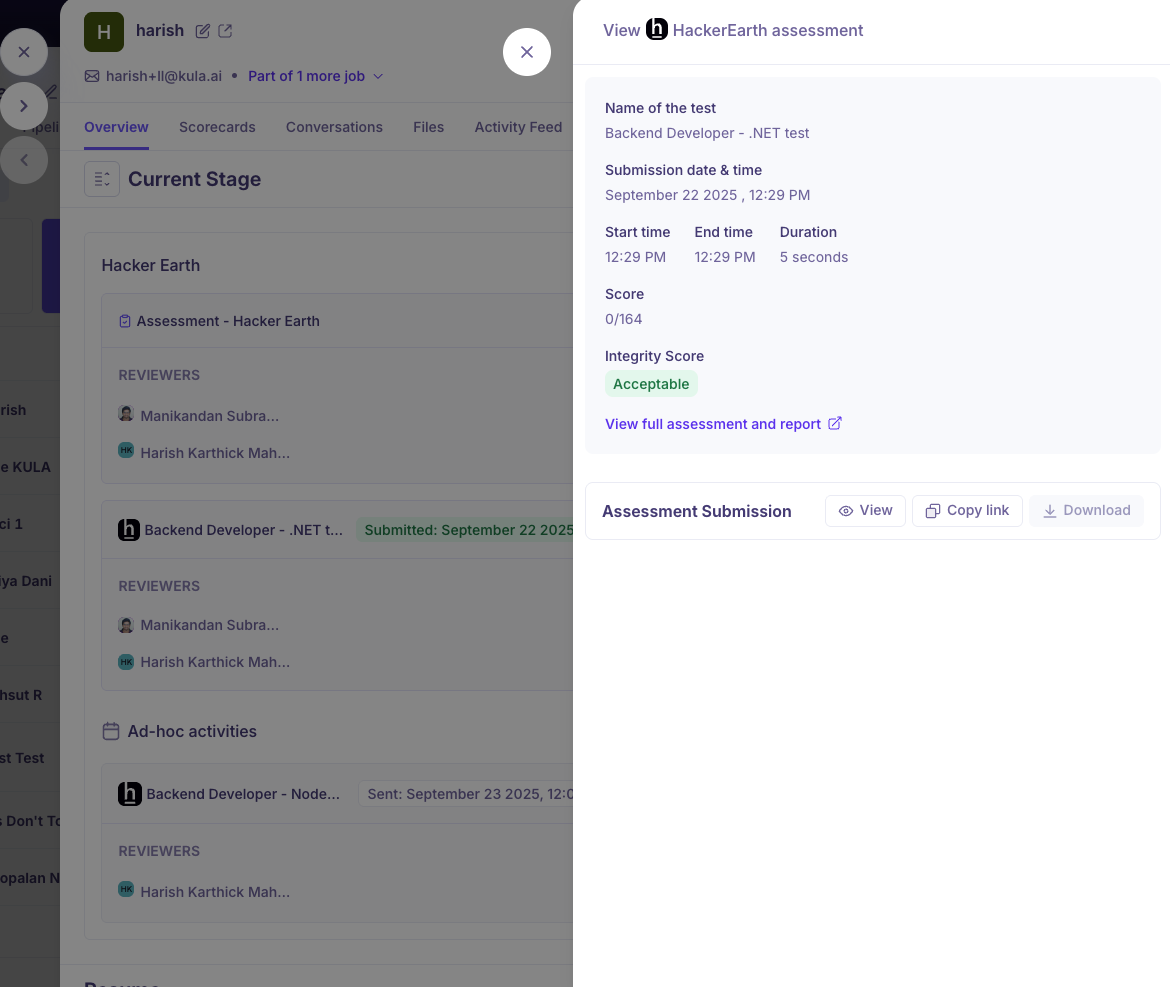
Results include:
Candidate’s score and completion status.
Pass/Fail status (if configured in HackerEarth).
Detailed report (accessible via a link to HackerEarth).
❓ FAQ
Q: Can I create new HackerEarth tests inside Kula?
A: No, tests must be created in HackerEarth. Kula only fetches and displays them.
Q: What happens if a candidate does not take the test?
A: The assessment status will remain Pending in Kula.
Q: Where can I see detailed reports of candidate performance?
A: A direct link to the full HackerEarth report is available in the candidate’s assessment record in Kula.
Q: Who handles billing for the assessments?
A: Billing is managed directly by HackerEarth, not Kula.
Q: Can multiple assessments be sent to the same candidate?
A: Yes, you can assign multiple HackerEarth assessments through Kula.