Launching a sequence to a candidate
Last updated: September 26, 2026
Adding a candidate to a flow starts their outreach. This article covers adding candidates, why some can't be added, pausing and stopping, and getting outreach going again after a problem.
Who can do this: anyone with access to Flows, usually Recruiters, Admins and Super Admins
Where to find it: the flow's candidate list; a candidate's profile (More → Add to Flow); the Kula Everywhere extension
Adding a candidate to a flow
In the flow's candidate list, Add candidates gives you three ways:
Option | Use it to |
|---|---|
Kula Everywhere | Add someone from their LinkedIn profile (the flow must be active) |
Candidates | Pick people already in Kula |
CSV | Upload a list you've made outside Kula |
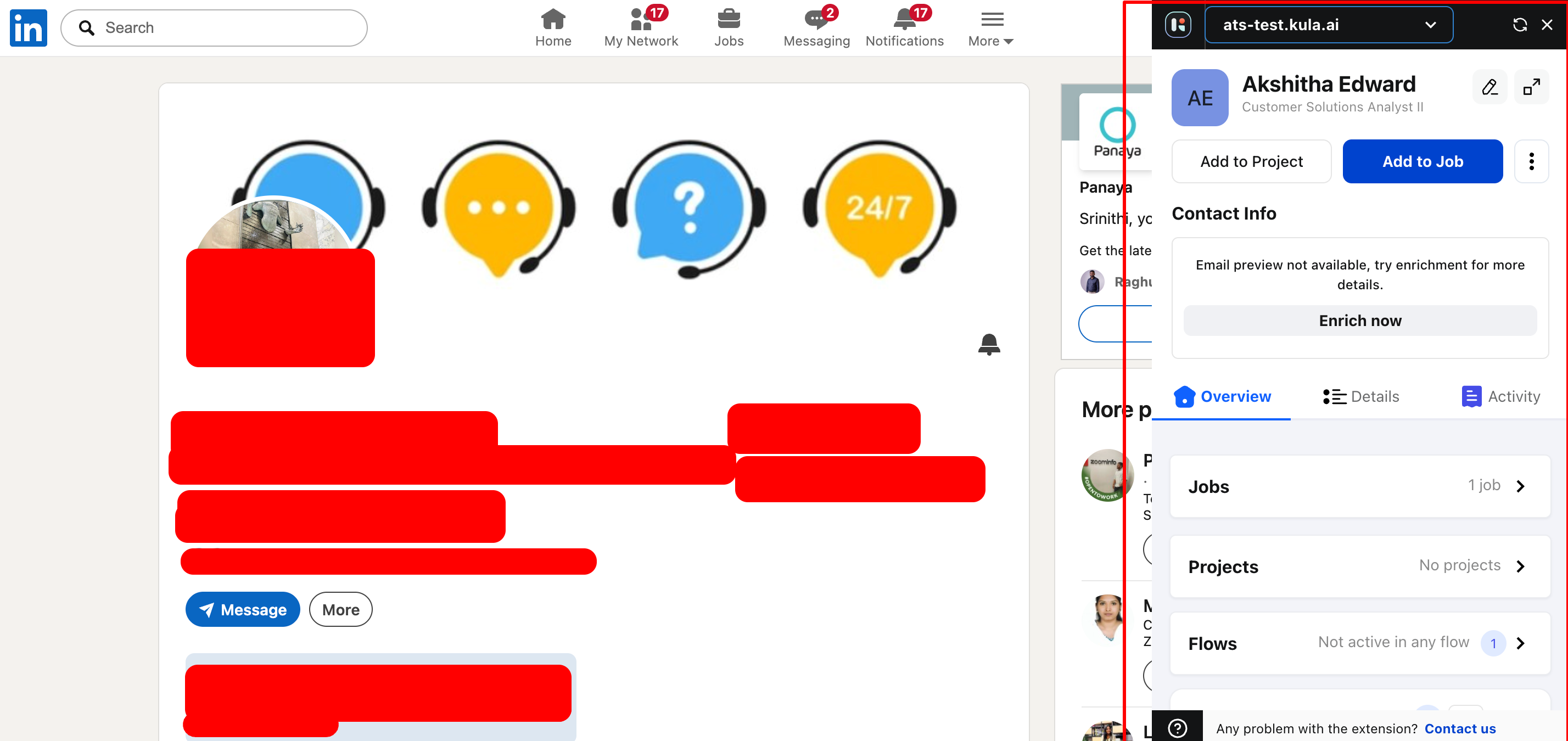
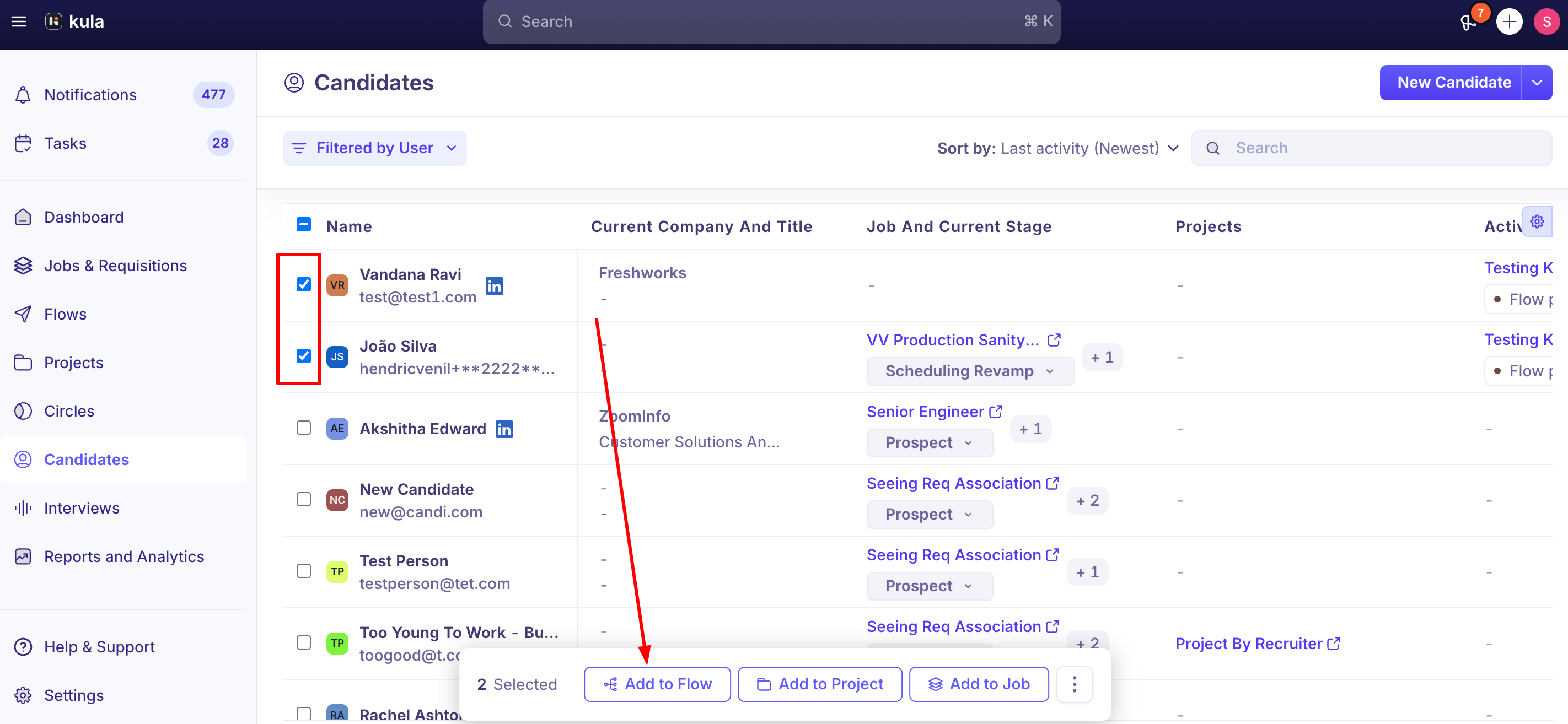
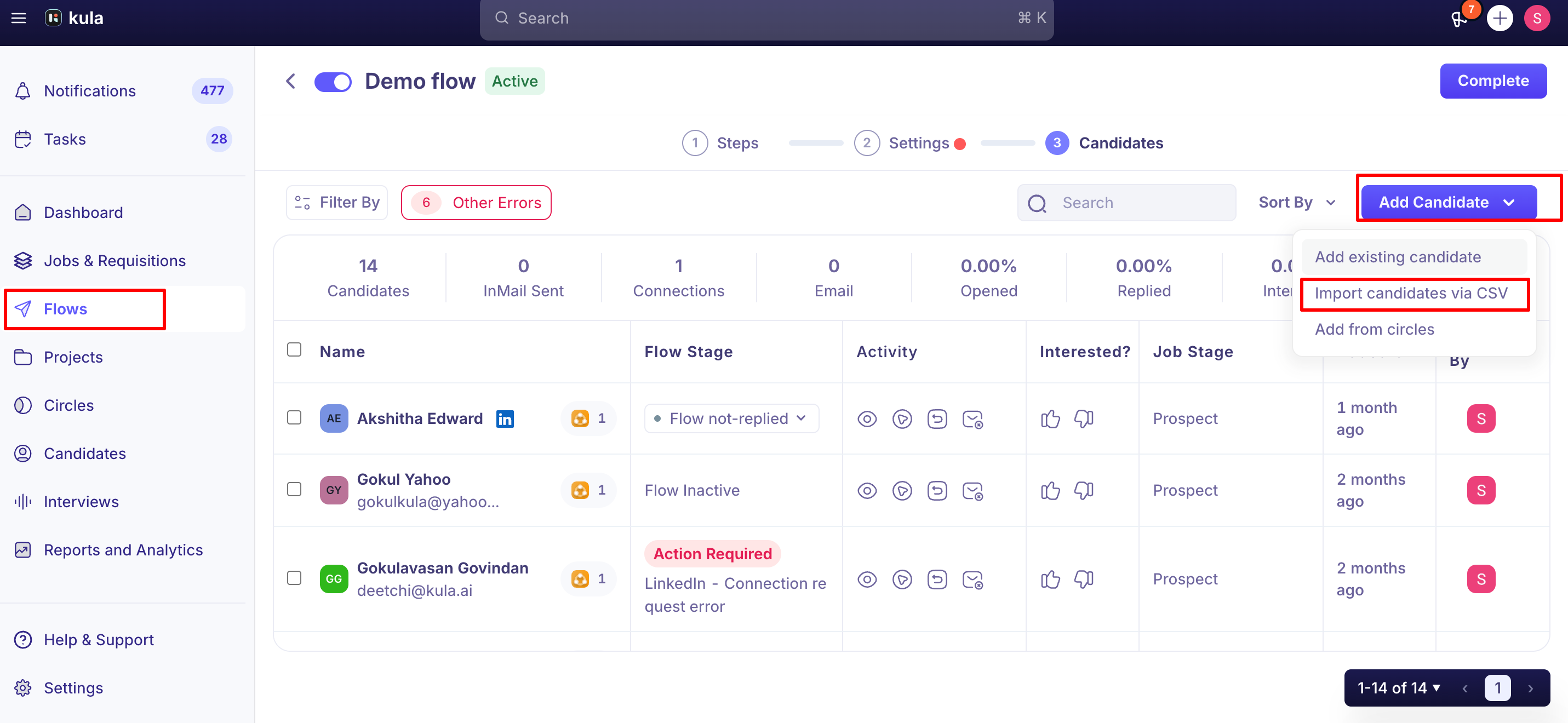
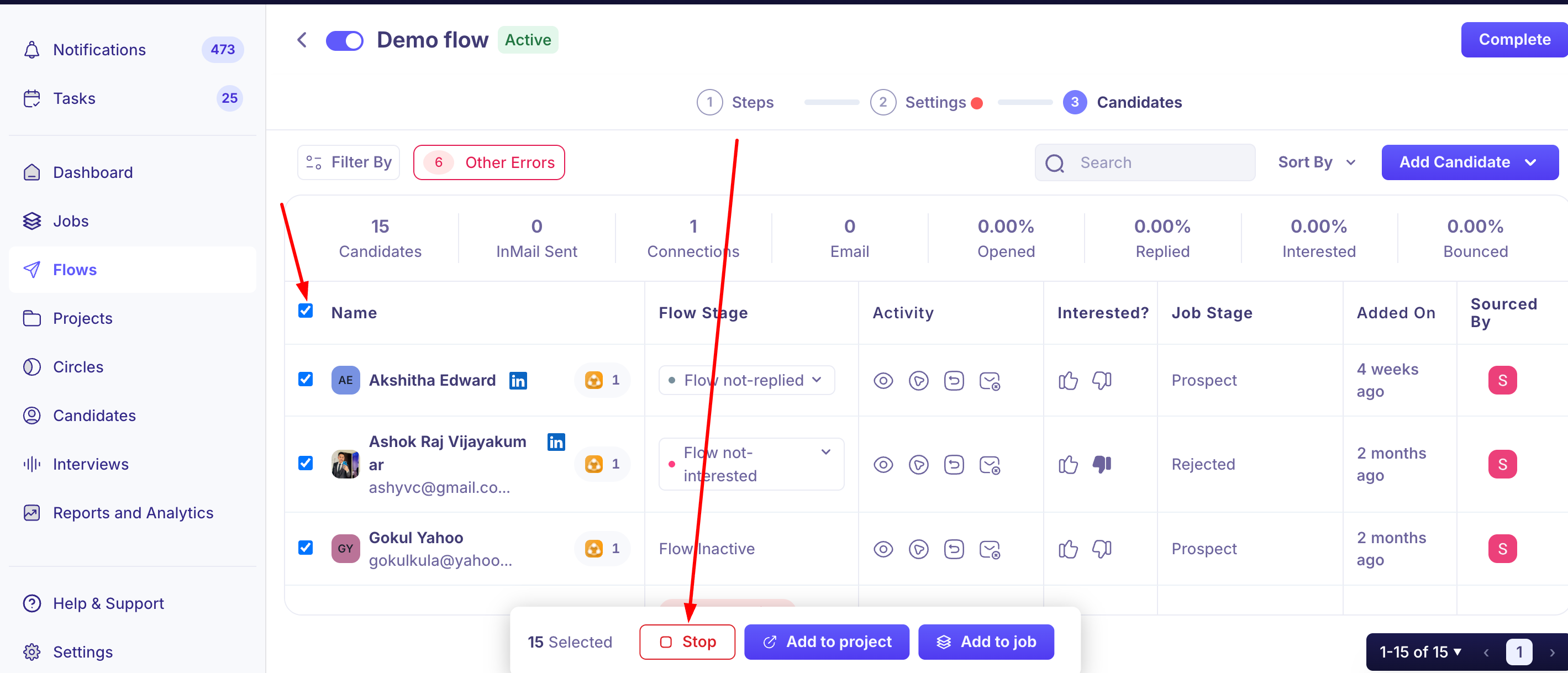
You can also add one person from their profile (More → Add to Flow), or many from a flow or project list: select a page (20, 50 or 100) or Select All, then add them to a flow from the bulk action bar.
If you're adding an existing candidate to a flow you just created for the first time, you may be redirected to Candidates page to find and select them rather than staying in the flow itself — that's expected current behavior, not an error on your end.
When a candidate can't be added
Already in the flow's linked job. If they're already an applicant on that job, for example in Prospect, Kula won't add them (or pauses them in the flow), because they've already shown interest. To avoid this, add candidates to a project first, then the flow, and move them to the job once they reply.
Active in another flow. They stay inactive until that flow is stopped or finished.
Messages that need your review
If a step uses AI personalisation, Kula drafts a message for every candidate who reaches it, including people added later. Each draft must be reviewed and approved before it sends. If a candidate reaches the step before you approve, they wait there, and the flow carries on once you approve. There's no bulk approval. See Writing flow messages with AI.
Pause, resume or stop
What it does | Where | |
|---|---|---|
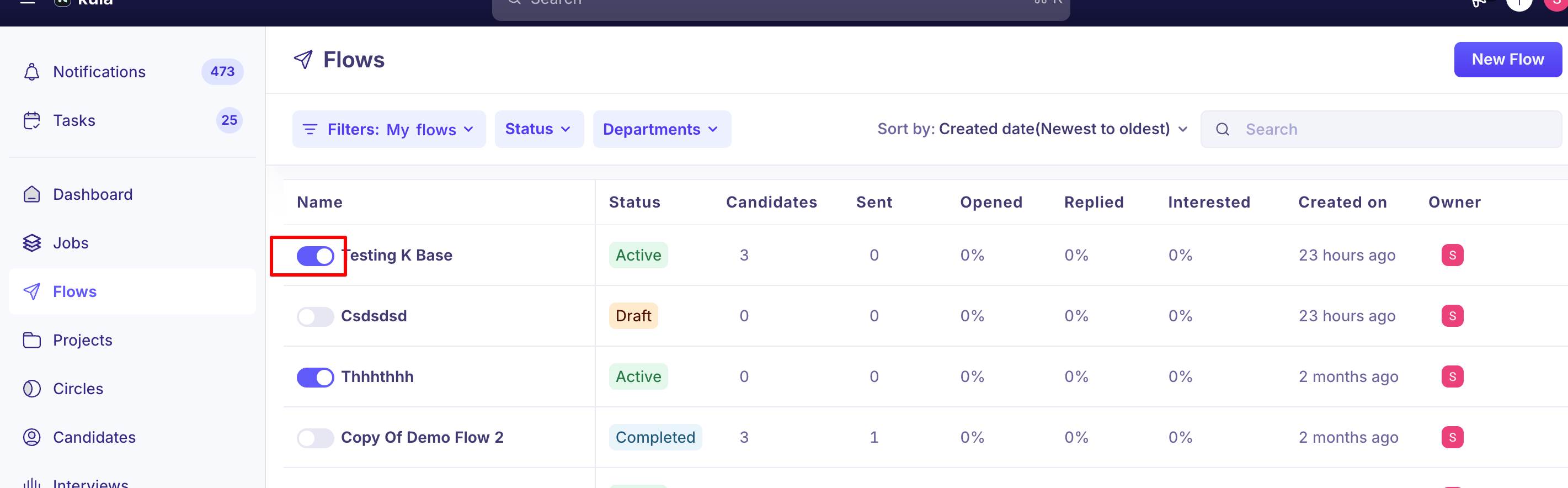
Pause | Holds outreach. Nothing is lost, and you can resume at any time | Pause Flow (whole flow), or pause chosen candidates |
Resume | Carries on from where it paused | Resume Flow (whole flow), or resume chosen candidates |
Stop | Ends outreach for that candidate in this flow. They can't be restarted in the same flow | Stop chosen candidates, or Stop Flow (whole flow) |
Remove | Takes the candidate out of the flow | From their row, or in bulk |
For many candidates, select a page (20, 50 or 100) or Select All in the flow's candidate list and choose the action from the bulk action bar. You can also move candidates to another step or to another flow from there.
A paused flow stays paused until someone resumes it. There's no automatic resume date. To pause for a planned break, such as holidays, contact support.Good to know
A candidate already active in the flow's linked job can be blocked from being added to that flow. If this happens, try adding them to a Project first, then the flow.
AI-personalized steps pause automatically if a message isn't approved yet. At scale, manual review capacity — not message generation — is the real bottleneck.
Bulk-adding candidates to a flow is supported from Flow or Project candidate lists, with page sizes up to 100 or a Select All option.
When Kula pauses or stops outreach itself
Cause | What happens | What to do |
|---|---|---|
The candidate replies | Their outreach stops. Other candidates carry on | Mark them Interested or Not interested |
A sender's mailbox disconnects | Steps from that sender stop, and the flow owner is emailed a link to reconnect | Reconnect the mailbox |
InMail credits run out | Those candidates are marked Action Required and wait | See below. It doesn't fix itself when credits refresh |
The candidate is already on the flow's job | They're paused in the flow and can't be resumed there | Use the project-first order above |
Get outreach going again
Out of InMail credits: in the flow's Candidates tab, filter by Other Errors, select those candidates and use Move Step to send them back to the InMail step (it sends once the extension is active) or on to the next step.
"Unexpected error" on a connection request: usually a timeout, so it's safe to retry. Go to Tasks → Flows, filter by failed or skipped, and run the task again.
Good to know
Stopped is final for that flow. To reach a stopped candidate again, add them to a different flow.
Nothing to stop? Candidates who've already finished, such as "Flow not replied", or who are already stopped, have no Stop option.
Check for a disconnection first. If a flow seems stuck, look for a mailbox disconnection email before anything else.
FAQ
What's the difference between pausing and stopping? Pausing can always be resumed. Stopping ends that candidate's outreach in this flow for good.
Can I pause all flows at once, like over the holidays? Not from the Flows page. Pause them one by one, or contact support to pause them all with a set resume date.
Why did outreach stop for a candidate? They replied, their sender's mailbox disconnected, InMail credits ran out, or they're already on the flow's job. Check their status for Action Required.
Can I add a candidate who's already on the job? Not to a flow linked to that job. Add them to a project and flow first next time
Need help?
If you have questions or need assistance, reach out to us at support@kula.ai or use the in-app chat.