What is a Project?
Last updated: November 4, 2026
A project is a shortlist of candidates you build up and share with colleagues for their opinion. It sits outside your job pipelines, so you can gather people for a role before anyone applies — and get a hiring manager's verdict without adding them to a job first.
Who can do this: Super Admin, Admin, Recruiter can create projects. Super Admin, Admin, Recruiter, Hiring Manager, Department head / Site lead and External Collaborator can be added to one.
Where to find it: Projects in the left navigation
What you use a project for
A project holds candidates and a small team of people who can see them. The typical use is:
Gather candidates you have sourced into one place.
Share the project with a hiring manager or colleague.
Send some or all of those candidates for review.
Act on the verdicts — the ones marked Good Fit can be pushed straight into a job.
Because a project is not a job, nobody in it is an applicant yet. Nothing is visible on a job pipeline until a candidate is added to a job, and adding someone to a project does not add them to a job or a flow.
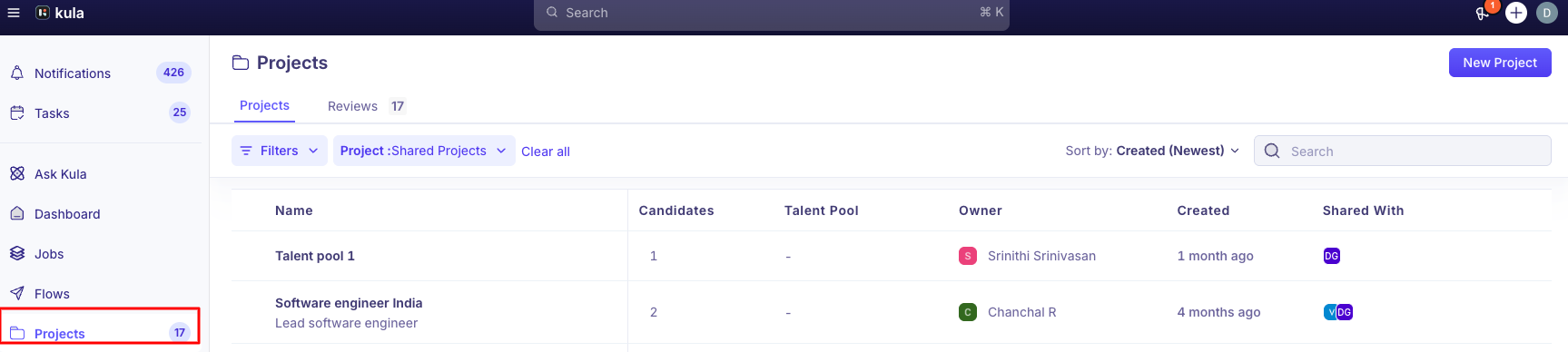
What each column on the Projects list means
Column | What it shows |
|---|---|
Name | The project name, with the description underneath if one was set. |
Candidates | How many candidates are currently in the project. |
Talent Pool | The talent pool the project was linked to, or |
Owner | The project's current owner. Every project has exactly one owner at a time. |
Created | When the project was created. |
Shared With | Avatars of everyone the project has been shared with, or |
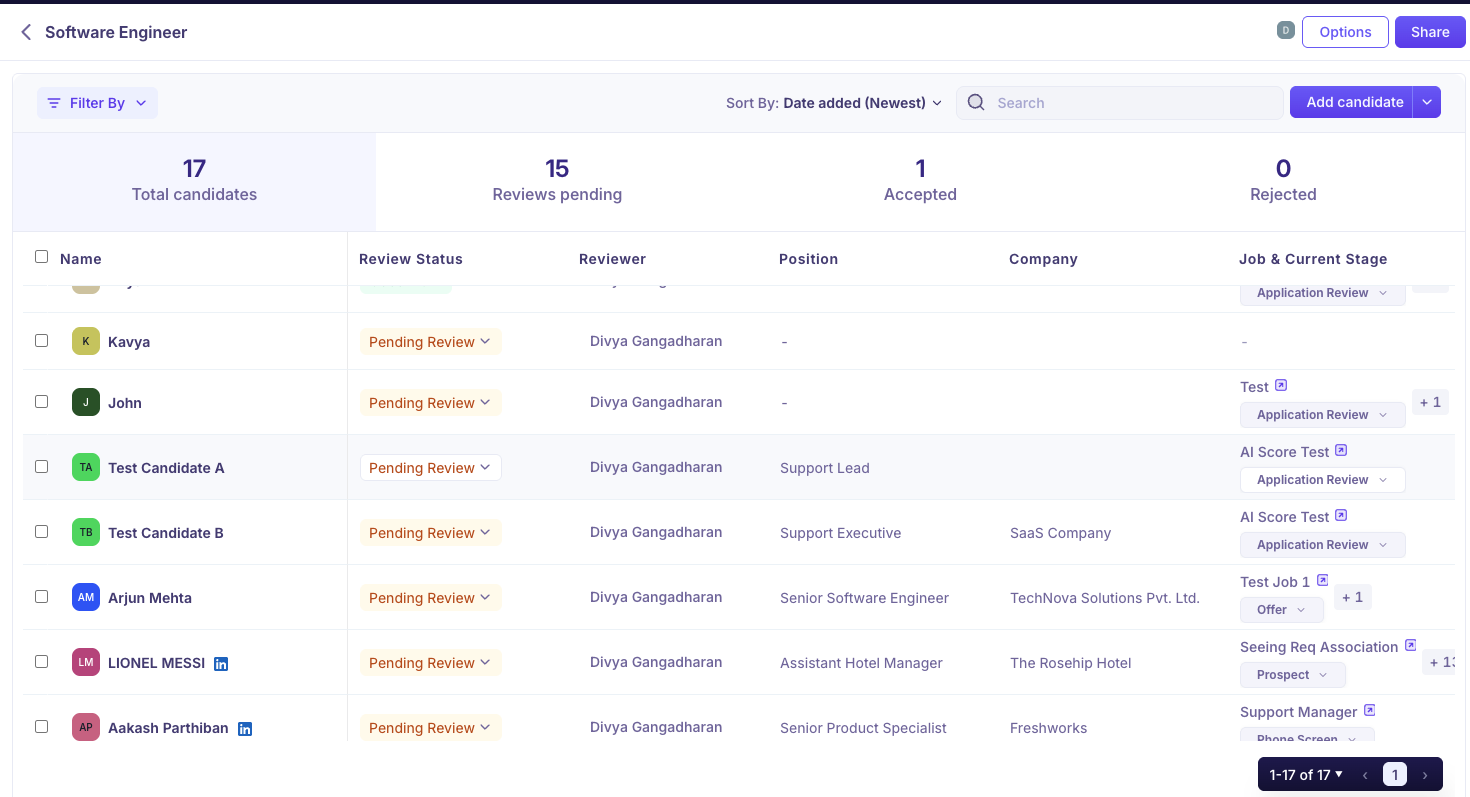
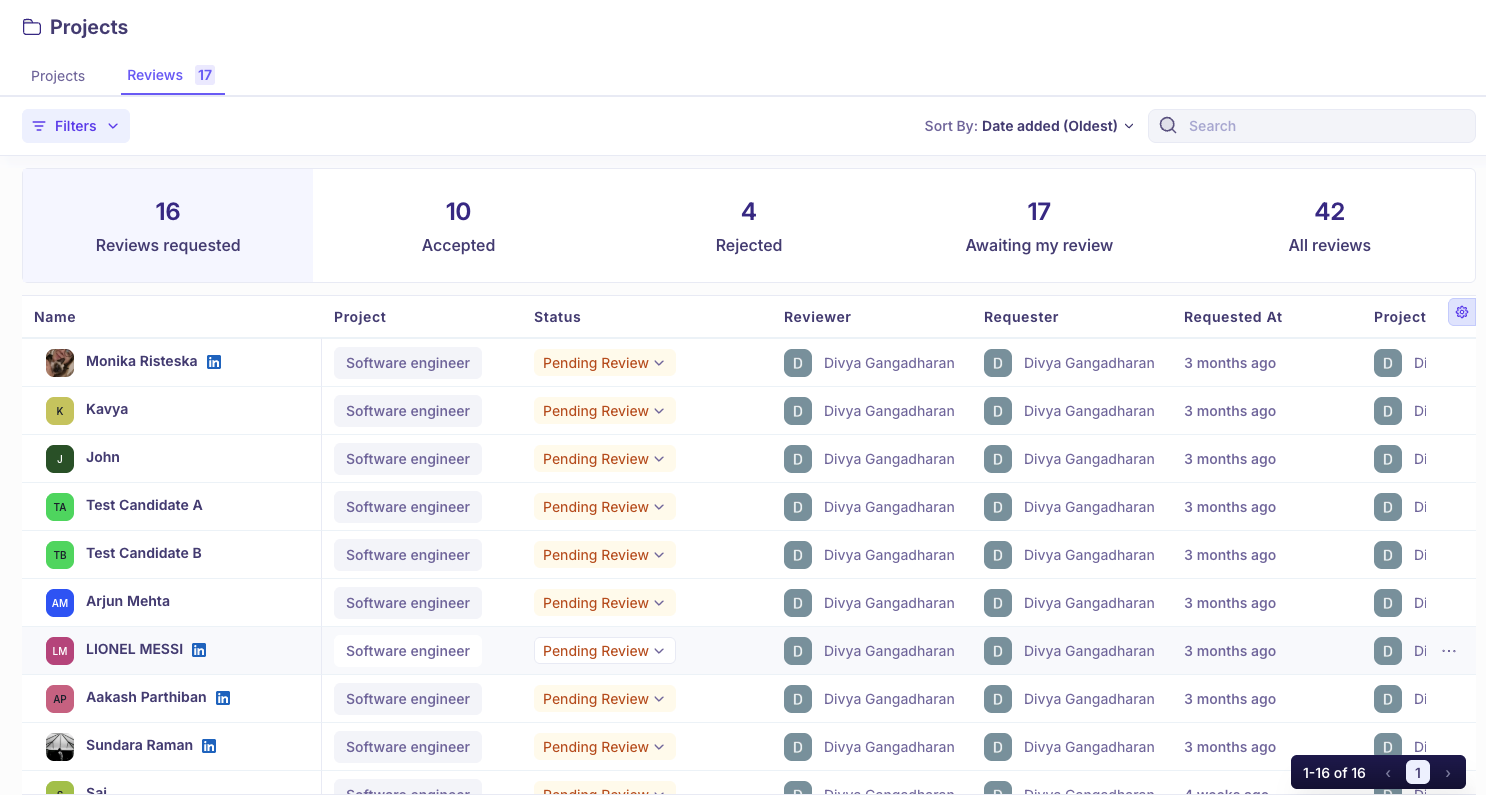
The Reviews tab beside Projects is your own review queue. The number on it is how many candidates are waiting for you to review — see Reviewing candidates in a project.
Who can see a project
Projects are invite-only. Someone sees a project only if one of these is true:
They are the project owner.
They have been added to it as a viewer or an editor.
They are a Super Admin or Admin, who can see and manage every project in the organisation.
Sharing is covered in Sharing a project and sending candidates for review.
Good to know
Organization Members cannot be added to a project at all. The role does not carry project access, so they will not appear in the viewer or editor dropdowns.
Every project must keep one owner. Kula blocks the change if you try to remove the last owner. Ownership starts with whoever created the project and can be transferred later.
Archiving is permanent and removes everyone's access. The confirmation dialog says the project "will be permanently blocked and everyone will lose access to it", and you must type
ARCHIVEto confirm. There is no un-archive action.Only the project owner, Super Admins and Admins can archive a project. Editors explicitly cannot — Kula states this on the Editor field itself.
There is no CSV export from a project. Candidates in a project cannot be exported to a file, and projects are not part of the organisation data export.
FAQ
If I add a candidate to a project, do they show up on a job?
No. A project sits outside your job pipelines. The candidate only appears on a job once they're added to one — for example, when a reviewer marks them Good Fit and the review was set to send them to a job. Can I share a project with an Organization Member?
No. That role doesn't carry project access, so they won't appear in the viewer or editor lists. They would need a role that can be added to projects, such as Hiring Manager.
Who can see a project I created?
You as the owner, anyone you've added as a viewer or editor, and Super Admins and Admins.
Can I get an archived project back?
No. Archiving is permanent, and everyone loses access to the project.
Can I export the candidates in a project?
No. There's no CSV export from a project, and projects aren't part of the organization data export.
For more, see Creating a project and adding candidates.
Need help? If you have questions or need assistance, reach out to us at support@kula.ai or use the in-app chat.