Job-level permissions and visibility
Last updated: September 14, 2026
Kula's access control works in two layers: your organization-level role (Super Admin, Admin, Recruiter, Hiring Manager, Organization Member, External Collaborator) sets your baseline permissions, and job-level scoping — hiring team membership and the Confidential flag — narrows or extends what you can actually see on a specific job. This article covers how those two layers interact.
Who can do this: By default only Super Admin and Admin have it; Recruiters don't. → Say: 'By default Super Admin and Admin have it. A Super Admin can add it to other roles in Settings → Roles & Permissions.'
Where to find it: Settings → Roles & Permissions for org-level roles. Jobs → [job] → Settings → Hiring Team and the Confidential toggle on the job's Job Info tab for job-level scoping.
The two layers, at a glance
Organization-level role — determines your baseline permissions: whether you can create jobs, view all jobs, view all candidates' private notes, and so on. Organization Members, by default, only have access to the Referral module — no job or candidate access at all unless given an elevated role (Super Admin, Admin, Recruiter, or equivalent).
Job-level scoping — on top of your role, most roles are further scoped to specific jobs via the hiring team. A Hiring Manager, by default, can only see the jobs and interviews they've been added to — not every job in the account.
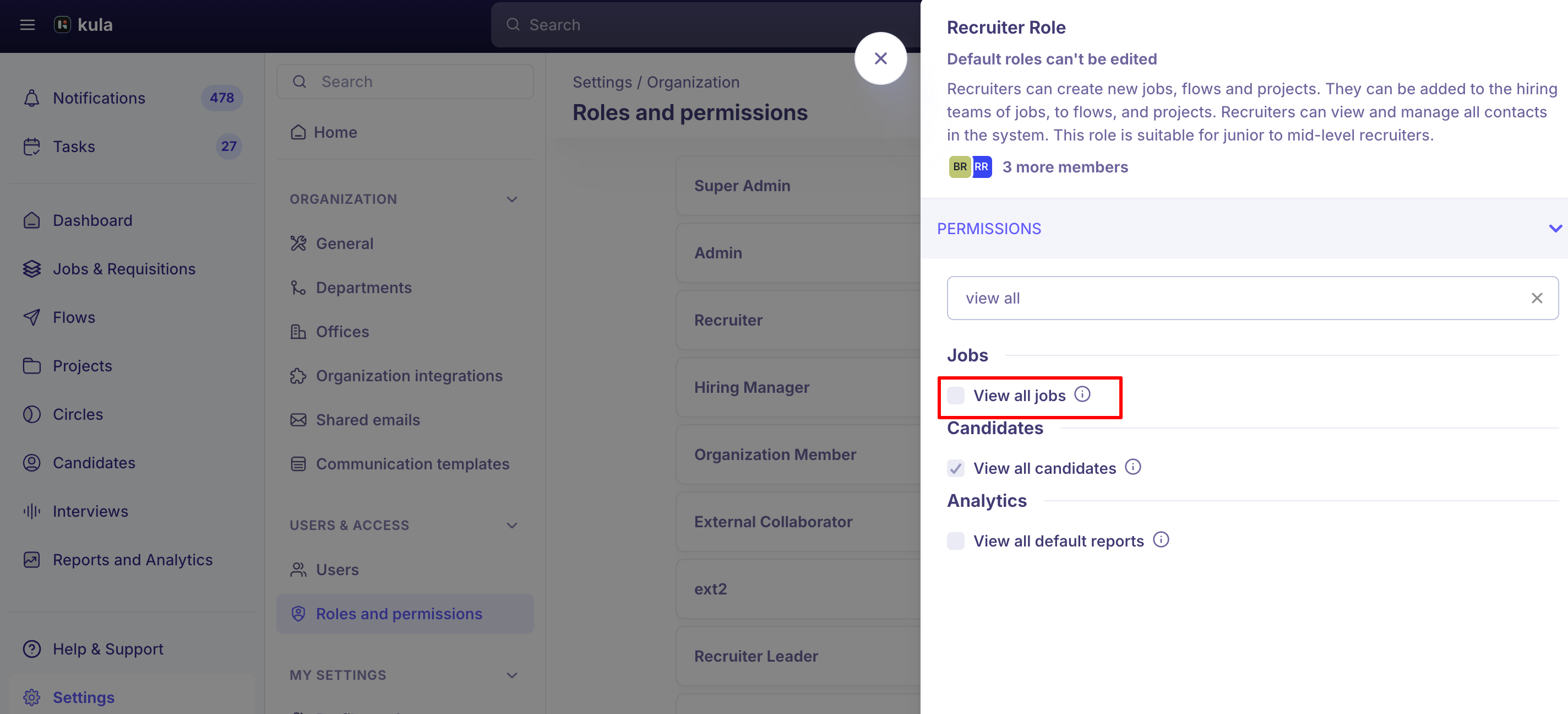
The "View all jobs" permission
This permission (available to Recruiter and above) gives read-only access to every job in the account, not just the ones you're on the hiring team for. Specifically:
On jobs where you're the creator: full access.
On jobs where you're part of the hiring team: access based on your hiring team role (Recruiter, Hiring Manager, Coordinator).
On every other job (via "View all jobs"): read-only access to the job and its candidates, including scorecards — but not offers. Offer visibility is governed separately and isn't extended by this permission.
Confidential jobs
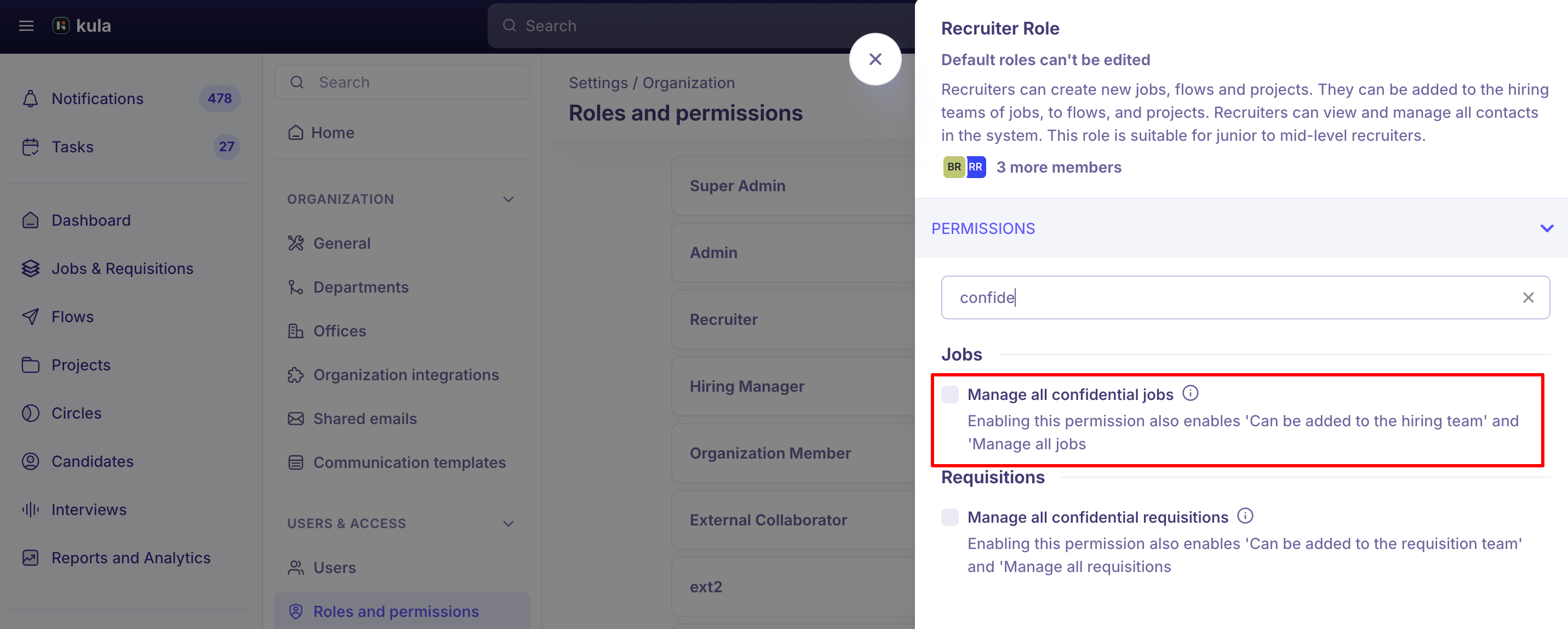
Marking a job Confidential removes it from career pages and job boards, and restricts who can view it in Kula.
A few real things worth knowing:
The Confidential option itself is hidden from the UI if you don't have the permission for it — Recruiters and Hiring Managers without confidential-job access won't see the toggle at all, rather than seeing it disabled.
Private notes
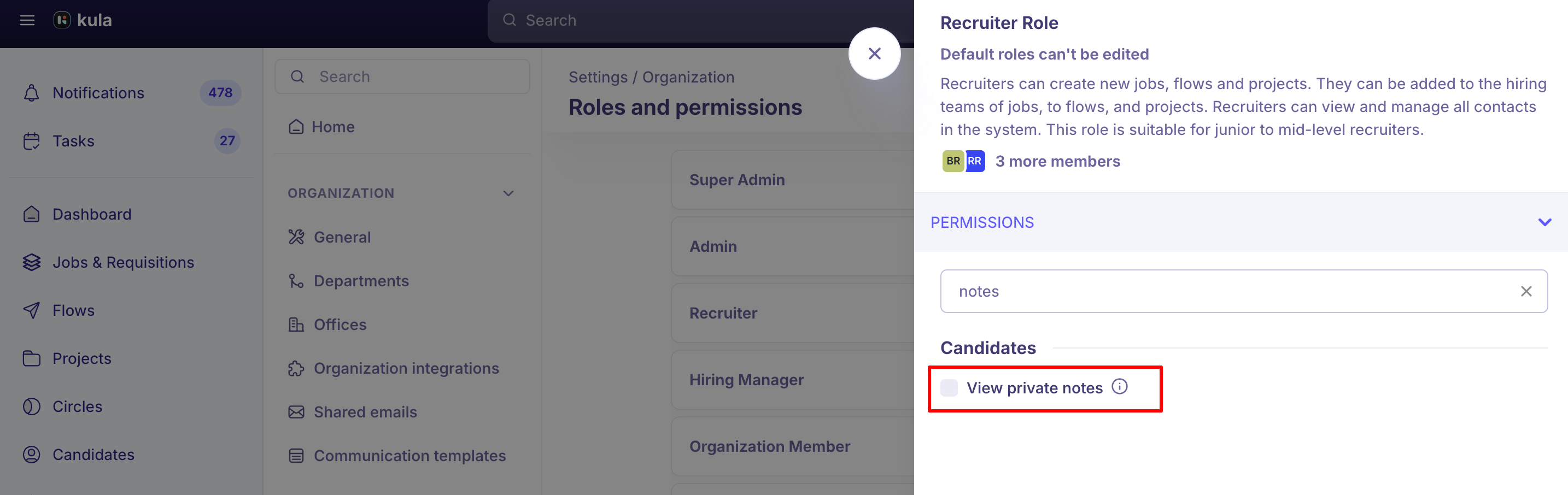
Whether someone can see private notes left on a candidate is controlled by a distinct permission ("View all private notes"), separate from general job or candidate access.
By default, this is enabled only for Super Admins — everyone else can only see private notes they authored themselves or were explicitly tagged in.
Scorecards and interviews
Hiring team membership overrides the account's Scorecard Visibility setting. That setting controls whether other interviewers can see each other's scorecards — it does not restrict what a Hiring Manager, Recruiter, or Coordinator can see for jobs they're formally on the hiring team for. Anyone on a job's hiring team has full access to that job's scorecards and interview recordings regardless of the account-wide setting.
Interviews can be individually marked Public or Private when scheduling, as a separate, per-interview visibility control — this is distinct from both job-level confidentiality and the account's scorecard-visibility setting.
Being on the hiring team for a job doesn't mean seeing every interview on it. A Hiring Manager only sees interviews they're directly involved in — scheduled, added as an interviewer, or assigned as a scorecard reviewer — not every interview happening on a job they're part of.
Good to know
"View all jobs" gives read-only access, and specifically excludes offers. Don't assume this permission is equivalent to full job access.
The Confidential toggle only appears in the UI for users who have permission to use it — if you don't see the option on a job you're creating, that's expected, not a bug.
Scorecard Visibility (account-wide) does not apply to hiring team members. If you need to restrict what a specific Hiring Manager sees, hiring-team membership and job-level access are what matter — the global scorecard setting only affects interviewers outside that job's hiring team.
There's no built-in audit view of who currently has access to a confidential job. Plan to track this manually via your role and hiring-team configuration if it matters for compliance.
FAQ
If I mark a job confidential, can I ever make it postable again? Yes — edit the job directly and uncheck Confidential. Cloning a confidential job does not clear the flag, so cloning isn't the way to un-confidential a job.
Does giving someone "View all jobs" let them see offers on jobs they're not part of? No. That permission grants read-only access to jobs and candidates, including scorecards, but explicitly excludes offer visibility.
Does our account's Scorecard Visibility setting restrict what a Hiring Manager on the hiring team can see? No. That setting only governs visibility between interviewers who aren't part of the job's hiring team. Hiring team members always have full scorecard and interview-recording access for their own jobs.
Can I stop a Hiring Manager from seeing candidates outside the jobs they're assigned to? Job-level visibility itself is correctly scoped by default, but the Contacts section is a separate candidate directory that isn't tied to job permissions — a Hiring Manager can still find any candidate's profile and resume there today. This is a known limitation, not currently configurable.
Can I see who has access to a confidential job? Not in the UI today — there's no built-in view listing everyone with access to a specific confidential job.
Can a job approver see the job before approving it, even without job permissions? Not automatically — they need independent job access or hiring-team membership to view the job. There's no temporary "view for approval only" access.
Who can see a private note I've marked private on a candidate? Only you, anyone you've explicitly tagged in the note, and users with the "View all private notes" permission — which defaults to Super Admins only.
Need help?
If you have questions or need assistance, reach out to us at support@kula.ai or use the in-app chat.