Setting up the Fraud Detector
Last updated: August 17, 2026
The Fraud detector examines candidates for the signs of fabricated identities and mass-submitted spam applications, and flags anything suspicious before your recruiters waste time on it. This article covers turning it on for your organisation.
Who can do this: Super Admin, Admin — and anyone on a custom role with the Manage fraud detector permission
Where to find it: Settings → AI & Kula teammates → Fraud detector
Before you start
The Fraud detector is an add-on. If its card on a job reads Unlock with Add-on, it isn't on your plan yet — contact Kula support to have it enabled before you come to this page.
What it does
When the Fraud detector runs on a candidate it monitors their application for fake email addresses, known fraud patterns and other suspicious activity. Each check returns one of three results, with a written breakdown you can open and read:
Result | What it means |
|---|---|
No issues | Nothing suspicious found. |
Inconclusive | Not enough signal to decide either way. |
Suspicious | Signals of a fake or fraudulent profile. |
It does not reject anyone on its own unless someone switches on auto-reject for a particular job. By default every result waits for a human.
Turn it on for your organisation
Go to Settings → AI & Kula teammates → Fraud detector.
Turn on Enable fraud detector.
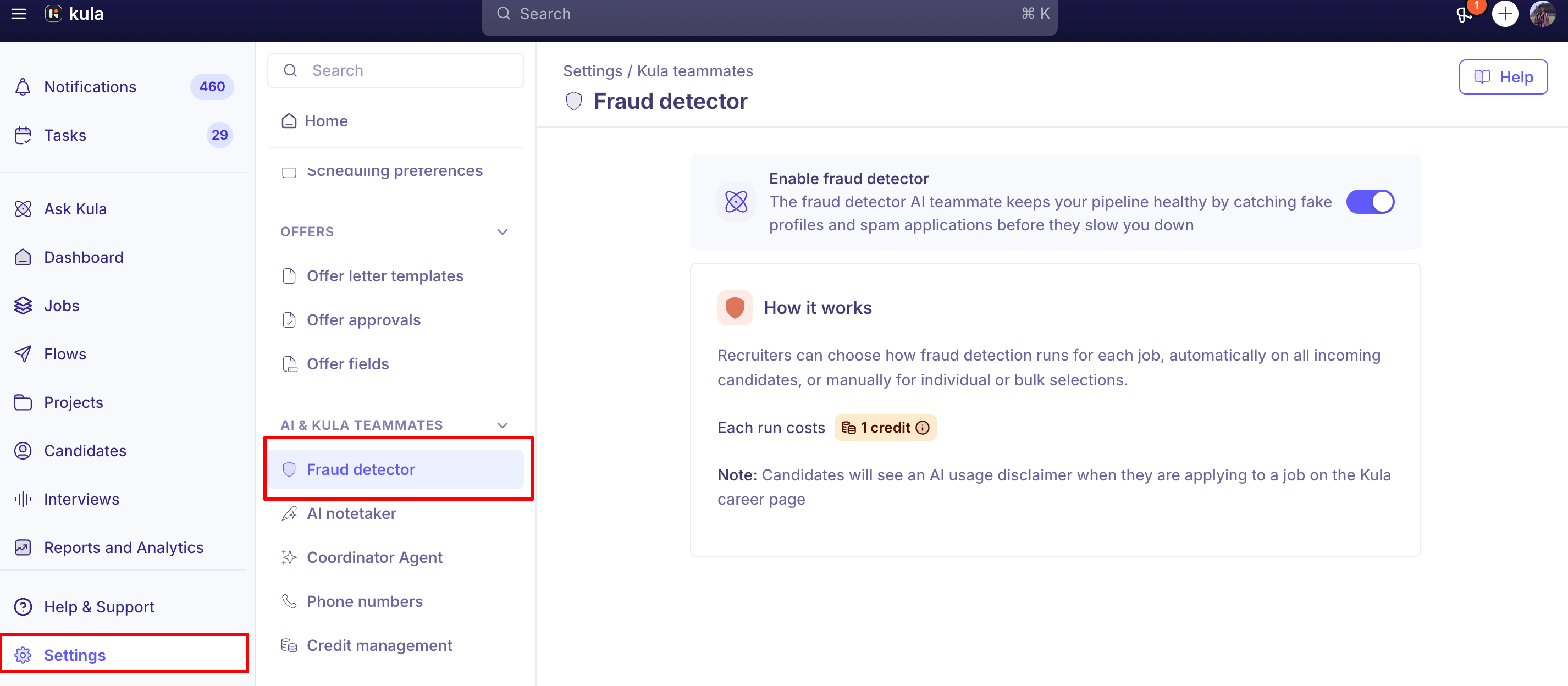
That's the whole organization-level setup — there is nothing else to configure here. The page confirms that each check costs 1 credit.
Turning this off stops the Fraud detector everywhere. Per-job settings are kept and start working again when you switch it back on.
Choose how it runs on a job
Enabling the Fraud detector here doesn't check anyone yet. It has to be added to each job you want it working on, where you choose whether it checks candidates automatically as they apply or only when someone asks — and whether suspicious candidates are rejected automatically.
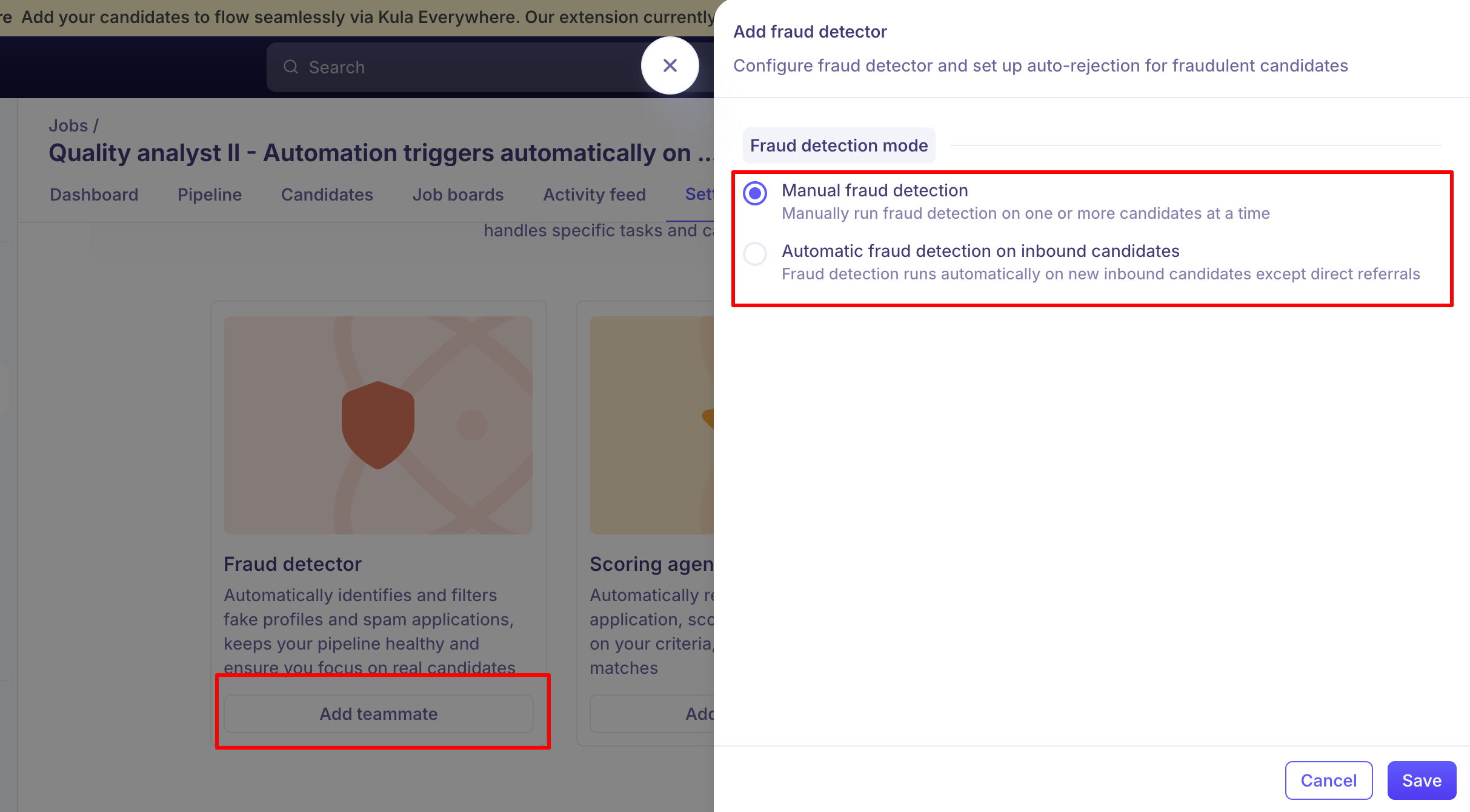
See [Adding AI teammates to a job].
Good to know
Each check costs 1 credit, including re-checks. When the balance runs out, checks stop with "Credit limit reached. Please contact your admin to add more credits."
To check your remaining credit balance, ask Kula support.
A candidate needs three things before a check can run: an email address, a resume, and a phone number including its country code.
Candidates see an AI usage disclaimer when applying through your Kula career page once the Fraud detector is enabled.
Recruiters cannot turn this on or off — it needs the Manage fraud detector permission, which sits on Super Admin and Admin.
FAQ
How do I unlock the Fraud Detector add-on? It's an add-on Kula enables per account, so it can't be turned on from inside the product. Use the in-app chat or email support@kula.ai. Once unlocked, an admin still has to switch on Enable fraud detector here before it appears on jobs.
Our fraud detection credits don't seem to be active — why can't we run checks? Three things stop checks: the add-on isn't unlocked, Enable fraud detector is off on this page, or your credit balance is spent. Check the setting first, then contact support@kula.ai to confirm your balance.
I've enabled it but nothing is being checked. Enabling it here only makes it available. It has to be added to each job before it checks anyone. See [Adding AI teammates to a job]
Will it reject good candidates by mistake? Not from this page. Auto-rejection is off unless someone turns it on for a specific job, and even then only candidates flagged Suspicious are rejected. Every result comes with a readable breakdown and can be overridden.
Need help? If you have questions or need assistance, reach out to us at support@kula.ai or use the in-app chat.