Transferring an application to another job
Last updated: September 17, 2026
If a candidate isn't right for the role they applied to but would be a fit elsewhere, you can transfer their application to a different job instead of starting them over from scratch.
Who can do this: Recruiter, Hiring Manager, Admin, Super Admin. External Collaborators can also transfer candidates, but only to jobs the candidates are not already part of.
Where to find it: Open the candidate's application (or find them in a job's candidate list) and click Transfer.
Transfer a candidate
You can access Transfer to another job from two places:
The Candidates tab in a job
The candidate’s job profile page
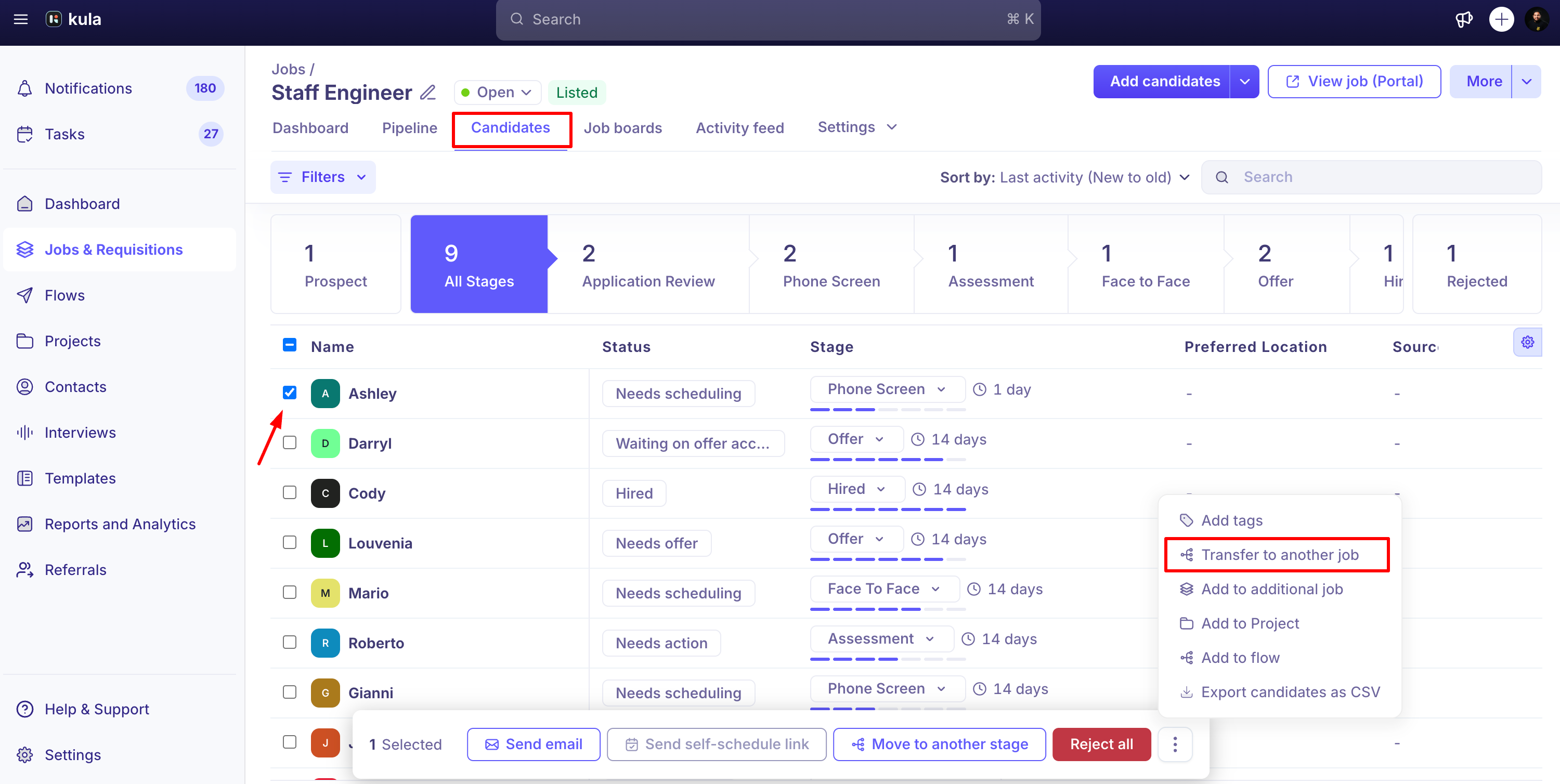
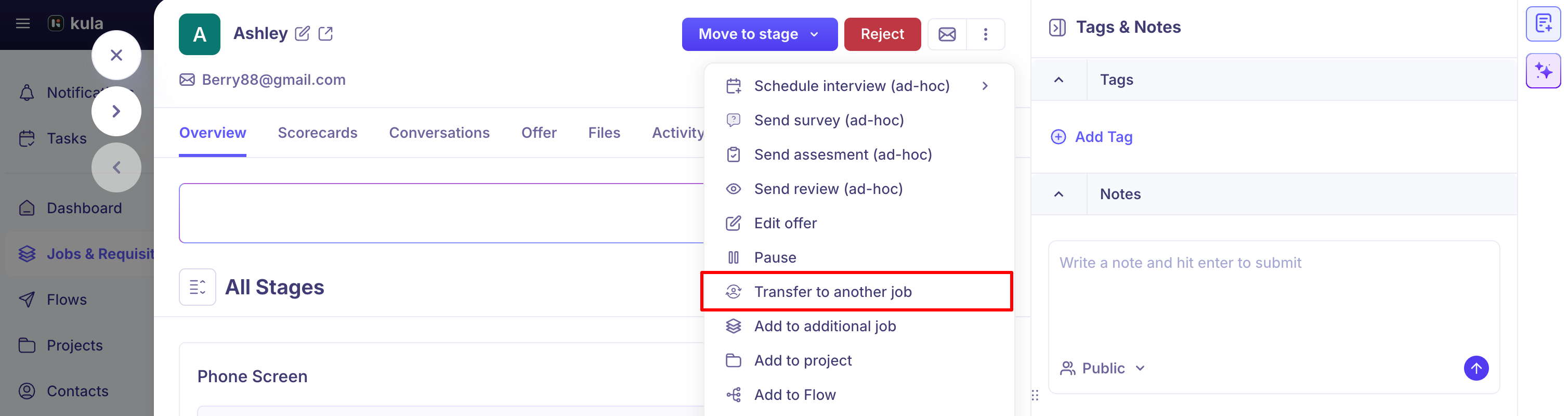
Open the candidate and click Transfer.
Pick the target job from the list (you can toggle to show open jobs only).
Choose which stage they should land at in the new job.
Confirm. If the candidate was Hired on the original job, you'll see an extra confirmation — transferring them reopens that original requisition.
What carries over, and what happens to the old job
Completed stages, interview feedback, and scorecards from the original job carry over with the candidate.
Any in-progress interview on the original job is cancelled, in the calendar and in Kula.
The candidate is removed from the original job — this is a move, not a copy.
A rejected candidate can still be transferred to another job.
Transfer more than once
You can transfer the same application multiple times, including moving a candidate back to a job they were on before — a loop like Job A → Job B → Job A is allowed, and each move lands them as a fresh application at whichever stage you pick. Even a move back to a job they've already been on.
Good to know
Transferring a hired candidate reopens the original requisition as open again.
You can transfer several candidates at once, not just one at a time.
FAQ
I transferred a candidate from one role to another, and now I want to transfer her back based on interview feedback — but it says she's already been transferred once. Why, and how do I move her back?
That restriction has since been lifted — you can now transfer a candidate back to a job they were on before. It lands as a fresh application at whichever stage you pick, and the same application can be transferred up to 10 times in total.
Need help?
If you have questions or need assistance, reach out to us at support@kula.ai or use the in-app chat.