Applications and their statuses
Last updated: September 25, 2026
An application is the record of one candidate being considered for one job. Every application has a stage, a status and an outcome. Together they tell you where the candidate is, what needs to happen next, and whether they're still in the running.
Who can do this: anyone who can see the job's candidates. Pausing, rejecting and reactivating need access to manage the job's candidates
Where to find it: a job's Pipeline and Candidates tabs, and every application a candidate has, on their profile
How an application is created
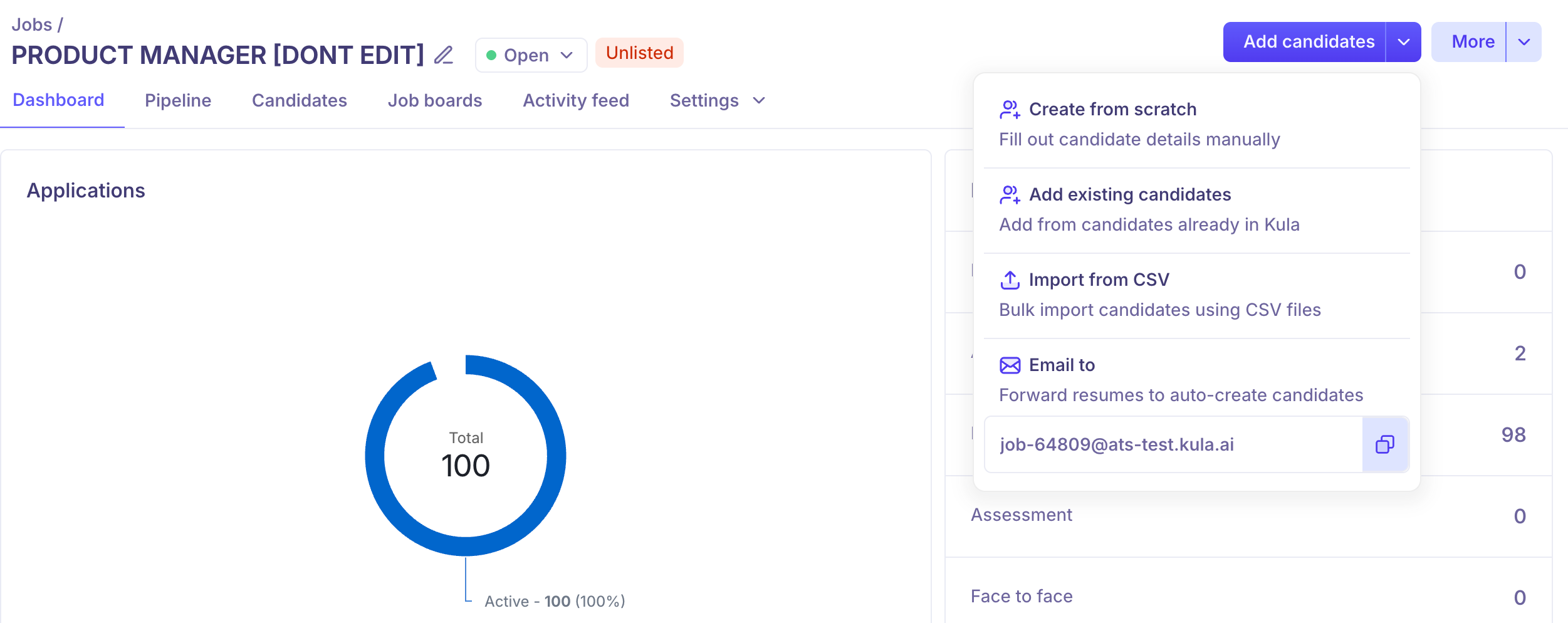
Kula creates an application whenever a candidate enters a job's pipeline:
They apply through your career page or a job board.
A recruiter creates them and adds them to the job, or adds an existing candidate.
They're imported from a CSV file.
Their resume is forwarded to the job's inbound email address.
Someone refers them.
A recruiter sources them through a Flow.
What an application holds
Item | What it is |
|---|---|
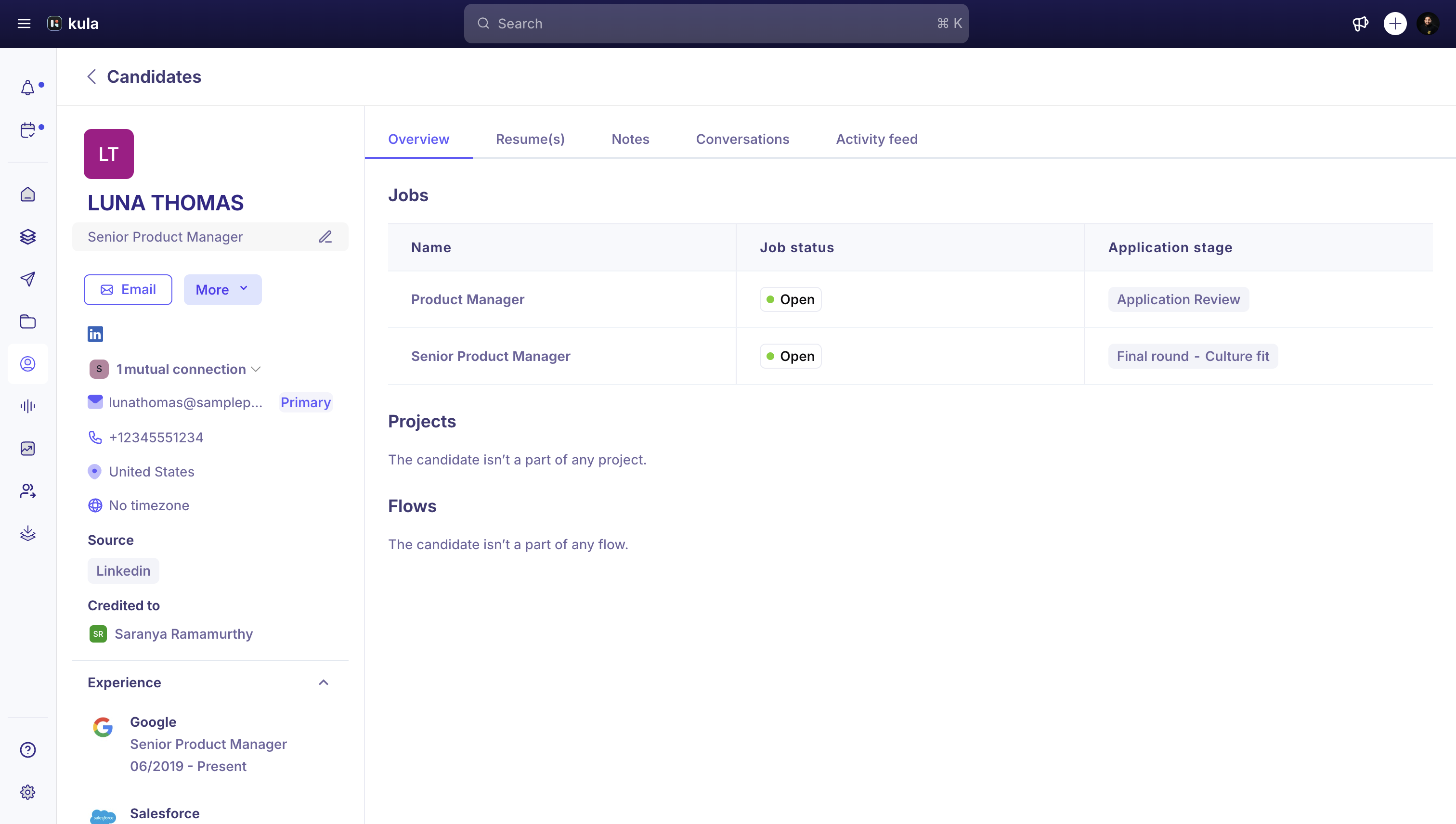
Stage | Where it sits in the job's pipeline, such as Application Review, an interview stage, Offer or Hired |
Status | What's pending in that stage, such as Needs scheduling or Needs decision. |
Source | How the candidate entered this job's pipeline |
Credited to | The user credited with bringing them in |
Application form answers | What they submitted when applying |
Application ID | A unique ID used in exports and reports |
Where you'll see applications
On the job's Pipeline tab, as a card in its stage's column
On the job's Candidates tab, as a row you can filter and sort
On your Dashboard, under Application Review, if it's waiting for review
In Reports and Analytics, in application-level reports
Application vs. candidate
Candidate | Application | |
|---|---|---|
Is | The person | That person's candidacy for one job |
Holds | Name, contact details, resume, skills, tags, education, experience | Stage, status, source, form answers, history for that job |
How many | One per person | One per job they're considered for |
Statuses
Kula sets the status for you, based on what's happening in the stage:
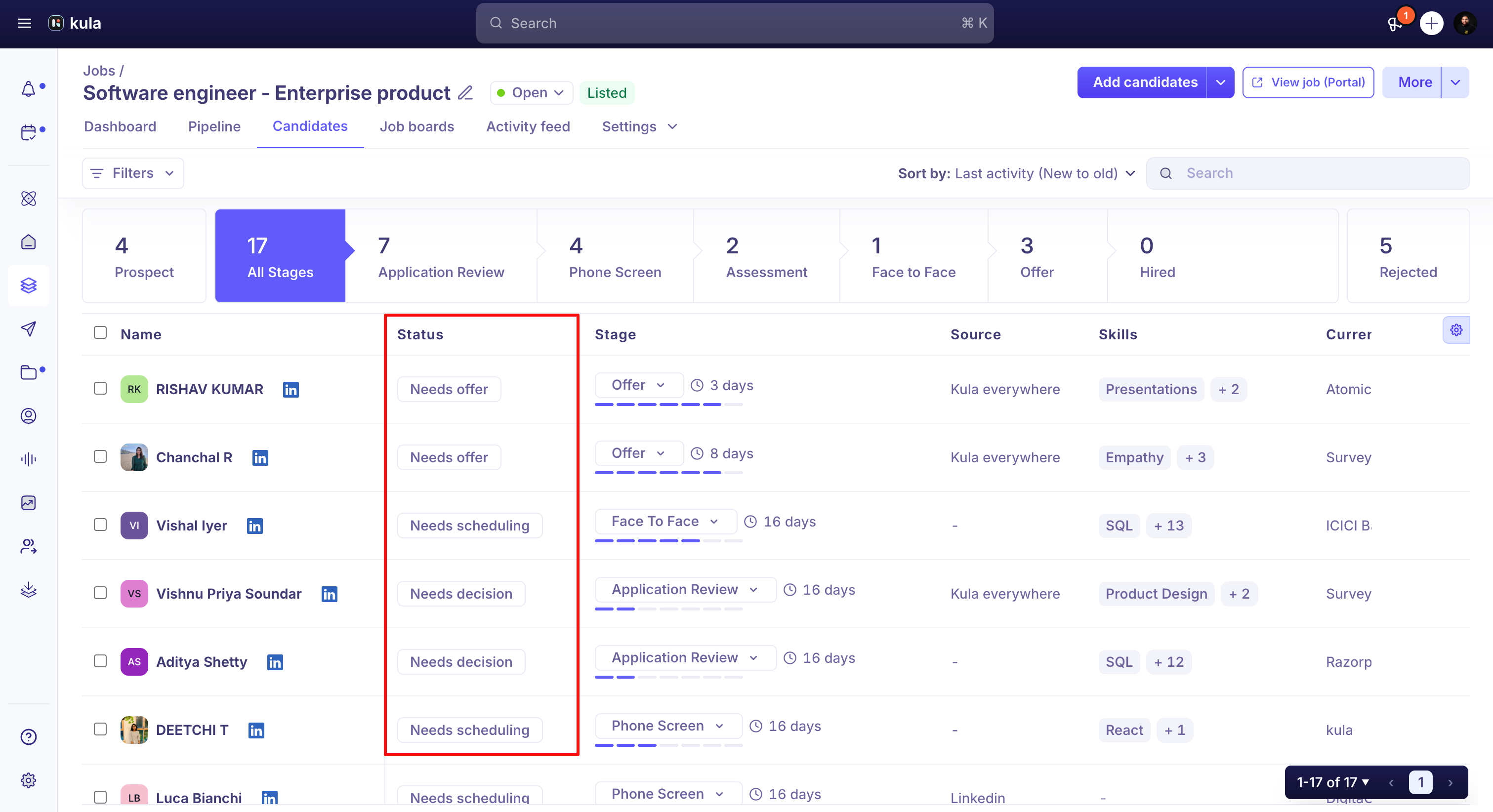
Status | Means |
|---|---|
Needs action | Something in this stage needs attention |
Needs scheduling | An interview needs to be scheduled |
Needs decision | Feedback is in and a decision is due. This is the default when nothing else applies |
Awaiting feedback | Waiting for interviewers or reviewers to submit scorecards |
Survey sent | A survey was sent and is waiting for a reply |
Needs offer | In the Offer stage with no offer created yet |
Waiting on offer acceptance | An offer was sent and the candidate hasn't responded |
Overdue | An activity is past its deadline |
Application outcome
Outcome | Means |
|---|---|
Active | Moving through the pipeline as normal. This is the default |
Paused | On hold until a date you set. The candidate keeps their stage |
Rejected | No longer being considered for this job |
Hired | Accepted an offer and was marked hired |
Pause and unpause a candidate
Pause someone who needs more time, for example to serve notice, or when hiring is on hold, without losing their place.
Open the candidate's application.
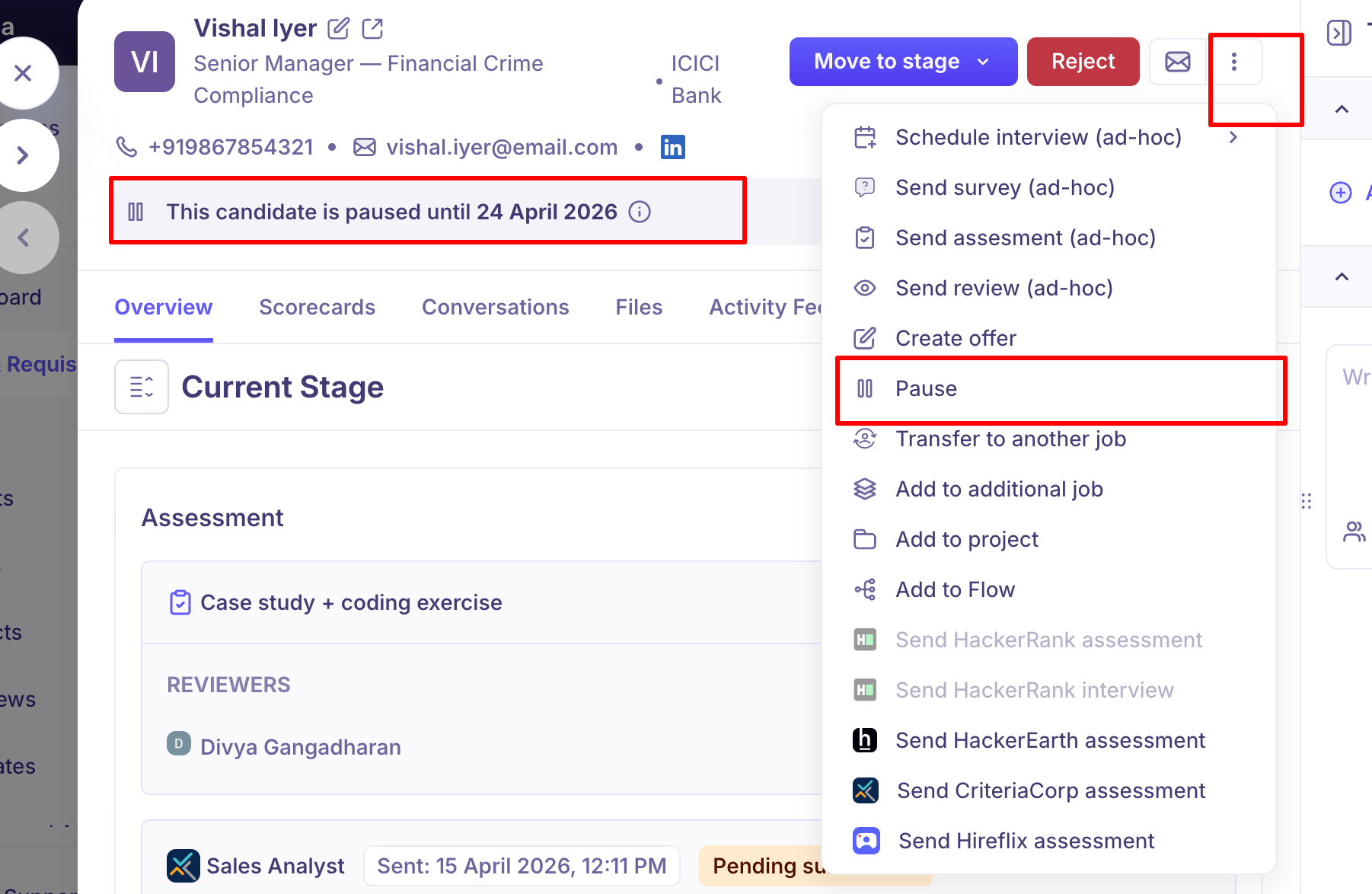
Click the ⋯ menu at the top right and choose Pause.
Choose how long: 1 week, 1 month, 3 months or a Custom date.
Enter a Pause reason (required) and click Pause.
A banner shows "This candidate is paused until [date]". Click Unpause to resume early, or wait: they're unpaused automatically on that date.
Reject or reactivate
Reject: click the red Reject button on the application, choose a reason and, optionally, send a rejection email. See Rejecting a candidate.
Reactivate: open the rejected application and use Reactivate. Their stage history, scorecards and notes are all kept.
Need Help?
If you have questions or need assistance, reach out to us at support@kula.ai or use the in-app chat.