Interviews
Last updated: May 19, 2025
The interview stage is crucial in the recruitment process, acting as the bridge between candidate screening and hiring decisions. Kula's Interview Analytics provides insights into the effectiveness and efficiency of your interview process.
Metrics Overview

Completed Interviews: Total number of interviews conducted within the selected timeframe, offering a snapshot of interview activity.
Interviewed Applicants: Tracks unique candidates who have been interviewed, helping assess coverage.
Average Time Spent Interviewing: Calculates the average duration of interviews, which is essential for evaluating process efficiency.
Visualizations
Completed Interviews Trend: A line chart showing the number of completed interviews over time, revealing patterns and bottlenecks.
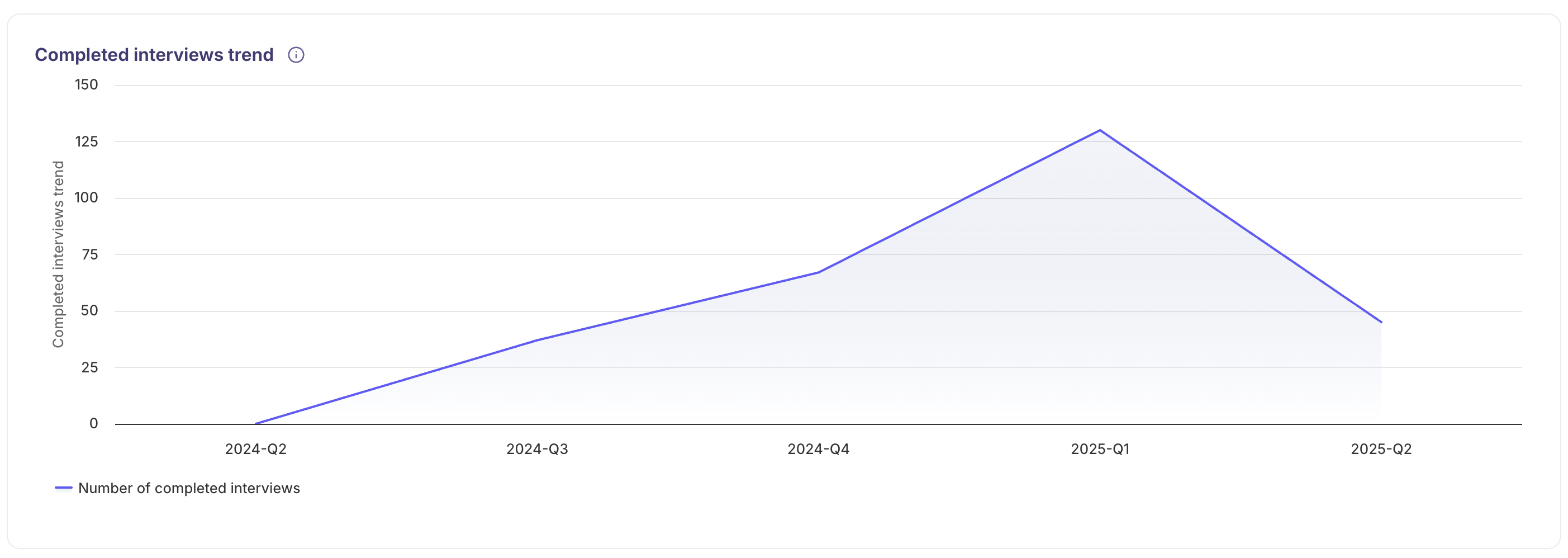
Note:
The above view displays the entire Interviews across all jobs & recruiters. To access detailed stage-level data, you can use the filters to select a specific Job name or Recruiter name.
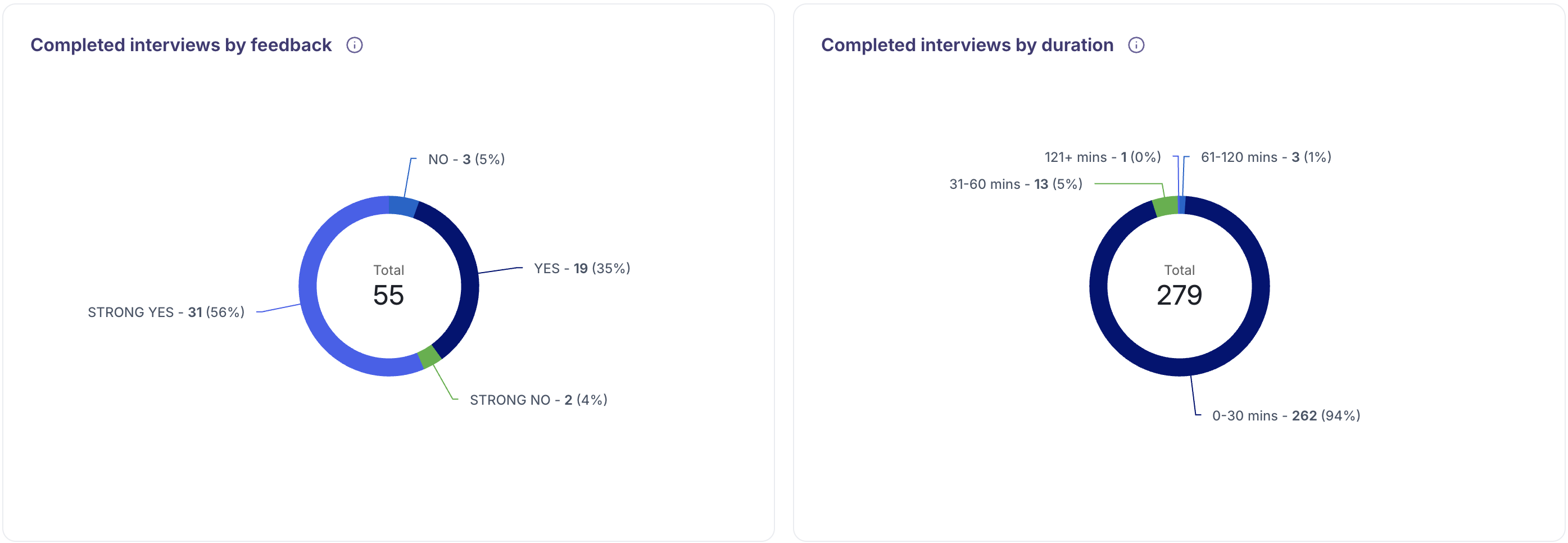
Completed Interviews by Feedback: A pie chart categorizing completed interviews based on feedback, providing insights into interview quality.
Completed Interviews by Duration: A pie chart displaying the distribution of interview durations to identify time allocation across different types.
Data Analysis & Breakdown
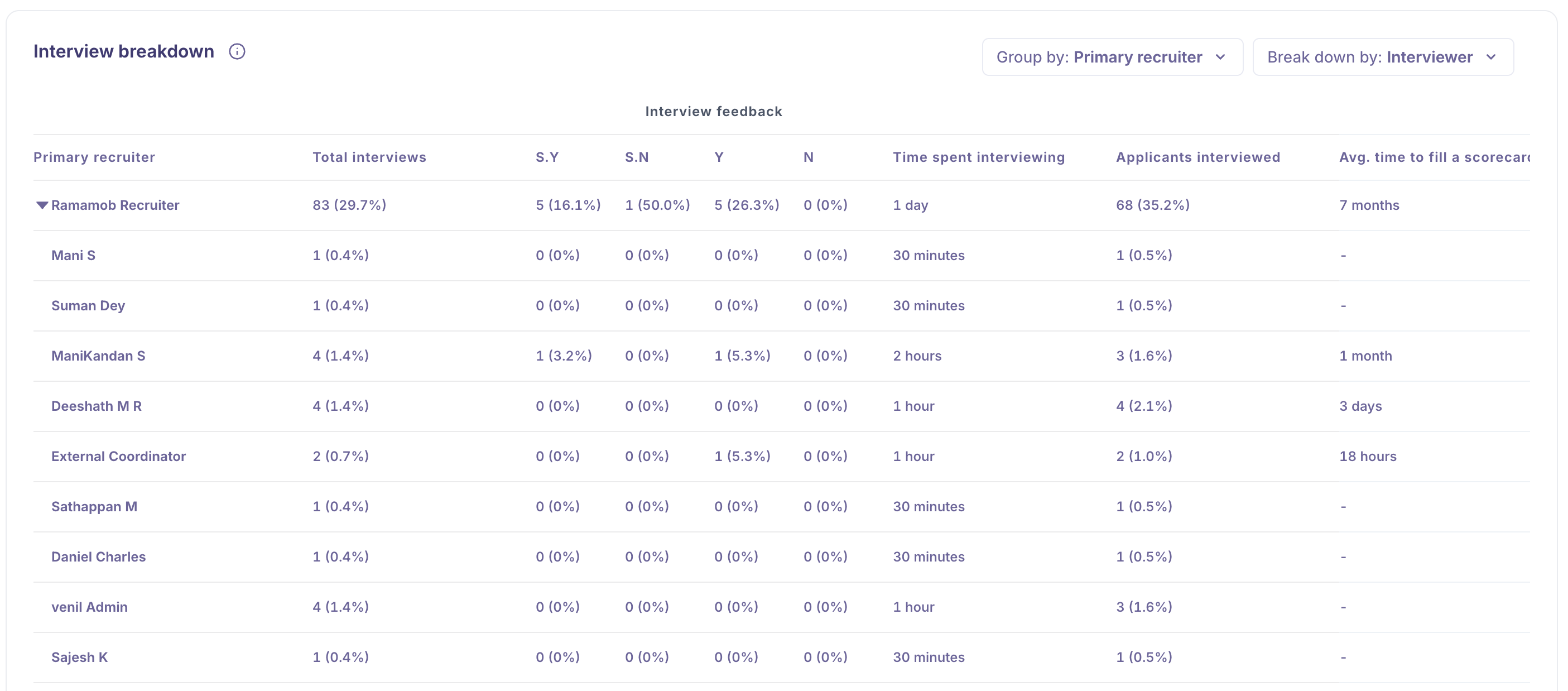
You can Leverage the Group By, Breakdown By filters to segment and refine your Interview data, enabling more detailed and actionable insights.
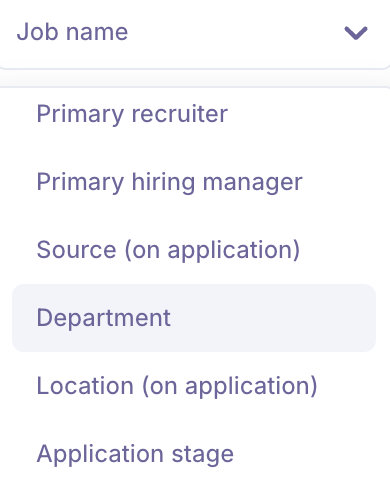
Group By feature allows you to organize and summarize data based on key attributes. This helps in identifying patterns, trends, and performance across different segments. You can group data by:
Job Name: View aggregated metrics for each job opening.
Primary Recruiter: Analyze performance and workload across recruiters.
Primary Hiring Manager: Evaluate hiring manager involvement and outcomes.
Source: Understand which candidate sources are most effective.
Department: Monitor hiring trends and performance by department.
Rejection Type: Identify the distribution of different rejection categories.
Rejection Reason: Gain visibility into the most common reasons for candidate rejections.
Breakdown By feature allows you to segment data based on specific attributes, providing deeper insights into the recruitment process. You can break down metrics by:
Job Name: Analyze performance and trends specific to each job opening.
Primary Recruiter: Evaluate recruiter effectiveness and workload distribution.
Primary Hiring Manager: Gain insights into hiring manager involvement and outcomes.
Source: Understand which sourcing channels are driving the most candidates.
Department: Assess hiring activity and efficiency across different departments.
Rejection Type: Identify common rejection patterns, such as candidate withdrawals or internal rejections.
Rejection Reason: Dig into the specific reasons candidates are being rejected to improve screening and selection criteria.
Interview BreakdownThe Interview Breakdown section provides a detailed overview of your team's interview activity and feedback trends within a selected time frame. This view helps you evaluate both the volume and quality of interviews conducted, enabling better data-driven hiring decisions.
What’s Included
Below are the key metrics included in the Interview Breakdown:
MetricDescription
Time
The date range you've selected for the breakdown view.
Total Interviews
Total number of interviews conducted during the selected time period.
S.Y / Y / S.N / N
A breakdown of interview feedback by rating:
• S.Y – Strong Yes
• Y – Yes
• S.N – Strong No
• N – NoTime Spent Interviewing
The total number of hours your team has spent conducting interviews.
Applicants Interviewed
The number of unique applicants who were interviewed.
Avg. Time to Fill a Scorecard
The average time it takes for an interviewer to complete their feedback after an interview.
Tip: Understanding Mismatches in Totals
You may sometimes notice that the sum of feedback ratings (S.Y / Y / S.N / N) does not match the Total Interviews count. Here’s why:
If the split is greater than the total interviews
→ This indicates panel interviews, where multiple interviewers have submitted feedback for the same session.If the split is less than the total interviews
→ This suggests that some interviews are missing evaluations, meaning feedback hasn't been submitted yet.
Date range
Analyze your recruitment pipeline over different periods:
Yesterday, 7 Days, 30 Days, 3 Months, 12 Months: Track short-term and long-term trends.
Custom: Define specific date ranges for tailored reporting.
Filters
Customize your reports using filters such as:
Job Name: Focus on specific roles.
Job Type: Analyze performance across full-time or contract roles.
Job Status, Department, Recruiter, Hiring Manager: Drill down on pipeline details based on team, job status, or management.
Source, Location, Application Stage: Understand the impact of application sources, candidate locations, and Application stages.
Functionalities
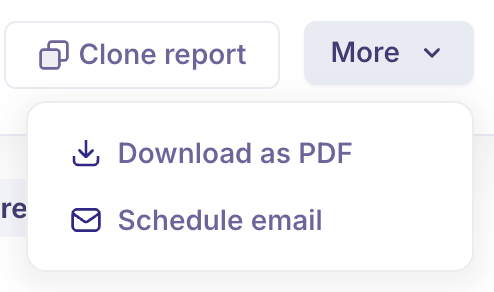
Download as PDF: Export and share your reports with stakeholders in a professionally formatted PDF.
Schedule Email: Automate report delivery at set intervals to ensure your team stays informed.
Clone Report: Easily duplicate existing reports for reuse or customization.
Refresh Date: Indicates the last time the report data was updated, helping you ensure you're viewing the most recent insights. Our Analytics data will be refreshed every 6 hours.
Use Case:
Why Recruiters Need the Interview Report: Real-Time Use Case
Use Case:
During a busy hiring cycle, a recruiting manager wants to evaluate how efficiently interviews are being conducted and the quality of those interviews. They need to understand if interviewers are providing timely feedback and whether interviews are resulting in strong candidate recommendations.
With Kula’s Interview Analytics, the recruiter can:
Track the total number of interviews completed and unique candidates interviewed to measure interview throughput.
Analyze interview duration trends to identify if interview times are optimized or overly long.
Review feedback breakdown (Strong Yes, Yes, No, Strong No) to gauge interview quality and consistency.
Spot missing or delayed feedback to ensure interviewers complete evaluations promptly.
Understand which jobs, recruiters, or hiring managers are driving effective interviewing.
Use rejection reasons and types to improve candidate screening and interview calibration.
Make informed decisions to streamline the interview process, improve candidate experience, and increase the chances of hiring the best-fit candidates.
FAQs
What key metrics does the Interview Report provide?
Completed interviews, interviewed applicants, average interview duration, and feedback ratings.How can I track interview volume over time?
Use the Completed Interviews Trend line chart for visual insights.What does feedback categorization show?
It displays interview quality through Strong Yes, Yes, No, and Strong No ratings.Can I analyze interview data by job or recruiter?
Yes, use Group By and Breakdown By filters for detailed segmentation.How do I identify if feedback is missing?
Compare total interviews with feedback counts; discrepancies indicate missing evaluations.Why track average time spent interviewing?
To assess efficiency and identify opportunities to optimize interview length.Can I filter interview reports by department or job type?
Yes, filters allow granular analysis based on job, department, recruiter, and more.How often is interview data refreshed?
Analytics data refreshes every 6 hours for up-to-date reporting.Can I share or automate Interview Reports?
Yes, export as PDF, schedule emails, or clone reports for recurring use.