Current Job Pipeline Report
Last updated: March 11, 2026
The Current job pipeline report gives you a snapshot of where applicants are in your hiring process at the latest data refresh.
Unlike Pipeline history, which tracks candidate movement over time, this report shows only the current distribution of applicants across your pipeline.
You can use this report to understand how many applicants are in each stage group, how long they have stayed there, and how that workload is distributed across open jobs. This helps you identify stalled pipelines and decide where to focus your hiring efforts.
Path: Reports and analytics > Current job pipeline
What the Report Shows
The report contains three main sections:
Metric cards
Pipeline chart
Breakdown table
Metric Cards
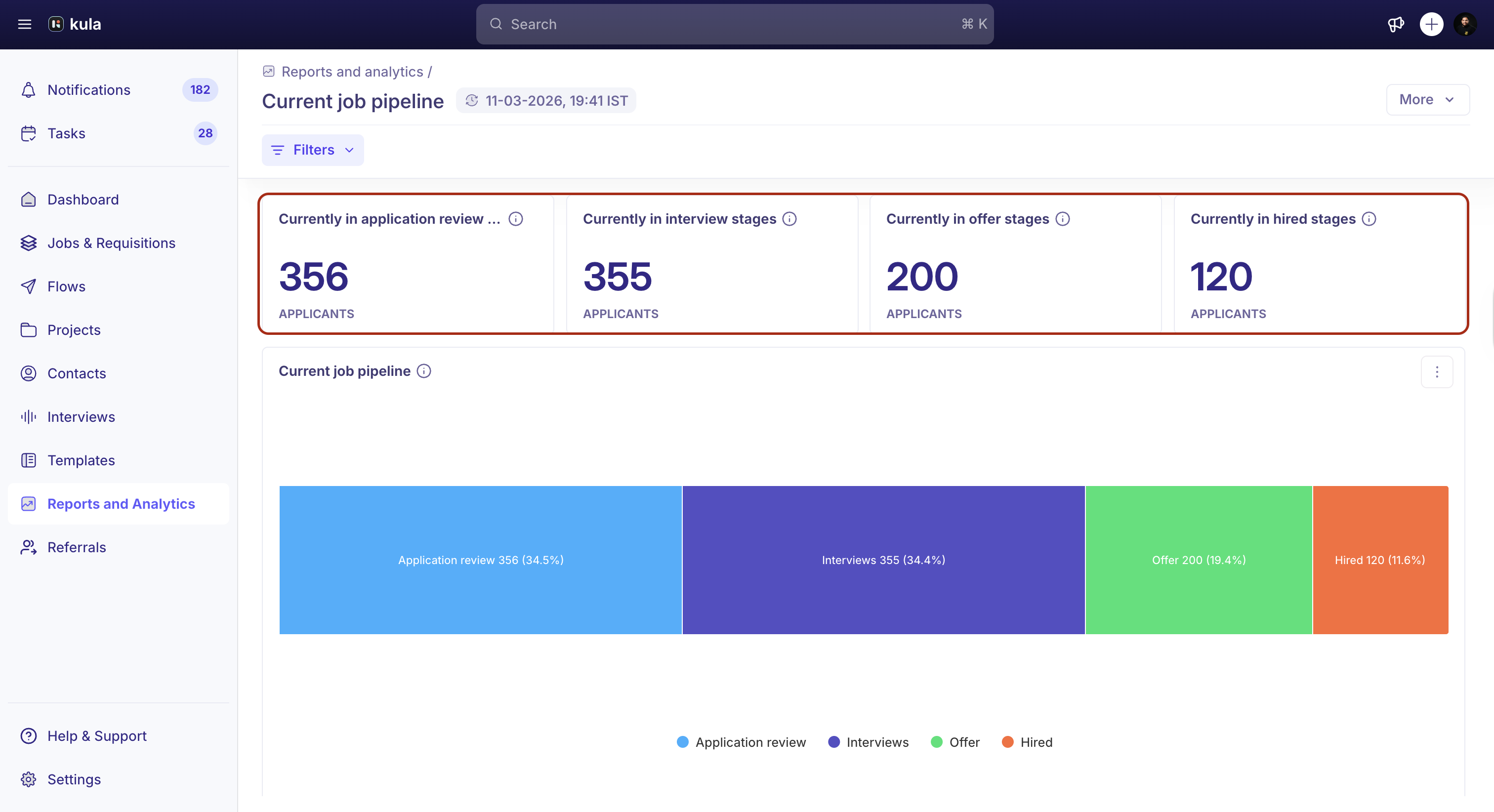
The metric cards at the top show the number of applicants currently in each stage group.
The available metrics include:
Currently in application review stages – The number of applicants in any application review stage
Currently in interview stages – The number of applicants in any interview stage
Currently in offer stages – The number of applicants in any offer stage
Currently in hired stages – The number of applicants in hired stages
To view it stage-wise, you can apply a filter using the job name.
Pipeline Chart
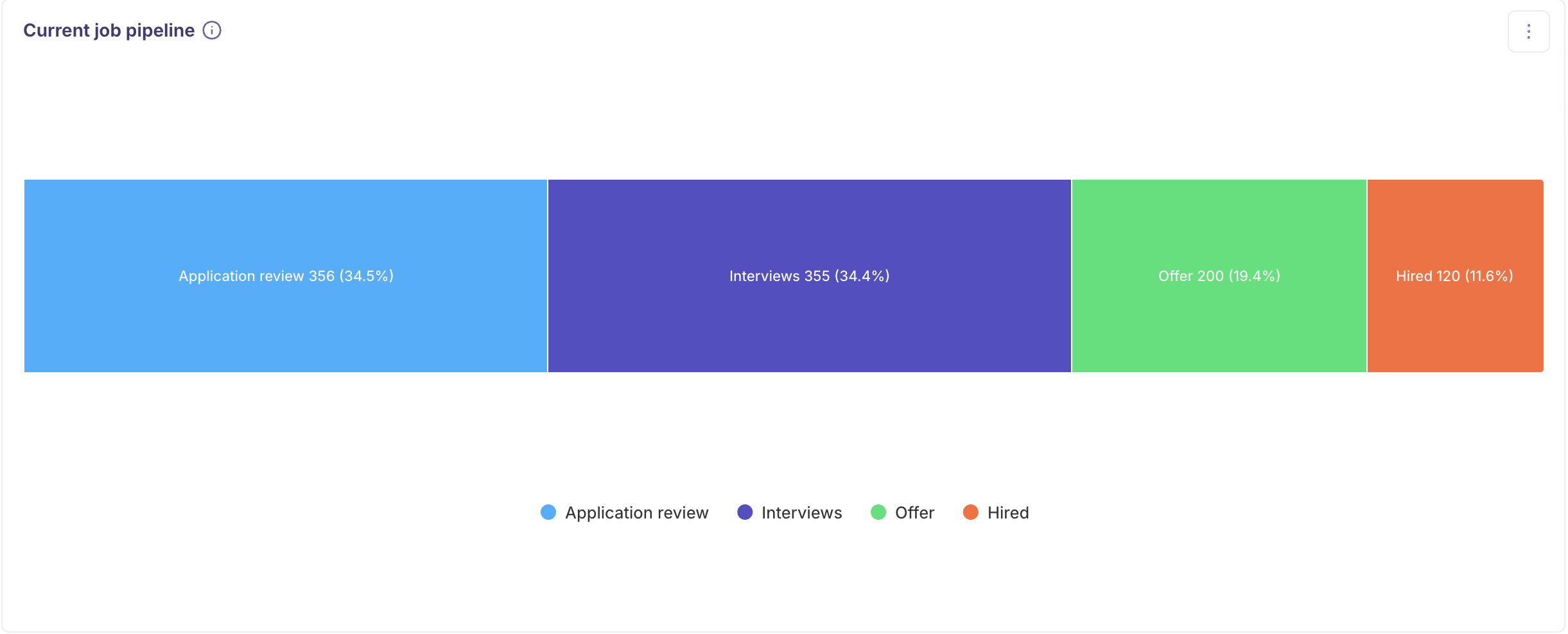
The pipeline chart displays your hiring pipeline as a proportional bar chart.
Each segment represents a stage group and shows:
The number of applicants
The percentage of applicants in that stage group
This view helps you quickly understand how candidates are distributed across the pipeline.
Breakdown Table
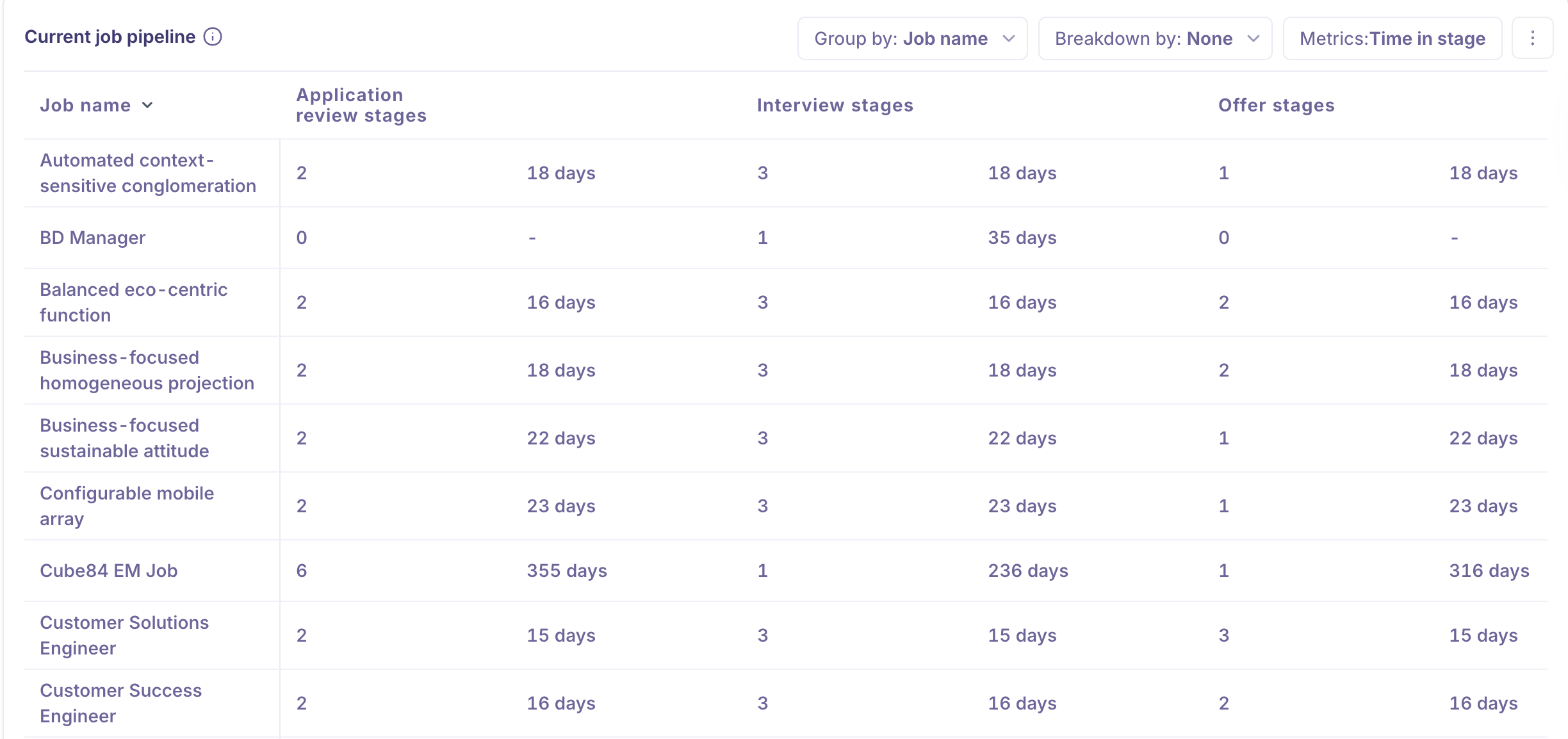
The breakdown table provides a detailed view of your pipeline with applicant counts and time in stage for each stage group.
Use the controls above the table to customize how the data appears.
Group by
Choose how rows are grouped in the table. Available options include:
Job name
Primary recruiter
Primary hiring manager
Source
Credited to
Department
Office
Application creator
Breakdown by
Add a secondary dimension to further split the rows.
Available options:
None
Job name
Primary recruiter
Primary hiring manager
Source
Credited to
Department
Office
Application creator
Metrics
The Current job pipeline report supports the following metric:
Time in stage
To view it stage-wise, you can apply a filter using the job name.
Filtering the Report
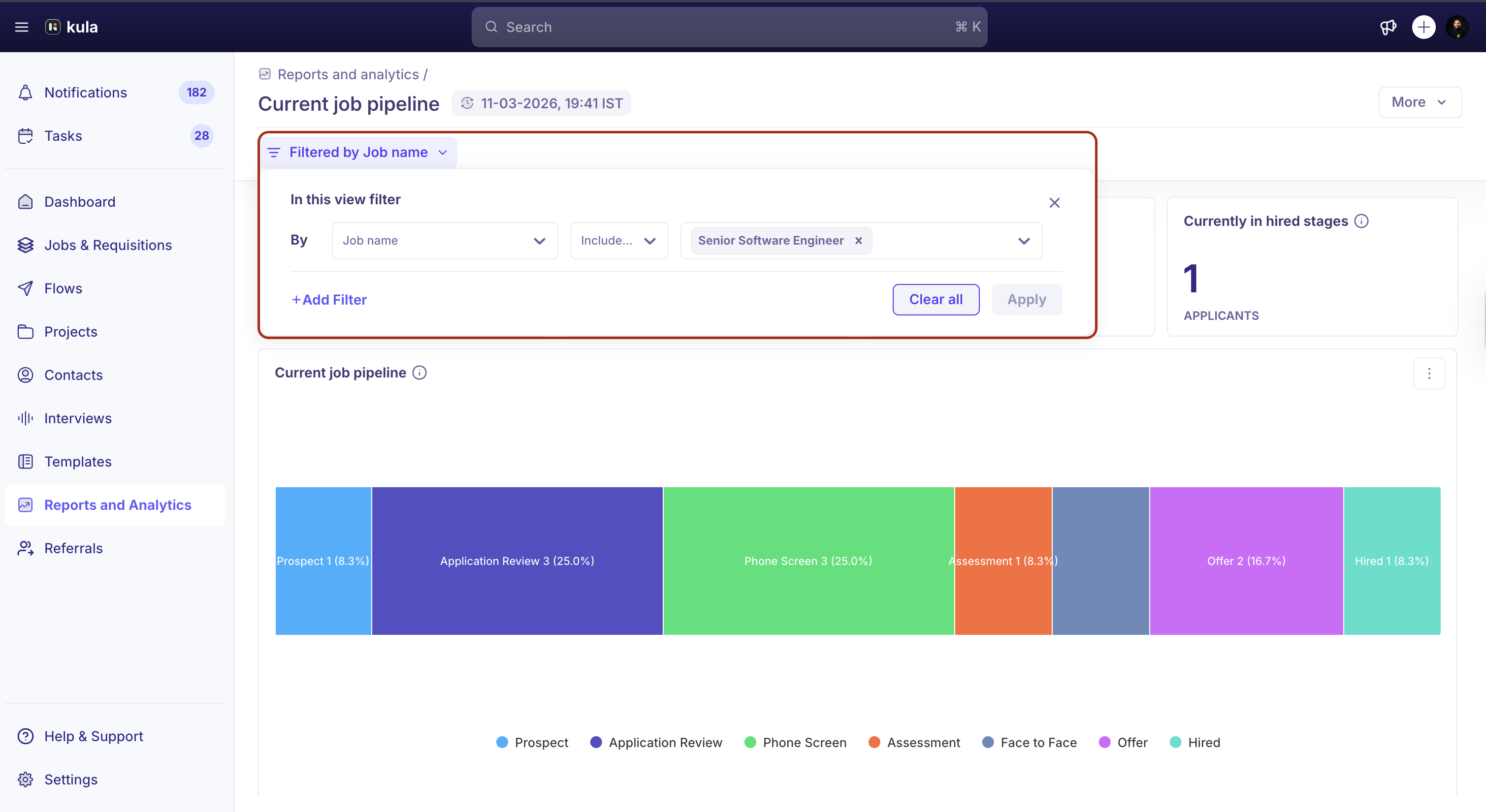
Use the filters at the top of the report to narrow the data based on specific criteria.
Available filters include:
Job name
Job type
Time in stage
Overdue candidates
Primary recruiter
Primary hiring manager
Source (on application)
Credited to
Department
Office
Application creator
Note: If you filter the report by a single job, the Current job pipeline displays applicants across all stages within that job, not just stage groups.
Exporting and Sharing the Report
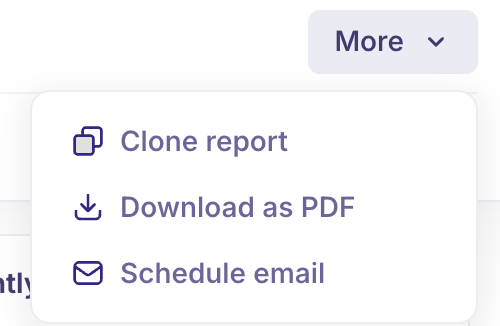
To export or share the report:
Click More in the top-right corner.
Select Download PDF to export the report.
Select Schedule email to send the report to your team on a recurring schedule.
This allows you to keep stakeholders updated on pipeline health and candidate distribution across hiring stages.
Clone a report
You can also clone a report to personalise the filter and save it for your custom view as a dashboard.
Need Help?
If you have questions or need assistance with setup, feel free to reach out to us at support@kula.ai or use the in-app chat for assistance.