Tracking changes on a job
Last updated: September 7, 2026
Every edit to a job's core details — its description, department, salary, dates, and more — is logged automatically in that job's Activity feed, so you always have a record of what changed, and when.
Who can do this: Anyone with access to the job can view its Activity feed — typically the Hiring Manager, Recruiter, and assigned interviewers on that job.
Where to find it: Open a job — Activity feed is one of the top-level tabs, alongside Dashboard, Pipeline, Candidates, and Settings.
What gets logged automatically
Kula logs an activity feed entry whenever any of these job-level fields are changed and saved:
Job description
Department (only when it's changed after being first set — not on the initial selection)
Work type (employment type)
Experience level
Education requirement
Open date, close date, and start date
Confidentiality status
Skills (added or removed)
Offices (added or removed)
Salary type, value, or currency
Custom fields (added, removed, or their value changed)
Job-level attribute changes — including when an attribute is reordered, added, deleted, or edited — are captured the same way, whether that attribute affects AI scoring or not.
Good to know
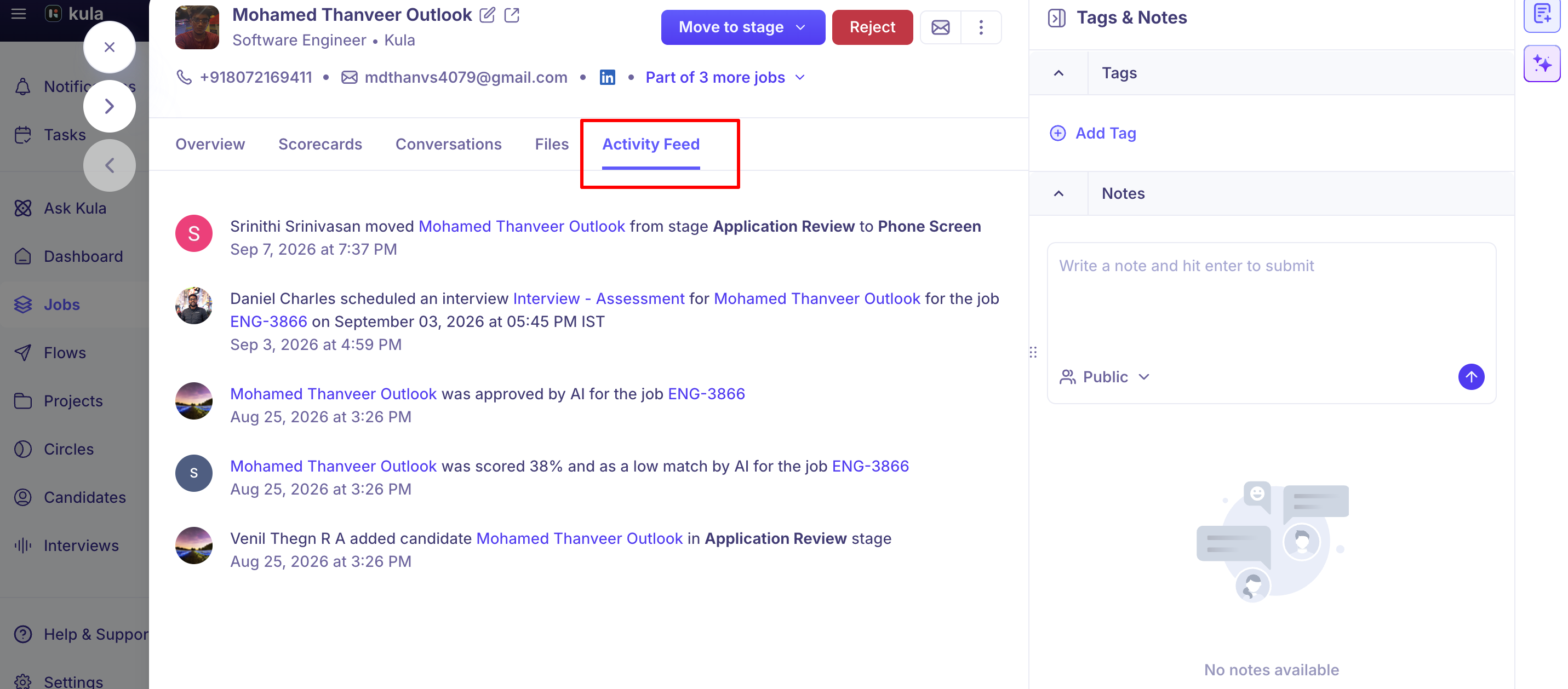
The job Activity feed shows administrative and job-record changes — not everything a hiring manager does with a candidate. Things like moving a candidate to a new stage, rejecting them, or submitting a scorecard don't appear in the job-level Activity feed today. That detail lives on the individual candidate's own activity timeline instead — see "Candidate activity timeline." This is a known, current gap, not a setting you're missing, and it's been raised with Product.
This is different from the Activities section on the Job Dashboard. The Dashboard's Activities section is a compact, at-a-glance summary scoped to what's shown there; the Activity feed tab covered in this article is the complete, dedicated log for the job. See "The Job Dashboard."
It's also different from your personal Notifications, and from the account-wide Recent activities log. Notifications alert you individually to things like scorecards or approvals; Recent activities is a system-level log of bulk operations (bulk candidate actions, CSV exports, bulk emails) across your whole account, not scoped to one job. See "Notifications & activity feed."
Adding a candidate now records which stage they were added to. If you add a candidate directly into a specific stage rather than the default first stage, the job's Activity feed reflects that stage at the time of entry.
Auto-rejections are logged too. When a candidate is automatically rejected — for example, by a knockout question or AI scoring rule — that shows up in the job's Activity feed as well, not just on the candidate's own record.
If a candidate is transferred between jobs, each job keeps its own activity trail, and activity recorded on a transferred candidate is grouped under that transfer in the feed rather than mixed in with the job's regular timeline.
FAQ
If I change a job's salary or close date, is that tracked anywhere? Yes — the job's Activity feed logs changes to salary (type, value, and currency), open/close/start dates, and most other core job fields automatically, with no extra step needed.
Why can't I see that a hiring manager rejected a candidate in the job's Activity feed? Candidate-level actions like stage moves, rejections, and scorecard submissions aren't shown in the job-level Activity feed today — only administrative and job-record changes are. Check the candidate's own activity timeline for that detail instead. This is a known limitation currently with our Product team.
A colleague renamed a job and now I see what looks like two different roles — what happened? Nothing was duplicated. A title or description change is logged in the Activity feed, so you can open it to see the job's full edit history and confirm it's the same underlying job under a new name.
Does the Activity feed log when a custom field value changes? Yes — adding, removing, or changing the value of a job-level custom field is logged the same way as the other tracked fields.
Is there a difference between the Job Dashboard's activity section and the Activity feed tab? Yes — the Dashboard shows a scoped, summary view of recent activity; the Activity feed tab is the complete, dedicated log for everything tracked on that job.
Need help?
If you have questions or need assistance, reach out to us at support@kula.ai or use the in-app chat.