Pipelines
Last updated: May 19, 2025
Pipeline Analytics in Kula offers a comprehensive view of your recruitment pipeline, helping you monitor and optimize candidate progression through various stages. By understanding key metrics, utilizing advanced filters, and customizing timeframes, you can make data-driven decisions to enhance your hiring outcomes.
Metrics Overview

Applied: Total number of candidates who applied, providing an initial view of your talent pool.
Interviewed: Number of candidates who moved to the interview stage, showing the effectiveness of your screening process.
Received a Job Offer: Candidates who reached the offer stage, indicating the success of your selection process.
Hired: Number of candidates who accepted offers and joined, measuring recruitment success.
Funnel View
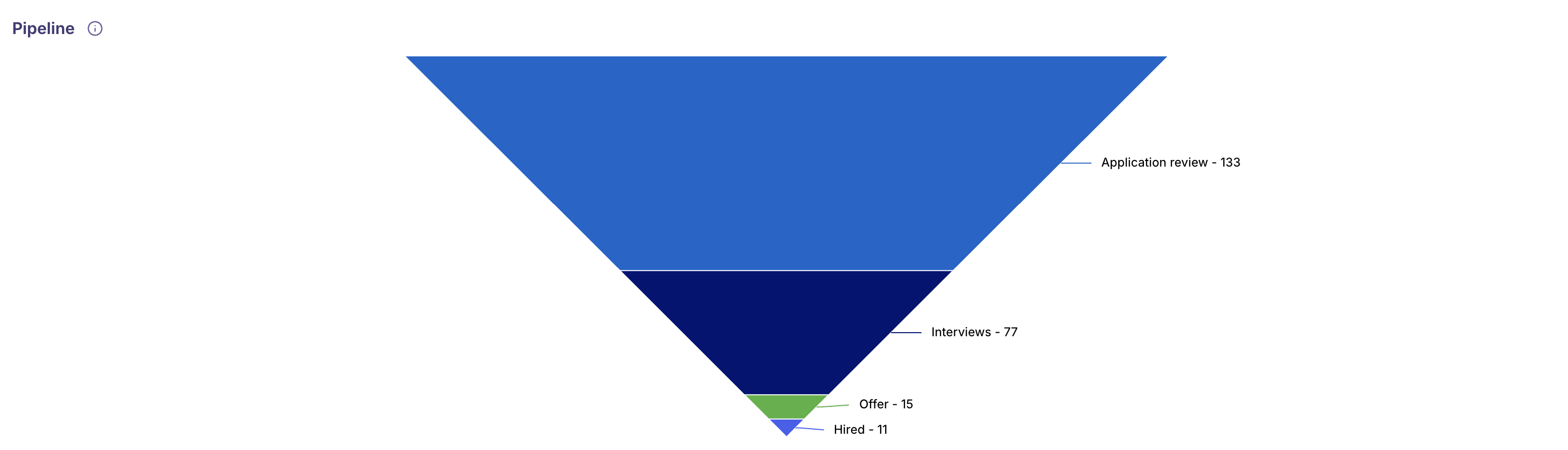
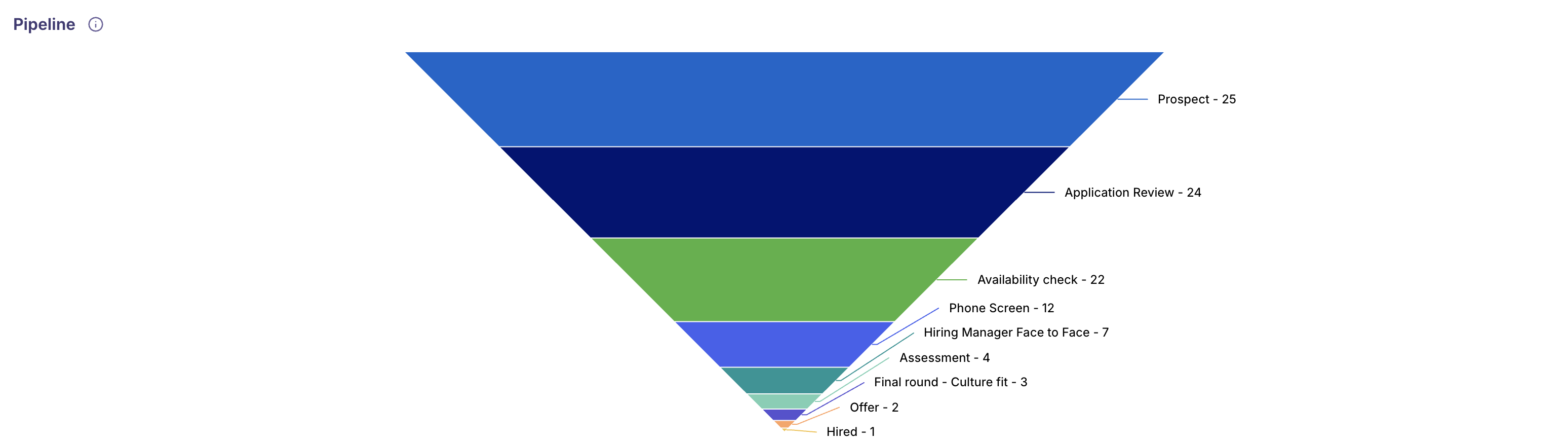
A funnel visualization shows the flow of candidates through each stage, making it easy to spot where candidates drop off and where pipeline improvements are needed.
Note:
The above view displays the entire pipeline across all jobs. To access detailed stage-level data, you can use the filters to select a specific job name.
Advanced Data Analysis
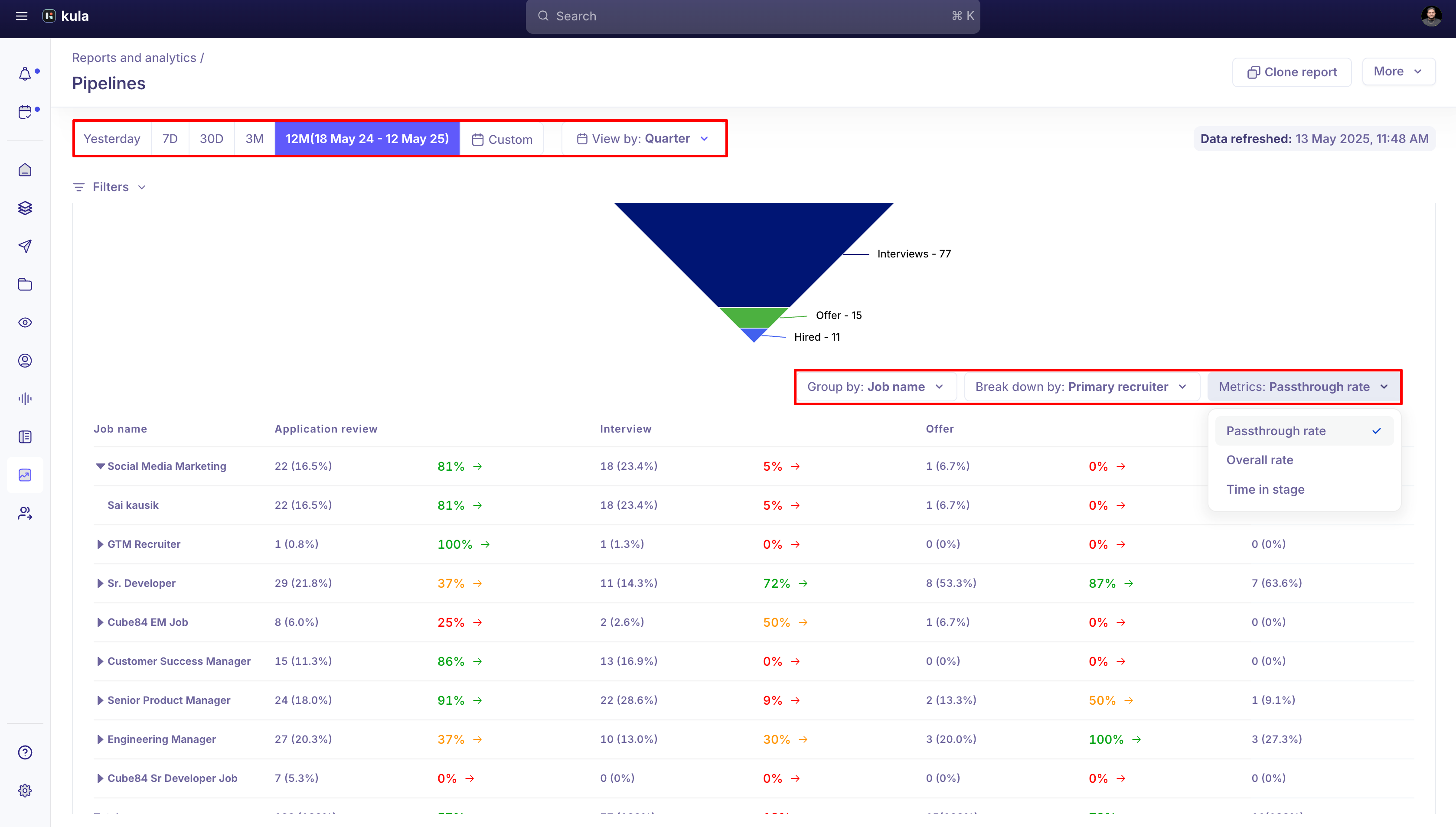
You can Leverage the Group By, Breakdown By, and Metrics filters to segment and refine your pipeline data, enabling more detailed and actionable insights.
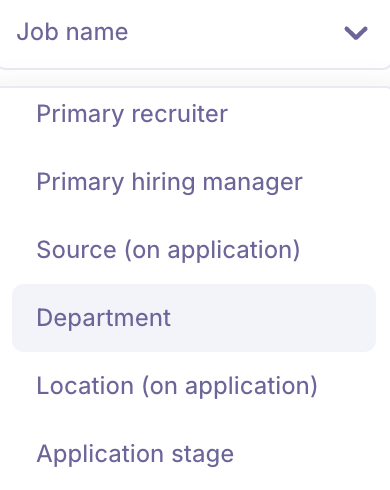
Group By feature allows you to organize and summarize data based on key attributes. This helps in identifying patterns, trends, and performance across different segments. You can group data by:
Job Name: View aggregated metrics for each job opening.
Primary Recruiter: Analyze performance and workload across recruiters.
Primary Hiring Manager: Evaluate hiring manager involvement and outcomes.
Source: Understand which candidate sources are most effective.
Department: Monitor hiring trends and performance by department.
Rejection Type: Identify the distribution of different rejection categories.
Rejection Reason: Gain visibility into the most common reasons for candidate rejections.
Breakdown By feature allows you to segment data based on specific attributes, providing deeper insights into the recruitment process. You can break down metrics by:
Job Name: Analyze performance and trends specific to each job opening.
Primary Recruiter: Evaluate recruiter effectiveness and workload distribution.
Primary Hiring Manager: Gain insights into hiring manager involvement and outcomes.
Source: Understand which sourcing channels are driving the most candidates.
Department: Assess hiring activity and efficiency across different departments.
Rejection Type: Identify common rejection patterns, such as candidate withdrawals or internal rejections.
Rejection Reason: Dig into the specific reasons candidates are being rejected to improve screening and selection criteria.
Metrics: help us evaluate performance across different stages of the pipeline:
Passthrough Rate: Indicates the percentage of items that move from one stage to the next, helping identify any drop-offs or bottlenecks.
Overall Rate: Reflects the total conversion rate across the entire pipeline, giving a high-level view of effectiveness.
Time in Stage: Shows the average time items spend in each stage, which helps identify delays and opportunities for process optimization.
Date range
Analyze your recruitment pipeline over different periods:
Yesterday, 7 Days, 30 Days, 3 Months, 12 Months: Track short-term and long-term trends.
Custom: Define specific date ranges for tailored reporting.
Filters
Customize your reports using filters such as:
Job Name: Focus on specific roles.
Job Type: Analyze performance across full-time or contract roles.
Job Status, Department, Recruiter, Hiring Manager: Drill down on pipeline details based on team, job status, or management.
Source, Location, Application Stage: Understand the impact of application sources, candidate locations, and Application stages.
Functionalities
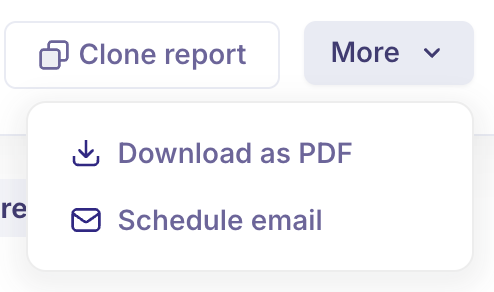
Download as PDF: Export and share your reports with stakeholders in a professionally formatted PDF.
Schedule Email: Automate report delivery at set intervals to ensure your team stays informed.
Clone Report: Easily duplicate existing reports for reuse or customization.
Use case:
Why Recruiters Need Pipeline Reports: Real-Time Use Case
Imagine a recruiting team managing multiple open roles across departments during a high-volume hiring season. The recruiter needs to quickly identify bottlenecks in candidate flow — for example, if too many candidates are stuck at the interview stage or if a significant number are dropping off before receiving offers.
Using the Pipeline Report in Kula.ai, the recruiter can:
Monitor how many candidates applied, interviewed, and progressed to offers or hires across different jobs.
Identify stages where candidate drop-off rates are high using the funnel visualization.
Analyze recruiter and hiring manager performance to allocate workload more effectively.
Understand which sourcing channels deliver the most quality candidates.
Use rejection reasons and types to improve screening and reduce unnecessary candidate losses.
Track time spent in each stage to speed up slow points in the process.
Make data-driven adjustments to recruitment tactics, improve candidate experience, and ultimately increase hiring efficiency.
This comprehensive insight empowers recruiters to optimize the pipeline, reduce time-to-fill, and ensure consistent hiring outcomes aligned with business goals.
FAQs:
Q: What does the Pipeline Report track?
A: It tracks candidate progression through key recruitment stages like applied, interviewed, offered, and hired.
Q: How can I identify bottlenecks in my recruitment process?
A: Use the funnel view and passthrough rate metrics to spot where candidates drop off.
Q: Can I analyze pipeline data by specific jobs or recruiters?
A: Yes, use the Group By and Breakdown By filters to segment data by job name, recruiter, hiring manager, and more.
Q: What insights do rejection reasons provide?
A: They reveal common causes for candidate rejection to help improve screening criteria.
Q: How does the Time in Stage metric help?
A: It shows the average time candidates spend in each stage, highlighting delays to optimize.
Q: Can I customize the date range for pipeline analysis?
A: Yes, you can select preset ranges or define custom date periods.
Q: How do filters improve my pipeline reporting?
A: Filters let you drill down by job type, status, source, location, and other attributes for focused insights.
Q: Is it possible to share or automate pipeline reports?
A: Yes, you can download reports as PDFs, schedule email deliveries, or clone reports for reuse.