Viewing the candidate profile before your interview
Last updated: October 23, 2026
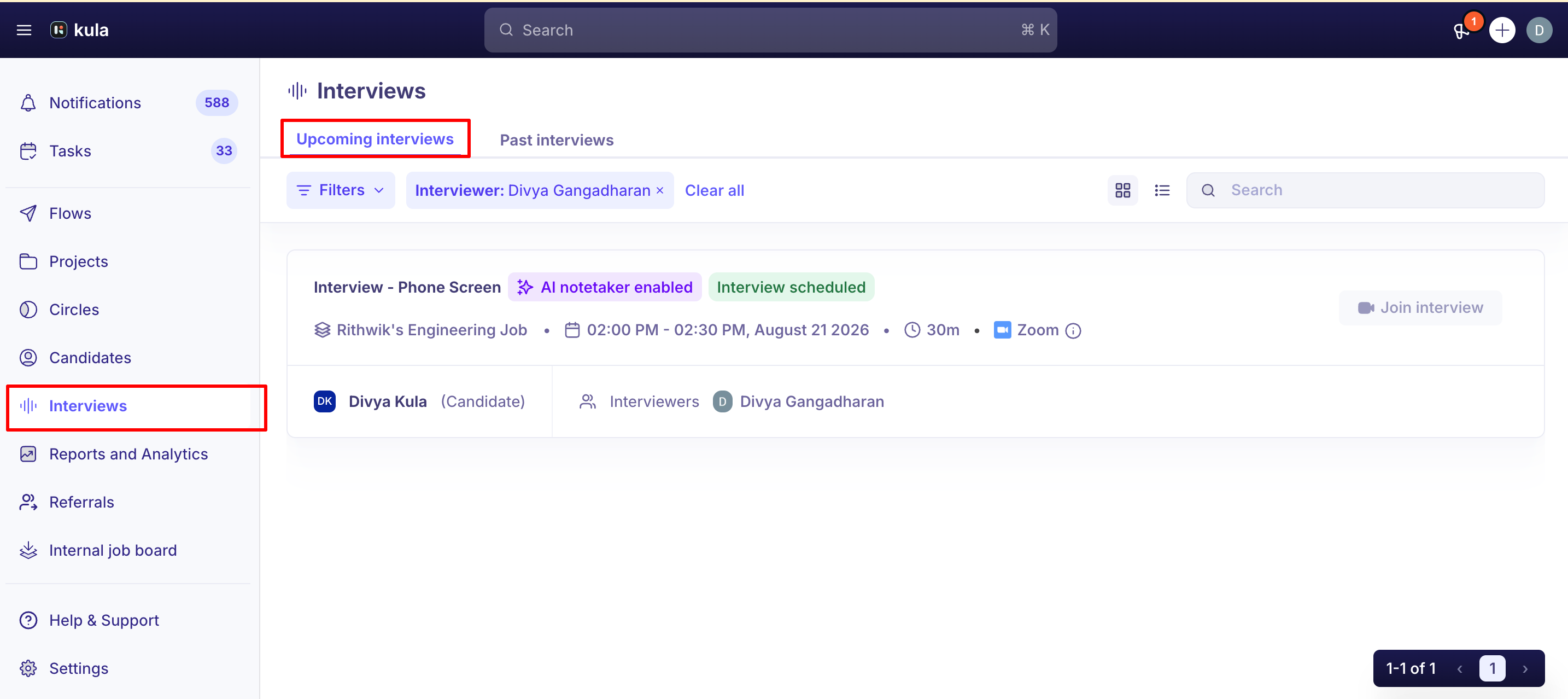
The interview page gives you everything you need for the conversation: the candidate's resume open on the left, and your scorecard and notes on the right. This article covers what's there before an interview and how to use it.
Who can do this: Anyone added as an interviewer on the interview, plus the job's hiring team
Where to find it: Interviews → Upcoming Interviews
Open your interview
Go to Interviews and select the interview. You can also reach it from the calendar invitation or from your Kula notification.
The header tells you what you need at a glance: the interview name, the candidate, the job, where the meeting is happening, and the date and time. If the candidate has a LinkedIn or GitHub profile on record, icons beside their name link straight to it. A badge shows whether the AI notetaker will join.
The two panels
The page is split. The divider between them can be dragged if you want more room for one side.
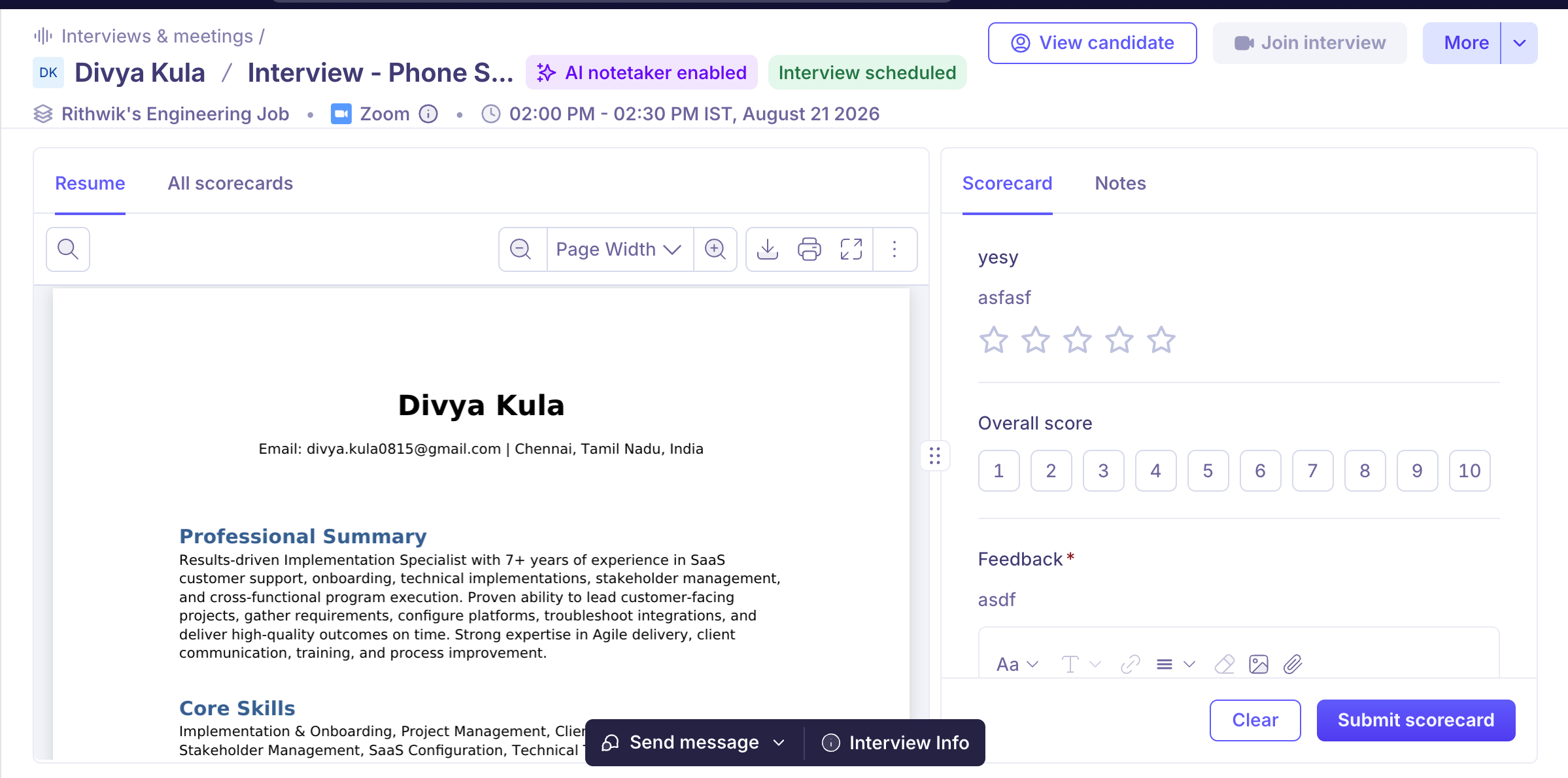
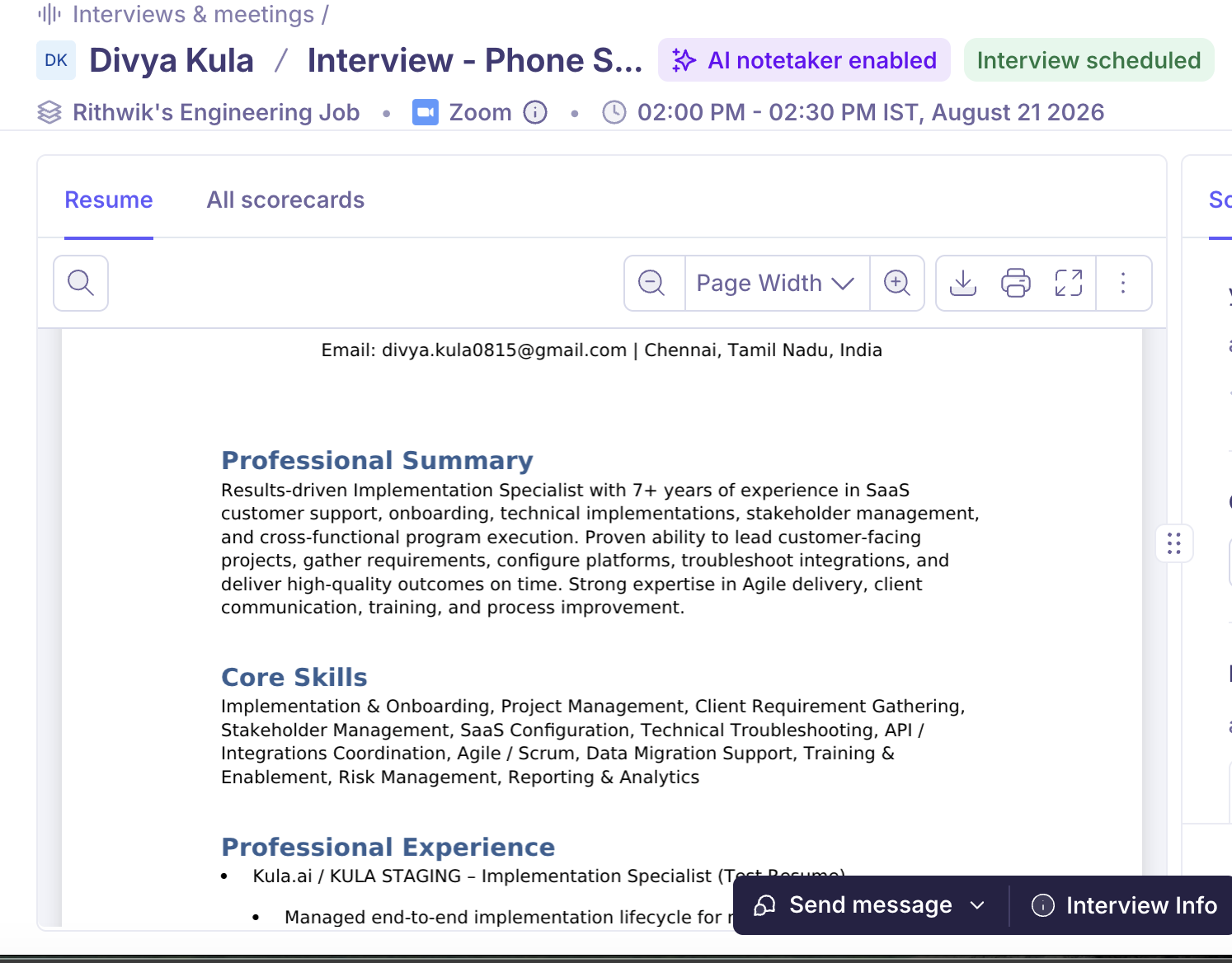
Left — the candidate's resume
The resume opens directly in the page, full height. You don't need to download it to read it. The toolbar above gives you:
Search within the resume
Zoom in and out, and a Page Width control to fit the document
Download and Print
Fullscreen, if you want to read it without the rest of the page
If the candidate has no resume on file, this panel shows their contact details instead.
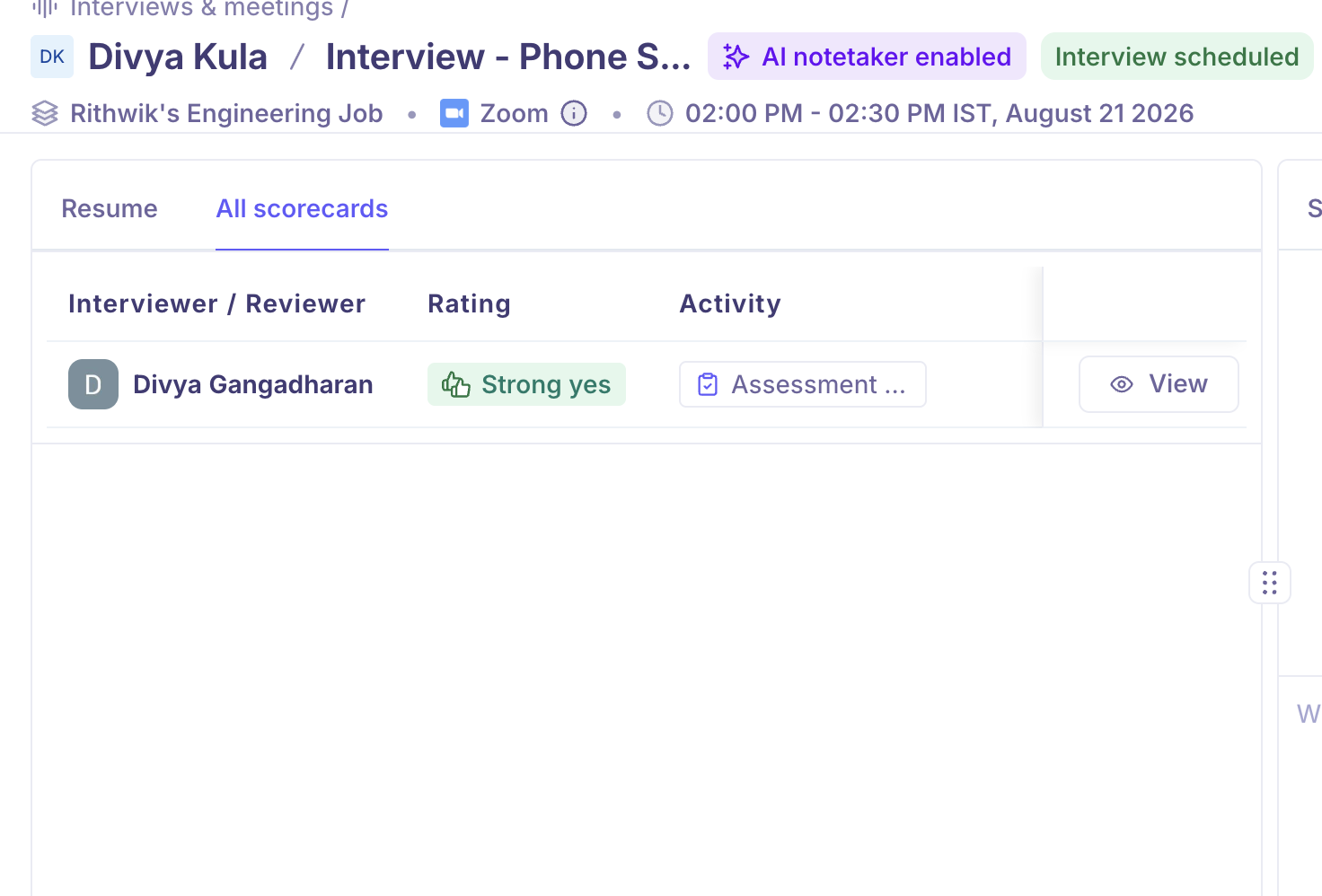
Left — All scorecards, when your admin allows it
All scorecards shows what other people have said about this candidate. It appears only when your organization's scorecard visibility setting permits it and there is other feedback to show, so its absence usually means one of those two things rather than a fault.
Right — Scorecard and Notes
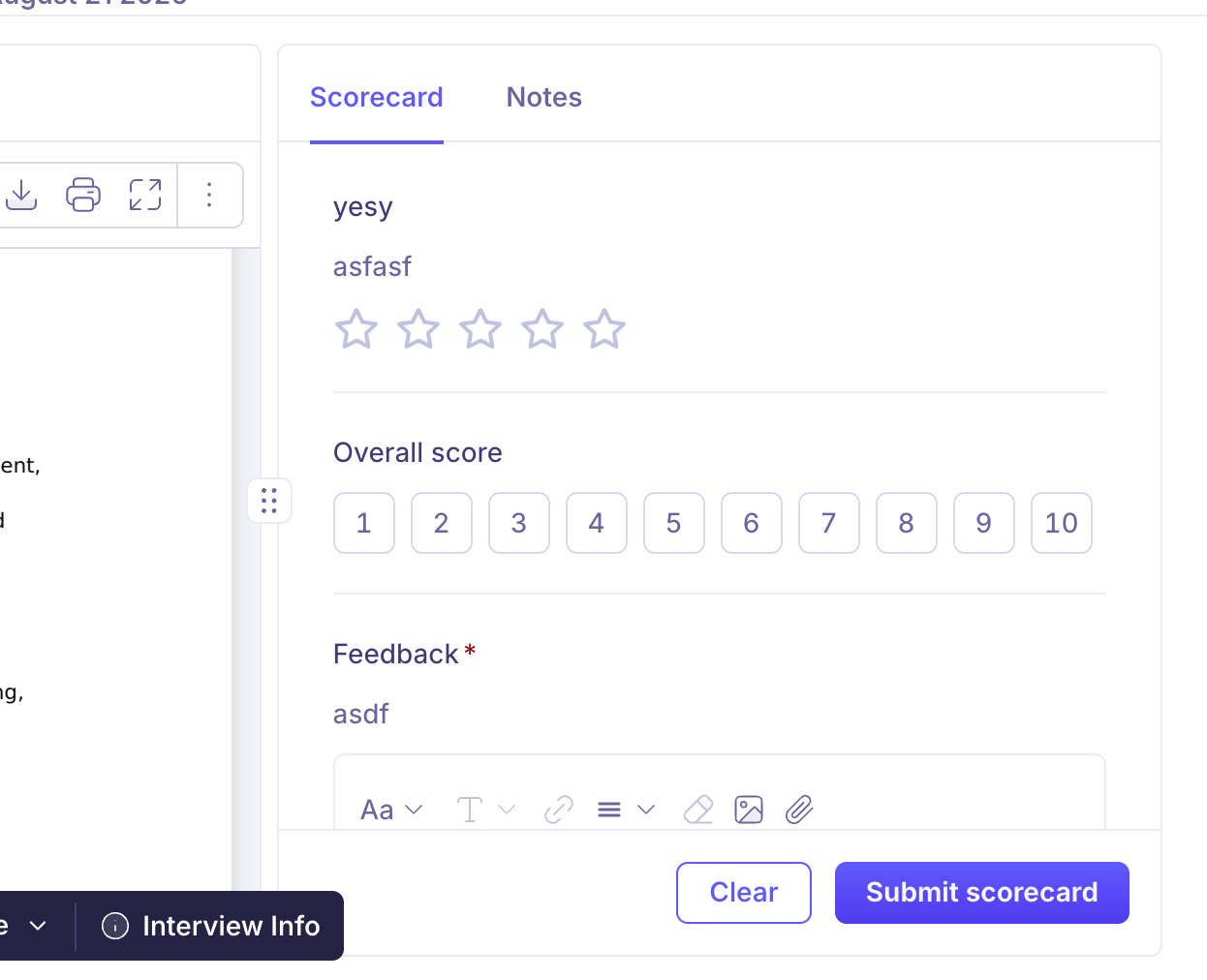
Scorecard — the feedback form you will fill in. It's here before the interview, not only after, so you can see what you're being asked to assess.
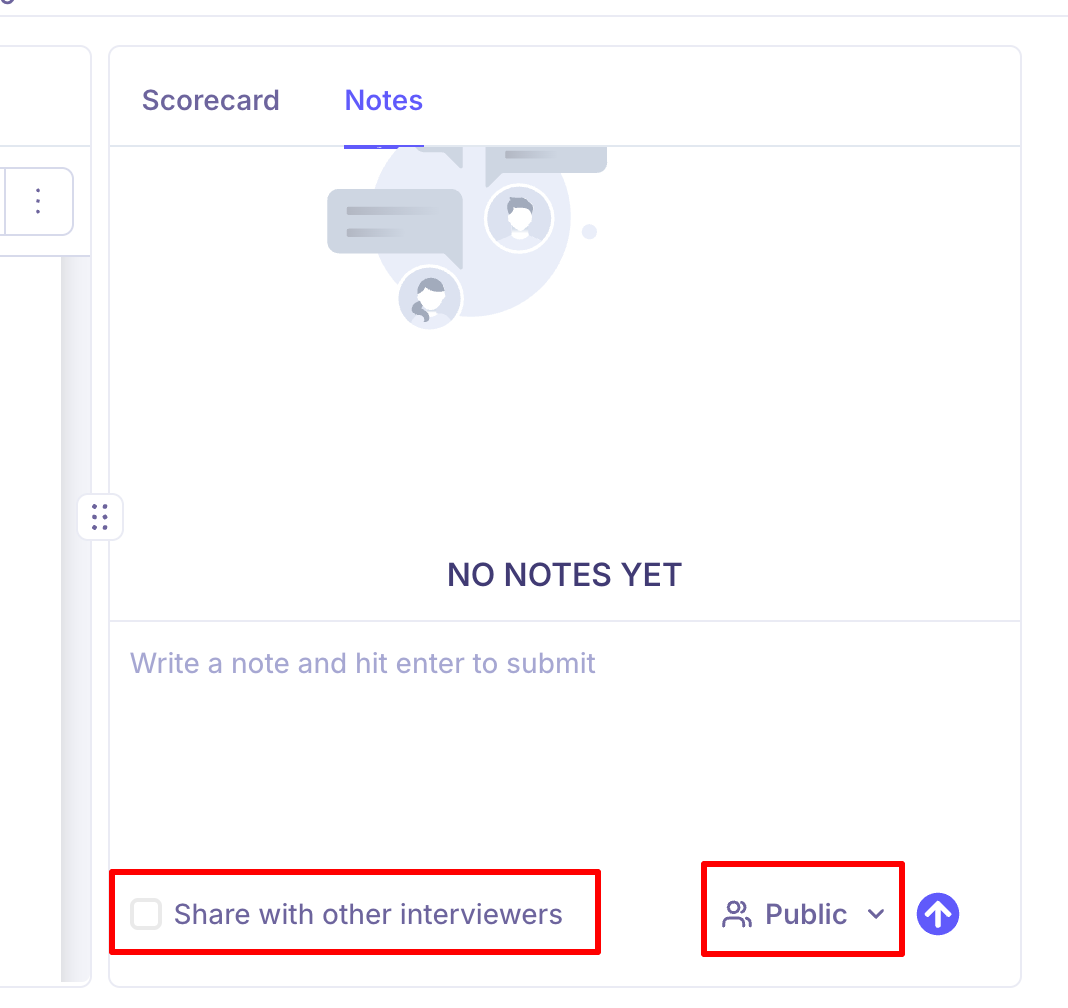
Notes — notes about this candidate, and where you add your own.
You will only see a Scorecard tab if a scorecard is required for this interview.
Take notes during the call
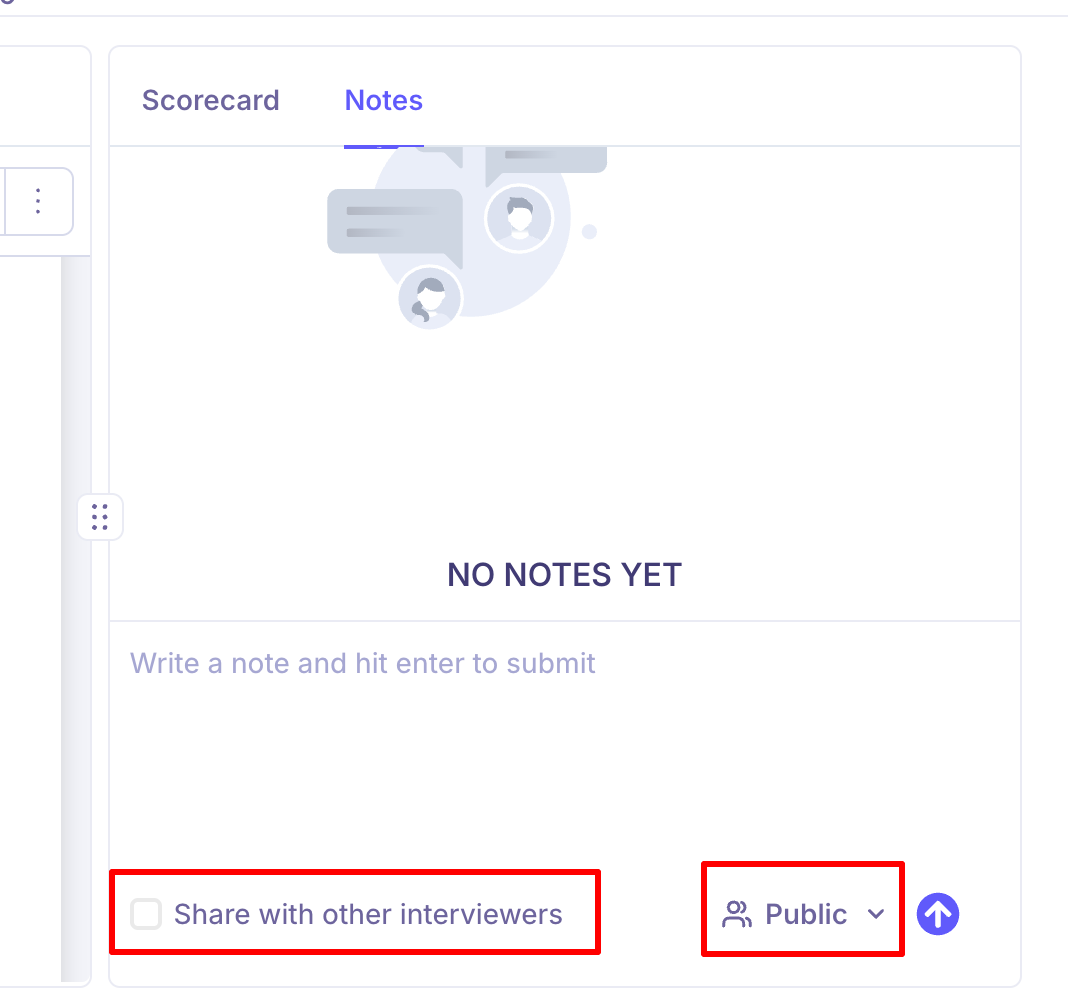
Type in the note box and press enter to save. Each note has a visibility setting:
Setting | Who can read it |
|---|---|
Public | The hiring team on this job. |
Private | Only people you tag, and anyone with permission to see private notes. |
For interview notes there's also a Share with other interviewers checkbox, which extends a public note to the other people interviewing this candidate. It's unavailable on private notes.
Notes are separate from your scorecard. Use notes for things worth passing on — a follow-up for the next round, a scheduling constraint the candidate mentioned. Use the scorecard for your assessment.
Get more detail
View candidate in the top right opens the candidate's full profile, with their application history and everything else on record.
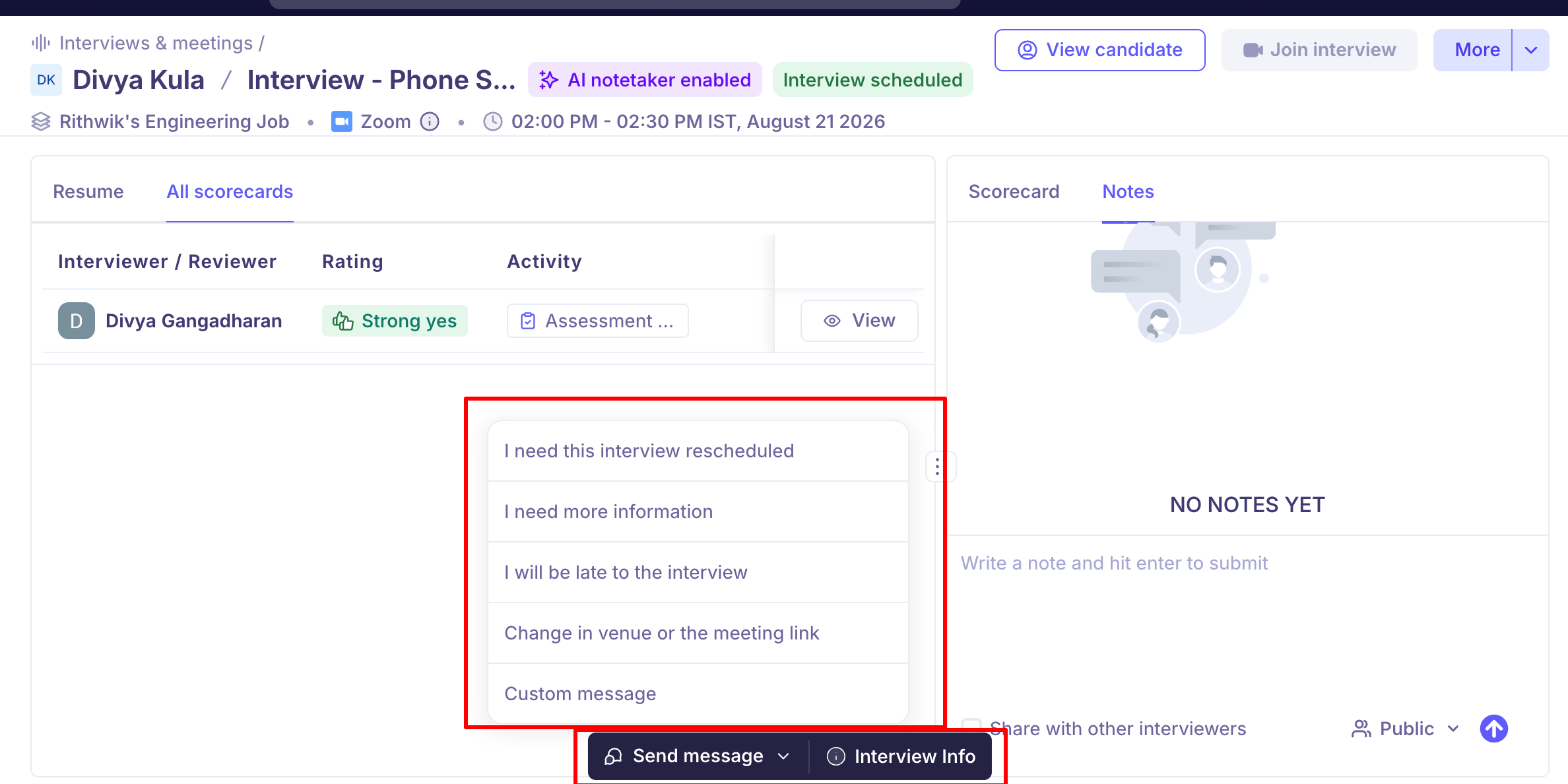
Interview info at the bottom of the page shows the full interview details.
Join interview button is enabled 10 minutes before the interview start time.
Send message at the bottom lets you contact the candidate, Primary recruiter and Primary hiring manager in case of a last-minute reschedule, without leaving the page.
Good to know
There's no tab row for the candidate's details. The resume is the left panel, not a tab — if you were looking for a Resume tab, that's why.
No resume means no resume panel. You'll see contact details instead. Ask the recruiter to add one if you need it.
The scorecard is available before the interview, so you can read the questions in advance and fill it in as you go.
Whether you can see other interviewers' feedback depends on an organisation-wide setting. When it applies and there is feedback to show, an All scorecards tab appears alongside the resume. You'll only ever see feedback from the current stage or earlier, and someone's overall rating stays hidden until you've submitted your own scorecard. See Scorecard visibility and permissions.
Summary and Recording only exist after the interview, and only once the AI notetaker has finished processing.
FAQ
Where's the Resume tab? I can only see Scorecard and Notes. The resume isn't a tab — it's the whole left panel, open by default. The tabs on the right are for your scorecard and notes. If the left panel shows contact details instead, the candidate has no resume on file.
I can't find my interview in Kula. Check you were added as an interviewer on the interview itself, not just invited to the calendar event. If the invitation came from Kula but the interview isn't in your list, ask the recruiter who scheduled it to confirm you're on it.
Can I look at the scorecard before the interview starts? Yes, and it's worth doing — the Scorecard tab is there beforehand, so you can see what you're being asked to assess and fill it in during the call.
Why can't I see what other interviewers said? Your organisation controls this centrally: never, only after you submit your own, or always. Two limits apply in every mode — you never see feedback from a later stage, and you don't see anyone's overall rating until you've submitted your own scorecard.
Will other interviewers see my notes? Only if you let them. A note is Public to the hiring team or Private to people you tag; for interview notes, ticking Share with other interviewers extends a public note to the rest of the panel.
Where's the interview recording? It appears as a Recording tab on the right after the interview, once the AI notetaker has finished processing. It isn't there beforehand.
How do I leave a note for the next interviewer? Add a note on the candidate's profile under Notes, or on the interview page. Leave it public, or tick Share with other interviewers on an interview note. Private notes are visible only to people you tag.
Need help? If you have questions or need assistance, reach out to us at support@kula.ai or use the in-app chat.