Posting through VONQ and managing your wallet
Last updated: October 20, 2026
VONQ is Kula's paid job board marketplace — connect it once, fund your wallet, and you can promote a job to hundreds of boards (Indeed, LinkedIn, SEEK, and more) directly from Kula, either through your own existing board contracts or through VONQ's own paid marketplace.
Who can do this: Connecting VONQ and setting up billing at the account level requires Admin or Super Admin access to global settings. Creating and paying for a posting campaign on a specific job requires the same job-editing permissions used to manage a job's posting settings, typically Recruiter, Admin, or Super Admin.
Where to find it: Account-level setup: Settings → Career page and job boards → Job boards → Job Board Aggregators → VONQ. Job-level posting: within a job, the Job Boards tab.
Connecting VONQ and setting up your wallet
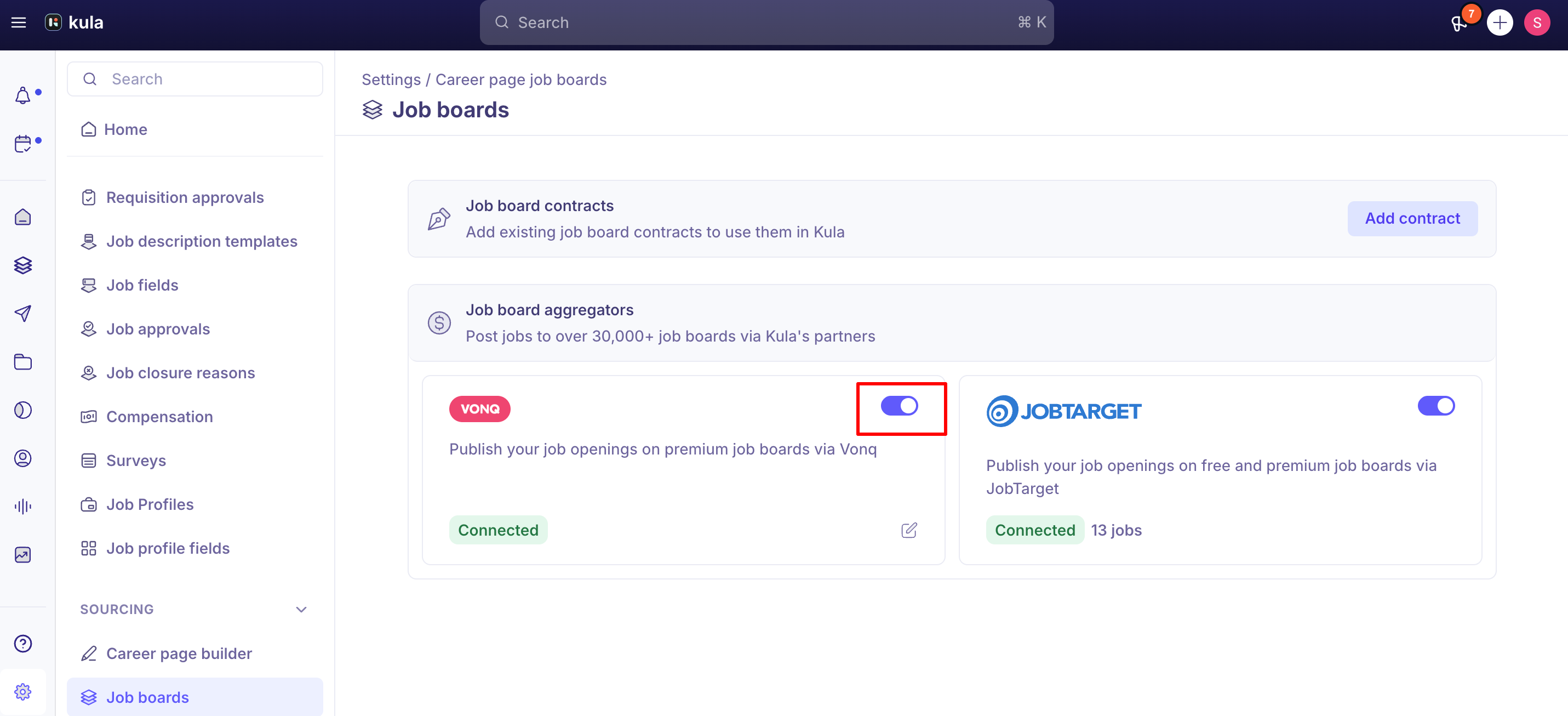
Go to Settings → Career page and job boards → Job boards → Job Board Aggregators, and turn the VONQ toggle on.
Turning VONQ on opens billing setup — this is mandatory before you can buy anything through VONQ's marketplace, so Kula surfaces it immediately rather than letting you discover it later at checkout.
Complete your billing/card details in the embedded payment setup. This is where your "wallet" for VONQ purchases gets configured.
Two distinct things happen under the VONQ umbrella, and it helps to keep them separate:
BYOC (Bring Your Own Contract) — connect a job board subscription you already pay for outside Kula (e.g., an existing Indeed or LinkedIn Recruiter contract). Billing for these stays on your existing agreement with the board — VONQ just handles the technical connection, and your Kula wallet isn't charged for these postings.
Paid Marketplace — post to boards you don't have an existing relationship with, paid for per campaign out of your VONQ wallet inside Kula.
Posting a job through VONQ
Open the job and go to its Job Boards tab.
Add a campaign and select VONQ (your connected BYOC contracts, VONQ's paid marketplace boards, or both, depending on what you've set up).
Fill in the posting requirements — Kula pre-fills what it can from the job (title, description, location, compensation if available), but review before submitting, since auto-filled fields have occasionally been wrong
Review your cart and proceed to payment. For Marketplace boards, this charges against your wallet/billing setup; BYOC boards skip this since billing is external.
Track status under Live Campaigns. A campaign won't go live until payment completes — if a campaign looks stuck, check whether it's actually waiting on payment before assuming something's broken.
Posting a job to Indeed
Indeed postings go through VONQ, using either your own Indeed contract or VONQ's marketplace.
Open the job and go to its Job Boards tab.
Click Create campaign and choose Indeed.
Fill in the posting details. Kula pre-fills what it can from the job, so review them before you continue.
Post the campaign, then track it under Live campaigns. It's usually live within 2 to 24 hours.
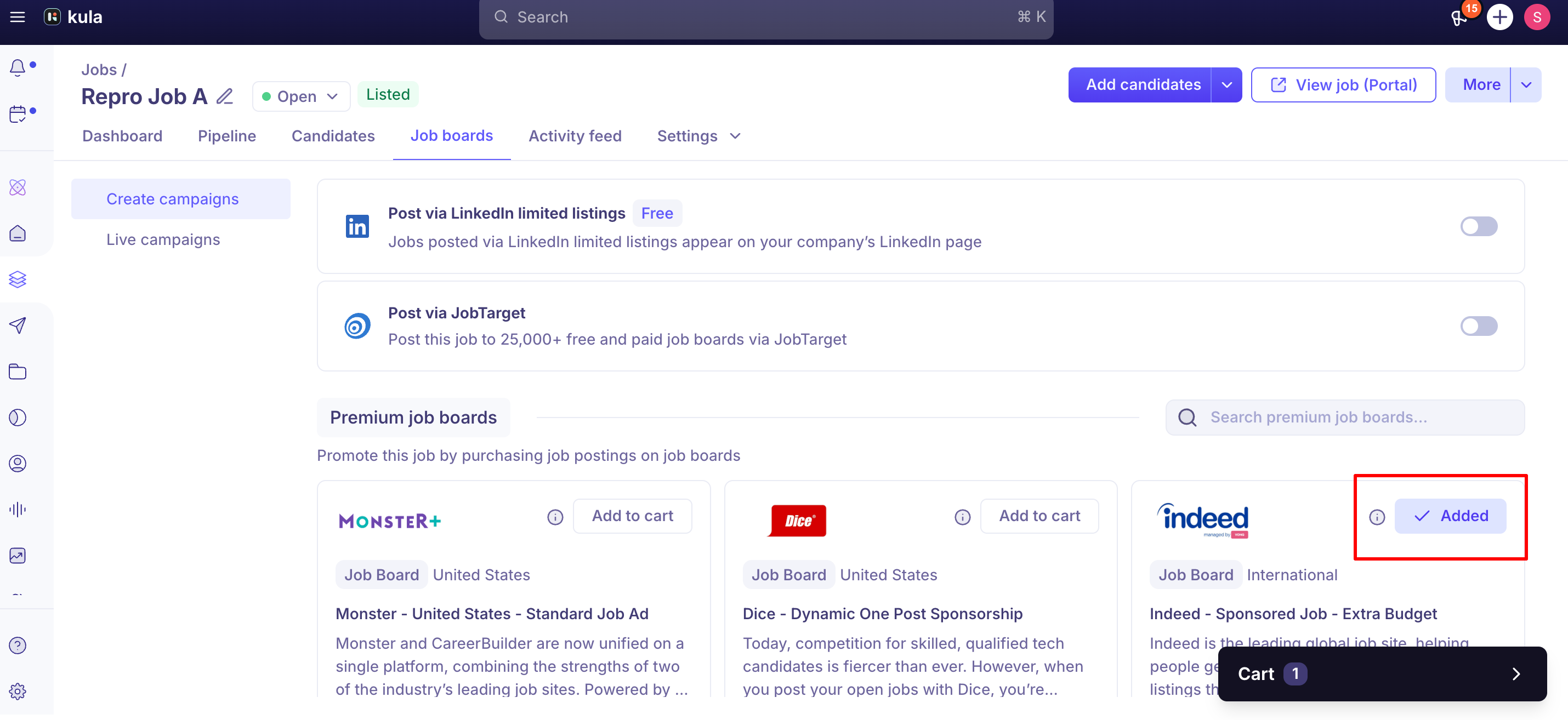
Even if you have an Indeed contract or sponsorship, each job still needs to be sponsored in your Indeed account. Without sponsoring it in Indeed, the job won't appear in results, even though the campaign shows in Kula.
Good to know
A posting can show as "live" in VONQ while showing zero applicants for a while — this has been a real, resolved issue before, but it can also just be normal early performance. If a paid campaign has had zero applicants for more than about 48 hours, that's worth flagging to support rather than waiting indefinitely.
VONQ's Direct Apply (letting candidates apply without leaving the job board) is currently only available for BYOC/contract-connected postings, not for wallet-funded Marketplace campaigns.Direct Apply isn't available on Marketplace campaigns. If a board needs it, check with support first. If a board you're posting to via the paid Marketplace requires Direct Apply-style applying, it may not work the way you expect yet — check with support first.
Only one contract per board is currently supported through VONQ — for example, if your organisation holds two separate Indeed contracts, VONQ can only connect one of them to Kula. This mirrors the same one-contract-per-board limitation documented for LinkedIn contracts generally.
Some checkout fields (years of experience, education level and seniority) may show as required. Contact support if one blocks you.. If checkout seems to be blocking on a field that shouldn't be mandatory, that's a recognised issue rather than something wrong with your job data.
Support can add wallet credits manually from an internal admin tool in specific cases — if you're stuck on a billing/wallet issue contact support.
If a campaign stays "in progress" for a long time, ask support to check it. If a campaign has been "in progress" for an unusually long time, ask support to check the underlying VONQ response rather than assuming it's still processing.
Every Indeed job needs to be sponsored in Indeed. Setting up the campaign in Kula isn't enough, whether you post with your own contract or through VONQ's marketplace.
FAQ
Do I need to set up a wallet even if I only plan to use my own existing board contracts (BYOC)? Turning on VONQ triggers billing setup regardless, since it's required before you can use the paid Marketplace side.
Your wallet isn't charged for BYOC postings, but Indeed jobs still need to be sponsored in your Indeed account.
My campaign has been "in progress" for a long time — what should I check? First confirm it isn't simply waiting on payment. If payment has gone through and it's still stuck, contact support.
Can I use Direct Apply for a job I'm posting through VONQ's paid Marketplace? Not yet — Direct Apply currently only works for boards connected through your own contract (BYOC). Marketplace campaigns aren't supported.
Can I connect two different contracts for the same board through VONQ, like two regional Indeed accounts? No — only one contract per board is supported through VONQ today.
A field in checkout is asking me for information I don't think should be required — is that a bug? Possibly. Years of experience, education level, and seniority are meant to be optional in VONQ's checkout, but Kula's implementation hasn't fully caught up to that yet in all cases. If a field seems wrong, contact support rather than guessing at a value.
Need help?
If VONQ billing setup isn't completing, a campaign is stuck after payment, or a paid posting isn't performing as expected, contact Kula support with the job link and account name.