Publishing an XML job feed
Last updated: September 26, 2026
Kula generates an automatic, always-current XML feed of your open jobs. Job boards that support feed-based ingestion — including Indeed, LinkedIn (via Job Wrapping), and aggregators like Welcome to the Jungle — can point at this feed and pick up new jobs and remove closed ones on their own, with no manual posting per job.
Who can do this: Super Admin, Admin
Where to find it: Contact support at support@kula.ai for your account's feed URL. It follows the format careers.kula.ai/<account_name>/feed.
What the feed does
The feed is RSS 2.0, served as application/rss+xml. Alongside the standard RSS fields it carries a Kula-specific job: namespace holding the recruitment data that plain RSS has no place for — salary, employment type, location, requisition ID.
This matters when a board asks you for a feed. "XML feed" usually means that board's own schema, and RSS is a different thing. Kula's feed works with boards that accept RSS or a generic job feed; a board that requires its own format won't take it as-is. Ask the board which they accept before committing.
The feed is the same job data as your Kula career page (careers.kula.ai/<account_name>, no /feed) — one is built for machines to poll, the other for people to read.
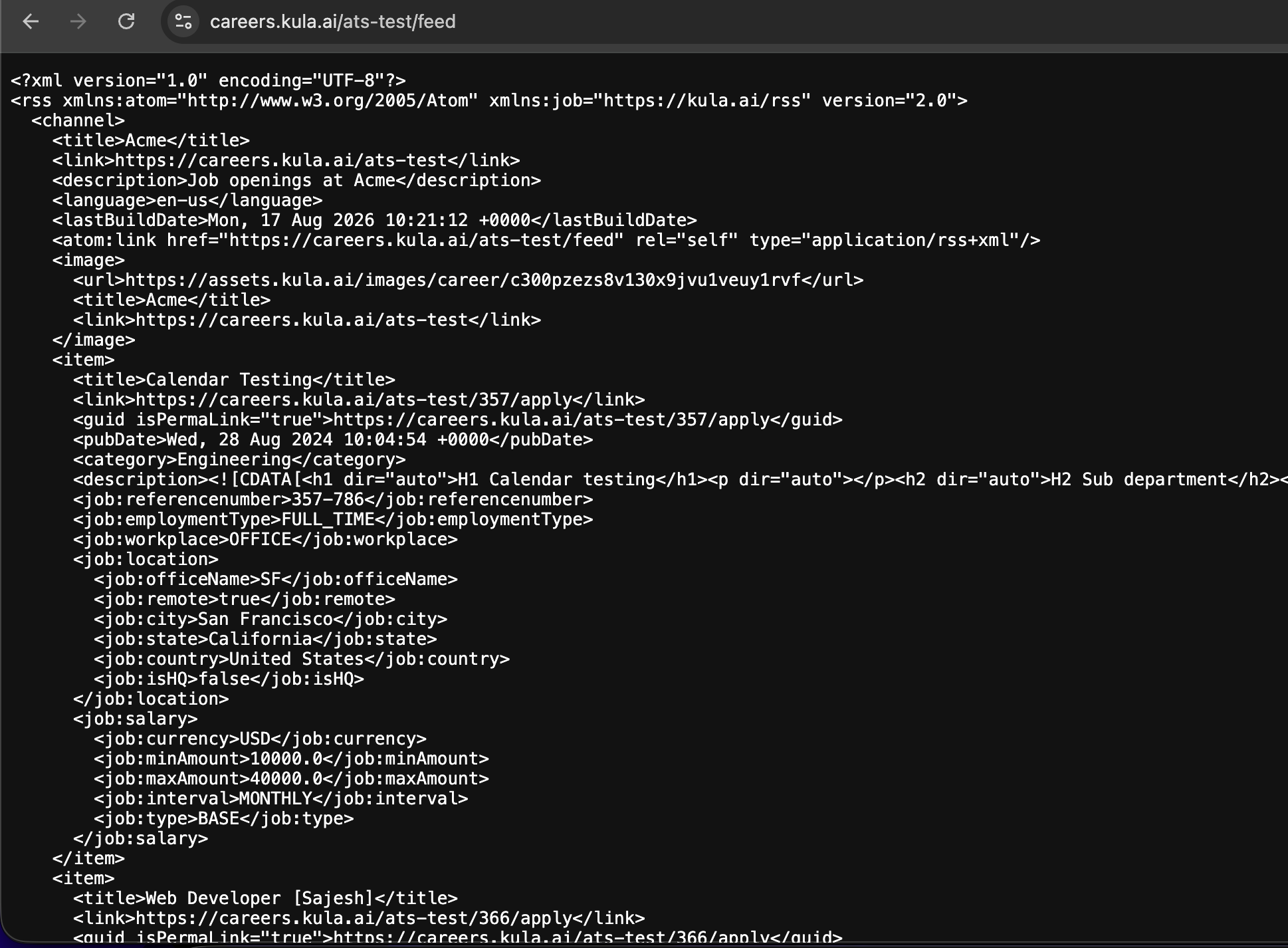
What's in each entry
Field | What it holds |
|---|---|
Title | The job post title |
Link and GUID | A direct link to the application form for that role |
Published date | When the job post went live |
Category | The job's department |
Description | The full job description |
Reference number | A stable ID Kula generates, so boards recognise a repeat listing instead of creating a duplicate |
Requisition ID | The job's own code, when you've set one |
Employment type and workplace | For example |
Expiry date | The job post's end date, when one is set |
Location | Office name, city, state, country, plus whether it's remote and whether it's your HQ |
Salary | Currency, minimum, maximum, interval and type |
One entry per role, per location
A job with three offices produces three entries, one for each. Each carries its own location block and its own reference number, so a board can list the role separately in each city and still recognise them as the same job.
If your board shows one role three times, this is why — it's how the feed is built, not a fault.
What isn't in the feed
Equity is deliberately left out of salary. Only base pay and bonus are published. Equity figures are often unit ranges without a currency, and syndicating them would show misleading pay figures on the board.
Salary appears only when compensation is switched on for that job. If a role has no salary in the feed, check the job's own settings first.
Internal-only postings never appear. A job reaches the feed only when it's published, listed, and set to external visibility — the same rule your Kula career page uses.
The feed updates automatically as jobs change in Kula:
A job goes live in the feed when it's published.
A job drops out of the feed when it's closed or unpublished.
This is different from Kula's hosted career page (careers.kula.ai/<account_name>, no /feed), which is the human-readable page candidates browse. The feed is the same underlying job data in a format built for machines to poll, not people to read.
How different job boards use the feed
The feed isn't one integration — boards consume it differently.
Indeed. Submit your feed URL once through your Indeed employer dashboard (Job import / Syndication). Indeed then polls it roughly every 24–48 hours and syncs open jobs and removes closed ones. Kula's feed format was reviewed and certified with Indeed's Integrations Delivery Team when this integration was built; that step is done and isn't something you repeat.
LinkedIn. LinkedIn consumes the feed through Job Wrapping, set up on LinkedIn Recruiter's side rather than in Kula. See [Setting Up Job Wrapping in LinkedIn]. This is separate from — and older than — posting jobs to LinkedIn directly through Kula's Job Boards tab.
JobTarget. The feed also powers JobTarget's organic (free) postings.
Other boards that accept a feed URL (for example Welcome to the Jungle). For boards with no built-in Kula integration that can ingest a generic feed, support can give you your URL to hand over directly.
Good to know
The feed is public and unauthenticated. It was built as a "publicly accessible" feed (no login or key required to read it) — treat the URL itself as something you'd only hand to a job board's own submission tool, not something to publish widely, since anyone with the link can read your open job list.
A job can be in the feed but still not show up on the board. This happens on the board's side, not Kula's — LinkedIn in particular has had cases where a job is confirmed present in the XML feed but doesn't appear on LinkedIn due to a sync issue on their end. Support can pull the exact XML entry for a specific job to help LinkedIn's team investigate, but resolving it is on LinkedIn.
A change to a job's location can look like a brand-new posting to a board. Changing a job's location can create a duplicate posting on some boards. Check the board after you change it.
If you build your own careers page and pull jobs from Kula, use the Job Board API or this feed to keep it live — teams that copy jobs onto their site by hand end up showing closed roles as still open. See Careers Page Setup.
Need help?
Contact support at support@kula.ai or use the in-app chat.