Controlling job post visibility
Last updated: November 3, 2026
Decide whether a job post is publicly discoverable, reachable only by direct link, or restricted entirely — and understand how that interacts with marking a job confidential.
Who can do this: Anyone who can edit the job — typically Recruiter, Admin or Super Admin.
Where to find it: Open the job, select Edit job, then open the Job posting tab.
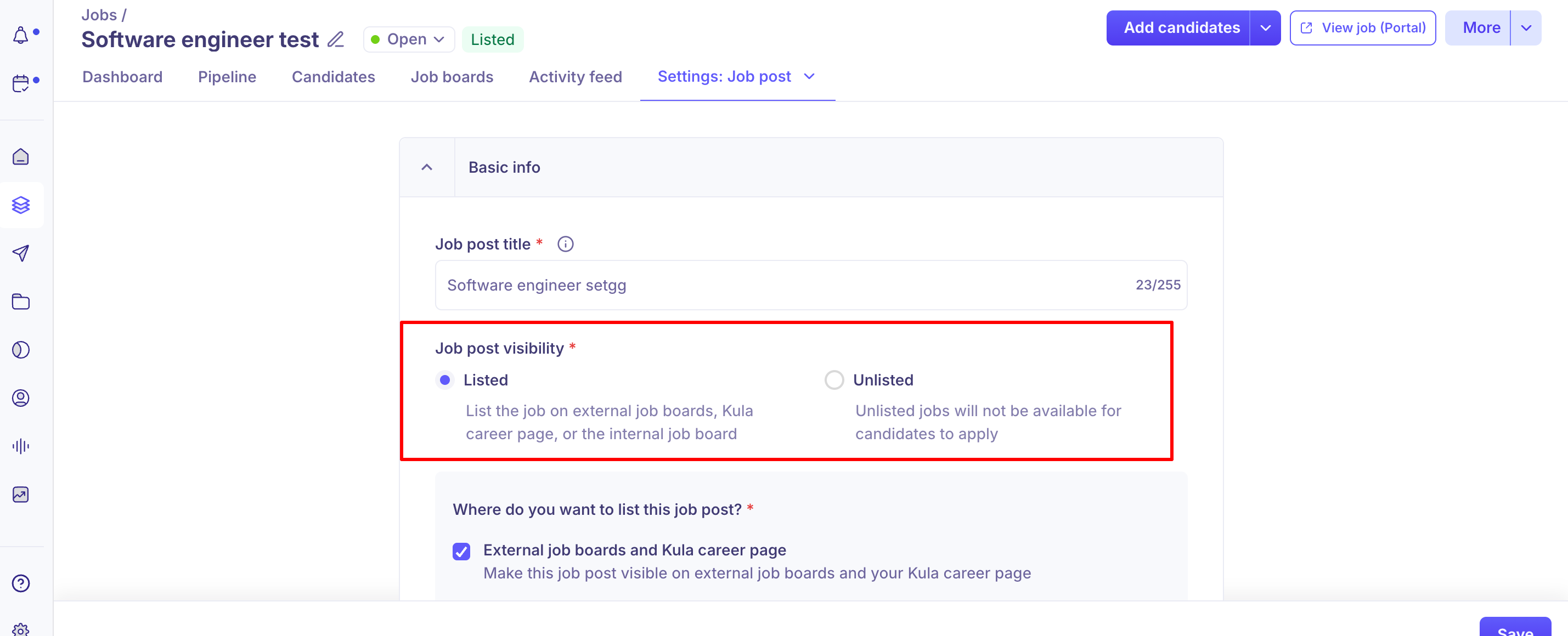
Listed vs. Unlisted
Every job post has one of two visibility settings:
Listed — the job appears on external job boards, your Kula career page and/or your internal job board, depending on where you've chosen to list it.
Unlisted — the job is removed from your career page, job boards and search, and candidates can't apply to it. The job settings say so: "Unlisted jobs will not be available for candidates to apply". Use Unlisted for roles you're sourcing for manually or aren't ready to advertise. To share a role privately with people who can still apply (an agency, a referral), mark the job Confidential instead — see below.
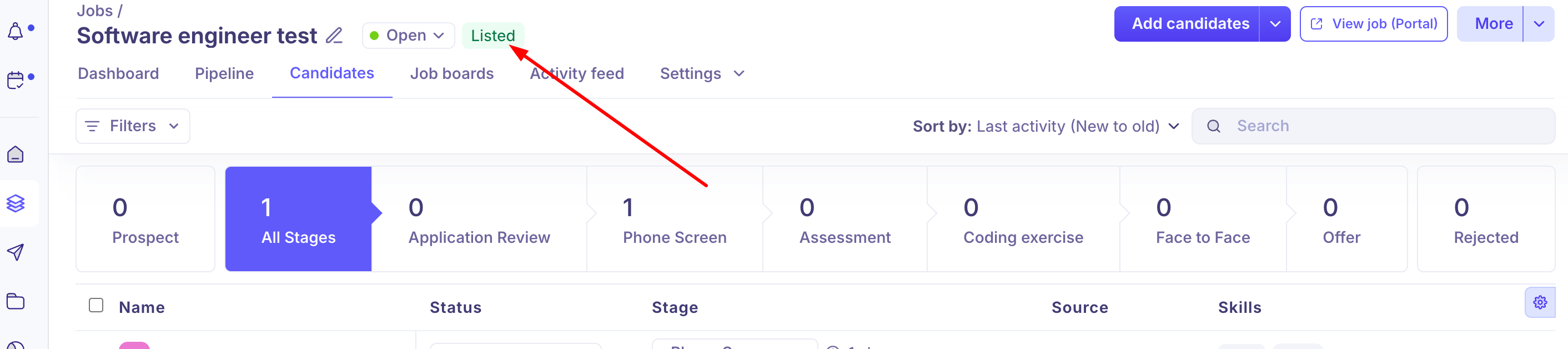
A Listed/Unlisted label appears next to the job title so you can tell a job's current state at a glance, and the "View job (Portal)" button only appears when the job is set to appear on external job boards.
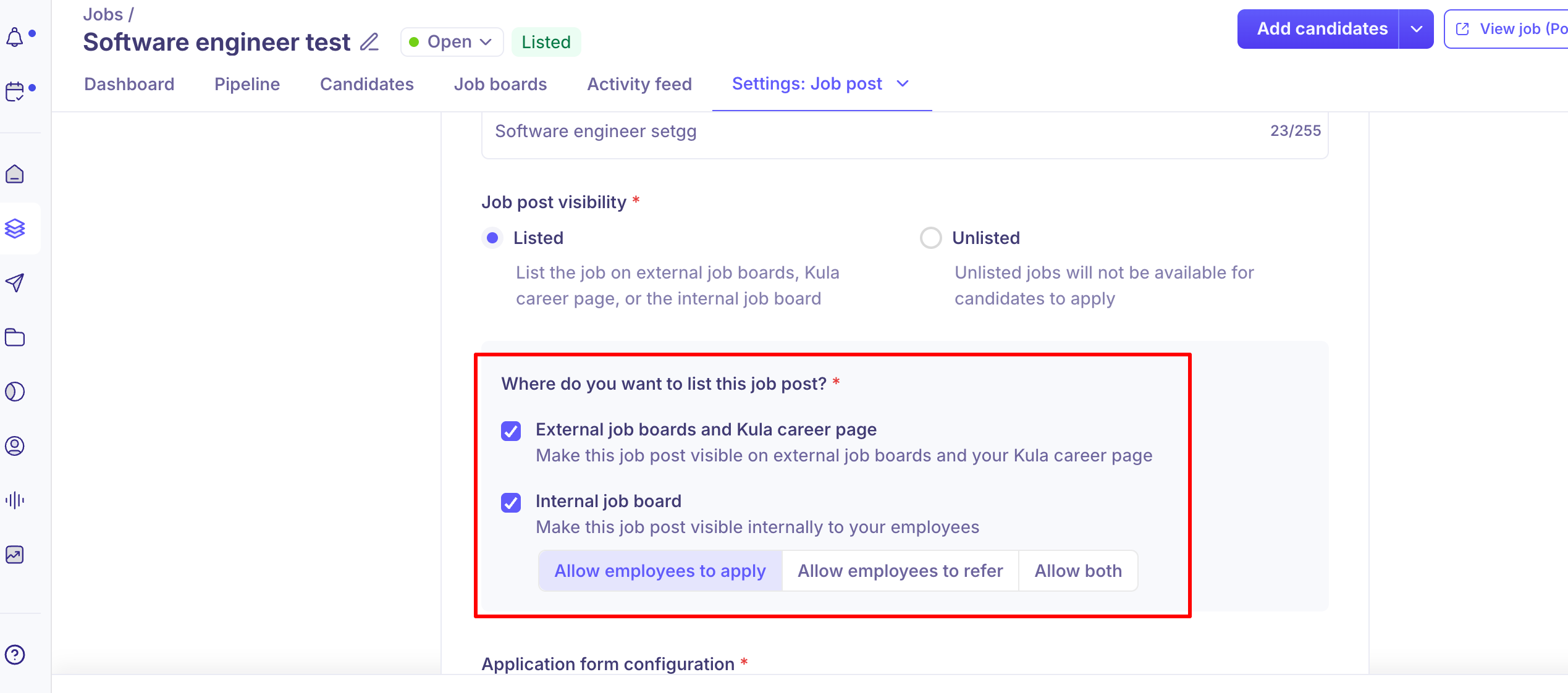
Where the job post appears
If Listed, choose one or both:
External job boards and Kula career page — publicly visible, distributed externally.
Internal job board — visible only to employees. Choose Allow employees to apply, Allow employees to refer or Allow both to control how they can interact with it (see Internal job board for employees).
The application form is available on Listed job posts and on Confidential jobs. On an Unlisted job that isn't confidential, the tab shows "The application form and auto-rejection rules are not available because the job is unlisted".
How this interacts with Confidential jobs
Marking a job Confidential automatically makes it Unlisted — it's removed from job boards and the career page as part of the same action, and only the hiring team (plus users with confidential-job access) can see it inside Kula.
Marking a job not confidential does not make it Listed again. The confirmation says the job "will remain unlisted until you choose to mark it as listed". Go to the Job posting tab and switch it to Listed yourself.
A Confidential job has a private link that candidates can use to view the job and apply, even though it doesn't appear on your career page or job boards. Copy it from the Job posting tab: the "This job is confidential" box shows the link with a copy icon.
Good to know
Marking a job not confidential doesn't re-list it. Switch the job back to Listed on the Job posting tab yourself.
If an Unlisted job still seems to be on your career page, check for a duplicate job title. Another job with the same title that is still Listed is easy to mistake for the unlisted one.
Use Confidential, not Unlisted, to share a role privately. A Confidential job's private link lets candidates apply; an Unlisted job that isn't confidential can't receive applications.
The application form is only available for Listed or Confidential jobs. On an Unlisted job that isn't confidential, the application form and auto-rejection rules aren't available.
FAQ
If I mark a job not confidential, will it become visible again? No. The job stays Unlisted until you switch it to Listed on the Job posting tab.
Can candidates apply to an Unlisted job? No. Unlisted jobs aren't available for candidates to apply. To let specific people apply without advertising the job, mark it Confidential and share its private link.
I unlisted a job but it's still showing on my career page — what's going on? Check whether another job with the same or a very similar title is still Listed. If not, contact support.
Where do I get the shareable link for a Confidential job? On the job's Job posting tab. The "This job is confidential" box shows the link; select the copy icon to copy it.
Why can't I configure an application form on an Unlisted job? The application form and auto-rejection rules are only available on Listed or Confidential jobs.
Does marking a job Confidential also make it Unlisted? Yes. It happens automatically, and the job is removed from job boards and the Kula career page.
Need help?
If a job's visibility isn't behaving as expected, a Listed job isn't showing up in search, or you need a shareable link for an Unlisted or Confidential job, contact Kula support.