What is a requisition?
Last updated: September 25, 2026
A requisition is Kula's formal record of a hiring need — headcount, budget, and approval — that exists separately from the job posting candidates actually see and apply to. Requisitions Management gives you structured approval workflows, headcount tracking, and lifecycle visibility for that hiring need, independent of when or how a job gets posted.
Who can do this: Super Admins and Admins can turn requisitions on and configure requisition settings, fields and approval rules. Creating a requisition needs the Create requisitions (manage requisitions created by self) permission, which Super Admins, Admins, Recruiters and Hiring Managers have by default (as do Department heads, where your account has that role). Manage all requisitions gives access to everyone's requisitions, and Can be added to the requisition team lets a user be added to a requisition as its recruitment partner or hiring manager.
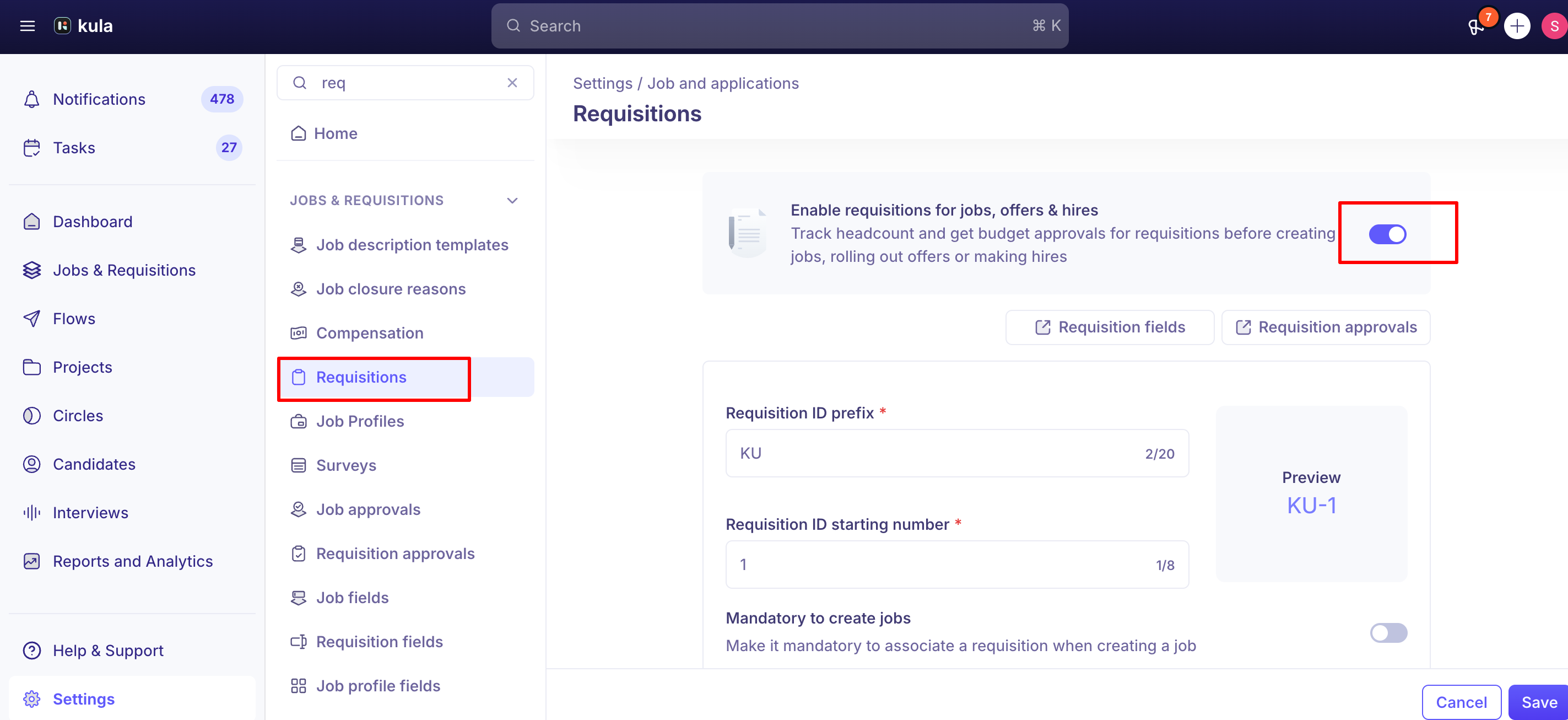
Where to find it: Jobs & Requisitions → Requisitions tab, once the feature is turned on. Configuration lives under Settings → Jobs & Requisitions → Requisitions.
A requisition is not a job
A job is the posting itself — what candidates see and apply to.
A requisition is the internal record behind it: the approved headcount, budget, and hiring details that justify opening that job in the first place.
Is this turned on for your account?
Requisitions are optional and set up by an admin. See Setting up Requisitions
The requisition lifecycle
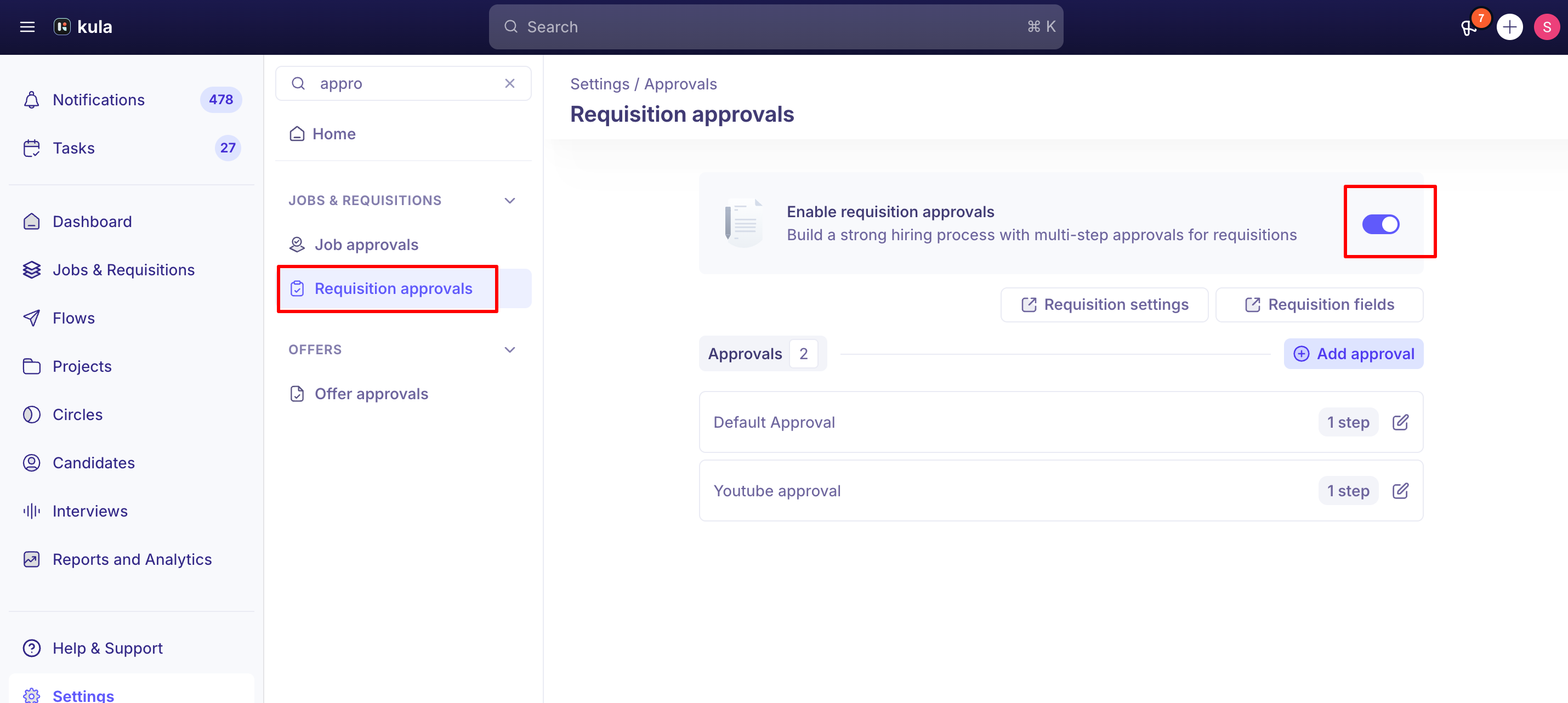
With an approval workflow configured, a requisition moves through: Draft → Pending approval → Approved → Open → Filled/Closed → Archived. If an approver rejects it, it becomes Not approved; the requester can edit it and submit it for approval again.
Without an approval workflow, it's simpler: Draft → Ready to open → Open → Filled/Closed → Archived.
A requisition can be linked to an offer once it's Approved, Ready to open or Open — it also needs to either be linked to the specific job you're creating the offer for, or not yet linked to any job, and not already claimed by another active offer.
Headcount and requisition groups
A single requisition can represent more than one opening.
If you create a requisition with a headcount of 2, Kula creates two separate requisition records — one per hire — and links them together as a Requisition Group.
Opening any one of them shows the group's total headcount, and a "Part of a Group" tag identifies which requisitions share a group.
Group actions (editing details, assigning a recruiter, assigning a job, opening, closing) apply to every requisition in the group at once — except that applying an action to just one member individually detaches it from the group, letting it diverge (for example, if one opening needs different priority or ownership than the rest).
Connecting a requisition to a job
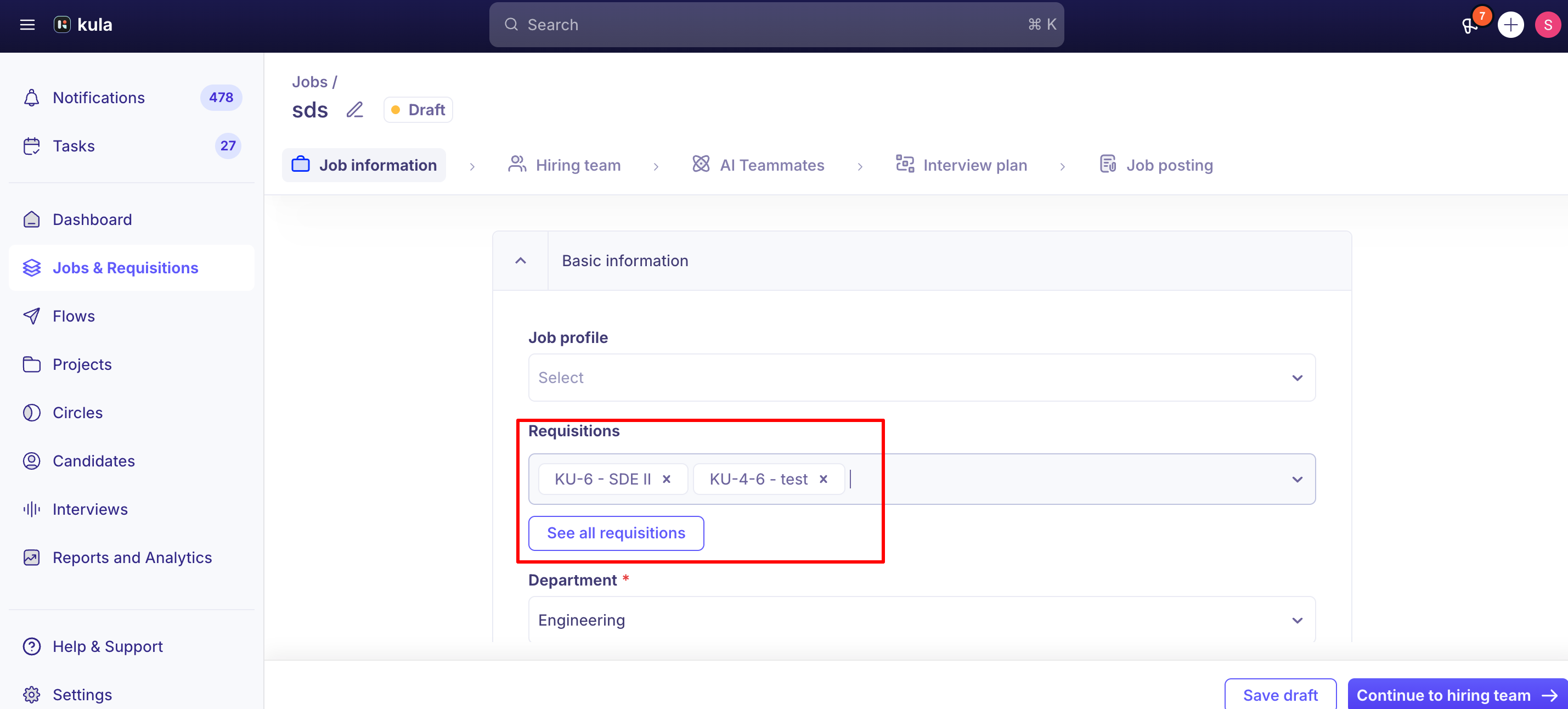
A job can have multiple requisitions associated with it, but each individual requisition can only be tied to one job at a time.
Requisitions can be associated with a job during job creation or afterward, and — separately — a requisition can be created directly from within a job, or an existing draft/pending-approval requisition can be linked to a job before it's even approved.
Requisitions and offers
Once requisitions are mandatory, creating an offer requires an associated requisition — this is what lets Kula automatically mark the requisition Filled when the offer is accepted.
Each requisition can have one active offer. If you need to extend backup offers to multiple candidates for the same opening, create a separate requisition for each candidate and close the unused ones once a hire decision is made.
Editing a requisition
A requisition can be edited freely up until it's tied to an active candidate offer.
Once an offer exists against it, most fields (like salary range) lock and can't be changed through the UI — this is intentional: the approved requisition details are meant to stay consistent with what was actually offered, since the requisition went through an approval workflow based on those original values.
To edit a requisition in that state, the offer needs to be deleted (or rejected by the candidate) first.
Approvals
Requisition approval workflows are step-based and can be set up by department, office and work type. Approvers can be specific users, the requisition's recruitment partner, or users picked in one of the requisition's user fields.
Good to know
Each requisition can have one active offer. For backup-offer scenarios, create separate requisitions rather than attaching multiple offers to one.
Filling a requisition doesn't automatically close its linked job. The job stays open until someone closes it manually, even after the requisition shows Filled.
A requisition tied to an active offer can't be edited through the UI. Delete or have the candidate reject the offer first if the requisition details need to change.
Turning requisitions on doesn't retroactively attach them to existing jobs. Jobs created before requisitions were enabled need a requisition associated (via "Switch to New Requisition" or a new requisition) before offers can be sent.
Each headcount slot in a Requisition Group needs its own approval — approving one doesn't approve the rest of the group.
If an approver in the chain becomes inactive mid-approval, a requisition can get stuck showing only a Reject option with no Approve. A Super Admin or Admin can approve on behalf of the inactive approver, or contact support to reset the approval state.
FAQ
What's the actual difference between a requisition and a job? A job is the posting candidates see and apply to. A requisition is the internal, approval-tracked record of the hiring need — headcount, budget, and approval status — that sits behind it.
Why can't I route an offer through the job directly anymore? Once requisitions are turned on and mandatory, offers are tracked through the requisition (so it can be marked Filled automatically), not the job itself.
I created a requisition with a headcount of 2 — does that mean 2 openings or 4? Two. Kula creates two linked requisition records, each representing one hire, grouped together — the headcount shown isn't doubled per record.
Can I extend offers to two backup candidates against the same requisition? No. Each requisition can have one active offer. Create a separate requisition per candidate if you need backup offers, and close the unused ones once you've decided.
A requisition linked to my job just got Filled — why is the job still open? Kula doesn't automatically close the job when its requisition is filled; close the job yourself.
Why can't I edit this requisition anymore? It's likely tied to an active candidate offer — editing is locked in that state to keep the requisition consistent with what was approved and offered. Delete or have the offer rejected to unlock editing.
We just turned on requisitions — why can't I send offers on our existing jobs? Those jobs don't have a requisition attached yet, since they were created before the feature was enabled. Use "Switch to New Requisition" on the job, or create and link a new requisition.
Need help?
If you have questions or need assistance, reach out to us at support@kula.ai or use the in-app chat.