Finding candidates: filters, sorting and resume search
Last updated: September 26, 2026
Find the right candidates fast by sorting, filtering or searching inside resumes, on a job's Candidates tab or across everyone on the Candidates page. Filters and sorting only change your own view.
Who can do this: anyone who can see the candidates
Where to find it: the sort and Filters controls above a job's Candidates tab or the Candidates page; resume search also in global search
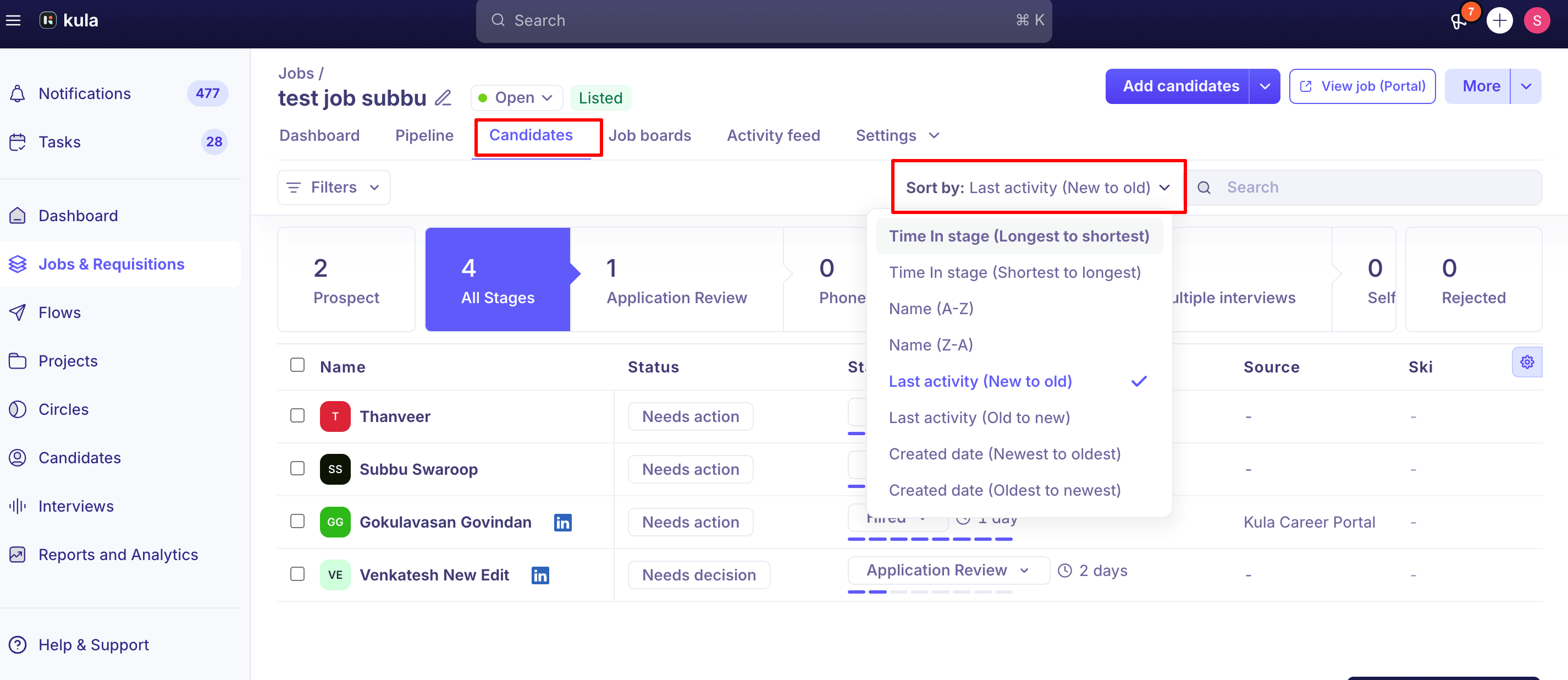
Sort
List | Sort by |
|---|---|
A job's Candidates tab | Time in stage, Name, Last activity, Created date, and AI score (in Application Review) |
The Candidates page | Last activity, Name |
Filter
Click Filters and add as many as you need. They combine, so you can mix a tag, a custom field and a stage, for example.
List | Filters include |
|---|---|
A job's Candidates tab | Stage (with a count per stage), Time in stage, Candidate sources, Skills, Location, Tags, Credited to, Has resume, Resume search, Fraud status, EEO status, custom fields and application form answers. For rejected candidates: Rejected Stage, Rejection Reason, Rejected by |
The Candidates page | Job name, Job stage, Job status, Application status, Candidate source, Skills, Location, Tags, Title, Current company, Past company, Institution, Degree, Credited to, Interviewers, Last applied date, Offer status, Project, Flows, Consent status, Has resume, Resume search, and more |
Filtering by tags and custom fields
Tags and custom fields both let you capture information Kula doesn't track by default — and once that data exists, you can filter your candidate list down using either one, or combine them for a more precise segment.
How tags work
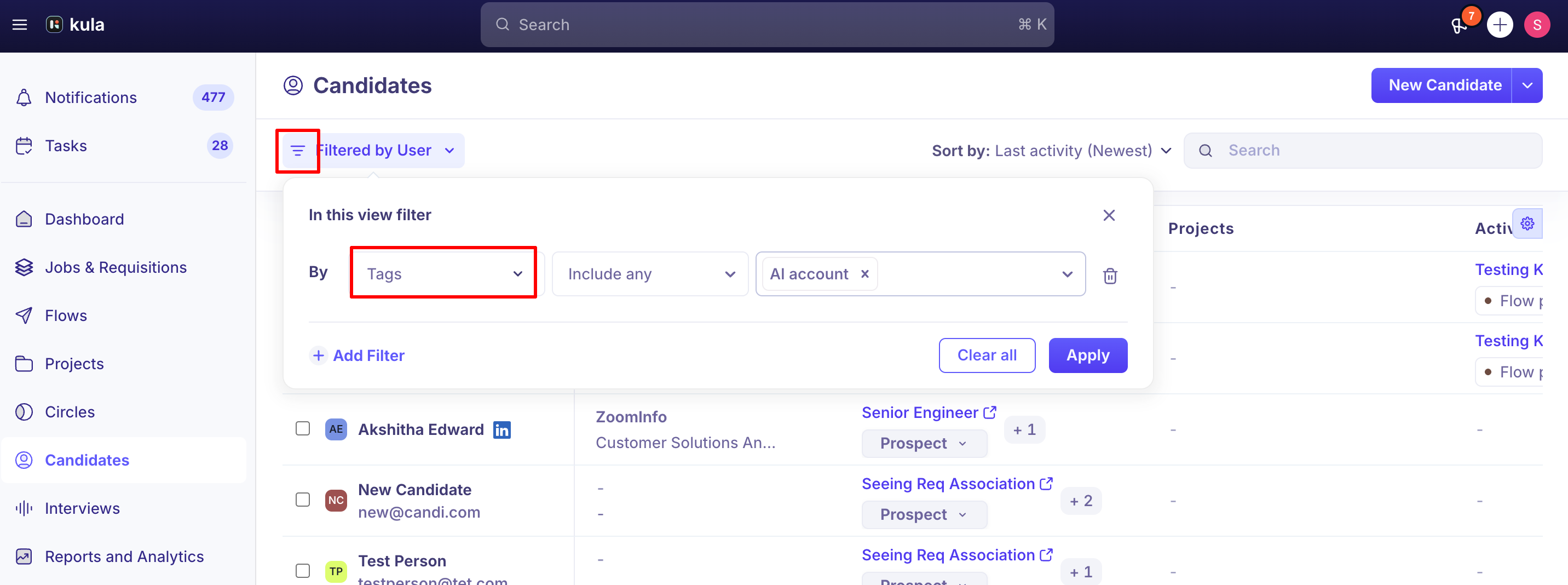
Tag filtering works the same way as filtering on any other field — pick Tags as the filter type, then choose which tag(s) to match on.
For tags, choose Include any (candidates with at least one of the tags), Include all (candidates with every tag) or Exclude all (candidates with none of the tags).
Filtering by custom fields
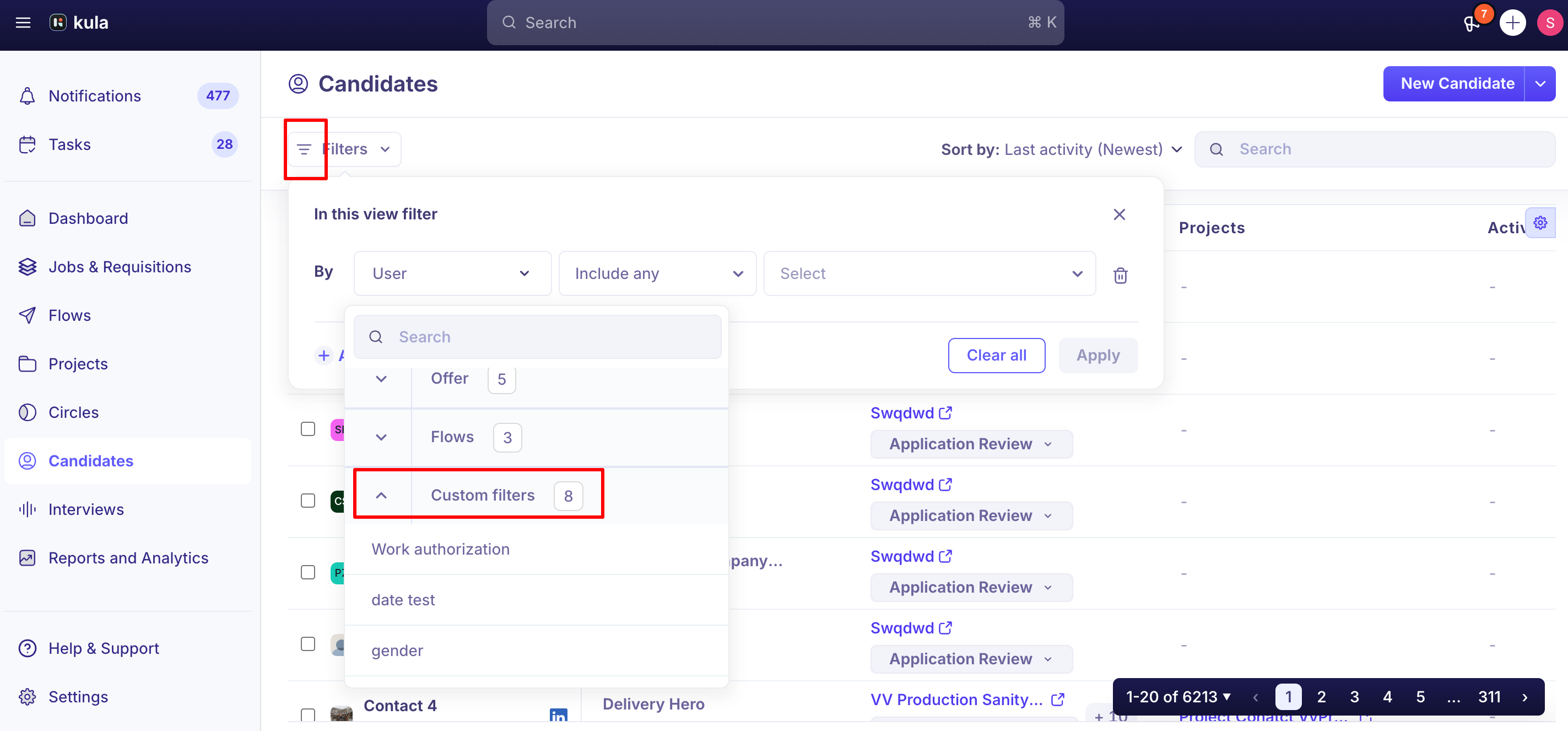
Custom fields show up as their own filter type, separate from Kula's default fields. A few things behave differently depending on the field type:
Single choice and Multi-select fields filter by matching the option(s) you select — only candidates who've had that value set are returned.
Text fields (short text, text area) filter on an exact match only. Partial matches aren't supported for custom text fields.
Combining tag and custom field filters
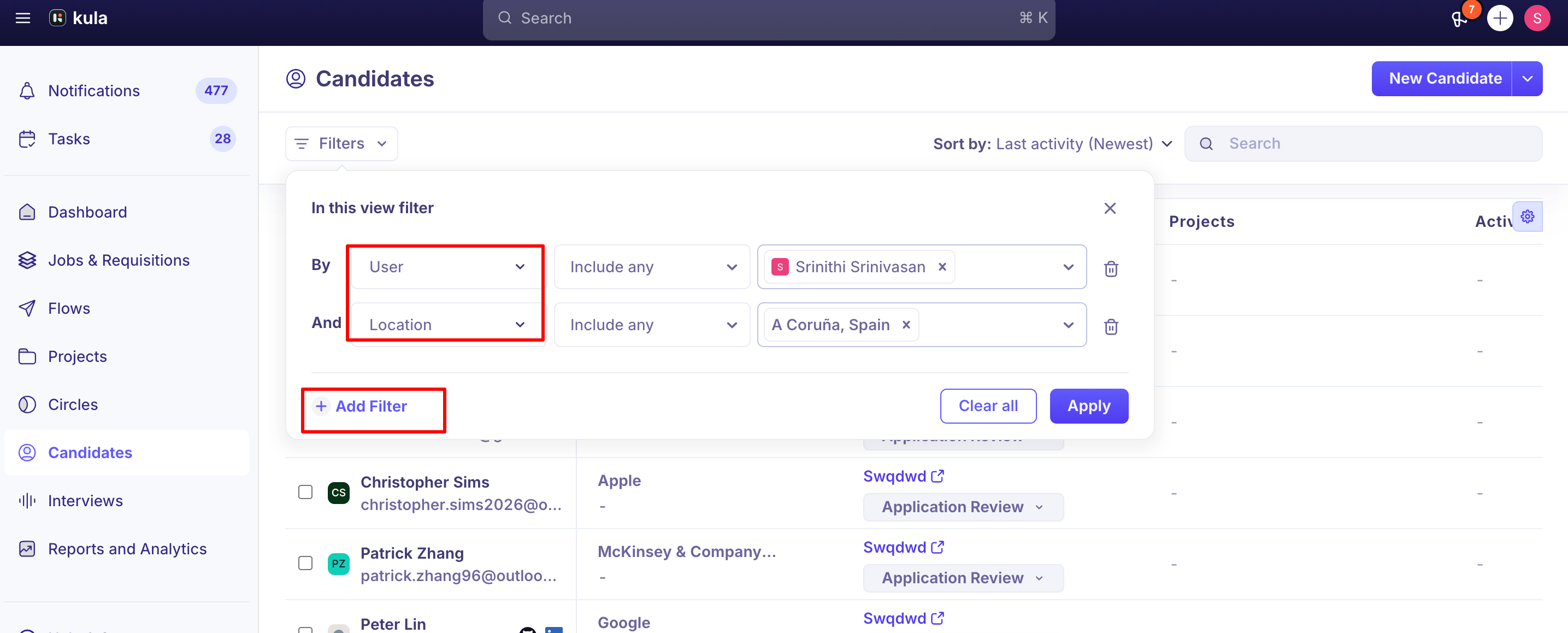
You're not limited to one filter type at a time — you can stack a tag filter and one or more custom field filters together (along with any standard fields) to build a precise segment, for example: candidates tagged "Referral" and with a custom "Certification" field set to a specific value.
Search inside resumes
Click Filters and choose Resume search.
Type a keyword and press Enter. Each keyword becomes a tag.
Choose Include all (every keyword) or Include any (at least one).
On the Candidates page, a Resume search results column shows the part of each resume that matched. From global search: type in the search bar at the top, open the Candidates tab in the results, and turn on Search resumes only. Kula remembers the switch in your browser. By phone number: add the number as a keyword, written as it appears on the resume.
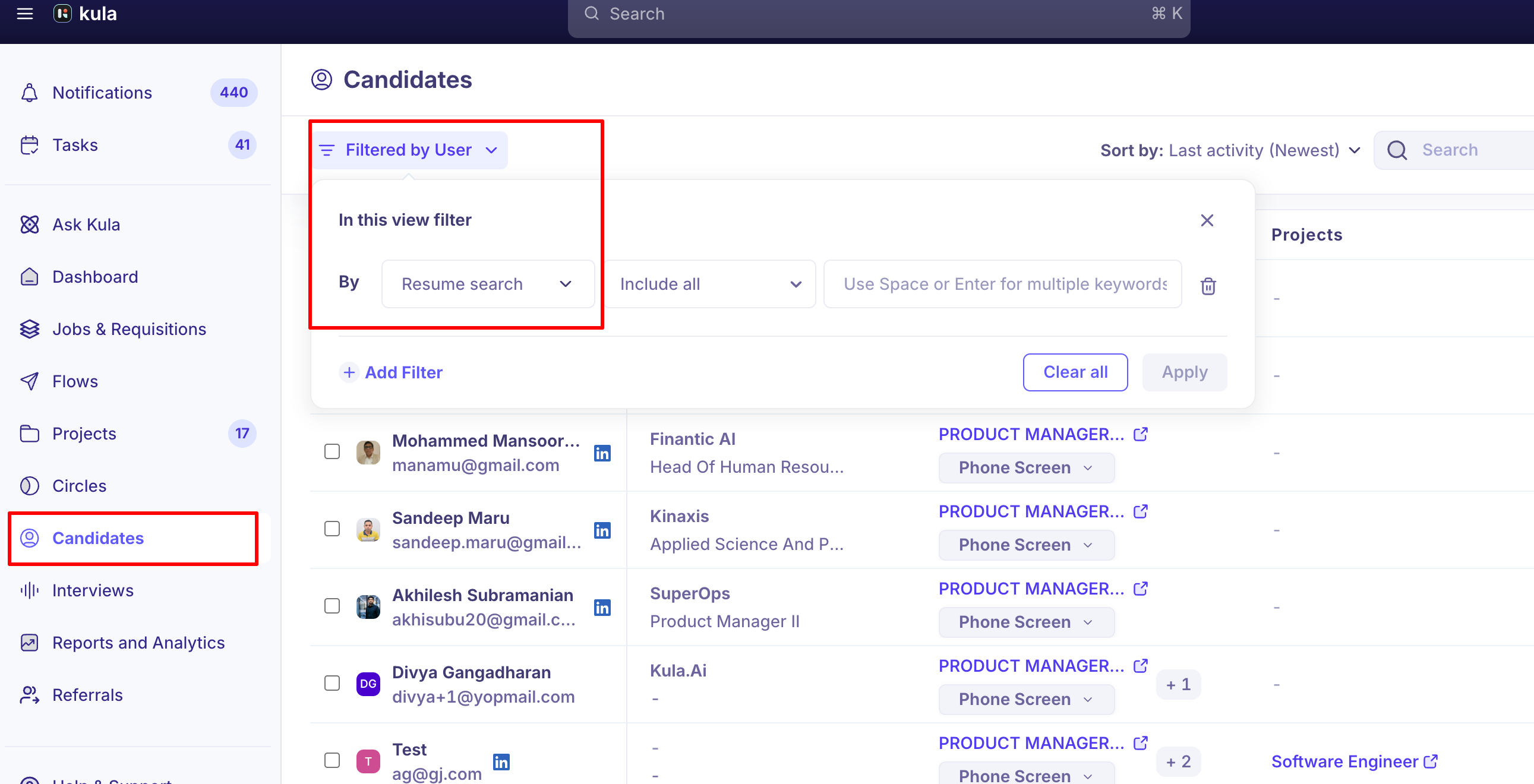
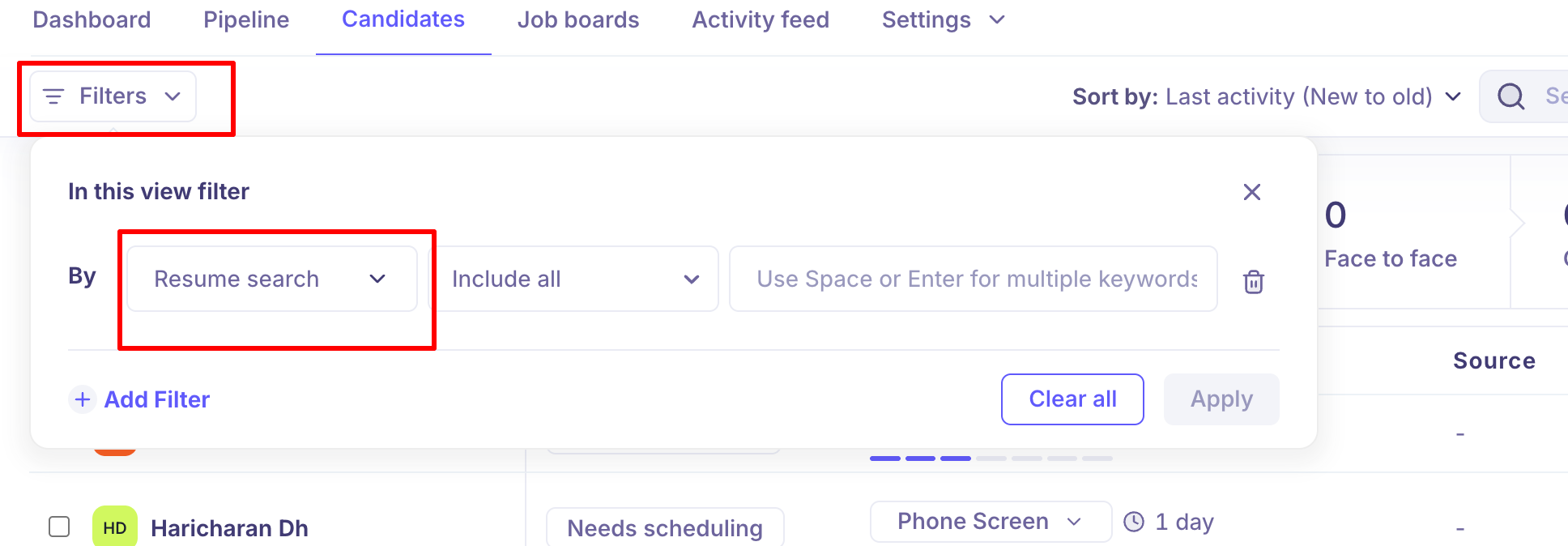
Find a candidate by phone number
Resume search reads the full text of the resume, including contact details. Add the phone number as a keyword, written the way it appears on the resume.
Good to know
Filters differ between the two lists. A job's Candidates tab has job-specific filters such as Time in stage, AI screening score and the job's application form answers. The account-wide Candidates page has filters that span jobs, such as Job name, Job stage and Job status.
Some filters only appear in context. Time in stage appears when you're viewing a single stage, and Rejected Stage works only when you're viewing rejected candidates.
FAQ
Can I see how many candidates are in each stage while filtering? Yes
Can I filter for candidates who've been stuck in a stage for more than a set number of days? Yes — open the stage on the job's Candidates tab and use the Time in stage filter to find candidates who haven't moved in over X days.
Why does sorting on the candidate list seem to reset unexpectedly? This has happened in the past (for example, application review resetting to AI score order instead of most recently applied) and was addressed — if you're seeing it now, it's worth reporting as a bug rather than assuming it's expected behavior.
Why are the options in a filter dropdown showing up blank? Refresh the page. If it's still blank, contact support. If you're seeing blank filter options elsewhere, report it — it likely isn't expected.
Do my filters carry over the next time I open the page? Not always. Check which filters are applied each time you open the page. Don't assume a previously applied filter is still active without checking.
Need help?
If you have questions or need assistance, reach out to us at support@kula.ai or use the in-app chat.