How Kula parses resumes
Last updated: August 24, 2026
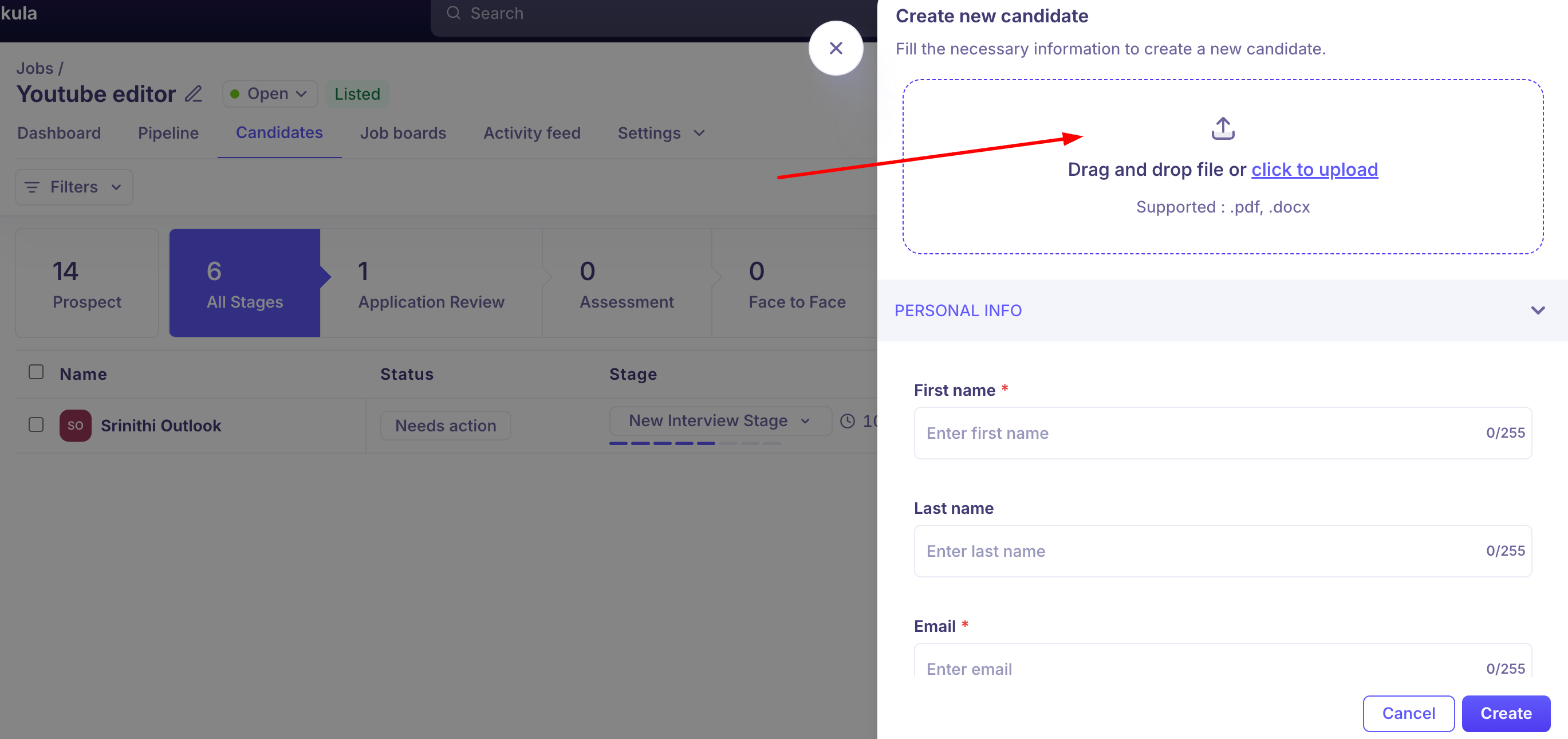
When a resume enters Kula, an automated parser reads it and tries to extract structured data — name, contact details, work history, education, skills — to save recruiters and candidates from typing it all in by hand. This article explains when parsing actually runs, what it currently does and doesn't populate on a candidate's profile, supported file types, and known failure modes.
Who can do this: Parsing itself is automatic, not a manual action. It's triggered by system events: a Recruiter, Admin, or Super Admin creating a contact with a resume attached; a candidate submitting an application through the career portal; or anyone forwarding a resume to a Maildrop address.
Where to find it: Parsed data populates the candidate's Contact profile and, where relevant, the Application. There's no separate "parsing" screen — you see the result as pre-filled profile fields, or as the autofilled fields on a career-portal application form.
When parsing actually runs
Contact creation with a resume attached — parsing runs automatically as part of creating the contact.
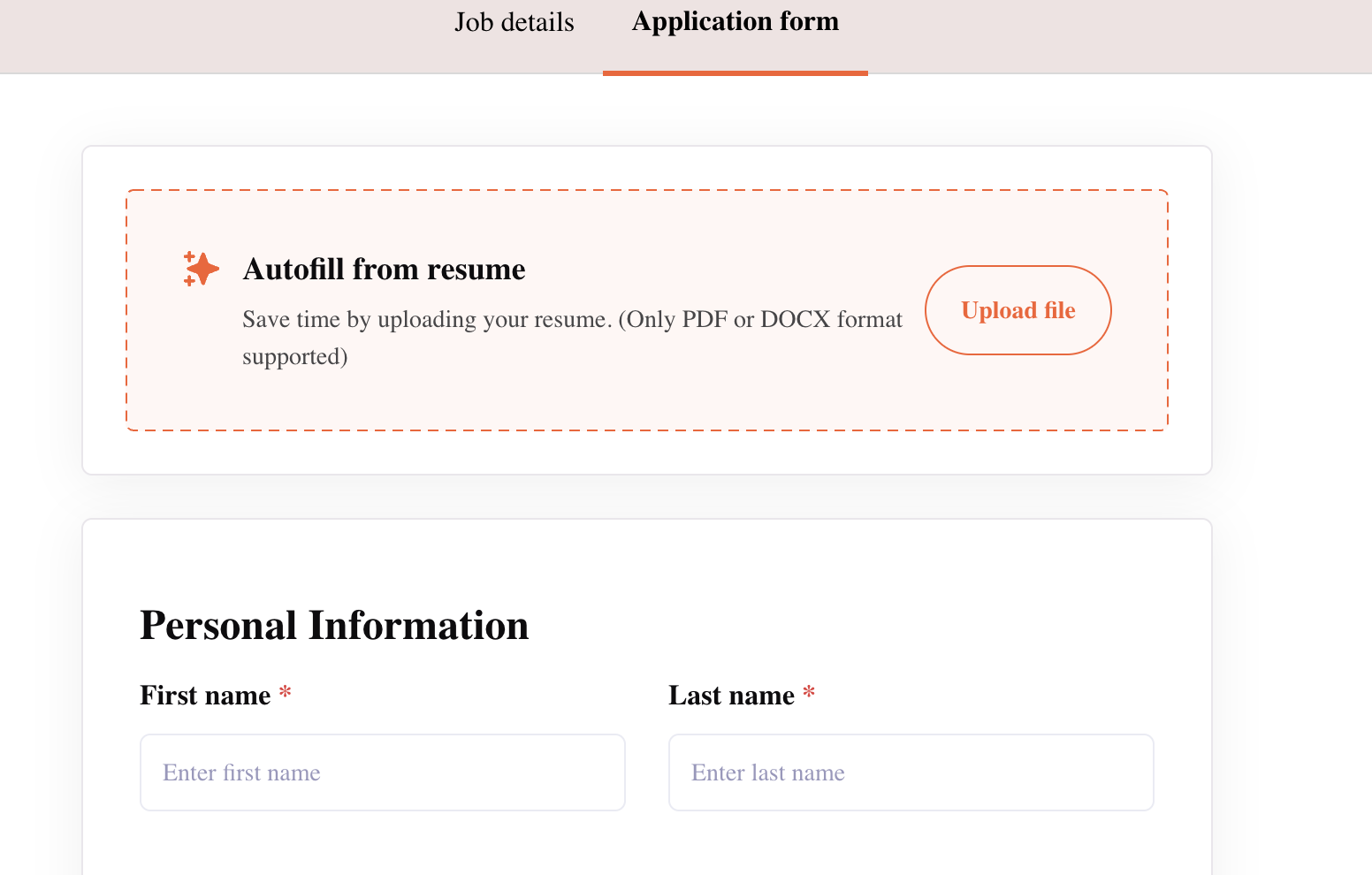
A candidate applying through the Kula career portal — the application form has a resume field with autofill/parsing capability; uploading a resume there both parses it to pre-fill the rest of the form and attaches the file.
Forwarding a resume to a Maildrop address — see "MailDrop." Kula parses the attachment and creates or updates a candidate profile automatically.
Two resume fields on the career-portal application form
The candidate-facing application form has historically shown two separate resume upload points, and they behave differently:
The autofill/parsing field (typically at the top) — parses the resume to pre-fill the rest of the form (name, experience, education, etc.). This is where the actual parsing capability lives.
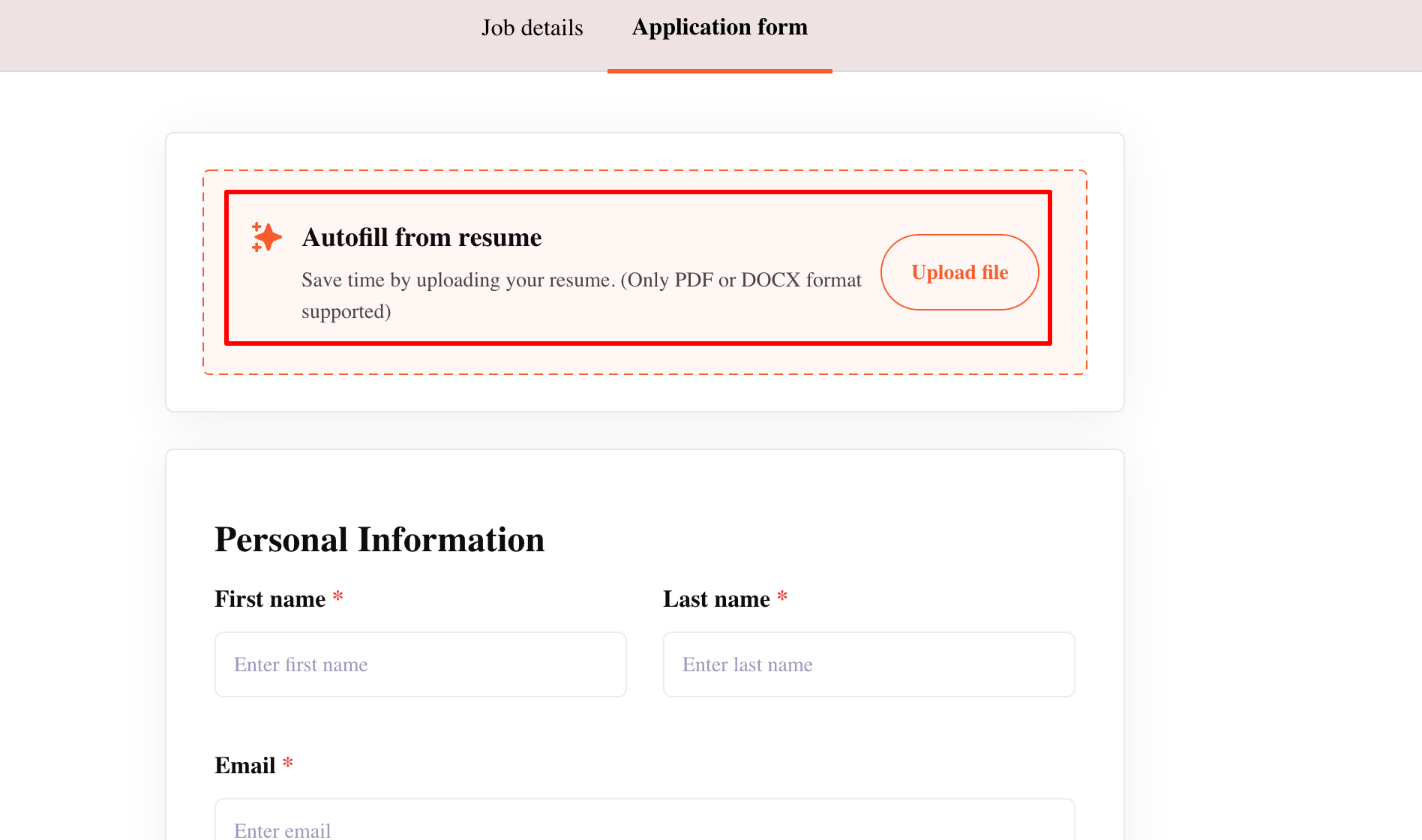
The plain resume attachment field — this is what actually gets saved as the candidate's resume file on their profile; when a resume is uploaded via the autofill field, it's auto-attached here too so the candidate doesn't have to upload twice.
Worth knowing: if a candidate edits a pre-filled field (for example, changing the email address the parser extracted) before submitting, it's the submitted value — not the originally parsed value — that ends up on the profile.
Supported file types
PDF, DOC, and DOCX are the confirmed supported formats (per Maildrop's documented FAQ, which applies to resume parsing generally).
Other formats have historically caused hard failures — a 500 error uploading .odt and .rtf files was reported and fixed, but this suggests format support is narrower than "any document file," not broader.
Good to know
A resume update can trigger AI Scoring to re-run, per the live "Update the Resume of Existing Candidates" article, if the candidate is in the Application Review stage — worth keeping in mind since a changed resume can change a candidate's score.
A serious (now-fixed) historical bug once caused parsing to return the wrong person's data — an internal report showed a parsing run returning a Kula employee's own profile information instead of the candidate being parsed. This was fixed, but is worth knowing existed as a class of bug in the parsing pipeline.
Confirmation emails are sent for Maildrop-based resume imports, listing which resumes were successfully parsed and which failed, with a reason (duplicate, unsupported file type, or a parsing error) — this is the clearest built-in visibility into parsing failures today, though it's specific to the Maildrop path.
FAQ
Does re-uploading a resume to an existing candidate re-parse it? Unclear and disputed between sources — see Needs Verification above. Don't assume either way; if this matters for your workflow, confirm current behavior with Kula support before relying on it.
Why didn't the parser pick up this candidate's email or phone number? Most often, a complex resume layout — tables, graphic headers, or icons near contact details are known to cause this. There's no automatic retry; the field needs manual entry.
What file types can be parsed? PDF, DOC, and DOCX are confirmed supported. Other formats have historically failed outright rather than parsing poorly.
Can I re-parse a batch of existing candidates at once? No — there's no bulk re-parse or refresh feature. Parsing happens once, at upload.
Why are several candidates suddenly missing profile data at once? Check whether this coincides with a platform-wide parsing outage — this has happened more than once in 2026 and affects many candidates simultaneously rather than being specific to one resume.
Does the LinkedIn sourcing Chrome extension parse the candidate's resume? No — it only pulls structured profile data directly from the LinkedIn page. To get an actual resume parsed for a LinkedIn-sourced candidate, forward it to a Maildrop address instead.
Need help?
For updating an existing candidate's resume file, see "Update the Resume of Existing Candidates." For importing resumes by email, see "MailDrop." For anything else, reach out to us at support@kula.ai or use the in-app chat.