Editing Candidate Information
Last updated: April 21, 2026
You can update a candidate's details at any time from their profile. This includes their name, contact information, social links, and other personal or professional details.
How to edit a candidate's details
Open the candidate's profile by clicking their name from the Candidates tab of any job.
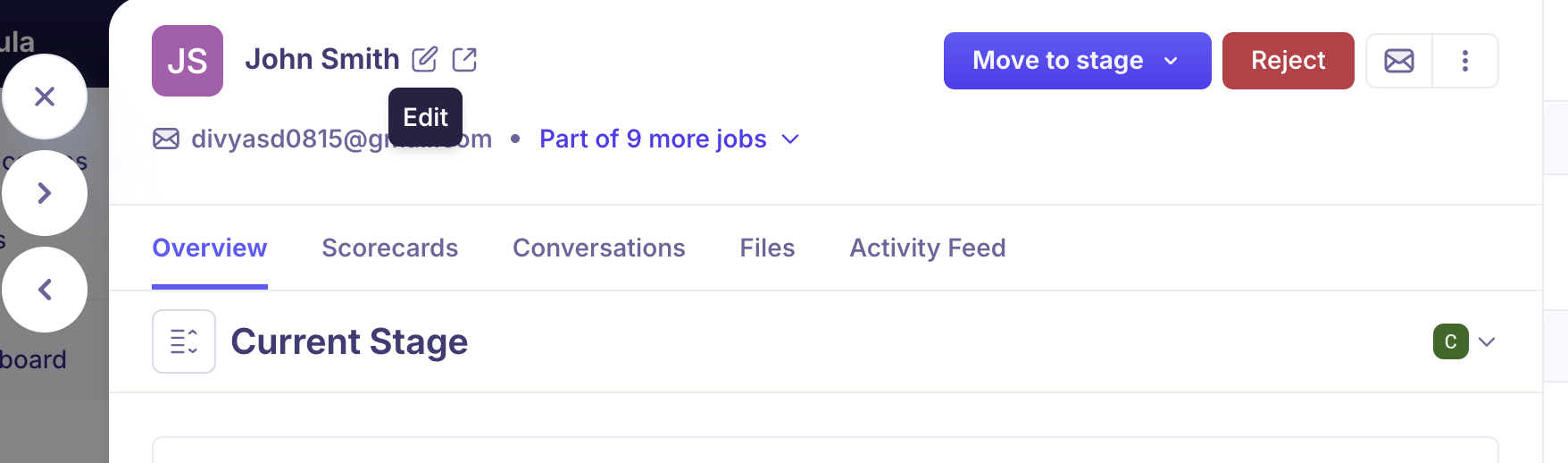
In the profile header, click the pencil (edit) icon next to the candidate's name.
Update the relevant fields:
First name and Last name
Email address
Phone number
Current company and Current role
LinkedIn URL or other social/portfolio links
Source
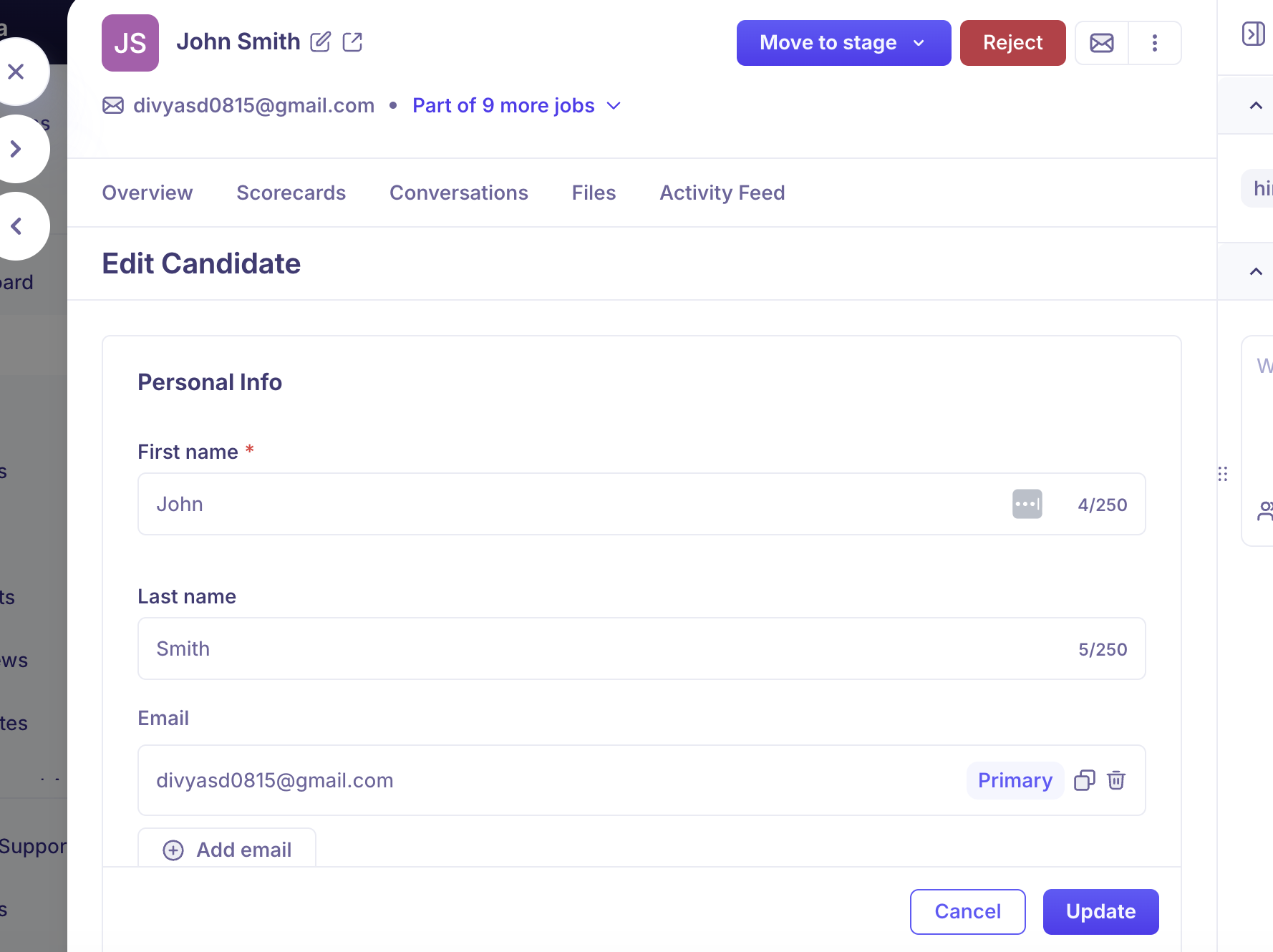
Click Update to apply your changes.
Notes on email addresses
If you update a candidate's email address, all future communications from Kula will be sent to the new address.
If the candidate exists in multiple jobs, the update will reflect across all their job applications.
Frequently asked questions
I updated a candidate's Current Employer in their profile, but the list view in the job still shows the old company name. Why?
This is a known display lag. The list view may not refresh immediately after an edit. Try doing a full page refresh (Ctrl+R / Cmd+R). If the old value persists after refreshing, clear your browser cache or try a different browser. If the issue continues, contact support@kula.ai — this has been reported and investigated as a bug.
I can't find the edit option on the candidate's profile. Who has permission to edit?
Any team member with recruiter-level access or above on the job can edit candidate details. If you're a limited member (e.g. interviewer-only role), you may not have edit access. Contact your admin to check your role permissions.
If I update the candidate's email, will it change their email across all jobs they're in?
Yes. The email address is part of the candidate's global profile and updating it will apply across all jobs they are associated with in your Kula account.
Can I edit application form answers that a candidate submitted?
No. Answers submitted through a job application form are captured as-is and cannot be edited after submission. You can add notes to the candidate's profile to capture any corrections or context.
Need Help?
If you have questions or need assistance, reach out to us at support@kula.ai or use the in-app chat.