What is a Job in Kula?
Last updated: April 10, 2026
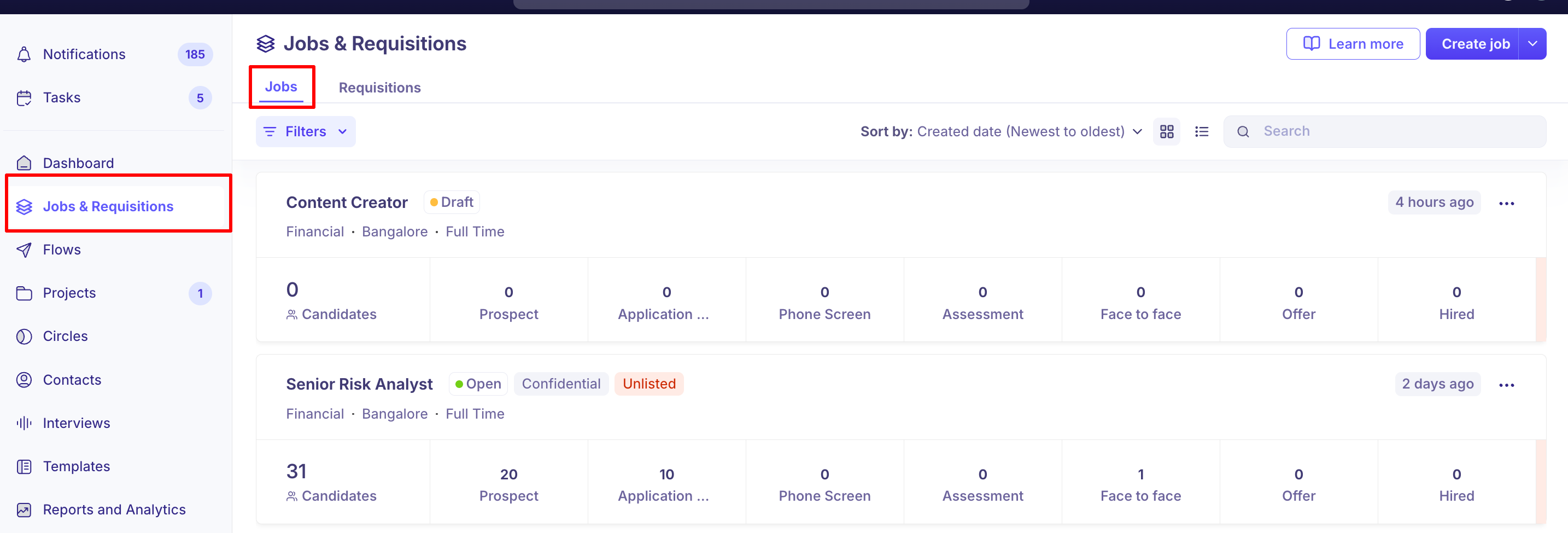
In Kula, a job represents a role you're hiring for. It's where you manage everything related to that role — who's applied, where they are in the process, who's interviewing them, and where the role is posted.
A job in Kula is the central unit of your hiring process. It represents an open role in your organization and brings together everything needed to hire for that role — the job description, application form, pipeline stages, hiring team, job board postings, scorecards, and candidate applications.
Jobs live inside the Jobs module in Kula and can be managed by recruiters, hiring managers, and admins depending on their permissions.
What a Job Contains
Each job in Kula is made up of several components:
Component | Description |
Job details | Role title, department, office location, work type, compensation |
Job post | The public-facing job description candidates see on your career portal or job boards |
Pipeline | The interview stages candidates move through (e.g., Applied → Screening → Interview → Offer) |
Hiring team | The recruiters, hiring managers, and interviewers assigned to the role |
Application form | The form candidates fill out when applying |
Scorecards | Structured evaluation forms used by interviewers |
Job boards | Boards where the job is published (LinkedIn, Indeed, and more via VONQ) |
Candidates | All applications associated with the role |
Requisition (optional) | A linked headcount request if requisitions are enabled in your org |
Jobs vs. Job Posts
A common point of confusion: a job and a job post are not the same thing.
The job is the internal record in Kula — it holds the pipeline, hiring team, and candidate data.
The job post is the public-facing listing configured under Settings → Job Post within the job. It must be set up and listed for the job to appear on your career portal or be posted to job boards.
A job can exist in Kula without a job post. Candidates can still be manually added to an unlisted job.
Who Can Create Jobs?
Job creation is controlled by permissions in Kula. By default:
Admins and Super Admins can create and manage all jobs
Recruiters can create jobs if the permission is enabled for their role
Hiring Managers can be added to jobs but typically cannot create them
FAQs
Q: Can a candidate be added to more than one job?
Yes. A candidate can have applications across multiple jobs in Kula.
Q: Can I have a job without publishing it?
Yes. A job can remain internal with no job post, or have an unlisted job post accessible only via a direct link.
Q: Can a job have multiple job posts?
Each job has one job post. The post can be listed (public) or unlisted (accessible by direct link only).
Need Help?
If you have questions or need assistance with setup, feel free to reach out to us at support@kula.ai or use the in-app chat for assistance.